
Protect Sensitive Business Data with AI-Powered PDF Redaction for Safe Sharing
Last month, we shared a PDF contract with a partner, only to realize later that it still contained unredacted personal dataputting us at risk of a serious GDPR violation. The thought of confidential emails, employee IDs, and financial details floating outside our organization was alarming. For businesses handling sensitive documents daily, this is not just a minor oversightit’s a risk that can lead to fines, legal disputes, and irreparable damage to reputation.
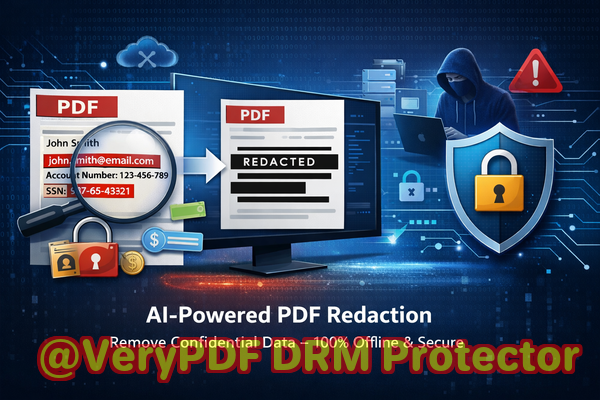
Accidentally exposing sensitive information in PDFs is more common than most business owners realize. Whether it’s contracts, HR records, or financial reports, a single overlooked detail can result in a data breach. Traditional redaction methods, like manually blacking out text, often fail to remove the underlying data completely. Worse, employees sometimes use free online tools without knowing their documents are uploaded to third-party serverscreating a privacy nightmare.
This is where VeryPDF AI PDF Redaction Tool Command Line comes in. Designed specifically for businesses, it permanently removes sensitive information from PDFs before sharing, ensuring your data stays private and compliant.
Real Business Risks of Unredacted PDFs
Sharing a PDF without proper redaction can expose companies to multiple risks:
-
Accidental disclosure of personal data: Imagine sending a report that includes employees’ names, emails, phone numbers, or social security numbers. GDPR violations can result in hefty fines, while internal breaches erode trust.
-
Incomplete manual redaction: Highlighting text with black bars or using basic PDF editors may look secure, but the text underneath often remains recoverable with a few clicks. This can be exploited by competitors, hackers, or even unintended recipients.
-
Unsafe online redaction tools: Many employees turn to free online PDF redactors. What they don’t realize is that uploading sensitive company information to an unknown server exposes them to potential leaks and legal liability.
These risks are not theoreticalthey happen every day. A law firm once sent a case summary to a client using an online redaction tool, only to discover later that the original client details were still embedded in the PDF. The company faced a formal complaint and wasted weeks managing the fallout.
How VeryPDF AI PDF Redaction Tool Command Line Solves These Problems
Unlike traditional methods, VeryPDF’s AI-powered PDF redaction tool is designed to detect, redact, and permanently remove confidential information automatically. Here’s how it addresses the core pain points businesses face:
-
Automatic detection of sensitive data: Using AI, the tool identifies personal information such as names, email addresses, phone numbers, identification numbers, and financial data. It also detects confidential business information and legal clauses that need protection.
-
Permanent removal, not just hiding: Unlike standard “blackout” methods, this tool completely deletes the sensitive data from the PDF, ensuring that it cannot be recovered or copied.
-
Offline processing for maximum security: The entire process runs on your computer. Files never leave your network, guaranteeing 100% privacy and compliance with internal data policies.
Practical Benefits and Business Implications
By using VeryPDF AI PDF Redaction Tool Command Line, businesses gain more than just a cleaner documentthey gain peace of mind and regulatory safety.
-
Prevent accidental data leaks: Ensures that sensitive client or employee information is permanently removed before sharing.
-
Avoid legal exposure: Protects against GDPR, HIPAA, or other data protection regulation violations.
-
Maintain confidentiality: Prevents competitors or external parties from accessing business secrets or private clauses.
-
Streamline workflows: Reduces manual editing and review time, allowing legal and compliance teams to focus on higher-value tasks.
Consider this scenario: A financial consulting firm switched from manually redacting PDFs to using VeryPDF’s AI solution. Previously, each quarterly report required multiple hours of careful review, with human error inevitable. After switching, reports were automatically scanned and redacted in minutes, eliminating hidden risks and significantly improving client trust.
How to Redact PDFs Safely Step by Step
-
Load your PDF Open the document you need to redact.
-
Detect sensitive data Let the AI analyze the file to identify personal, financial, and confidential information.
-
Review suggested redactions Confirm what needs to be removed.
-
Apply redaction The tool permanently deletes the sensitive information.
-
Export a clean PDF Share the file safely with clients, partners, or colleagues without risk of leakage.
Common types of data to redact include:
-
Personal identifiable information (PII) names, addresses, social security numbers
-
Financial data account numbers, invoices, payroll details
-
Business secrets internal strategies, product plans, confidential emails
-
Legal or confidential clauses contracts, NDAs, merger documents
This approach ensures every document shared is compliant, private, and free from hidden vulnerabilities.
Real-World Examples
-
A legal team avoided a potential compliance violation by redacting case notes before sending them to an external partner. The AI identified sensitive witness information that had been overlooked manually.
-
An HR department shifted from online tools to offline VeryPDF software, preventing sensitive employee files from ever leaving the company network.
-
A consulting firm prevented a potential leak of strategic recommendations when sharing reports with clients by permanently removing identifiable references.
These examples show how practical and necessary robust redaction is for businesses that handle confidential information daily.
Why Offline AI Redaction is Essential
Many businesses underestimate the risks of using online redaction tools. Uploading sensitive documents to a cloud service, even temporarily, exposes companies to:
-
Third-party data storage risks
-
Regulatory scrutiny for transferring personal data
-
Accidental exposure of trade secrets
Offline AI redaction removes these risks entirely. By processing files locally, VeryPDF ensures total confidentiality while leveraging AI to detect sensitive information that humans might miss.
Conclusion: Protect Your Business and Your Reputation
Data privacy is no longer optional. Businesses that fail to properly redact documents risk fines, lawsuits, and loss of client trust. VeryPDF AI PDF Redaction Tool Command Line addresses these risks directly by:
-
Automatically detecting sensitive data
-
Permanently removing confidential information
-
Operating fully offline for total privacy
I highly recommend this to anyone who needs to share documents safely without risking data leaks or compliance issues.
Try it now and securely redact your PDFs: https://veryutils.com/smart-redact-server-ai-powered-pdf-redaction-software
Start your free trial today and ensure your sensitive data is permanently removed before sharing.
Frequently Asked Questions (FAQs)
-
How can I permanently remove sensitive data from a PDF instead of just hiding it?
VeryPDF AI PDF Redaction Tool Command Line deletes the data completely, ensuring it cannot be recovered.
-
Can others recover redacted information from my PDF?
No. The redaction process permanently removes text and metadata from the file.
-
Is it safe to use online PDF redaction tools?
Uploading confidential files to online tools carries a risk of exposure. Offline tools are safer for sensitive data.
-
Does this tool work completely offline?
Yes. All processing happens on your local computer, ensuring 100% privacy.
-
What types of sensitive data can be automatically detected and removed?
Names, emails, phone numbers, IDs, financial data, business secrets, legal clauses, and more.
-
How does AI detection improve redaction?
AI scans the entire PDF, identifying patterns and context that humans may overlook, reducing the risk of accidental leaks.
-
Can this tool help with GDPR compliance?
Absolutely. By removing personal data before sharing, it ensures documents meet GDPR and other data protection standards.
-
How easy is it to use for non-technical staff?
VeryPDF offers a simple workflow: load, detect, review, redact, and exportno programming knowledge required.
-
Does redacting a PDF affect its formatting?
No. The tool preserves the original PDF layout while securely removing sensitive information.
-
Can I batch process multiple PDFs?
Yes, the command line tool supports batch processing for efficiency.
-
What if I need to review redactions before finalizing?
The tool allows you to review AI-suggested redactions to ensure accuracy and relevance.
-
Is this solution suitable for legal, HR, and financial documents?
Yes. It is designed for any sensitive documents where privacy and compliance are essential.
Tags / Keywords
redact sensitive data, remove confidential information, PDF redaction tool, protect privacy in PDFs, prevent data leaks, offline PDF redaction, secure document sharing, AI-powered redaction, GDPR compliance, sensitive document protection