
Protect Sensitive Customer Data with AI PDF Redaction for Secure Document Sharing
Last month, we sent a batch of client contracts to a partner company. Everything seemed routineuntil someone noticed that a few PDFs still contained unredacted personal information, including names, addresses, and financial details. A simple oversight could have triggered a serious GDPR violation, potentially resulting in hefty fines and reputational damage. It was a wake-up call: in today’s fast-paced business environment, simply “blacking out” sensitive data is no longer enough. Accidental exposure of confidential information is easier than most companies realiseand the consequences are real.
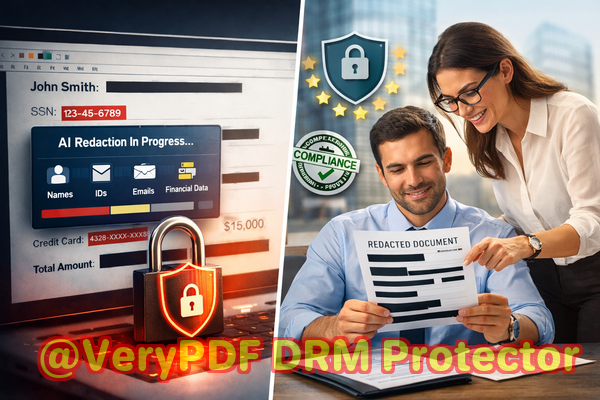
Many organisations, from insurance firms to legal offices, face the same problem daily. Sharing documents internally or with external partners without proper safeguards puts personal and corporate data at risk. The traditional approachmanual redactionoften fails. Employees might miss certain details, PDF text may still be recoverable, or files could be uploaded to unsecured online tools. That’s where AI-powered PDF redaction comes in, offering a smarter, safer way to protect sensitive information.
One of the biggest pain points we encounter is the accidental exposure of sensitive data. Imagine sending out a financial report or contract only to realise that client IDs, email addresses, or phone numbers are still visible. Even if a few characters are blacked out, the text can sometimes be copied or recovered with the right tools. For businesses, this is more than an inconvenienceit’s a compliance risk. GDPR, HIPAA, and other privacy regulations require that personal and sensitive information is properly protected before sharing. Failure to comply can lead to fines, legal liability, and loss of trust.
Another common risk comes from employees using online redaction tools. While convenient, these services often require uploading PDFs to third-party servers. If your document contains proprietary business information, customer data, or legal clauses, you’re essentially putting your confidential data in someone else’s hands. Even a single misstep could result in data leaks or breaches that are beyond your control.
Manual redaction errors are also a frequent problem. Traditional methodsblack rectangles or text maskingmay look safe but often leave underlying text recoverable. We’ve seen situations where a competitor or unauthorized employee could extract sensitive information from supposedly “redacted” files. This isn’t just theoreticalit happens more often than you think, and the fallout can be significant.
This is where the VeryPDF AI PDF Redaction Tool Command Line provides a practical solution. Designed for professionals who handle confidential documents daily, this tool uses advanced AI to detect and remove sensitive information automatically. Whether it’s names, emails, phone numbers, financial data, or legal clauses, the software identifies it accurately and permanently removes it from the PDF. Unlike visual redaction, this method ensures that the data is gonethere’s no underlying text to recover.
One of the most important features is that it works completely offline. All processing happens on your computer, meaning your documents never leave your secure environment. For legal teams, HR departments, and insurance companies handling sensitive client data, this is a game-changer. You eliminate the risk of exposing files to third-party servers while still achieving thorough, accurate redaction.
Consider a real scenario: a mid-sized insurance company needed to share client policy PDFs with a partner for processing. Using traditional manual methods, they risked leaving personal information exposed. By switching to VeryPDF AI PDF Redaction, they were able to scan and permanently remove all personally identifiable information before sharing. The result? Zero risk of accidental data leaks and full compliance with privacy regulations. Employees also saved hours of tedious work, allowing them to focus on higher-value tasks.
The workflow is straightforward, even for busy teams. Here’s a typical process:
-
Load your PDF into the software.
-
The AI automatically detects sensitive information, highlighting names, emails, phone numbers, financial details, and other confidential content.
-
Review the suggested redactions and make any adjustments if needed.
-
Apply the redaction, permanently removing the sensitive data.
-
Export a clean, secure PDF ready for sharing.
Common types of data that should be redacted include:
-
Personally identifiable information (PII) such as names, addresses, phone numbers, and email addresses.
-
Financial information like bank accounts, credit card numbers, and income details.
-
Business secrets, strategic plans, or internal reports.
-
Legal clauses, contracts, and proprietary agreements.
By automating detection and ensuring permanent removal, the tool prevents accidental leaks that could lead to fines, reputational damage, or legal disputes. The offline processing ensures your most sensitive files never leave your secure environment, mitigating the risk of exposure through online platforms.
We’ve also seen companies switch from online redaction tools to offline solutions with immediate results. One law firm reported that using online services to redact sensitive case documents created anxiety over where the files might be stored or who could access them. After moving to VeryPDF AI PDF Redaction Tool, they gained confidence knowing that all documents were processed securely on-site, with zero risk of outside exposure.
Another example comes from a healthcare organisation that needed to share patient records with auditors. By using AI-powered redaction offline, they removed all patient identifiers quickly and accurately. The auditors received the necessary information without any risk of violating HIPAA regulations. For them, redaction wasn’t just a taskit was a crucial compliance safeguard.
The benefits extend beyond compliance. Proper redaction enhances client trust. When your customers know that their information is handled securely and never exposed inadvertently, it reinforces your reputation as a reliable and privacy-conscious business. For insurance companies, legal firms, and financial organisations, this trust translates directly into client retention and business growth.
For practical use, the tool is designed to be intuitive. Even teams without extensive technical experience can follow a simple step-by-step workflow:
-
Open the PDF in VeryPDF AI PDF Redaction Tool Command Line.
-
Select the type of sensitive data to detect automatically.
-
Review the AI’s suggested redactions.
-
Apply redaction to permanently remove the data.
-
Export the secured PDF ready for sharing.
This workflow ensures accuracy, speed, and privacy protection. You can confidently share contracts, HR documents, financial statements, or medical records without worrying about accidental leaks or compliance violations.
In summary, the VeryPDF AI PDF Redaction Tool Command Line addresses the most pressing business pain points in document handling:
-
Accidental exposure of sensitive information.
-
Errors in manual redaction that leave data recoverable.
-
Risks of uploading confidential files to online tools.
-
Compliance and legal challenges from GDPR, HIPAA, and other regulations.
I highly recommend this to anyone who needs to share documents safely without risking data leaks or compliance issues. The tool’s AI-powered detection, permanent data removal, and fully offline processing create a robust privacy safeguard for any organisation.
Try it now and securely redact your PDFs: https://veryutils.com/smart-redact-server-ai-powered-pdf-redaction-software
Start your free trial today and ensure your sensitive data is permanently removed before sharing.
FAQs
How can I permanently remove sensitive data from a PDF instead of just hiding it?
The VeryPDF AI PDF Redaction Tool Command Line uses AI to detect sensitive data and removes it entirely from the PDF, not just visually masking it.
Can others recover redacted information from my PDF?
No. Redaction with this tool permanently deletes the data, ensuring it cannot be recovered.
Is it safe to use online PDF redaction tools?
Online tools often require uploading your files to external servers, which may expose sensitive information. Offline tools like VeryPDF ensure data never leaves your computer.
Does this tool work completely offline?
Yes. All processing happens on your local machine, ensuring full privacy and security.
What types of sensitive data can be automatically detected and removed?
The AI can detect personally identifiable information (PII), financial data, business secrets, legal clauses, and more.
How can I ensure compliance with GDPR when sharing documents?
By permanently redacting all personal and sensitive information using AI-powered tools, you reduce the risk of accidental exposure, helping meet GDPR requirements.
Can this tool handle large batches of PDFs?
Yes. The command-line interface allows you to process multiple files efficiently, saving time and reducing manual work.
Is training required to use the tool?
No. The AI automatically detects sensitive data, and the workflow is simple and intuitive.
How does AI detection improve over manual redaction?
AI can scan entire documents for hidden or hard-to-spot sensitive information, reducing human error and ensuring comprehensive protection.
What industries benefit most from this tool?
Legal, finance, insurance, healthcare, HR, and any sector handling confidential or personal data.
Can I review the AI-suggested redactions before applying them?
Yes. You can review, adjust, and approve redactions to ensure accuracy before finalising the PDF.
Tags/Keywords
redact sensitive data, remove confidential information, PDF redaction tool, protect privacy in PDFs, prevent data leaks, offline PDF redaction, secure document sharing, AI PDF redaction, compliance-ready redaction, permanent data removal