Protect Your PDF Class Notes with VeryPDF Online DRM Protector

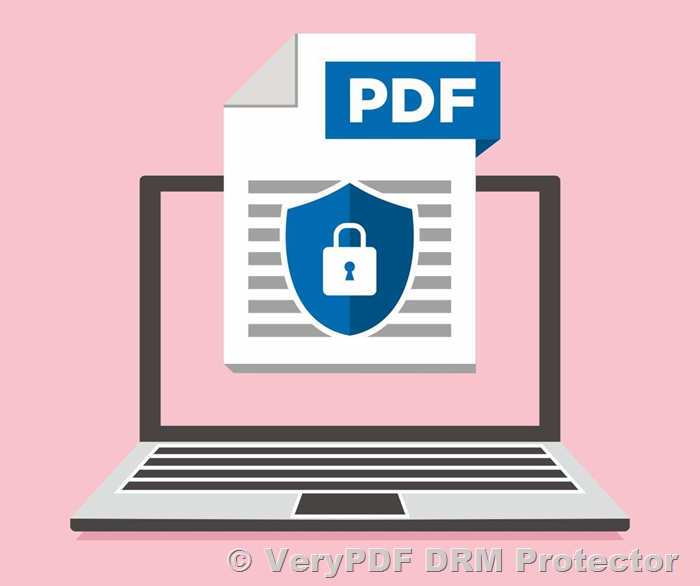
In the modern era of online learning, safeguarding intellectual property such as class notes is a priority for educators and tutorial owners. If you are looking for a way to encrypt your PDF files and control their distribution, VeryPDF DRM Protector is the ideal solution. Here’s how it can help meet your specific requirements:   


Key Features of VeryPDF DRM Protector

  1. Password Protection
    VeryPDF DRM Protector allows you to secure your PDFs with both master and user passwords.

    • Master Password: Grants full control over the document, including permissions to edit or modify.
    • User Password: Restricts access to authorized users only.
  2. Open Limit Control
    The software enables you to limit the number of times a document can be opened. This is particularly useful for temporary access to materials, ensuring students cannot abuse or overuse the files.
  3. Expiration Date
    With this feature, you can set a specific date and time after which the PDF will automatically become inaccessible. This ensures your notes remain secure beyond the desired usage period.

Protect Your PDF Class Notes with VeryPDF Online DRM Protector


Compatibility

Protected PDF files created with VeryPDF DRM Protector are designed to work with a specific PDF reader provided with the software. This ensures that all DRM restrictions, including password protection, expiration, and usage limits, are fully enforced. Standard PDF readers cannot open these files, as they do not support the advanced DRM features.


Purchase and Pricing

The VeryPDF DRM Protector software can be purchased directly through the following webpage:
Purchase PDF DRM Protector

The pricing is all-inclusive, covering all the features and functionality you need to secure your PDF class notes.


Why Choose VeryPDF DRM Protector?

  • Locally Run on Windows 10 & 11: The software operates directly on your PC, ensuring complete control over the encryption process without relying on external servers.
  • Ease of Distribution: You can encrypt your notes and distribute them with confidence, knowing they are protected against unauthorized access or redistribution.
  • Customizable Security: Adjust restrictions to meet your specific needs, whether it’s limiting the number of views or setting a hard expiration date.

Contact Us

If you have further questions or require assistance with the purchase or setup, feel free to contact our support team. We’re here to ensure your PDF encryption process is seamless and effective.

Secure your valuable intellectual property today with VeryPDF DRM Protector!

VeryPDF Online PDF DRM Protector: Prevent PrintScreen and Screenshot Capture in Web Browsers

In today’s digital age, securing sensitive PDF documents from unauthorized access or copying is a top priority for many businesses and individuals. VeryPDF Online PDF DRM Protector provides a comprehensive solution to protect PDF files, especially from screen capture tools, PrintScreen functionality, and unauthorized downloads. If you’re looking for a way to prevent screenshot capture and ensure that your PDF content protection remains secure, VeryPDF has the answer.

1. Disable PrintScreen, CTRL, ALT, SHIFT, and Other Hotkeys

One of the primary features of VeryPDF Online PDF DRM Protector is its ability to disable hotkeys such as CTRL, ALT, SHIFT, and PrintScreen. These keys are commonly used by users to copy or take screenshots of sensitive content.

Whenever any of these hotkeys are pressed, the PDF viewing experience is immediately interrupted, and the screen turns blur, indicating that the action has been blocked. This functionality prevents users from taking screenshots or copying content from your protected PDF files, adding an essential layer of security to your documents.

VeryPDF Online PDF DRM Protector: Prevent PrintScreen and Screenshot Capture in Web Browsers

2. Prevent Screenshot Capture When the Mouse Leaves the Window

To enhance PDF document security, VeryPDF Online PDF DRM Protector also monitors when the user moves the mouse outside of the active PDF viewing window. As soon as the mouse leaves the window, the PDF viewing area will turn blur, indicating that any screenshot capture attempt or unauthorized viewing is disabled. This feature ensures that your content remains secure, even if a user accidentally or intentionally navigates away from the document.

VeryPDF Online PDF DRM Protector: Prevent PrintScreen and Screenshot Capture in Web Browsers

3. Block PDF Viewing When the Focus Shifts to Another Window or Application

In addition to detecting mouse movements, VeryPDF Online PDF DRM Protector also recognizes when the user switches the focus to another window or application. If the user clicks or switches away from the PDF viewer, the document will become blur to block further access.

This feature ensures that PrintScreen and screenshot capture software cannot capture or record content while the PDF document is not in the foreground, maintaining the highest level of PDF security.

VeryPDF Online PDF DRM Protector: Prevent PrintScreen and Screenshot Capture in Web Browsers

4. Clear Clipboard to Prevent Copying Content

Another vital protection offered by VeryPDF DRM is its ability to clear the clipboard when content is copied from the PDF. If a user tries to copy text or images from the document, the clipboard is automatically cleared, preventing content leakage.

This clipboard clearing mechanism ensures that any attempt to copy or share sensitive PDF content via the clipboard will be blocked, adding another important layer to your document protection strategy.

5. AES 256-bit Encryption to Protect Downloaded PDF Files

Even if an unauthorized user manages to download the protected PDF file, they will not be able to open or view it. VeryPDF Online PDF DRM Protector uses AES 256-bit encryption, one of the strongest encryption methods available, to secure PDF files.

Only authorized users with the correct decryption key can open the protected PDF file, making it impossible for anyone who attempts to hack or download the document to access its content.

Protect Your PDF Files from Screenshot Capture and PrintScreen

VeryPDF is dedicated to providing the highest level of protection against PrintScreen, screenshot capture software, and other potential threats to your PDF content security. Our PDF DRM solution is designed to give you peace of mind, knowing that your sensitive documents are well-protected.

We are continuously working to improve our PDF protection technology to block unauthorized screenshot captures, copy attempts, and other security risks. If you have any suggestions or requirements regarding content protection or document security, please don’t hesitate to contact us.


Why Choose VeryPDF for PDF Protection?

  • Prevent unauthorized screenshots and screen captures
  • Disable hotkeys like CTRL, ALT, SHIFT, and PrintScreen
  • Encrypt PDF files with AES 256-bit encryption
  • Clear clipboard automatically to prevent copying
  • Protect PDF documents from unauthorized viewing or downloading

With VeryPDF Online PDF DRM Protector, you can ensure that your PDF documents are secure and protected from unauthorized access and copying. Contact us today to learn more about how we can help you secure your valuable content.

Keywords for VeryPDF Online PDF DRM Protector:

  • VeryPDF Online PDF DRM Protector
  • PDF content protection
  • prevent screenshot capture
  • block PrintScreen
  • PDF hotkey disable
  • AES 256-bit PDF encryption
  • clear clipboard for PDF security
  • block screenshot tools
  • prevent PDF copying
  • secure PDF viewing
  • online PDF DRM solution
  • PDF document security

Description: Learn how VeryPDF Online PDF DRM Protector prevents PrintScreen and screenshot capture in web browsers, enhancing PDF document security.

Keywords: VeryPDF Online PDF DRM Protector, PDF content protection, prevent screenshot capture, block PrintScreen, AES 256-bit PDF encryption, PDF hotkey disable, online PDF DRM solution, PDF document security


VeryPDF DRM Protector for Documents and Images: Comprehensive File Security Since 2000

In the evolving landscape of digital content, protecting sensitive files and intellectual property is more critical than ever. Since 2000, VeryPDF DRM Protector has been a trusted solution for safeguarding PDF files. It extended its robust DRM protection capabilities to include other document formats and images, providing comprehensive security for a diverse range of file types.

VeryPDF DRM Protector for Documents and Images: Comprehensive File Security Since 2000

Protecting Valuable Assets Across Formats

With a user base that spans various industries, VeryPDF DRM Protector secures hundreds of thousands of files, including:

  • Large files with intricate content.
  • Documents with complex graphs.
  • High-resolution images that require precision in security.

The software supports the following file formats:

  • Documents: PDF, Word, Excel, PowerPoint, OpenOffice, TXT, and RTF.
  • Images: JPG, PNG, GIF, TIFF, and BMP.

Advanced Encryption: Two Secure Formats

VeryPDF DRM Protector transforms these file types into two encrypted, highly secure formats to meet different access and usage needs:

1. Secure Web Viewer

The Secure Web Viewer is a sleek, browser-based tool designed for seamless access to protected files. It offers:

  • Offline access capabilities for uninterrupted use.
  • Advanced page-viewing options.
  • Rich annotation tools, including highlighting and note-taking.
  • A powerful search function to navigate complex content.

This solution ensures a modern, user-friendly experience while maintaining high-level security.

2. Protected PDF

For users who prefer traditional file access, Protected PDF is a downloadable option compatible with Adobe Acrobat Reader and Acrobat Pro desktop applications. With no need for additional plugins, this format ensures easy integration into existing workflows.

Unparalleled Control with DRM Features

VeryPDF DRM Protector empowers administrators with detailed control over file usage. You can customize access and interaction permissions for both the Secure Web Viewer and Protected PDF, including:

  • Printing restrictions: Limit or disable printing.
  • Copying prevention: Block content copying.
  • Screen capture protection: Deter unauthorized screenshots.
  • Annotation controls: Enable or disable annotations based on user roles.

These features make it a versatile tool for safeguarding sensitive content while ensuring flexibility for authorized users.

Why Choose VeryPDF DRM Protector?

From its inception, VeryPDF DRM Protector has prioritized robust encryption, user-friendly interfaces, and customizable security. Whether you’re protecting proprietary documents, high-resolution images, or critical business data, VeryPDF DRM Protector provides peace of mind through cutting-edge technology and tailored solutions.

Secure your files with confidence—choose VeryPDF DRM Protector today.

Advanced Copy Protection for PDF Files: Safeguarding Sensitive Content

When it comes to protecting digital content, particularly PDF documents, security is a paramount concern. Whether you’re an author, photographer, or business professional handling sensitive data, ensuring your content remains secure from unauthorized copying or sharing is essential. Among the most robust solutions for protecting PDF files is CopySafe PDF, a tool designed to safeguard documents from all methods of duplication, including the use of PrintScreen and screen capture software.

Advanced Copy Protection for PDF Files: Safeguarding Sensitive Content

Unparalleled Protection for PDF Documents

CopySafe PDF stands out as one of the most secure tools available for protecting PDF files. Unlike standard PDF encryption methods, CopySafe PDF offers a comprehensive approach to content protection. It ensures that PDFs cannot be copied, printed, or captured by screen capture tools, providing robust security for a wide range of documents—from financial reports to exclusive photoshoots and architectural plans.

When you convert your PDF documents into CopySafe PDF format, you can share sensitive materials securely, knowing that unauthorized attempts to copy or redistribute them will be blocked. This makes it ideal for situations where confidentiality and security are critical.

Key Features of CopySafe PDF

  1. Protection from PrintScreen and Screen Capture Software: One of the most compelling features of CopySafe PDF is its ability to block all screen capture tools, including the PrintScreen function. This prevents users from taking screenshots of your documents, ensuring that your content remains entirely secure.
  2. Secure Distribution: With CopySafe PDF, you can distribute documents to clients, employees, or partners with confidence. The solution offers various delivery methods, including an embedded reader for one-off publications or a library format for larger document collections. The embedded reader ensures that even a single PDF file can be viewed securely without requiring additional software.
  3. Encrypted PDF Conversion: The CopySafe PDF Converter uses strong encryption algorithms to convert standard PDF files into a highly secure format. Once encrypted, the PDF files are impossible to open with conventional PDF readers, ensuring that the content remains safe from unauthorized access.
  4. Digital Rights Management (DRM): CopySafe PDF supports full DRM features, providing fine-grained control over who can view, print, or share your documents. DRM allows you to assign permissions based on user roles, ensuring that only authorized individuals have access to sensitive data.
  5. Time-based Expiry: For even tighter security, CopySafe PDF allows you to set expiration dates on your documents. The software checks the current time against independent time servers to validate the expiry, preventing users from circumventing this feature by altering their system clocks.
  6. Access Control: You can restrict document access based on network conditions, ensuring that users can only view your PDFs under specific circumstances. This level of control is crucial for businesses dealing with proprietary or confidential data.

User-Friendly PDF Viewing with the CopySafe PDF Reader

The CopySafe PDF Reader is a free application that enables users to view encrypted PDF documents without compromising security. This reader supports many common PDF viewing features, such as page resizing, image zoom, and bookmarking, while maintaining the integrity of the document’s protection. It ensures that your PDF files can be viewed securely by authorized users across various platforms, including Windows, macOS, and mobile devices.

Solutions for Web and Mobile Content Protection

In addition to protecting PDF documents, CopySafe PDF offers several solutions for protecting online content, such as web pages, images, and videos. These tools ensure that your digital media is protected across all devices, including Windows PCs, Macs, iPads, iPhones, and Android phones.

  1. VeryPDF Site Protection System (ASPS): A server module that helps protect content on a dedicated server or VPS. This solution allows you to safeguard PDF files, images, and videos hosted on your website.
  2. SafeGuard DRM for WordPress: A powerful plugin that integrates with WordPress to apply access rights and permissions to web pages, including the option to embed protected PDFs or videos.
  3. SafeGuard Media: Another WordPress plugin that provides copy protection for images, PDFs, and videos. This solution is designed to help protect media files from unauthorized copying and sharing.
  4. SafeGuard Webmail: A solution that enables email and team messaging protection without the need for a website. It prevents users from copying content shared via email or messaging platforms.

Conclusion

Whether you’re distributing financial documents, creative works, or proprietary data, securing your PDF files from unauthorized copying and distribution is essential. CopySafe PDF offers an advanced, multi-layered solution that goes beyond traditional password protection and print restrictions, making it the ideal choice for anyone looking to protect sensitive content. With its strong encryption, screen capture prevention, and digital rights management features, CopySafe PDF ensures that your documents stay secure from all forms of copying and unauthorized access.

For those looking to extend protection to web-based content, solutions like SafeGuard Media and SafeGuard DRM offer seamless integration with WordPress to protect images, videos, and documents online, ensuring that your digital assets remain safe across all platforms and devices.

How to Save a PDF as Read-Only so it Cannot Be Edited, Copied, or Printed Without Using Passwords Using VeryPDF PDF DRM Protector Online Application

PDF files are widely used for sharing important documents, but ensuring they remain secure and protected from unauthorized edits, copying, or printing can be challenging. While traditional password protection is a common approach, it can be bypassed or shared. VeryPDF PDF DRM Protector Online Application offers an alternative, allowing you to secure your PDF files as read-only without relying on passwords, ensuring stronger and more reliable protection.

How to Save a PDF as Read-Only so it Cannot Be Edited, Copied, or Printed Without Using Passwords Using VeryPDF PDF DRM Protector Online Application


Why Go Beyond Password Protection?

Passwords can be shared, forgotten, or cracked, making them a less-than-ideal solution for safeguarding sensitive PDF documents. VeryPDF PDF DRM Protector uses Digital Rights Management (DRM) technology to enforce restrictions directly within the document itself. This approach ensures that your PDF remains read-only and cannot be edited, copied, or printed, even if unauthorized users access the file.


Key Features of VeryPDF PDF DRM Protector Online Application

1. Read-Only Access

Convert your PDF into a read-only format, preventing users from making any modifications. This ensures that your original content remains intact and unaltered.

2. Copying and Printing Restrictions

The application blocks users from copying text or images from your PDF and disables printing entirely. This ensures that your content cannot be duplicated without permission.

3. No Passwords Required

Unlike traditional methods, VeryPDF PDF DRM Protector applies restrictions without the need for passwords. Users cannot bypass the restrictions, even if they have full access to the file.

4. DRM-Based Protection

DRM technology enforces usage policies, restricting how the PDF can be used, regardless of the environment. This ensures comprehensive control over your documents.

5. Watermark Integration

Add dynamic watermarks with user-specific details (e.g., names, timestamps) to discourage unauthorized sharing or screenshots.

6. Session-Based Viewing

Control access to your PDFs by setting viewing limitations, such as device-specific access, expiration dates, or single-use links.


Steps to Save a PDF as Read-Only Using VeryPDF PDF DRM Protector

Step 1: Upload Your PDF

Visit the VeryPDF PDF DRM Protector Online Application and upload the PDF document you want to secure.

Step 2: Configure Read-Only Settings

Enable the read-only mode in the DRM settings. Select additional options to block copying, editing, and printing.

Step 3: Add Watermarks (Optional)

Include dynamic watermarks to further protect your content and deter unauthorized distribution.

Step 4: Generate Secure Viewing Links

Distribute your protected PDF through secure, unique links. These links ensure users can only access the document under the conditions you set.

Step 5: Monitor Access

Track user activity to identify any unauthorized attempts to bypass restrictions.


Benefits of VeryPDF PDF DRM Protector

  • Secure Content Control: Protects PDFs without relying on passwords.
  • Easy to Use: Simplifies the process of securing documents with a user-friendly interface.
  • Advanced Restrictions: Combines read-only settings with copying, editing, and printing blocks.
  • Customizable Watermarks: Adds an additional layer of security by marking documents with identifiable details.
  • Real-Time Monitoring: Keeps you informed about who accesses your documents and how.

Applications of Read-Only PDFs

  • Legal Documents: Prevent tampering with contracts, agreements, or sensitive legal records.
  • Educational Materials: Safeguard proprietary content, such as course notes or eBooks.
  • Corporate Policies: Distribute internal policies without the risk of unauthorized changes.
  • Creative Works: Protect original designs, artwork, and written content from duplication.

Conclusion

With the rise in digital document sharing, securing your PDFs against editing, copying, and printing is more important than ever. VeryPDF PDF DRM Protector Online Application offers a powerful, password-free solution to save your PDFs as read-only and prevent unauthorized access or misuse. By leveraging advanced DRM technology, you can ensure your sensitive content remains secure, no matter where it’s shared.

Try VeryPDF PDF DRM Protector Online Application today to take control of your PDF security!