 Common Teaching Pain Points
As a professor, I'm always concerned about the potential risks of sharing my lecture materials, homework PDFs, and other sensitive course content with students. The fear that someone might share or even redistribute my work without permission is a real headache. Over the years, I've tried various ways to protect my digital content, but no solution truly seemed foolproof. That is, until I discovered the power of Digital Rights Management (DRM) with VeryPDF DRM Protector.
In today's digital classroom, teaching materials are often shared via email, learning management systems, or online platforms. But how do we ensure that these materials aren't copied, printed, or converted into formats that we didn't intend? More importantly, how can we prevent students from distributing them or turning them into pirated content? Let's dive into this growing concern and explore how DRM technology can help educators safeguard their course materials.
Common Teaching Pain Points
Let's face it—professors spend hours preparing valuable course materials, from detailed lecture slides to carefully crafted homework PDFs. When these materials are shared online, either via email or through learning management systems, they're vulnerable to misuse. Here are a few common scenarios I've faced as an educator:
-
Students Sharing PDFs
One of the biggest headaches I encountered was when students shared my lecture slides or homework PDFs with others, both inside and outside the course. Once shared, I lost control over the material, and some students even passed these files to people who hadn't paid for the course. -
Unauthorized Printing and Copying
Another frustrating issue was students printing my lecture notes or copying sections of homework PDFs to submit as their own work. This not only disrupted the integrity of my course but also made it difficult for me to track who had accessed or used the material. -
Conversion to Other Formats
Perhaps the most concerning problem was students converting my protected PDFs into Word or Excel files, making it much easier for them to alter or misuse the content. This posed a major challenge in ensuring that my original content remained intact and protected.
DRM Protection: The Solution to Content Piracy
With these pain points in mind, I started looking for a solution that would help me maintain control over my digital course materials. That's when I came across VeryPDF DRM Protector. This tool has revolutionized how I protect my PDFs and ensures that only the intended recipients have access to my teaching materials.
VeryPDF DRM Protector offers a wide range of features that help me safeguard my PDFs against unauthorized access, copying, printing, and conversion. Here's how it works:
-
Restricting Access to Specific Users
VeryPDF DRM Protector allows me to lock my PDFs to specific devices, ensuring that only the student who has enrolled in the course can access the content. No more worrying about unauthorized sharing between students. The software even locks the document to a particular computer, mobile device, or USB stick, providing an extra layer of security. -
Preventing Printing, Copying, and Converting
With DRM protection, I can prevent students from printing, copying, or converting the PDFs into other formats like Word or Excel. This is incredibly useful when distributing sensitive course materials like exam papers or proprietary lecture slides. Not only can students not print or copy the material, but they can't even print it to a PDF or other file formats. -
Expiry and Self-Destruct Features
An essential feature I love is the ability to set expiration dates or limits on the number of views a document can have. I often use this when distributing temporary access to course materials, such as assignments or handouts. After a set number of days or views, the document will automatically expire, ensuring that it can no longer be accessed. -
Dynamic Watermarks
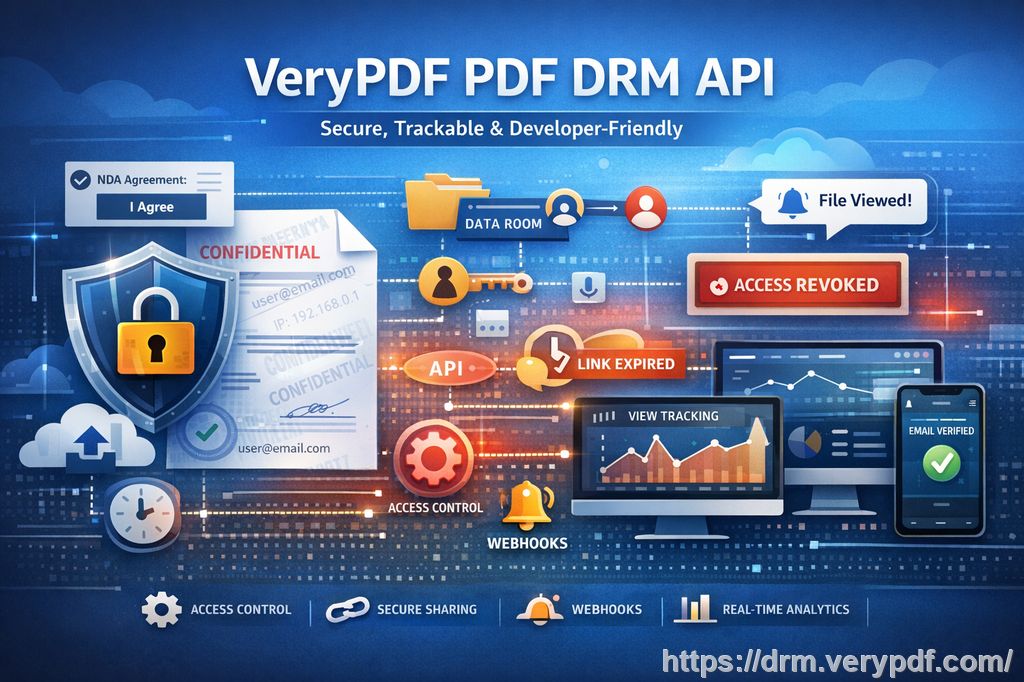
To deter students from redistributing my content, VeryPDF DRM Protector allows me to add dynamic watermarks that display specific user information like their name, email, or date and time of access. These watermarks appear on both printed and digital copies, making it easy to track where any leaked or unauthorized material came from. -
Anti-Screen Grab and Anti-Screenshot Protection
In today's world of online learning, screen sharing tools like Zoom and WebEx are essential. However, these tools also present a security risk because students can take screenshots or share their screens. VeryPDF DRM Protector blocks screen grabbers and prevents screen sharing, so students can't capture or redistribute the content. -
Revoking Access
Even after distributing the PDFs, I have the ability to revoke access at any time. If a student shares their PDF with someone else or if I notice any suspicious activity, I can instantly terminate their access, regardless of where the document is located.
Real Classroom Examples of DRM in Action
Let me share a couple of real-world examples of how DRM has made a difference in my teaching.
-
Protecting Lecture Slides: A few months ago, I distributed a set of lecture slides on a sensitive topic to my students. Without DRM protection, I was concerned about these materials being shared beyond the class, especially since I was using them for multiple semesters. Using VeryPDF DRM Protector, I locked the PDF to each student's device and set an expiry date for when the semester ended. This ensured that only enrolled students could access the content, and it couldn't be shared or printed.
-
Preventing Homework Fraud: I had a situation where a student converted a PDF homework assignment into a Word document, changed some answers, and submitted it as their own work. With DRM protection, I now prevent students from converting or editing homework PDFs. This not only saved me time in grading but also maintained the integrity of my assignments.
-
Tracking Document Leaks: Recently, I noticed that some of my course materials were appearing in an online forum. Thanks to the dynamic watermark feature, I was able to quickly trace the source of the leak to a specific user. I immediately revoked their access, ensuring that no further materials were shared or misused.
Why VeryPDF DRM Protector Is the Best Choice for Protecting Educational Content
While there are other document protection methods available, VeryPDF DRM Protector stands out for its comprehensive features and ease of use. Unlike secure data rooms, which rely on login credentials that can be shared, DRM technology provides a stronger layer of protection. Here's why:
-
No Weak Links: Unlike data rooms, which can be compromised through shared login credentials, VeryPDF DRM Protector locks the content to specific devices, making it impossible for unauthorized users to access the materials.
-
No Uploading of Unprotected Documents: With DRM, I never have to upload unprotected documents to a third-party server. All my materials stay on my local computer, further reducing the risk of data breaches or leaks.
-
Dynamic and Customizable: The ability to apply dynamic watermarks and revoke access at any time gives me peace of mind that I can maintain control over my materials even after distribution.
Conclusion: Protect Your Content with DRM
After using VeryPDF DRM Protector, I can confidently share my teaching materials with my students without worrying about unauthorized access, copying, or redistribution. It's an easy-to-use solution that offers powerful anti-piracy features, including device locking, watermarking, and revocation options. If you're looking for a way to protect your PDFs from piracy and regain control over your course materials, I highly recommend trying out VeryPDF DRM Protector.
Try it now and protect your course materials: https://drm.verypdf.com
Start your free trial today and regain control over your PDFs.
FAQs
How can I limit student access to my PDFs?
You can use VeryPDF DRM Protector to lock your PDFs to specific devices, such as a student's computer or mobile device. This ensures that only the intended recipient can access the content.
Can students still read the PDFs without copying, printing, or converting?
Yes, you can set restrictions that prevent students from printing, copying, or converting your PDFs. This ensures that your content remains protected and intact.
How do I track who accessed the files?
You can use the dynamic watermarking feature, which includes specific user information like their name and email. This helps you trace any unauthorized distribution.
Does DRM protection prevent PDF piracy and unauthorized sharing?
Absolutely. VeryPDF DRM Protector prevents students from redistributing your materials by locking the files to specific devices and applying dynamic watermarks.
How easy is it to distribute protected lecture slides and homework?
It's incredibly simple. You can distribute your protected PDFs via email, online platforms, or even USB drives without worrying about them being copied, printed, or shared.
Keywords
-
protect course PDFs
-
prevent PDF piracy
-
stop students sharing homework
-
secure lecture materials
-
prevent DRM removal
-
anti-conversion PDF DRM