 The Growing Challenge: Protecting Sensitive Healthcare...
How Hospitals Can Securely Distribute Medical Guidelines While Preventing Unauthorized Access and Sharing
Learn how to protect sensitive medical guidelines in PDF format and prevent unauthorized sharing or printing, ensuring compliance with healthcare privacy standards.
As a healthcare administrator, one of the biggest challenges is ensuring that sensitive documents like medical guidelines are securely distributed to staff members without risking leaks or unauthorized sharing. You may have experienced that feeling of dread when sensitive patient data is mistakenly shared or copied, or when guidelines intended for internal use are inadvertently printed or distributed. This problem is even more pressing in the context of healthcare, where compliance with strict privacy standards like HIPAA is a must.
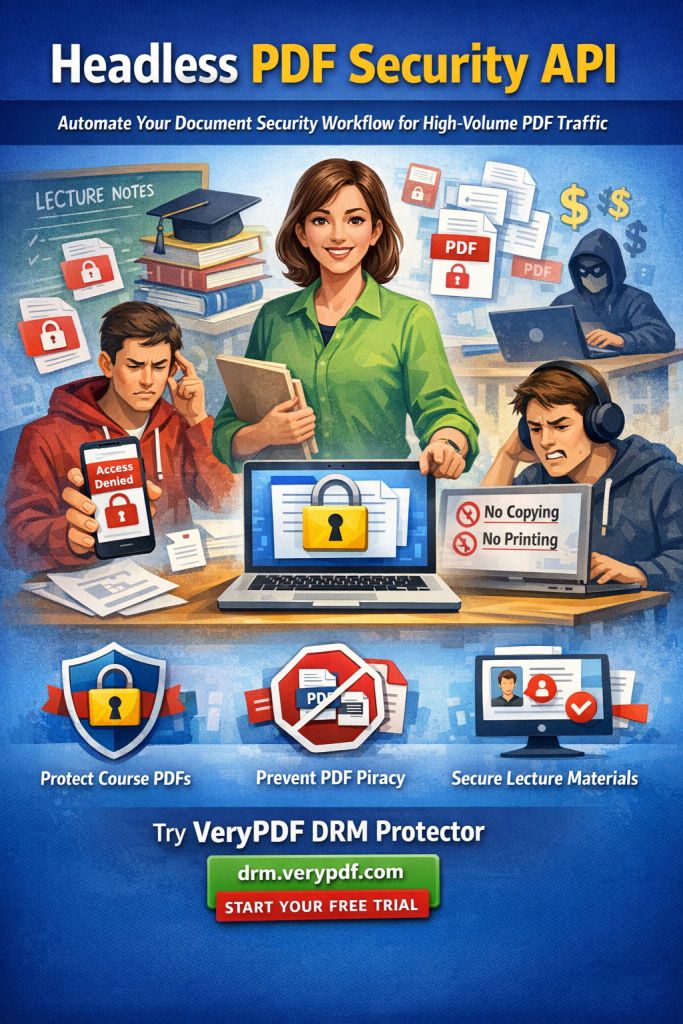
But what if there was a way to distribute your PDF-based medical guidelines securely while maintaining full control over who can access, print, or share them? This isn't just a dream—it's a reality with VeryPDF DRM Protector.
In this article, we'll dive into how hospitals and healthcare organizations can protect their PDF documents from unauthorized copying, sharing, or printing using VeryPDF DRM Protector, a powerful solution that guarantees the security and compliance of your distributed materials.
The Growing Challenge: Protecting Sensitive Healthcare Documents
Every day, hospitals and healthcare organizations generate a variety of documents—medical guidelines, treatment protocols, patient records, and more. The key challenge with these materials is ensuring they are distributed securely while preventing unauthorized access or sharing. The issue becomes even more complicated when it comes to PDFs, which are commonly used for distributing documents.
As a hospital administrator or healthcare professional, you've probably had the following concerns:
-
Unauthorized Sharing: You send out important medical guidelines to a select group of staff members, but there's always the risk that someone will forward those documents to someone else, violating confidentiality agreements and compliance rules.
-
Printing and Copying Issues: Even when documents are intended for internal use only, users might print, copy, or even convert the content into editable formats like Word or Excel, which can lead to accidental or malicious misuse.
-
Lack of Control: Once documents leave your hands, it becomes nearly impossible to ensure they're used as intended. You might have authorized one person to access a document, but that document could be shared or stored in insecure locations.
The stakes are especially high in the healthcare sector, where failure to protect sensitive data can lead to severe consequences, including HIPAA violations, loss of patient trust, and hefty fines.
The Solution: How VeryPDF DRM Protector Secures Your PDFs
VeryPDF DRM Protector is a comprehensive tool that allows healthcare organizations to protect PDF-based documents by restricting unauthorized access, copying, printing, and sharing. It's an easy-to-use solution that lets you maintain control over how and when your documents are accessed and by whom.
Let's take a closer look at the specific problems VeryPDF DRM Protector solves in real-world scenarios.
1. Preventing Unauthorized Sharing of Medical Guidelines
Imagine you've just distributed a PDF-based medical guideline to a select group of doctors and nurses in your hospital. However, there's always the risk that one of them might share the document outside the designated group, either intentionally or accidentally.
With VeryPDF DRM Protector, you can lock PDF access to specific users, devices, or IP addresses. This ensures that only authorized personnel can view the document, preventing it from being shared with unauthorized users. You can also set restrictions on the number of times a document can be viewed, further tightening control.
2. Controlling Printing, Copying, and Converting Documents
One of the most common issues hospitals face is the risk of sensitive documents being printed, copied, or converted into other formats. For instance, a hospital administrator might want to share a set of medical protocols with the medical staff but prevent them from printing or editing the guidelines.
VeryPDF DRM Protector lets you control who can print, copy, or convert documents. You can even disable printing entirely or set a limit on how many times a document can be printed. Additionally, you can prevent the document from being converted to Word, Excel, or any other format, ensuring that the content remains in its original, secure form.
3. Preventing Screen Grabs and Unauthorized Recording
In an era of online meetings and virtual training, it's common for documents to be shared during presentations. However, this opens the door for screen grabs and unauthorized recording, which can be used to redistribute sensitive information.
With VeryPDF DRM Protector, you can stop screen sharing and prevent screen recording software from capturing your documents. This feature is especially valuable when you're distributing medical guidelines or conducting virtual training sessions.
4. Securing Document Expiry and Revocation
Another challenge in healthcare document distribution is ensuring that materials don't remain accessible indefinitely. Imagine a case where a medical guideline was distributed to staff members, but after a certain time, the document should no longer be accessible due to updates or changes in the protocol.
VeryPDF DRM Protector allows you to set expiry dates for documents, after which the PDF will no longer be viewable. Additionally, you can revoke access to documents at any time, even after they've been distributed, giving you ultimate control over your materials.
Real-Life Examples: How DRM Protector Makes a Difference
Let's look at how hospitals and healthcare organizations can benefit from using VeryPDF DRM Protector in their day-to-day operations.
-
Case 1: A Large Hospital System Protecting Patient Protocols
A large hospital system in New York needed to distribute new treatment protocols to its medical staff. The challenge was to ensure that the documents were only accessible to the designated staff members and could not be shared with unauthorized parties. By using VeryPDF DRM Protector, the hospital was able to lock the documents to specific devices and set an expiration date, ensuring compliance with privacy regulations. -
Case 2: A Medical Research Facility Distributing Confidential Research Findings
A medical research facility in California conducted a study on a new drug and wanted to share the research findings with a select group of doctors and researchers. The facility needed to ensure that the PDF report was not shared outside the group. By implementing VeryPDF DRM Protector, the research team was able to restrict access to the document and prevent any unauthorized printing or copying of the research report.
Conclusion: Protect Your Medical Guidelines with VeryPDF DRM Protector
The importance of protecting sensitive healthcare documents cannot be overstated. As healthcare professionals, we must ensure that guidelines, research findings, patient data, and other important materials are kept secure and only accessible to the right people.
I highly recommend using VeryPDF DRM Protector for anyone involved in distributing medical guidelines, research documents, or any other sensitive information. It's easy to use, offers comprehensive control over how your documents are accessed and used, and ensures compliance with privacy standards.
Start your free trial today and protect your healthcare PDFs: https://drm.verypdf.com
FAQs
1. How can I limit access to my healthcare PDFs?
You can restrict access by locking documents to specific devices, users, or IP addresses using VeryPDF DRM Protector. This ensures that only authorized personnel can view the document.
2. Can my staff still read the PDFs without copying, printing, or converting them?
Yes! VeryPDF DRM Protector allows you to disable printing, copying, and converting PDFs, ensuring the document is only accessible in its original form.
3. How can I track who accessed my PDFs?
VeryPDF DRM Protector offers audit trails that track who accessed the document and when. This gives you complete visibility into how your materials are being used.
4. Does DRM Protector prevent PDF piracy?
Yes! DRM Protector stops unauthorized sharing, copying, and printing of PDFs. It also prevents screen grabbing and recording, making it a powerful anti-piracy tool.
5. How do I distribute protected PDF guidelines to my staff?
You can securely share protected PDFs through email, web links, or even USB drives. VeryPDF DRM Protector ensures that only authorized users can access the document, no matter the distribution method.
Tags or Keywords:
protect healthcare PDFs, prevent PDF piracy, secure medical guidelines, stop unauthorized sharing, prevent printing, DRM PDF protection