 Protecting Your PDFs: A Common Struggle in Education
How to Stop Students from Bypassing PDF Restrictions: A Practical Solution for Protecting Course Materials
As a professor, I've always been careful about sharing my lecture slides, assignments, and other course materials with students. After all, these materials are part of the intellectual property I've worked hard to create, and I want to ensure they're not shared or misused. But lately, I've noticed a concerning trend: students converting PDFs into editable formats, like Word documents or images, bypassing any restrictions I've set. This poses a real challenge for anyone teaching online or sharing digital content.
This issue isn't just about students making unauthorized copies—it's about the potential loss of control over my content, and the fear that it might be distributed without my permission. If you're a teacher or professor who's ever faced this dilemma, you know how frustrating it can be. So, how can we protect our work while still allowing students to access it for learning purposes?
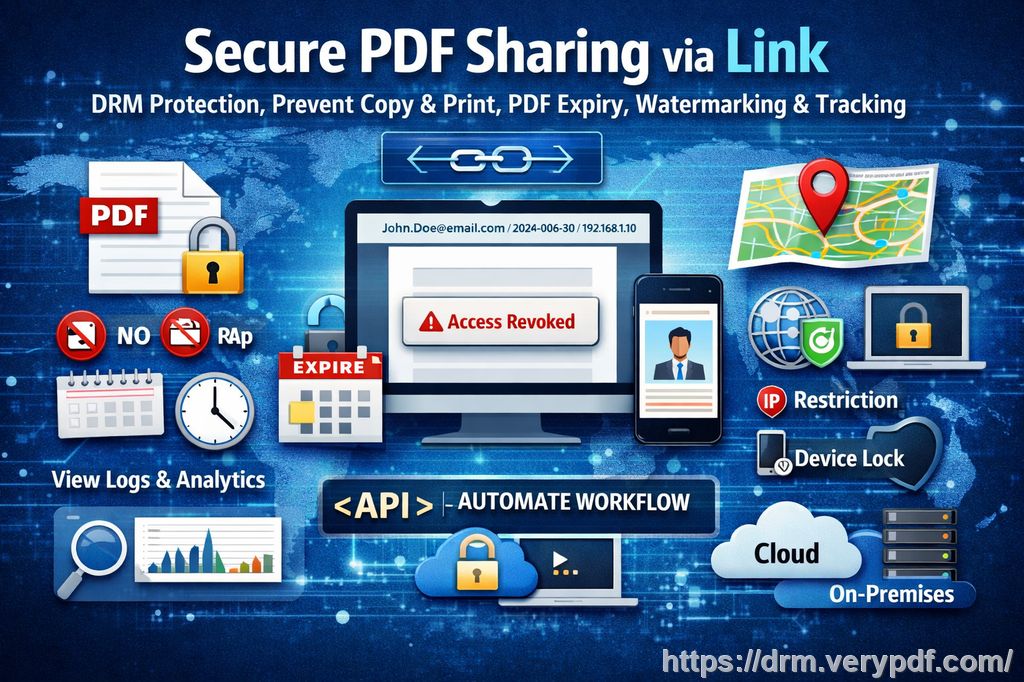
Enter VeryPDF DRM Protector, a tool designed to safeguard course PDFs and prevent unwanted conversions, sharing, or piracy. Let's dive into how this software can help you solve the problems many of us face in the digital classroom.
Protecting Your PDFs: A Common Struggle in Education
Let's be real: one of the most significant challenges in education today is managing the digital content we share with students. In the past, sharing paper handouts and assignments was a straightforward process, but in our increasingly digital world, PDFs have become the standard format. Unfortunately, this shift comes with its own set of headaches. Here are a few common scenarios that many teachers, like myself, deal with:
-
Students Sharing Homework: We all know how tempting it can be for students to share their work with others, but this is especially problematic when they share PDFs of assignments, homework, or lecture slides. This can lead to cheating or a lack of engagement with the content.
-
Converting PDFs to Editable Formats: One of the most frustrating things is when students find ways to convert my course materials into Word documents, Excel sheets, or even images. It compromises the integrity of my content and removes control from me, the creator.
-
Unauthorized Printing: Have you ever been worried that a student might print out an assignment, or worse, print out an entire semester's worth of lectures to share with someone else? Not only does this waste paper, but it also jeopardizes the security of your content.
-
Loss of Control: Once a document is shared online or via email, it's easy for anyone with access to simply take a screenshot, convert it, or distribute it without your permission.
These are not just hypothetical scenarios—they're real problems that many of us face. But thankfully, there's a solution.
Enter VeryPDF DRM Protector: The All-in-One Solution
VeryPDF DRM Protector offers a comprehensive solution to protect your PDFs, ensuring your intellectual property remains secure without hindering students' ability to access the materials for learning. Here's how it works in practice:
Restricting Access to Only Authorized Users
One of the most significant advantages of VeryPDF DRM Protector is the ability to control exactly who can access your PDFs. Whether you're distributing lecture slides or homework assignments, you can lock the content to specific students, devices, or locations. This means only enrolled students or authorized individuals can view the content, keeping unauthorized access at bay.
For example, imagine you've uploaded a set of homework assignments as PDFs. By using the DRM Protector, you can ensure that only the students enrolled in your course can access them. This feature helps prevent unauthorized sharing and keeps the integrity of your course materials intact.
Preventing Copying, Printing, and Conversions
There's no worse feeling than knowing that your carefully crafted lecture slides might be copied, printed, or converted to another format. With VeryPDF DRM Protector, you can stop all that in its tracks. The tool allows you to:
-
Disable Copying and Editing: No more worrying about students copying content from your PDFs or editing the text.
-
Restrict Printing: You can prevent printing altogether, or limit the number of prints a student can make.
-
Block Conversions: The software prevents students from converting PDFs into Word documents, images, or any other format.
I've personally used the printing restriction feature to stop students from printing my lectures and sharing them with others. It's been a game-changer, as it helps maintain control over my materials while ensuring my students can still access them digitally.
Dynamic Watermarks to Deter Unauthorized Distribution
Another feature I've found incredibly helpful is the ability to add dynamic watermarks to PDFs. These aren't just static watermarks like the ones you might add using a basic PDF editor. The watermarks include specific user information such as the student's name, email address, or the date/time they accessed the file. This serves as both a deterrent and a way to track potential leaks.
Let's say a student screenshots a PDF or prints it out and shares it with a classmate. With a dynamic watermark, you can immediately trace the leak back to the responsible individual. It's not foolproof, but it definitely discourages unauthorized sharing. Plus, it adds an extra layer of accountability, which is especially important in an academic setting.
Expiry and Self-Destruct Options
How many times have you shared a PDF only to realize that it's still accessible long after the course has ended? With VeryPDF DRM Protector, you can set expiration dates for your documents. This feature allows you to:
-
Expire PDFs After a Specific Number of Views or Days: You can set the document to become inaccessible after a set number of views or days, ensuring students only have access for as long as they need it.
-
Self-Destruct PDFs: You can even set the document to automatically delete itself after it's been viewed a certain number of times, preventing students from hanging on to old course materials.
This feature has saved me countless hours of worrying about what students might be doing with old lecture slides or assignments. It gives me peace of mind, knowing that my materials won't linger in students' devices after they're no longer relevant.
Revocation of Documents and Users
One of the most impressive features of VeryPDF DRM Protector is the ability to revoke access to documents or users at any time—even after distribution. This means if a student is caught distributing course materials without permission, you can immediately cut off their access.
For example, let's say a student shares a PDF outside of the class or uploads it to an online forum. You can revoke their access to that document, no questions asked. This ensures that your content stays secure, even after it's been shared or downloaded.
Real Stories from the Classroom
I've personally implemented VeryPDF DRM Protector in my courses for over a year now, and it's been a huge relief. I remember one instance where a student accidentally shared a homework PDF with another student who wasn't enrolled in the course. Thanks to the watermark feature, I was able to quickly identify the student responsible and remind them about the importance of keeping content private.
Another example was when I was distributing my semester-end lecture slides. A student tried to print them out and share the PDF with a friend. With the print restrictions in place, I was able to stop this from happening and ensure the integrity of my materials.
Conclusion: Take Control of Your Course Materials
If you're a professor, lecturer, or educational content creator who's frustrated by students bypassing PDF restrictions, I highly recommend giving VeryPDF DRM Protector a try. It's a straightforward, effective solution to protect your intellectual property, stop piracy, and ensure that your students only access your course materials in the way you intended.
Try it now and protect your course materials: https://drm.verypdf.com
Start your free trial today and regain control over your PDFs.
FAQ
-
How can I limit student access to PDFs?
-
VeryPDF DRM Protector allows you to lock PDFs to specific users, devices, or locations, ensuring only authorized individuals can access them.
-
-
Can students still read the PDFs without copying, printing, or converting them?
-
Yes, the software lets you restrict copying, printing, and converting, while still allowing students to read and engage with the content.
-
-
How can I track who accessed my PDFs?
-
You can use dynamic watermarks that display user information, like their name or email address, when they view or print the document.
-
-
Does this tool prevent PDF piracy and unauthorized sharing?
-
Absolutely! VeryPDF DRM Protector stops students from converting PDFs, copying content, or printing without your permission, which helps prevent piracy.
-
-
How easy is it to distribute protected lecture slides and homework?
-
It's incredibly easy. You can securely distribute protected PDFs via email, web, or USB, and they'll remain protected even if shared.
-
Tags or Keywords
-
protect course PDFs, prevent PDF piracy, stop students sharing homework, secure lecture materials, prevent DRM removal, anti-conversion PDF DRM