 How to Secure Legal PDFs and Prevent Unauthorized Sharing While Ensuring Access for...
How to Secure Legal PDFs and Prevent Unauthorized Sharing While Ensuring Access for Clients
As a professional in the legal field, you deal with sensitive documents on a daily basis—whether it's case details, contracts, or confidential client data. Ensuring that these documents remain secure while still allowing clients to access them is no easy task. You need a solution that protects your work from unauthorized sharing, printing, or editing, while ensuring that your clients can access what they need without hassle.
The reality is, security measures like passwords or encrypted emails aren't enough. Documents can still be shared, screens can be captured, and unauthorized users can manipulate files if they get their hands on them. That's why using a robust PDF protection system, like VeryPDF DRM Protector, is crucial to maintaining document security and preserving the confidentiality of your work. In this article, we'll discuss how law offices can secure their sensitive PDFs and prevent unwanted distribution, while still giving clients easy, controlled access.
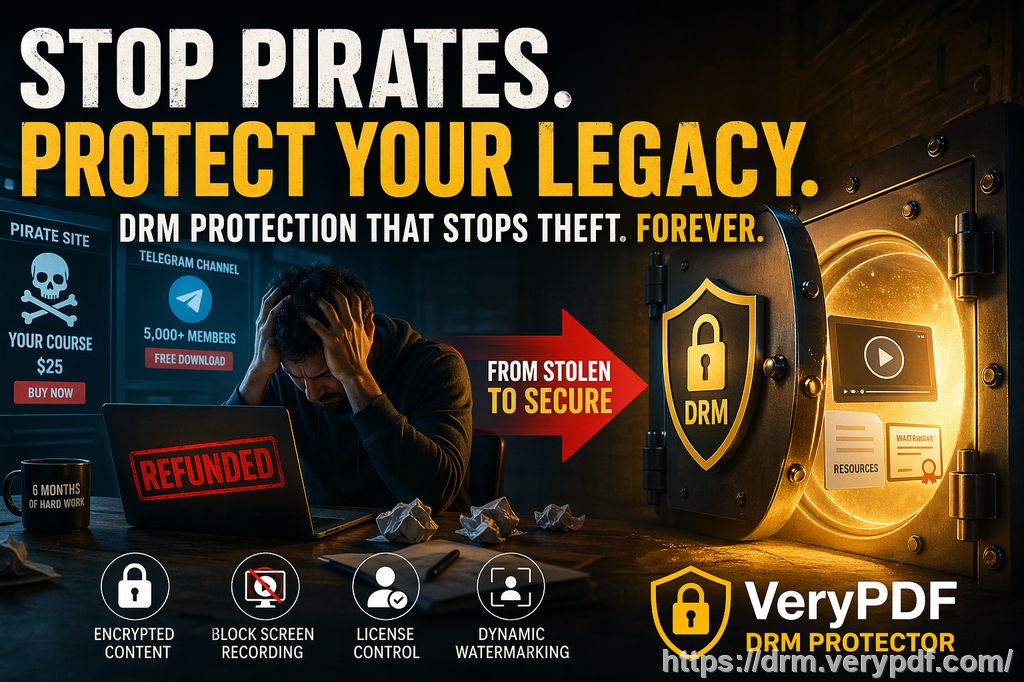
The Common Problem: Risk of Unauthorized Access and Sharing
It's no surprise that protecting legal documents is a major concern for law firms. Take this scenario:
You've just sent a confidential contract or case file to a client. Everything looks fine, but then you learn that the document has been shared without your consent. Not only does this breach your trust with the client, but it also exposes your practice to potential legal and financial risks. Worse yet, clients may not even realize they're putting you at risk by forwarding your documents or taking screenshots.
Here's what can happen if your legal PDFs aren't properly secured:
-
Unauthorized Distribution: Clients may forward PDFs to other parties, putting sensitive case details or contractual obligations at risk.
-
Copying and Editing: Even if you lock a document with a password, the file can still be copied, pasted, or altered.
-
Printing Issues: Your client may print documents without your permission, leading to physical copies being leaked.
-
Document Conversion: Unscrupulous individuals could convert your PDFs to other file formats, undermining the integrity of the document.
Now imagine how much time and energy could be saved if you could prevent these scenarios while ensuring your clients still have the access they need. This is where a tool like VeryPDF DRM Protector comes in.
The Solution: VeryPDF DRM Protector
What is DRM Protection, and Why is it Important?
Digital Rights Management (DRM) technology helps you control how your PDFs are used and shared. Unlike simple password protection, DRM goes further by restricting actions like printing, copying, or forwarding, and even prevents unauthorized conversions.
Here's how VeryPDF DRM Protector solves the issues mentioned earlier:
-
Restrict PDF Access: You can limit document access to specific clients or users, ensuring that only authorized parties can view the file.
-
Prevent Unauthorized Printing and Copying: With DRM, printing, copying, and pasting are all blocked unless specifically allowed. This gives you control over how the document is used.
-
Block Screen Sharing and Screenshot Captures: In today's digital world, screen-sharing apps like Zoom and WebEx are a common tool for remote collaboration. Unfortunately, they also make it easy for users to capture images of your documents. VeryPDF DRM Protector blocks this, keeping your files safe.
-
Dynamic Watermarks: VeryPDF lets you add dynamic watermarks that display user information. This acts as a deterrent against theft or misuse, as the watermark shows who viewed or printed the document.
-
Expiry and Self-Destruct: You can set an expiration date for your PDFs, limiting their life span and ensuring access is revoked once a document is no longer relevant.
-
Audit Trail: VeryPDF creates a full audit trail of who accessed your files, when, and for how long. This can help track down any potential leaks or breaches.
Real-Life Benefits for Law Offices
Let's explore a few practical use cases and examples:
Example 1: Securing Contracts and Case Files
Imagine you're sending a contract or legal document to a client for review. Without DRM, there's nothing stopping the client from forwarding the document to someone else, making copies, or printing it out. With DRM protection in place, the document is locked to the client's device, and they won't be able to share or print it unless you allow it. If they attempt to share it, you'll receive an alert.
Key Benefits:
-
Full control over document access
-
Prevents unauthorized sharing and printing
-
Ability to revoke access if necessary
Example 2: Preventing Unauthorized Distribution of Confidential Case Details
In legal proceedings, case files often contain highly sensitive information. If these documents are accidentally or intentionally shared with the wrong people, the repercussions could be disastrous. DRM protection ensures that only authorized users can view, print, or download case documents.
Key Benefits:
-
Protects sensitive case information
-
Prevents unauthorized distribution, even if a document is forwarded
-
Ensures compliance with privacy and confidentiality laws
Example 3: Tracking and Managing Multiple Users
Law firms often deal with multiple stakeholders—partners, clients, external consultants, etc. It can be a challenge to keep track of who has accessed which documents and when. With VeryPDF DRM Protector, you can view a full audit trail of document usage, which can be crucial if any issues arise.
Key Benefits:
-
Tracks document access for accountability
-
Enables quick identification of unauthorized access
-
Reduces the risk of unintentional document leakage
Anti-Piracy Focus
Piracy isn't just an issue for creative industries—it's also a significant risk for law firms. Legal documents are valuable and often contain proprietary information. VeryPDF DRM Protector acts as a barrier to stop your documents from being pirated, ensuring that they can't be copied, saved in another format, or uploaded elsewhere.
Prevent Document Conversion
One of the biggest threats to document security is conversion. A simple PDF can be converted into Word, Excel, or even an image, allowing unauthorized edits or sharing. DRM ensures that your PDFs remain intact, no matter what.
Revoke Documents Anytime
What if a document gets into the wrong hands after distribution? With VeryPDF, you can revoke access at any time, even after the document has been shared. This allows you to take back control and eliminate the risk of further unauthorized use.
Conclusion: Protect Your Legal Documents Today
After dealing with the complexities of legal paperwork and client confidentiality, the last thing you want to worry about is the security of your PDFs. VeryPDF DRM Protector offers a simple yet effective solution to keep your documents safe from unauthorized access, sharing, and piracy. It's easy to use, powerful, and customizable to suit your specific needs.
I highly recommend this tool to anyone handling sensitive legal documents. Whether you're managing contracts, case files, or client communications, DRM protection ensures that your work remains secure and under control.
Protect your PDFs today with VeryPDF DRM Protector. Start your free trial and gain peace of mind knowing that your documents are safe from unauthorized access and distribution. Try it now and protect your legal content from piracy and misuse.
FAQ
Q1: How do I limit client access to legal PDFs?
You can use DRM to restrict access to specific devices, and set access controls based on user identity. This ensures that only authorized clients can view the document.
Q2: Can clients still read PDFs without the ability to copy, print, or convert?
Yes, DRM allows clients to view the PDFs, but it restricts actions like copying, printing, and conversion to ensure content protection.
Q3: How can I track who accessed my legal documents?
VeryPDF DRM Protector provides a full audit trail, logging who accessed your documents, when they accessed them, and for how long.
Q4: Does it prevent unauthorized sharing and piracy?
Yes, it stops clients from forwarding, copying, or printing the documents without your permission. It also prevents conversion to other file formats.
Q5: How easy is it to distribute protected documents?
You can easily distribute protected PDFs via email, USB, or web, and recipients won't be able to bypass the DRM restrictions.
Q6: How can I revoke access to a document after distribution?
With VeryPDF, you can revoke document access at any time, even after distribution, giving you control over your content at all stages.
Tags:
-
Protect legal PDFs
-
Prevent PDF piracy
-
Secure client contracts
-
Stop unauthorized document sharing
-
DRM protection for law firms
-
Legal document security