 A Real-World Problem: Legal Document Security in the Digital...
How to Secure Sensitive PDFs in Your Law Office and Prevent Unauthorized Distribution
As a legal professional, you likely deal with highly sensitive documents daily—whether they're client contracts, case files, or confidential legal papers. While digital tools have made sharing these documents quicker and more efficient, they've also introduced a serious risk: unauthorized distribution. Once a PDF document leaves your hands, it can be shared, copied, or printed without your control, potentially leading to confidentiality breaches and damaging your practice's reputation.
In this article, I'll share how VeryPDF DRM Protector can help law offices secure their PDFs, prevent unauthorized access, and protect sensitive legal documents from unwanted redistribution, while maintaining confidentiality and trust.
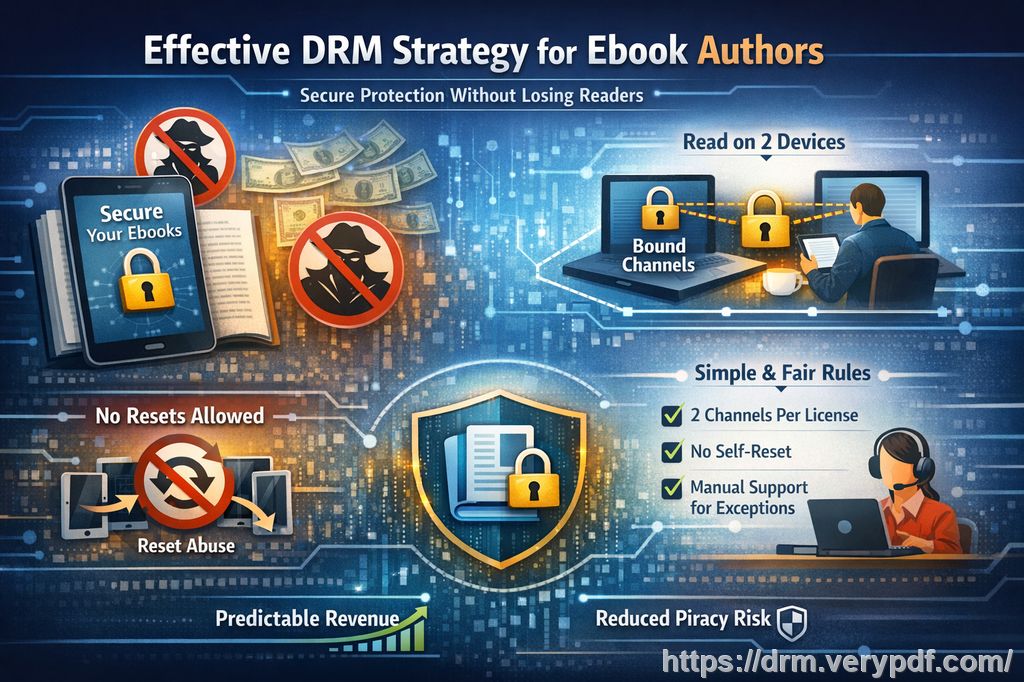
A Real-World Problem: Legal Document Security in the Digital Age
Imagine this: You've spent hours drafting a contract or preparing case files for a client, only to later discover that a critical document has been shared without permission. Perhaps a client forwarded it to someone who shouldn't have access or someone simply took a screenshot during an online meeting. Not only does this jeopardize client confidentiality, but it can also expose your practice to potential legal issues.
This scenario is more common than you might think. Whether it's clients accidentally or deliberately sharing documents, or staff members failing to adhere to secure document-sharing practices, the consequences can be severe. That's why it's crucial to have a solution in place that ensures your documents remain secure at all times.
The Pain Points of Legal Professionals
Unauthorized Redistribution of Documents
One of the biggest challenges law offices face is the ease with which digital documents can be shared and redistributed. Once a contract or case file is sent via email or shared online, it becomes difficult to control who views it and where it ends up. In many cases, documents are forwarded or uploaded to unsecured platforms, risking exposure to unauthorized parties.
Loss of Control Over Document Use
In the digital world, it's easy for a document to be copied, modified, or printed. While this is fine for non-sensitive information, it's a nightmare when it comes to confidential legal files. Even if a document is locked with a password, it can still be copied, screenshots taken, or converted into another format, making it a huge security concern.
Unintended Exposure During Online Meetings
With the rise of virtual meetings and remote work, there's an added layer of risk: the possibility of someone taking a screenshot of your documents during a Zoom or WebEx meeting. Even with the best intentions, staff members may forget to secure the documents during these meetings, leaving sensitive information vulnerable.
The Solution: VeryPDF DRM Protector
To address these pain points and ensure sensitive documents remain under control, VeryPDF DRM Protector offers an advanced digital rights management (DRM) solution that restricts how PDF files can be viewed, printed, copied, and shared. Below, I'll walk through how this tool can prevent unauthorized access and distribution of your legal documents.
Restrict Document Access
VeryPDF DRM Protector allows you to restrict access to your PDFs based on specific criteria. You can lock PDFs to a single device or user, ensuring that only authorized individuals can access the document. Whether it's a client contract, case file, or confidential legal brief, you can be sure that only the intended recipient can view it.
You can also set expiration dates for documents, ensuring that access is time-limited. This is particularly useful if a document only needs to be accessed for a specific period, such as during a case review or contract negotiation.
Prevent Unauthorized Printing and Copying
With DRM controls, VeryPDF allows you to prevent printing, copying, or converting PDFs into other file formats. This means that even if someone gains access to your document, they won't be able to print it out, copy the content, or convert it into Word or Excel files, ensuring that the document remains intact and confidential.
For added protection, you can limit printing to certain devices or enforce print quality to ensure the document cannot be printed in a way that would compromise its integrity.
Stop Screen Grabbing and Screen Sharing
A huge concern with online meetings or remote work is the risk of screenshots being taken during virtual calls. VeryPDF DRM Protector addresses this by preventing screen sharing and screen grabs. Whether you're conducting a client meeting via Zoom or sharing a document with a colleague on WebEx, the software ensures that no one can capture an image of your sensitive PDFs.
Dynamic Watermarks for Additional Protection
To further deter unauthorized redistribution, you can apply dynamic watermarks to your PDFs. These watermarks display user-specific information, such as the recipient's name, email, or viewing timestamp. This makes it easy to trace a leak back to its source and dissuades others from attempting to redistribute the document. Unlike traditional watermarks, these are permanent and cannot be easily removed, offering robust protection against piracy.
Instant Revocation and Expiry Controls
One of the most powerful features of VeryPDF DRM Protector is the ability to revoke access to documents at any time. Even after distributing the document, you can terminate access instantly. This means that if you learn that a document is being misused, you can stop access immediately, protecting your legal materials from further exposure.
In addition to revocation, you can set documents to expire after a certain number of views, days, or prints. This helps you maintain full control over how your legal documents are accessed and used, ensuring that sensitive information is not accessible longer than necessary.
Real-Life Benefits of Using DRM Protection for Legal Documents
Let me share an example of how DRM protection could work in a law office. Imagine you've created a sensitive case file for a client. You've sent it to them via email, but there's a concern that they might share it with others, or worse, it could be copied or printed without permission.
By using VeryPDF DRM Protector, you can:
-
Lock the file to the client's specific device, ensuring they are the only person who can open it.
-
Prevent them from printing or copying the document, thus maintaining its integrity.
-
Apply a watermark that identifies the client as the recipient, deterring them from sharing the document.
-
Set an expiration date, so the document is no longer accessible after the necessary review period.
-
Revoke access at any time if you believe the document has been mishandled.
This added layer of security allows you to send and receive documents with peace of mind, knowing that your legal work is protected against unauthorized access.
Conclusion: Protect Your Legal Documents with VeryPDF DRM Protector
As a legal professional, ensuring the confidentiality of your documents is paramount. With VeryPDF DRM Protector, you can take control of how your PDFs are accessed, viewed, printed, and shared. Whether you're sending case files to a client or sharing internal documents with your team, this tool provides the security you need to prevent unauthorized distribution and piracy.
I highly recommend this solution to any law office or legal professional who needs to protect sensitive digital documents. Try it now and safeguard your practice from document leaks: VeryPDF DRM Protector.
Frequently Asked Questions
1. How can I limit access to PDFs?
VeryPDF DRM Protector allows you to lock PDFs to specific devices or users, ensuring that only authorized individuals can view them.
2. Can students still read documents without copying, printing, or converting?
Yes, with DRM protection, students or clients can view the documents, but they won't be able to copy, print, or convert them into other formats.
3. How can I track who accessed my PDFs?
Dynamic watermarks display user-specific information on the document, allowing you to trace leaks and monitor who accessed the document.
4. Does it prevent PDF piracy and unauthorized sharing?
Absolutely. It prevents copying, printing, and sharing, and even blocks screen grabs, ensuring that your content remains secure.
5. How easy is it to distribute protected documents?
VeryPDF DRM Protector makes it easy to distribute protected documents via email, web, or USB sticks without worrying about unauthorized access.
6. Can I revoke access to a document after distributing it?
Yes, you can revoke access to any document at any time, even after it's been sent to clients or colleagues.
7. Does the software work across all devices?
Yes, VeryPDF DRM Protector works on multiple devices, including desktops, tablets, and mobiles, giving you flexibility in how you distribute your legal documents.
Keywords:
Protect legal PDFs, prevent PDF piracy, secure legal contracts, DRM document protection, stop unauthorized document sharing, prevent PDF conversion, secure digital files