 The Growing Issue of Uncontrolled PDF Sharing
As a professor, I often worry about the security of my lecture PDFs. Every year, I create detailed notes, presentations, and assignments that I share with my students. But, as you might know, the digital landscape is rife with risks—students sharing PDFs, unauthorized printing, or worse, converting materials into Word documents to manipulate the content. Protecting these materials isn't just a matter of convenience, it's essential for ensuring my hard work doesn't get compromised. If you're a teacher, I'm sure you've faced these issues too, and maybe you've even found yourself helpless when students share your resources without your consent. That's where VeryPDF DRM Protector comes in.
The Growing Issue of Uncontrolled PDF Sharing
We all know that in an ideal world, students would only use the PDFs I send them in the way I intend. But in reality, it's too easy for them to forward a PDF to a friend, upload it to a file-sharing site, or even print it out and scan it. Worse still, some students might try to convert it to a Word document or copy-paste the content to reuse in assignments. I've even heard stories of students distributing PDFs to others, turning my carefully crafted resources into free content.
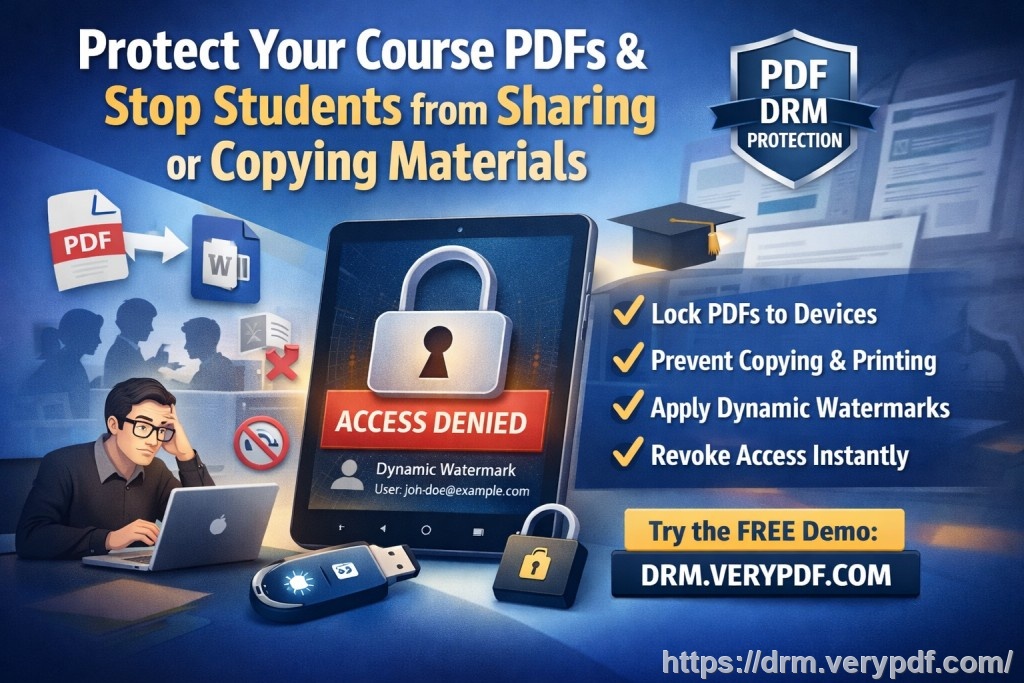
It's frustrating because these teaching materials are more than just documents—they represent hours of preparation, lectures, and a lot of intellectual property. As an educator, I need tools that allow me to protect this content and maintain control.
Here's where DRM technology like VeryPDF DRM Protector comes into play. With DRM (Digital Rights Management), I can lock down my PDFs in ways that prevent students from sharing, editing, or even printing the files without my permission.
Real Classroom Pain Points: What Can Go Wrong?
Let's look at some of the common issues you might be facing:
1. Unauthorized Sharing and Distribution
It's a fact: once a PDF is shared, it's out of your hands. Even if you send it through email or a learning management system, it only takes one student to share it with others for it to go viral. As a result, my carefully crafted lecture slides, notes, and assignments can end up circulating without my permission.
2. Printing and Copying Content
What if a student prints your materials and shares them physically? Or worse, what if they convert your PDF into a Word file, remove your branding, and submit it as their own work? This kind of misuse is not just frustrating—it's also damaging to the integrity of my courses.
3. Loss of Control Over Paid or Restricted Content
When I sell course materials, I need them to be protected from unauthorized access. I've worked with publishers and been part of collaborative projects where content was meant for a limited audience. Yet, without proper protection, there's always a risk of content being leaked and sold for free, or worse, being used by competitors.
A Simple Solution: VeryPDF DRM Protector
This is where VeryPDF DRM Protector comes to the rescue. It allows me to enforce strict controls over who can access my PDFs and what they can do with them. Let me walk you through how it works.
1. Restricting Access to Authorized Users
With VeryPDF DRM Protector, I can limit access to specific users, such as enrolled students or registered users. This means that even if a PDF gets shared, only authorized individuals will be able to open it. I can lock the document to specific devices, ensuring that a student cannot simply download it on their phone and share it from there.
2. Preventing Printing, Copying, and Converting
One of the best features of VeryPDF DRM Protector is its ability to stop printing, copying, and converting documents. I no longer have to worry about students printing out my lecture notes or converting them to other formats. Even screen grabs are blocked—so students can't simply take a photo of their screen and redistribute the content.
3. Expiry and Revocation Controls
Another feature that's saved me time and frustration is the ability to set expiry dates on PDFs. For instance, I can make a PDF available for a set number of views or days, and once that limit is reached, the file becomes inaccessible. This is a game-changer for managing content distribution over time, particularly for paid materials.
Real-Life Examples: How DRM Helps Teachers Like Us
I remember one semester when I had prepared a set of exclusive lecture slides for my advanced class. However, a few weeks in, I discovered that a student had shared the PDFs with a group on social media. I was devastated. My time and effort had been undermined, and I had no control over who had access to the material. After that, I decided to implement VeryPDF DRM Protector to secure all my digital materials. Here's how it made a difference:
-
Scenario 1: Preventing Sharing
I applied access restrictions so only students enrolled in the class could open the materials. Even when someone tried to share the PDF, it wouldn't work for anyone outside the list of authorized users. -
Scenario 2: Stopping Unauthorized Printing
One of my major concerns was students printing out PDFs and scanning them. With DRM, I restricted the ability to print entirely. Those same students who once printed everything now had no way of making hard copies to share. -
Scenario 3: Tracking and Auditing Use
Another cool feature I started using was the ability to track who accessed my documents and when. If a file was leaked, I could trace it back to the user who first accessed it, helping me pinpoint where the breach occurred.
These simple, yet powerful, features have given me peace of mind. I can now distribute my PDFs freely, knowing that they're protected.
Why VeryPDF DRM Protector is the Best Choice
When it comes to protecting my content, I've tried different options, but what sets VeryPDF DRM Protector apart from other solutions like secure data rooms is its simplicity and comprehensive protection. Secure data rooms often focus on user authentication, which can be shared or compromised, leaving your files vulnerable. With VeryPDF DRM, my documents stay encrypted and secure, and I never have to worry about weak links.
The dynamic watermarks that show user information—like name, date, and time—on the screen or printed materials make it harder for students to distribute content without getting caught. These watermarks are not easily removable, unlike other solutions that offer temporary watermarking that can be edited out.
Conclusion: Protect Your Content Today
I highly recommend VeryPDF DRM Protector for anyone distributing PDFs—whether it's for lectures, homework, or paid course materials. The peace of mind knowing that my work is protected from unauthorized sharing, copying, and piracy is invaluable. If you're tired of worrying about PDF misuse, give it a try. Start your free trial today and regain control over your PDFs: https://drm.verypdf.com
Frequently Asked Questions
1. How can I limit student access to PDFs?
VeryPDF DRM Protector allows you to restrict access to authorized users only. You can lock the PDF to specific devices and prevent unauthorized sharing.
2. Can students still read PDFs without copying, printing, or converting?
Yes, the tool prevents students from copying, printing, or converting the PDF into other formats, ensuring the integrity of your content.
3. How can I track who accessed my PDFs?
VeryPDF DRM Protector provides detailed tracking, allowing you to see who accessed the document and when. This is great for auditing purposes.
4. Does it prevent PDF piracy and unauthorized sharing?
Yes, it effectively prevents piracy and unauthorized sharing by limiting access, locking the document to specific users and devices, and stopping copying and screen captures.
5. How easy is it to distribute protected lecture slides and homework?
It's simple! You can distribute your PDFs through email, web portals, or USB sticks without worrying about unauthorized access or copying.
Tags or Keywords
-
protect course PDFs
-
prevent PDF piracy
-
stop students sharing homework
-
secure lecture materials
-
prevent DRM removal
-
anti-conversion PDF DRM