 The Problem: Unauthorized Sharing and Piracy
How PDF DRM Can Protect Your Exam Materials and Prevent Unauthorized Sharing
As a professor, I know all too well the worry that comes with distributing exam materials to students. You spend hours creating detailed, well-structured exams and study guides, only to wonder if they'll be copied, shared with others, or worse—leaked to the internet. In today's digital age, protecting academic content from unauthorized access is more crucial than ever. That's where PDF DRM (Digital Rights Management) protection comes in.
In this article, I'll share how DRM can help protect your exam materials and other sensitive documents, ensuring that they remain secure from sharing, copying, or unauthorized distribution. Let's dive into the practical steps you can take to secure your PDFs and keep your assessment process intact.
The Problem: Unauthorized Sharing and Piracy
Imagine this: You've uploaded your latest exam paper to the student portal, expecting it to remain secure until exam day. But a few hours later, you receive an email from a colleague about a leaked version of your exam floating around on social media. You're frustrated, stressed, and scrambling to find a solution that prevents this from happening again.
The truth is, this scenario is all too common. Many professors have faced the reality of sensitive content being shared without their consent. Whether it's students sharing PDFs with peers, others printing and re-distributing materials, or hackers trying to bypass security, the risk to your intellectual property is ever-present. But with the right tools, you can take control of your content.
The Solution: VeryPDF DRM Protector
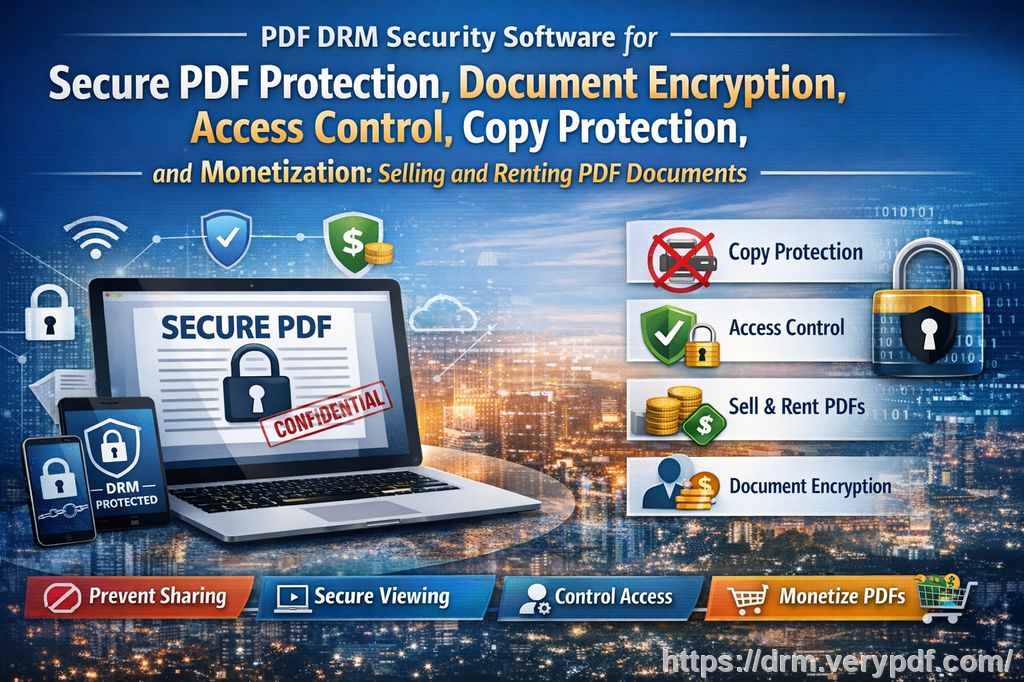
VeryPDF DRM Protector offers an easy-to-use, powerful solution to prevent unauthorized access, copying, sharing, and even printing of your PDFs. Whether you're distributing exam papers, lecture slides, or course materials, this tool helps you maintain full control over your content, ensuring that it's only accessible to the intended audience.
Let's look at the specific ways DRM can protect your exam materials.
Stop Unauthorized Sharing and Copying
One of the most significant concerns professors face is students sharing exam PDFs with others. Once a PDF is downloaded, it can easily be forwarded to friends or posted online, where it might be distributed to a wider audience.
With VeryPDF DRM Protector, you can lock down your PDFs, ensuring they're only accessible to enrolled students. Here's how it works:
-
Lock PDFs to Specific Devices or Users: You can restrict access to certain devices, ensuring that only authorized users can open the document. No more worrying about students sharing their login credentials with classmates.
-
Prevent Copying or Printing: You can stop students from copying text, printing the document, or even converting it to other formats like Word or Excel. This ensures that your exam content remains intact and prevents unauthorized redistribution.
Control Document Expiry and Access
Another key feature of DRM protection is the ability to control when your documents are accessible. For example, you can set an expiry date for your exam materials, ensuring they're only available for a limited time. Once that time has passed, the file becomes inaccessible—no extensions, no exceptions.
This feature is perfect for exams or assignments that need to remain confidential until a specific date. You can also control the number of times a document can be viewed or printed. This level of flexibility allows you to manage your content in a way that aligns with your teaching schedule and assessment process.
Stop Screen Sharing and Screenshots
In today's online learning environment, many exams are conducted over video conferencing platforms like Zoom or WebEx. Unfortunately, screen sharing and screenshots are easy ways for students to capture exam content and distribute it. With VeryPDF DRM Protector, you can prevent screen sharing and even block screenshot tools, ensuring that your exam materials stay safe from capture.
This feature is a game-changer, especially for online exams or assessments that require secure document sharing. You can rest easy knowing that your materials won't be leaked or misused by students during the exam.
Dynamic Watermarks to Deter Misuse
Dynamic watermarks are another powerful tool in DRM protection. When a student opens your protected exam PDF, their unique information (such as their name or email address) can be displayed as a watermark on every page. This acts as a deterrent against sharing or copying the content, as it identifies the original user and discourages others from distributing the document.
Even if someone tries to take a screenshot or print the document, the watermark will remain visible, making it clear who the content belongs to. This added layer of protection further secures your materials and helps prevent unauthorized sharing.
Real Classroom Example: How DRM Saved the Day
Let me share a personal story from my experience. A few years ago, I designed a mid-term exam for my students, complete with detailed instructions, graphs, and questions. Unfortunately, one of the students managed to share the exam PDF with others before the test date, which led to some of the material being circulated ahead of time. Needless to say, I was frustrated and upset. But since implementing VeryPDF DRM Protector, I no longer have to worry about these types of issues.
Now, I can lock my exam PDFs to specific devices, control when they expire, and even stop printing or copying. In fact, after applying DRM to my latest exam materials, I felt a huge sense of relief knowing that my documents were secure from misuse. The peace of mind that comes with knowing my intellectual property is protected has made a big difference in my teaching workflow.
Why VeryPDF DRM Protector is the Best Choice for Educators
You might be wondering: Why not just use a secure data room or password-protect PDFs? Well, while secure data rooms might seem like a good option, they have their flaws. The biggest issue is that users can share login credentials, giving others access to your "secure" documents. In addition, PDF protection software often uses weak protection methods that can be easily bypassed with a little technical know-how.
VeryPDF DRM Protector doesn't rely on passwords or insecure methods like JavaScript. Instead, it uses robust AES encryption, device locking, and IP restrictions to ensure that only authorized users can access your documents. Plus, with features like screen-sharing prevention and dynamic watermarks, you can be sure that your content stays safe from piracy and unauthorized distribution.
Key Benefits of VeryPDF DRM Protector
Here's a quick overview of why you should consider using VeryPDF DRM Protector to protect your exam materials and other course content:
-
Prevents Unauthorized Sharing: Lock PDFs to specific devices, users, or locations to ensure only authorized individuals can access your documents.
-
Stops Printing, Copying, and Conversion: Protect your content from being altered or redistributed by restricting printing, copying, and conversion to other formats.
-
Control Document Expiry: Set expiration dates for your exam materials to ensure they're only accessible for a limited time.
-
Prevents Screen Grabbing: Stop students from capturing your content during online exams or meetings.
-
Dynamic Watermarks: Add personalized watermarks to discourage sharing and track the source of any unauthorized distribution.
-
Revoke Access: Instantly revoke access to a document, even after it's been distributed.
Conclusion: Protect Your PDFs and Focus on Teaching
As educators, we have enough to worry about without stressing over the security of our exam materials. With VeryPDF DRM Protector, you can take control of your PDFs and ensure that your content is protected from unauthorized sharing, copying, or distribution.
I highly recommend this tool to anyone who needs to distribute sensitive academic content securely. It's easy to use, effective, and gives you full control over your materials. Try it now and protect your course materials: https://drm.verypdf.com.
FAQ
-
How can I limit student access to my PDFs?
-
You can lock PDFs to specific devices or users, ensuring that only authorized students can view the document.
-
-
Can students still read the PDFs without copying, printing, or converting them?
-
Yes, with VeryPDF DRM Protector, you can restrict these actions, allowing students to view the document but preventing any unauthorized copying, printing, or conversion.
-
-
How do I track who accessed the files?
-
You can enable dynamic watermarks that display user-specific information, helping you track who opened or printed the document.
-
-
Does this prevent PDF piracy and unauthorized sharing?
-
Yes, the tool prevents unauthorized sharing, copying, and converting of PDFs, and also stops screen grabs and screenshots.
-
-
How easy is it to distribute protected lecture slides and homework?
-
It's very easy. You can distribute protected PDFs via email, USB drives, or web portals without worrying about unauthorized access or sharing.
-
Tags or Keywords
-
protect course PDFs
-
prevent PDF piracy
-
stop students sharing homework
-
secure lecture materials
-
prevent DRM removal
-
anti-conversion PDF DRM