 The Growing Problem of Data Security
How Hospitals Can Prevent Staff or Third-Party Contractors From Sharing, Printing, or Copying PDF Medical Records, Ensuring Patient Data Security and Regulatory Compliance
As a hospital administrator or healthcare professional, ensuring the security of sensitive patient data is not just a legal obligation but a moral one. One area that's often overlooked when it comes to data protection is the sharing and distribution of PDF medical records. These records are regularly shared between departments, third-party contractors, or even across different facilities, but what happens when they end up in the wrong hands? Can you prevent unauthorized sharing, printing, or copying?
The good news is: with the right tools, you absolutely can. This is where VeryPDF DRM Protector comes into play, a robust solution designed to lock down PDF files, giving you full control over how, when, and where those files can be accessed.
The Growing Problem of Data Security
Imagine this: a nurse needs to review a patient's medical history. The hospital system sends over a PDF via email. A third-party contractor working with your hospital's IT department needs to access this same document for a software update. How can you ensure that neither party shares, prints, or makes unauthorized copies of this sensitive information?
Unfortunately, this is a common scenario in many hospitals today. Hospitals and healthcare providers must deal with the delicate balance between providing easy access to medical data and ensuring that data stays secure. With the increase in digitalization, PDF files containing sensitive patient information are at risk of being shared, copied, or even leaked. Whether it's through email, file-sharing platforms, or unsecured devices, these breaches can lead to serious consequences — from violating patient privacy laws to risking a loss of trust in your institution.
Teaching Hospitals a Better Way: Protect PDF Files With VeryPDF DRM Protector
If you're a healthcare provider, you're probably already aware of data protection laws like HIPAA (Health Insurance Portability and Accountability Act) in the U.S. and GDPR (General Data Protection Regulation) in Europe. Both sets of regulations have strict requirements around protecting patient data, and violating them could cost your hospital both financially and reputationally. But how can you protect your PDFs in a practical, manageable way?
Here's where VeryPDF DRM Protector offers a real, actionable solution.
The Challenges Healthcare Providers Face
-
Unauthorized Sharing of Files
Medical records are often shared between doctors, nurses, and third-party contractors. The problem? These files can easily be forwarded or uploaded to external cloud storage without your permission. -
Printing and Copying
Sensitive data in medical PDFs can be printed out or copied, leading to physical records that may be misused or accidentally lost. This issue becomes even more concerning when PDFs are sent to people outside your secure network. -
Loss of Control Over Documents
Once a PDF is shared, it's difficult to track who accessed it, how it was used, or if it was shared again. Hospital staff or contractors might inadvertently access these records on unauthorized devices or locations.
The Solution: DRM Protection to Safeguard PDF Files
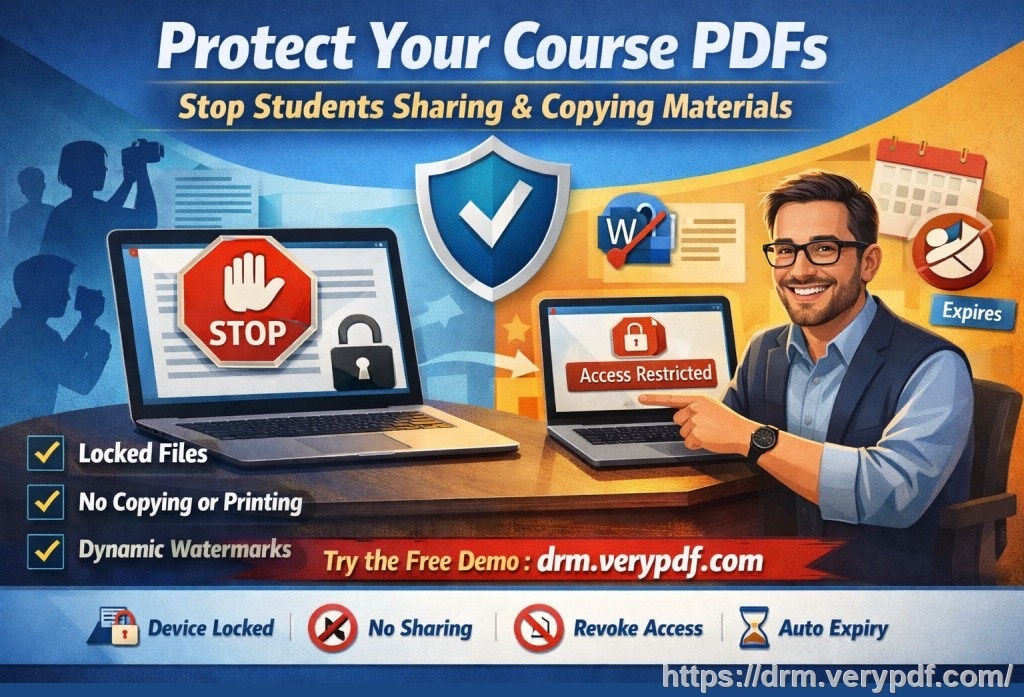
VeryPDF DRM Protector is designed to solve these specific problems. It provides a comprehensive range of features to ensure that your PDF files — containing medical records or any other sensitive information — remain secure at all times. Here's how it works:
1. Lock Access to Specific Devices and Locations
By locking your PDFs to specific devices, you can ensure that only authorized individuals can access them. You can even lock the documents to USB devices or specific computers, making sure they can only be opened on approved devices. This eliminates the risk of PDFs being shared across unsecured or unauthorized networks.
2. Restrict Printing, Copying, and Saving
A common issue with medical PDFs is the ability to print, copy, or save them. With VeryPDF DRM Protector, you can stop these actions entirely or limit them. You can disable printing, or you can set limits, like allowing only a certain number of prints. Additionally, you can prevent users from converting the document into other formats like Word or Excel, safeguarding the integrity of the data.
3. Dynamic Watermarks for Traceability
A dynamic watermark will appear on your PDFs whenever they are viewed or printed. This watermark can include user-specific information such as the user's name, email address, or even the time and date of access. This helps deter any unauthorized sharing or redistribution of the file, as it's easy to track the source of any leaks. For example, if a contractor shares a PDF inappropriately, the watermark will make it clear where the leak originated.
4. Expiry and Self-Destruct Features
Sometimes, there's no need for access to last forever. VeryPDF DRM Protector allows you to set expiry dates for your PDF files. These documents will automatically become inaccessible after a certain number of views, days, or prints. This feature ensures that medical records are only accessible for as long as necessary, reducing the chances of long-term data exposure.
5. Revoke Documents and User Access Anytime
What happens if a contractor or staff member is no longer authorized to access a PDF? With DRM protection, you have the ability to revoke access to any document, even after it's already been distributed. This means that, if needed, you can remove access instantly, no matter where the file is located.
Real Examples: How DRM Protection Makes a Difference
Let's take a look at how VeryPDF DRM Protector could change the way hospitals handle sensitive documents:
-
Example 1: A third-party contractor needs access to patient records
A contractor working on a new software system needs access to certain medical records. With DRM protection, you can send them the file, but limit their access. You can ensure the contractor cannot print, copy, or share the document. Furthermore, the access can expire after a certain time, ensuring no lingering access after the job is done. -
Example 2: Controlling the distribution of patient data
Imagine a situation where a doctor needs to share a medical record with a colleague in another hospital. Without DRM protection, this document could easily be forwarded or printed, putting patient privacy at risk. With DRM, the doctor can share the file with strict access controls. The colleague can view the document on a specific device, but cannot print, copy, or convert the file.
Conclusion: Regain Control of Your PDFs
In today's digital age, data security should be a top priority, especially when it comes to sensitive medical information. VeryPDF DRM Protector offers healthcare professionals the ability to safeguard patient data, maintain control over how it's used, and ensure compliance with data protection regulations. It's a practical, easy-to-use solution that gives hospitals and healthcare providers the peace of mind that their PDF files are secure.
I highly recommend VeryPDF DRM Protector to anyone involved in sharing medical PDFs or other sensitive documents. Try it now and protect your hospital's data: https://drm.verypdf.com
Frequently Asked Questions
1. How can I limit access to PDF medical records?
VeryPDF DRM Protector allows you to lock PDFs to specific devices or USB drives. You can also set expiry dates or revoke access at any time.
2. Can I prevent staff from printing or copying PDFs?
Yes, you can completely disable printing, copying, and saving of the document. You can also limit the number of prints allowed.
3. Can I track who accessed my medical PDFs?
Yes, you can use dynamic watermarks to track users and trace any unauthorized sharing.
4. Does DRM protection stop unauthorized sharing of PDFs?
Absolutely. DRM protection ensures that PDFs cannot be shared, printed, or converted without your permission.
5. How easy is it to distribute protected medical records?
Very easy! You can distribute PDFs via email, web, or USB sticks, and they'll remain secure as long as the correct device restrictions and DRM settings are in place.
6. Can DRM protect against screen captures or screen sharing?
Yes, DRM protection prevents screen capture software and screen sharing tools (like Zoom or WebEx) from accessing your PDF content.
Keywords:
-
protect PDF medical records, prevent unauthorized printing, stop copying medical data, secure hospital PDFs, DRM security for healthcare, prevent medical record piracy, device-based PDF protection.