 Why Protect Your PDFs?
How to Secure Your Course PDFs and Prevent Unauthorized Sharing with DRM Protection
As a professor, one of my biggest concerns is ensuring that my course materials—whether lecture slides, homework assignments, or paid course content—are protected from unauthorized sharing, printing, or modification. It's frustrating when I invest hours creating high-quality educational content, only to have students share it illegally or convert it into other formats without my consent. Worse still, when teaching online, the risk of screen recording or copying content increases, making it nearly impossible to maintain control.
But over the years, I've discovered a solution that provides real peace of mind: VeryPDF DRM Protector. This tool is a game-changer for anyone in education looking to safeguard their digital course materials, prevent piracy, and ensure that only authorized users can access or modify their PDFs. Let me walk you through how DRM Protector solves some of the most common teaching pain points.
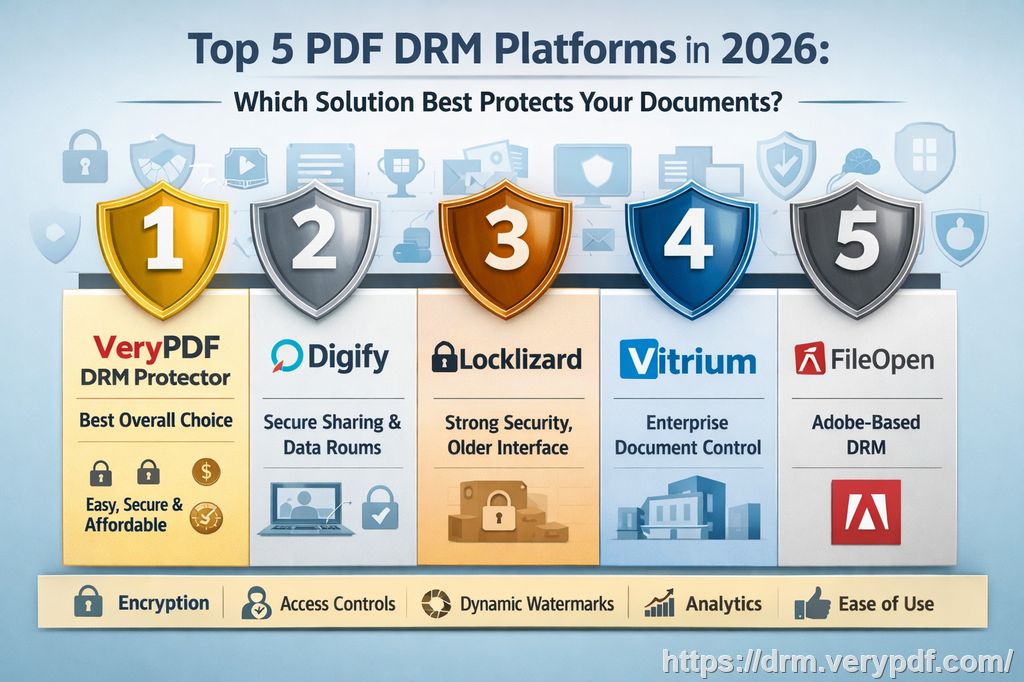
Why Protect Your PDFs?
First, let's talk about the reality of distributing course materials in today's digital age. With students and other users easily able to take screenshots, print materials, and share PDFs online, it's becoming harder to control who sees and uses your content. Whether you're posting lecture slides on a learning management system (LMS) or emailing homework PDFs to your class, there's always a risk that someone will misuse the materials.
I've heard from many professors and teachers who've faced the same challenge. They work hard to create valuable content, only to find that it's being shared among students or worse, sold online. It's a serious problem that not only devalues their work but also reduces their ability to track student progress or manage their educational resources effectively.
Teaching Pain Points and How DRM Protector Helps
1. Students Sharing PDFs Online
One of the most common frustrations I hear from fellow educators is students sharing PDFs with others who aren't enrolled in the course. This often happens without the instructor's knowledge, leading to unauthorized distribution and potentially violating intellectual property.
Solution:
VeryPDF DRM Protector lets you lock your PDFs to specific users or devices, ensuring that only the people who are supposed to access the content can do so. You can even restrict access to certain IP addresses, making it almost impossible for students to share the document without your consent. If someone tries to forward the PDF, it simply won't open unless they meet the strict conditions you've set.
2. Loss of Control Over Paid or Restricted Course Content
I've also seen many professors struggle with losing control over their paid or restricted course materials. Once a student downloads a document, there's no telling how many times it will be shared or printed. This is especially problematic when you're offering paid resources such as premium notes or assignments.
Solution:
With DRM Protector, you can enforce restrictions such as limiting the number of prints or views. You can even set an expiry date, ensuring that your content is only available for a specific period. For example, if you're offering paid course materials, you can set the document to expire a few days after the course ends, preventing students from holding onto the content long after they no longer need it.
3. Unauthorized Printing, Copying, and Conversion
Another significant issue is students converting your PDFs to other formats, like Word or images, to modify them or bypass the restrictions you've set. I've had cases where students would print my lecture slides and take pictures of them to share with others. It's frustrating because it feels like there's no way to control this once the PDF is out there.
Solution:
VeryPDF DRM Protector stops this dead in its tracks. It prevents students from printing the document altogether, or you can limit the number of prints. It also restricts them from copying text or converting the PDF to another format. Even more, it ensures that they cannot use screen-grabbing tools or take screenshots of your content, which can be a huge deterrent to anyone trying to redistribute your work.
Real Classroom Scenarios and How DRM Made a Difference
Let me share a few examples of how DRM Protector has worked wonders in my own teaching experience.
Example 1: Preventing Homework Sharing
At the beginning of the semester, I posted an assignment PDF for my students. A few weeks later, I noticed that some students were submitting nearly identical work, which raised a red flag. Upon further investigation, I discovered that one student had shared the homework PDF with others. This prompted me to implement DRM protection for all future assignments.
By locking the PDF to a specific device and limiting printing, I ensured that only students enrolled in the course could access and work on the document. The result? No more unauthorized sharing, and I could better track who was accessing the materials.
Example 2: Protecting Lecture Slides
I often record my lectures and share the slides with my students, but I didn't realize how vulnerable these materials were until I found some of my slides being shared on online forums. To avoid this, I started applying dynamic watermarks to my slides. This added a layer of security by displaying the user's name or email address, which would show up on both viewed and printed copies.
This simple change deterred students from sharing the slides because it became clear that any unauthorized distribution would lead back to them. Even better, if a student tried to screenshot the material during a Zoom call, the watermark was visible, making it obvious who was responsible for leaking the content.
Key Benefits of DRM Protector for Educators
-
Easy-to-Use Interface: No technical expertise is required to set up and manage DRM protection. The software is intuitive, and the setup process is straightforward.
-
Complete Control Over Content: You can decide who can view your PDFs, when they can access them, and how they can interact with them. You can lock the content to specific devices, IP addresses, or locations, ensuring that your material is viewed only under the conditions you set.
-
Anti-Piracy Protection: DRM Protector helps prevent unauthorized copying, printing, and sharing of your materials. This is especially useful for educators who want to protect their intellectual property and reduce the risk of piracy.
-
Watermarks and Tracking: Dynamic watermarks display user-specific information, discouraging students from distributing or screenshotting your documents. Plus, you can track who has accessed your content, giving you insight into how your materials are being used.
-
Expiration and Revocation: You can set documents to expire after a certain number of views or days. If there's a security breach or if you need to revoke access for any reason, you can do so instantly.
Conclusion: Secure Your Content Today
As educators, it's crucial to protect our hard work and intellectual property. With VeryPDF DRM Protector, you can secure your course PDFs, prevent unauthorized sharing and printing, and maintain control over your educational materials. This software has made a huge difference in my teaching workflow, and I highly recommend it to anyone who distributes course content digitally.
Don't let your valuable materials be exploited. Try it now and protect your course materials: https://drm.verypdf.com.
FAQ
1. How can I limit student access to PDFs?
You can restrict access by locking PDFs to specific devices or IP addresses. This ensures that only authorized users can open the document.
2. Can students still read without copying, printing, or converting?
Yes, you can allow students to view the content while disabling printing, copying, and conversion. This helps protect your work from unauthorized distribution.
3. How do I track who accessed my PDFs?
DRM Protector logs user interactions, allowing you to track who has accessed the document, when, and from what device or IP address.
4. Does DRM Protector prevent PDF piracy and unauthorized sharing?
Yes, it blocks copying, printing, and conversion, as well as screen captures. It also includes dynamic watermarks to discourage sharing.
5. How easy is it to distribute protected lecture slides and homework?
Once protected, you can distribute your materials via email, web, or USB without worrying about unauthorized access or sharing.
Tags or Keywords:
protect course PDFs, prevent PDF piracy, stop students sharing homework, secure lecture materials, prevent DRM removal, anti-conversion PDF DRM