 How Accounting Firms Can Use DRM-Protected PDFs to Enforce Compliance and...
How Accounting Firms Can Use DRM-Protected PDFs to Enforce Compliance and Confidentiality
As an accounting professional, the security and confidentiality of financial documents like statements, tax reports, and internal audit records are crucial. You're entrusted with highly sensitive information, and yet, the risks of data breaches and unauthorized access are ever-present. Whether you're working with clients or internal teams, ensuring that your documents remain secure and protected from unauthorized sharing, copying, or printing is essential. Fortunately, with VeryPDF DRM Protector, you can lock down these critical documents and maintain complete control over how they're accessed, shared, and used.
In this article, I'll dive into how DRM (Digital Rights Management) technology can help accounting firms protect their most important documents, ensuring compliance with confidentiality agreements and preventing unauthorized data sharing.
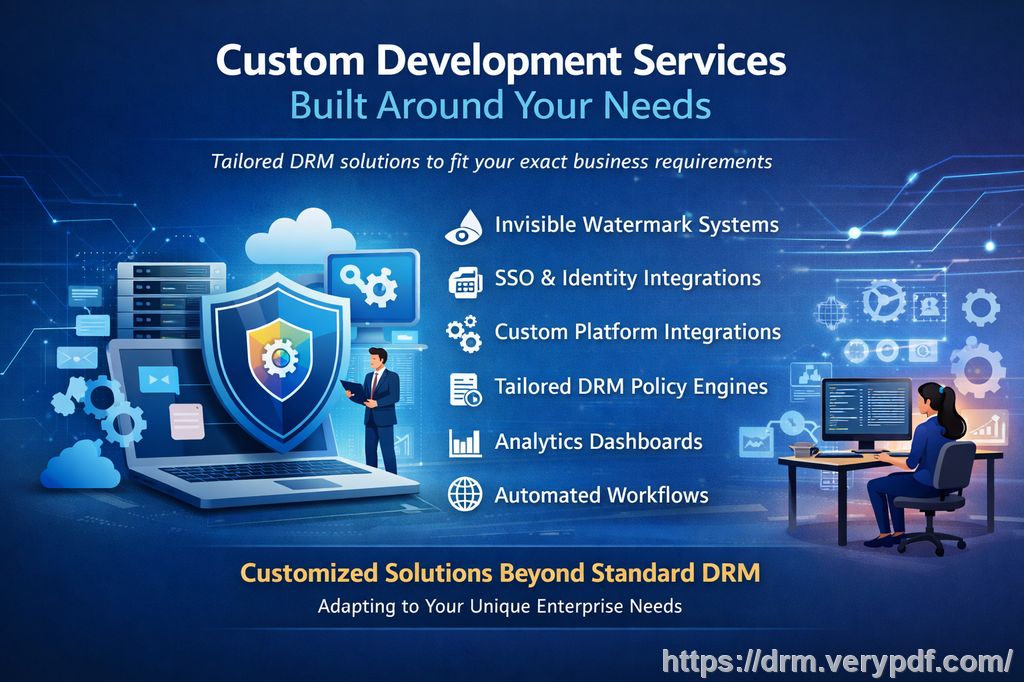
Protecting Your Financial Documents with DRM Technology
If you've ever worried about employees or clients forwarding, printing, or editing sensitive financial reports, you're not alone. Many accounting professionals face these issues, and unfortunately, traditional security measures like password protection or secure email attachments simply aren't enough to stop determined parties from circumventing security controls.
That's where VeryPDF DRM Protector comes in. By applying DRM to your PDFs, you can enforce a variety of restrictions, including:
-
Preventing unauthorized copying, printing, or forwarding of your financial documents.
-
Limiting access to specific users or devices, such as locking PDFs to a particular computer or mobile device.
-
Expiring or revoking access to documents at any time, even after they've been distributed.
With DRM protection, you gain the upper hand in ensuring that your financial data remains confidential and compliant with industry regulations.
Common Problems Accounting Firms Face with Document Security
Here are a few real-world scenarios that many accounting firms deal with:
-
Unauthorized Sharing of Financial Documents: You've sent a tax report or financial statement to a client, but within days, you hear that the document is being forwarded to others—without your permission. This is a major security breach, especially if the report contains sensitive financial details.
-
Printing and Copying Issues: Maybe you've distributed an internal audit report to your team, but a few copies end up in the wrong hands. Unauthorized printing or copying is a constant concern, particularly if your reports are being used as references or shared further.
-
Loss of Control After Distribution: Once you send a document, it can be hard to ensure that it's used only in the way it's intended. Perhaps someone converts the document into a Word file or prints it multiple times, causing potential leaks of confidential data.
How VeryPDF DRM Protector Can Solve These Problems
Here's how VeryPDF DRM Protector helps tackle these issues head-on:
1. Control Who Can Access Your Documents
One of the most powerful features of DRM protection is that it allows you to control exactly who can view your documents. You can restrict access to specific users, such as your team members or clients, and even lock documents to particular devices or locations. This eliminates the risk of unauthorized sharing and ensures that only those who are supposed to access the document can do so.
2. Prevent Copying, Printing, and Converting
No more worrying about unauthorized printing or copying. With DRM protection, you can prevent recipients from printing or saving the document in a different format, such as a Word or image file. Even if someone attempts to use third-party software to capture or convert the document, VeryPDF DRM Protector blocks these actions. This is essential in preventing financial data from being misused or shared outside of the intended audience.
3. Set Expiry Dates and Self-Destruct Features
Need to restrict access to documents after a certain time? DRM technology allows you to set expiry dates for PDFs, making sure that documents can only be viewed for a specific period. You can also set self-destruct options that cause the document to automatically become inaccessible after a number of views, prints, or days. This feature ensures that your financial documents won't linger around longer than necessary.
4. Dynamic Watermarks for Extra Security
To deter unauthorized sharing and prevent screen captures, DRM protection applies dynamic watermarks to your documents. These watermarks can include the user's name, email address, and other identifying information, making it clear who accessed the document. If someone tries to print or share it, the watermark ensures that they can't do so without being identified.
5. Revoke Access at Any Time
One of the most powerful features of VeryPDF DRM Protector is that you can revoke access to documents at any time—even after they've been shared or distributed. If you discover that a document is being misused or if a client no longer needs access to a report, you can immediately revoke their access, regardless of where the document is located.
Real-Life Examples of How DRM Protector Can Save the Day
Let's say you're working with a client who requires regular updates on their financial statements. After sending them the latest report via email, you discover that the document has been forwarded to someone else in their organization. Without DRM protection, you might never know who accessed the document or how it was used.
But with VeryPDF DRM Protector, you can rest easy knowing that you've locked the document to the client's specific device and prevented them from forwarding, printing, or copying the contents. If they need to make any changes, you can control the document's availability and even revoke access if it's no longer necessary.
In another example, imagine you're hosting an internal meeting with your team to discuss a confidential audit report. If the document is unprotected, anyone could potentially take screenshots, make copies, or even distribute it outside of the meeting. However, with DRM protection, the document is secured against screenshots, screen sharing, and unauthorized printing, giving you full confidence that your audit report will remain confidential.
Conclusion: Protect Your Sensitive Documents with DRM
As you can see, VeryPDF DRM Protector is an essential tool for any accounting firm that handles sensitive financial data. By using DRM technology to protect your PDFs, you can prevent unauthorized access, printing, copying, and sharing, while maintaining complete control over how your documents are used.
If you're ready to regain control over your financial documents and ensure compliance with confidentiality requirements, I highly recommend trying VeryPDF DRM Protector. You'll have peace of mind knowing that your reports and statements are safe from unauthorized access and piracy.
Try it now and protect your financial documents and experience the benefits of secure, tamper-proof PDFs.
FAQ
1. How do I limit access to my financial PDFs?
You can restrict access by locking the document to specific users, devices, or locations. This ensures that only authorized individuals can view or print the document.
2. Can I prevent students or employees from copying, printing, or converting documents?
Yes! VeryPDF DRM Protector allows you to block these actions entirely or limit them to a specific number of prints or copies.
3. How can I track who accessed my PDFs?
With DRM protection, you can apply dynamic watermarks that include the user's name and email, making it easy to track who accessed or printed a document.
4. Does DRM protection prevent unauthorized sharing or PDF piracy?
Absolutely. DRM protection ensures that your documents can't be shared, converted, or tampered with without your permission, effectively preventing piracy.
5. How easy is it to distribute protected financial reports?
It's very easy. Once your PDFs are protected, you can distribute them securely via email, cloud storage, or even USB drives, knowing they're protected against unauthorized access.
Tags/Keywords
-
protect financial documents, prevent PDF piracy, stop unauthorized document sharing, secure audit reports, prevent DRM removal, document security