 How Accounting Firms Can Protect Sensitive Documents Using DRM-Encrypted...
How Accounting Firms Can Protect Sensitive Documents Using DRM-Encrypted PDFs
In today's fast-paced, digitally connected world, accounting firms face an increasing risk of unauthorized access and data leaks, especially when handling sensitive documents like financial statements, audit reports, and tax returns. Imagine you're an accountant, juggling multiple clients, trying to ensure their confidential documents are securely stored and shared. One mistake, and you're faced with the potential of financial and reputational damage.
This is where VeryPDF DRM Protector steps in, offering a robust solution to protect PDF documents from unauthorized copying, printing, and forwarding—maintaining strict confidentiality and securing client information.
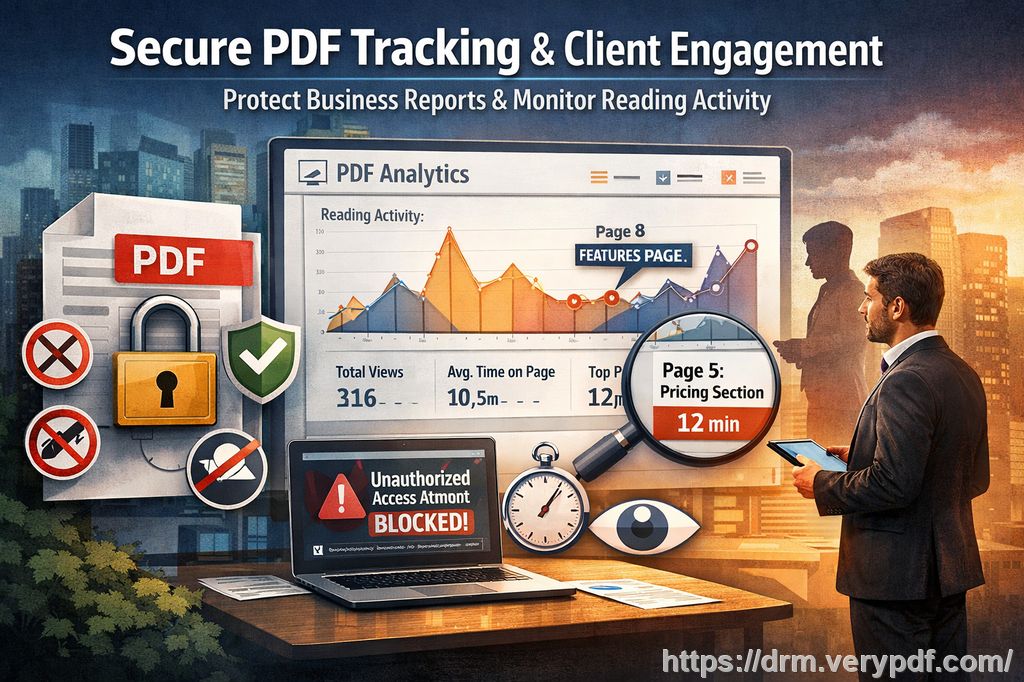
The Challenges of Document Security in Accounting
As an accountant, you know that confidentiality is paramount. Financial statements, audit reports, and tax documents contain highly sensitive information that, if leaked or misused, could have disastrous consequences for your clients and your firm.
However, with the growing reliance on digital documentation, many accounting professionals find themselves struggling with a major dilemma: How can you ensure your documents remain safe when they're shared with clients or third parties? Even with the best security measures in place, documents are often vulnerable to piracy, unauthorized redistribution, and the threat of malicious tampering.
Here are just a few of the most common challenges accountants face when it comes to document security:
-
Unauthorized distribution: You email sensitive reports to clients, only for them to end up being forwarded to unauthorized parties.
-
Copying and editing: Clients may copy text from reports and use it without permission or edit the document, which compromises its integrity.
-
Printing and sharing: Printed documents can be shared physically, and digital versions can be easily printed or converted into different formats, making control over your documents increasingly difficult.
With these pain points in mind, accounting firms need a way to secure their documents from start to finish—without adding complexity to the workflow.
The Solution: VeryPDF DRM Protector
VeryPDF DRM Protector is an easy-to-use tool designed to protect sensitive PDF files, ensuring that only authorized users can access, view, and print the documents. Here's how it helps solve the problems accounting firms face:
-
Restrict Document Access
With VeryPDF DRM Protector, you can restrict access to your PDFs, ensuring that only authorized users can view them. You can lock the document to specific devices, ensuring that your clients cannot share the file on unauthorized devices. This level of control ensures that your financial documents are never inadvertently shared with the wrong parties. -
Prevent Copying, Printing, and Conversion
One of the most frustrating issues for accounting professionals is the ease with which digital documents can be copied, printed, and converted into other formats. VeryPDF DRM Protector stops this by blocking unauthorized copying and printing. Whether it's a client trying to print out a tax document or convert an audit report into an editable format, the tool stops them in their tracks. -
Stop Unauthorized Forwarding
It's not just about protecting the document; it's also about controlling how and when it can be forwarded. With VeryPDF DRM Protector, you can stop documents from being forwarded, preventing unauthorized sharing of critical documents with third parties. This is especially important when working with sensitive financial information that needs to stay within a secure, closed loop. -
Dynamic Watermarks and Tracking
To further deter piracy, VeryPDF DRM Protector allows you to add dynamic watermarks to your PDFs. These watermarks can include information like the user's name, email, and the date/time the document was opened. This makes it much harder for someone to share the document without being traceable, acting as a deterrent for anyone thinking about distributing the document without permission. -
Document Expiry and Revocation
Sometimes, you need to limit access to documents for a certain period, especially when dealing with time-sensitive financial statements. VeryPDF DRM Protector allows you to set expiry dates for documents. Whether it's a tax form that only needs to be available for a few weeks or an audit report that expires after a certain number of views, you have full control over how long your documents remain accessible. -
Prevent Screen Grabs and Screen Sharing
With the rise of remote work and virtual meetings, screen grabs and screen sharing have become a major security concern. VeryPDF DRM Protector prevents screen grabs and the recording of sensitive documents during online meetings, ensuring that your documents can't be captured and shared via third-party apps or screen capture tools.
Real-Life Example: How VeryPDF DRM Protector Saved the Day
A client of ours, an accounting firm specializing in tax preparation, faced a significant issue when one of their clients inadvertently shared a tax document with a competitor. The document was meant to be viewed by the client and a specific tax advisor only. However, the client forwarded it to a colleague, who then sent it to a third party. This resulted in a breach of confidentiality.
After implementing VeryPDF DRM Protector, the firm gained complete control over who could access their documents. They applied device locking, ensuring the documents could only be opened on the client's authorized devices. Additionally, they used dynamic watermarks, which displayed user-specific details (like the client's name and email address) on every page of the PDF.
When the documents were shared via email, the watermark acted as a clear deterrent, and the recipient immediately understood that the document was secured. The firm also set an expiry date for the documents, ensuring that after a specific time period, access would be revoked. This helped them regain control over their documents and prevent any future breaches.
Key Benefits for Accounting Firms
-
Simple Implementation: With a straightforward setup process, you don't need to be a tech expert to protect your documents. Simply apply the DRM protection to your PDFs, and you're good to go.
-
Enhanced Security: Protect financial data from unauthorized access, copying, printing, and sharing.
-
Time-saving: Once your documents are protected, you don't have to worry about constantly monitoring their usage. You can rest assured knowing your content is secure.
-
Legal Compliance: Many accounting firms deal with highly regulated industries. VeryPDF DRM Protector helps ensure that you remain compliant by securing your clients' sensitive information.
Conclusion
In an era where data breaches and unauthorized document sharing are rampant, protecting your sensitive financial documents is non-negotiable. VeryPDF DRM Protector offers accounting firms a simple yet effective way to safeguard their PDFs against piracy and unauthorized use.
I highly recommend this tool to anyone in the accounting field who regularly handles confidential documents. With features like dynamic watermarks, document expiry, and device locking, you can be sure your financial reports, audit statements, and tax returns are kept secure from unauthorized access and distribution.
Try it now and protect your financial documents: Start your free trial today and secure your PDFs.
Frequently Asked Questions (FAQ)
1. How can I limit access to my PDFs for clients?
VeryPDF DRM Protector allows you to restrict access by locking PDFs to specific devices or limiting them to specific IP addresses, ensuring only authorized users can open them.
2. Can clients still view PDFs without copying, printing, or converting?
Yes, VeryPDF DRM Protector lets you prevent copying, printing, and converting, while still allowing clients to view the document securely.
3. How can I track who accessed my documents?
VeryPDF DRM Protector allows you to add dynamic watermarks with user-specific details, making it easy to track document usage and identify any unauthorized access.
4. Does this solution prevent PDF piracy and unauthorized sharing?
Absolutely. The DRM Protector stops unauthorized copying, printing, and sharing, ensuring your PDFs remain secure from piracy.
5. How easy is it to distribute protected lecture slides or financial reports?
It's simple. You can distribute protected documents via email, cloud storage, or USB devices. The DRM protection ensures the document remains secure regardless of the distribution method.
6. Can I revoke access to documents after they have been distributed?
Yes, you can revoke access to any document at any time, even after it has been shared with others.
7. Does it work with both online and offline viewing?
Yes, VeryPDF DRM Protector allows you to view protected PDFs both online and offline, providing flexibility while maintaining security.
Tags & Keywords
-
protect course PDFs, prevent PDF piracy, stop students sharing homework, secure lecture materials, prevent DRM removal, anti-conversion PDF DRM