 The Dangers of PDF Piracy in Law Firms
How Law Firms Can Use DRM to Protect Sensitive Legal Documents
As legal professionals, we understand that confidentiality is the cornerstone of our work. Every legal document, whether it's a contract, a client brief, or a sensitive memorandum, carries critical information that must be safeguarded at all costs. But in today's digital age, maintaining that level of protection is increasingly challenging. Clients and employees often have access to these documents electronically, and the risk of unintentional or malicious sharing is ever-present.
Imagine this: you've just sent a crucial legal document to a client via email, but shortly after, you realize it could have been screenshot, copied, or forwarded to the wrong hands. How do you ensure that your confidential information remains secure while still being accessible to those who need it? That's where Digital Rights Management (DRM) comes into play, and more specifically, VeryPDF DRM Protector.
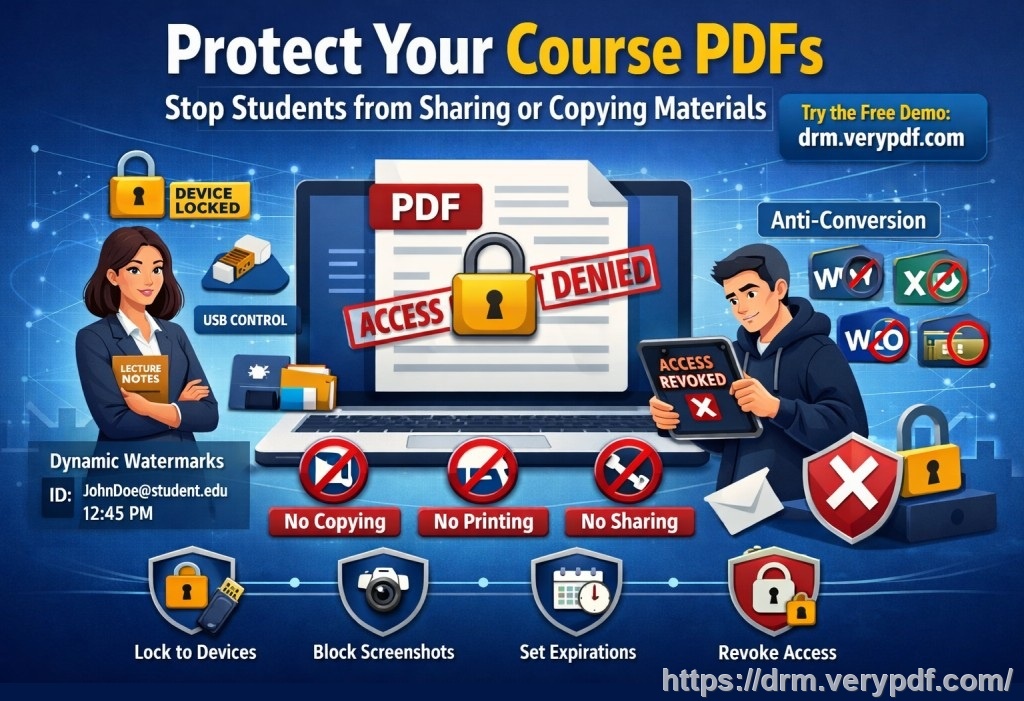
This tool allows law firms to prevent clients or employees from taking screenshots, printing, or forwarding sensitive PDF legal documents. Let's dive into how it works and why it's a game-changer for maintaining confidentiality in the legal world.
The Dangers of PDF Piracy in Law Firms
In a typical law firm, PDF documents are often shared between colleagues, clients, and external parties. These documents contain sensitive details that, if leaked or misused, can result in significant legal and financial consequences. Common issues include:
-
Clients or employees sharing PDFs without authorization, either intentionally or unintentionally.
-
Unauthorized printing or copying of sensitive documents.
-
Loss of control over important legal files once they've been emailed or shared online.
These are real-world concerns that can easily escalate. Unfortunately, traditional methods of protecting PDFs, like password protection, are often not enough to prevent these issues. That's why you need a robust solution, and VeryPDF DRM Protector offers just that.
How VeryPDF DRM Protector Solves These Problems
VeryPDF DRM Protector is designed to secure your documents and maintain control over how they are used. Let's look at how it addresses common concerns for law firms:
1. Prevent Unauthorized Access and Sharing
Imagine you've shared a sensitive contract with a client. You want to ensure that only that client can view it, and not forward it to anyone else. VeryPDF DRM Protector allows you to:
-
Lock PDFs to specific devices or users, ensuring that only authorized individuals can open the document. You can also restrict the file to a particular location, such as an office computer or a mobile device.
-
Revoke access instantly, even after the document has been shared. If you suspect a document has been compromised or needs to be retracted, you can remove access at any time.
2. Stop Screen Grabbing and Screen Sharing
During video conferences or presentations, there's always a risk that someone might take a screenshot of a sensitive document on their screen. This is a significant concern, especially in online meetings. VeryPDF DRM Protector ensures that:
-
Screenshots and screen grabs are completely blocked during screen-sharing sessions (via platforms like Zoom, WebEx, etc.).
-
Even third-party apps that attempt to capture screenshots won't work when viewing a DRM-protected PDF.
3. Control Printing and Copying
In a legal setting, printing or copying documents can be a double-edged sword. On one hand, you need to make documents available for review or reference, but on the other hand, you don't want those documents to be printed or shared without your knowledge. With DRM protection, you can:
-
Stop unauthorized printing, or limit the number of prints. For example, you could restrict a document to be printed only once or a few times.
-
Disable printing to file, meaning that documents can't be converted into other formats like Word or Excel. This prevents unauthorized conversions that could be easily shared or manipulated.
4. Expiry and Self-Destruct
Another fantastic feature of VeryPDF DRM Protector is its ability to expire a document after a certain period or number of views. This is particularly useful when dealing with legal contracts, NDAs, or time-sensitive documents. Here's how it works:
-
Expiry options: Set the document to automatically expire after a set number of days, views, or prints. You can also set a fixed date for the document to be no longer accessible.
-
Self-destructing documents: If needed, the document will self-destruct, making it completely inaccessible once its lifetime has expired.
5. Dynamic Watermarks for Added Protection
To further deter unauthorized distribution, VeryPDF DRM Protector allows you to apply dynamic watermarks to your PDFs. These watermarks are not just static images but are customized with user information such as names, email addresses, or timestamps. This means:
-
If someone attempts to take a photo or screenshot of the document, the watermark will be visible and will identify the user. This helps to discourage piracy or misuse.
6. Full Control Over Document Distribution
One of the challenges law firms face is the uncontrolled distribution of documents once they are shared with clients or third parties. VeryPDF DRM Protector solves this by:
-
Allowing you to track access and use of the documents, so you know who is opening them and when.
-
Enabling you to modify DRM settings even after the document has been distributed. For example, if you need to change access permissions or revoke rights, you can do so remotely.
Real-Life Example: How VeryPDF DRM Protector Can Save Your Law Firm
Let's say you're a partner at a law firm, and you've just completed a merger agreement. You email the PDF contract to your client for review. Later, you find out that the client forwarded the document to someone else without your knowledge. This could lead to a breach of confidentiality.
With VeryPDF DRM Protector, you could have:
-
Locked the document to the client's device, ensuring that only they could open it.
-
Restricted printing and copying, making it impossible for them to share the document without your permission.
-
Set an expiry date on the contract, so it automatically becomes inaccessible after a certain period, ensuring that the document cannot be retained longer than necessary.
Not only would this prevent unauthorized sharing, but it also ensures that you maintain full control over the document at every stage.
Why VeryPDF DRM Protector Is Better Than Secure Data Rooms
Many law firms rely on secure data rooms for sharing sensitive documents, but these come with limitations. Secure data rooms are only as secure as the weakest link, such as shared login credentials. Also, screen access can still be shared with others. Here's why VeryPDF DRM Protector offers more reliable protection:
-
No login credentials for users to share. With DRM protection, there's no need for shared passwords or logins, which could easily be passed around.
-
No unprotected documents uploaded. The documents remain on your local computer, making them less vulnerable to online threats.
-
Stronger DRM security than what data rooms offer, as they use encryption and device-specific locks to ensure that only authorized users can access documents.
Conclusion: Protect Your Sensitive Legal Documents Now
If you're looking to safeguard your legal documents from piracy, unauthorized sharing, or accidental leaks, VeryPDF DRM Protector is the solution you need. It gives you complete control over your PDFs, preventing copying, printing, screen grabs, and much more. I highly recommend this to anyone in the legal field who wants to ensure their documents remain secure.
Try it now and protect your legal documents from unauthorized access: VeryPDF DRM Protector. Start your free trial today and regain control over your documents.
FAQs
1. How do I limit access to a PDF for specific clients or employees?
With VeryPDF DRM Protector, you can lock PDFs to specific devices or users, ensuring that only authorized individuals can open the document.
2. Can clients still read the document without copying, printing, or converting it?
Yes! The software allows users to read the document, but copying, printing, and converting to other formats are disabled or restricted.
3. How do I track who accessed my documents?
VeryPDF DRM Protector enables you to monitor document usage, providing details about who accessed the file and when.
4. Does it prevent unauthorized sharing of PDFs?
Absolutely! The software prevents unauthorized sharing by locking documents to specific devices, applying dynamic watermarks, and revoking access as needed.
5. How easy is it to distribute protected legal documents?
VeryPDF DRM Protector is simple to use. You can share documents securely via email, USB, or through web-based viewers, with no risk of unauthorized access.
6. Can I stop documents from being screenshot or screen-shared?
Yes! The software completely blocks screen grabs and screen sharing, even in online meetings, ensuring your documents are secure during virtual interactions.
7. How can I modify access to my documents after distribution?
You can change access permissions, expiration dates, or even revoke access remotely, giving you full control even after the document is shared.