 Business Pain Points: Why You Need Protection for Your...
Protecting Sensitive Business Data: How to Control Who Has Access to Your Documents and Prevent Leaks
As a business owner, there's nothing more frustrating than spending weeks on a market research report or strategic business document, only to discover that it's being shared beyond your control. Whether it's a competitor gaining access to your proprietary insights or an employee unknowingly sending a report to the wrong person, unauthorized distribution of sensitive business data is a constant concern. Protecting your market research and business documents is critical to safeguarding your company's intellectual property, trade secrets, and future growth.
If you're in charge of managing sensitive business documents, you've probably faced these challenges. How do you ensure that only the right people can access your confidential files? How can you stop others from printing, copying, or converting your documents into editable formats? The solution lies in using a robust digital rights management (DRM) system that gives you full control over your documents—without the hassle.
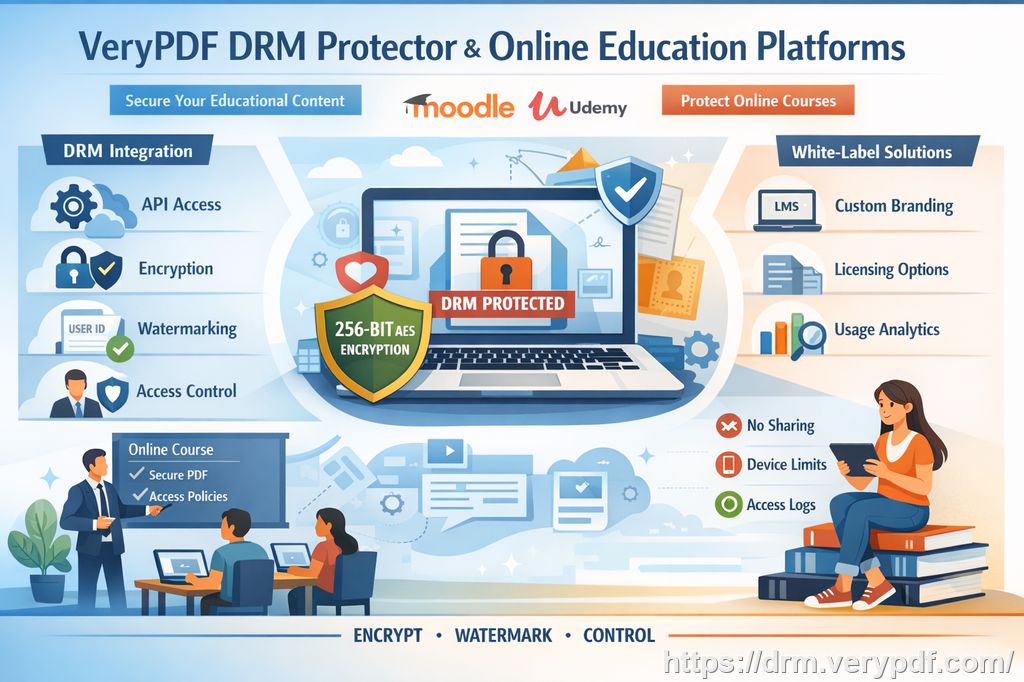
Let's explore how VeryPDF DRM Protector can help you take charge of your sensitive documents and prevent leaks, keeping your business data safe from unauthorized access and piracy.
Business Pain Points: Why You Need Protection for Your Documents
For many businesses, market research reports, business strategy documents, and client-facing reports are the lifeblood of success. But these crucial files can also be the most vulnerable to unauthorized access, leaks, and theft. Here's where the real business pain points lie:
-
Unauthorized Sharing of Confidential Documents: You've worked hard on that comprehensive market research report, but one careless mistake—like sending it to the wrong recipient—can lead to serious problems. Worse, it might end up being shared with competitors or unauthorized parties.
-
Loss of Control Over Who Can View and Modify Documents: Once a PDF is shared, it's difficult to control what happens next. Employees may print it, copy sections of it, or even convert it into Word or Excel documents, making it easy for others to access confidential information.
-
Risk of Document Piracy and Unauthorized Conversion: Many businesses face the danger of their documents being converted into different formats without permission. Your market research could end up on public forums, exposed and misused.
The Solution: Protecting Your Business Data with VeryPDF DRM Protector
You need a practical solution that helps you stay in control, while also making sure your documents remain secure throughout their lifecycle. This is where VeryPDF DRM Protector comes in.
With this tool, you can easily restrict access to your business documents and enforce strict controls over who can view, copy, print, or modify them. It ensures that only authorized individuals or departments can access specific business reports, and it stops unauthorized people from even attempting to modify your data.
Here's how VeryPDF DRM Protector works to protect your business data:
-
Restrict Access to Authorized Users: With DRM protection, you can limit document access to specific users or groups within your organization. Only those who have been granted permission will be able to open or view the document.
-
Prevent Printing, Copying, or Forwarding: DRM protection goes beyond basic password security. It ensures that your business reports cannot be printed, copied, or forwarded without permission. This means your sensitive data is much harder to steal or distribute unauthorizedly.
-
Stop Document Conversion: DRM technology ensures that your PDFs cannot be converted into editable formats like Word, Excel, or images. This protection prevents unauthorized users from taking your documents and repurposing them without your consent.
Real Business Examples: How DRM Protection Makes a Difference
Let me share a real-life example from my own experience. A few months ago, I had a confidential report detailing a new business strategy that was shared internally with my management team. One of the reports was accidentally sent to a colleague outside the company. Thanks to VeryPDF DRM Protector, the document was locked down and restricted—meaning the unauthorized recipient couldn't print it, copy any of the text, or even convert it into another format. While I was initially worried about the breach, the DRM protection kept my information safe and controlled.
Another time, we had a market research report that was meant to be shared with a select group of clients. After distributing the report, I used VeryPDF DRM Protector to monitor who had accessed the file, when, and where. This feature not only gave me peace of mind but also helped track if anyone attempted to share or misuse the data.
The Anti-Piracy Advantage: Preventing Unauthorized Distribution and Access
One of the most important benefits of using VeryPDF DRM Protector is its anti-piracy features. Piracy in the form of unauthorized sharing or document modification can be damaging to your business. Here's how DRM helps you combat this:
-
Encryption for Ultimate Protection: DRM protection encrypts your documents, ensuring that they can't be easily opened or accessed without the proper credentials. This stops unauthorized users from gaining access to your confidential reports.
-
No Unauthorized Sharing or Forwarding: With DRM, your documents are not only encrypted but also safeguarded from being shared without permission. Even if someone manages to get a hold of your document, they won't be able to forward it to others without your consent.
-
Watermarking and Tracking: Some DRM solutions also allow for watermarking your PDFs with identifying marks that can track the document's origin. This means if your report is shared or leaked, you'll be able to trace it back to the source.
How to Use VeryPDF DRM Protector: Step-by-Step Guide
Here's how easy it is to protect your business documents with VeryPDF DRM Protector:
-
Upload Your Document: Start by uploading the PDF you wish to protect.
-
Set Access Permissions: Choose who can view, copy, or modify the document. You can restrict access based on specific user IDs or departments.
-
Enforce Document Protection Rules: Select the actions you want to restrict, such as printing, copying, and converting. You can even disable the ability to forward the document.
-
Track Document Usage: Monitor who accesses the document and when, ensuring full transparency and control over your business reports.
Conclusion: Secure Your Confidential Business Data Today
The risks of unauthorized access, data leaks, and document piracy are real threats to any business. As a business owner or manager, you can't afford to ignore these risks. That's why I highly recommend VeryPDF DRM Protector for anyone distributing sensitive business documents.
With this tool, you can protect your market research, business strategy documents, and proprietary materials from unauthorized access and distribution. Whether it's preventing PDF piracy or maintaining strict control over who has access to your confidential data, VeryPDF DRM Protector has you covered.
Try it now and protect your business reports: https://drm.verypdf.com
Start your free trial today and keep your market research secure.
FAQ
-
How can I limit access to confidential business documents?
You can limit access using DRM protection by setting specific permissions for users or departments. Only authorized individuals will be able to view or interact with the document. -
Can I prevent others from copying, printing, or converting my reports?
Yes, DRM protection allows you to block these actions entirely. You can stop unauthorized copying, printing, or converting of your business documents to maintain full control. -
How do I track who accessed my business reports?
VeryPDF DRM Protector includes a tracking feature that logs when and who accessed your documents, giving you complete visibility over document usage. -
Does DRM technology prevent unauthorized sharing of PDFs?
Absolutely. DRM technology restricts the ability to share or forward the document to unauthorized recipients, ensuring that your sensitive information stays protected. -
How easy is it to distribute protected business reports to clients or colleagues?
Once protected, you can share your business reports as usual, but with the added assurance that the recipient cannot make unauthorized changes or distribute the document further.
Tags or Keywords
-
protect business reports
-
secure market research
-
prevent PDF piracy
-
stop unauthorized access
-
protect confidential data
-
prevent PDF conversion