 How Law Firms Can Secure Sensitive Client PDFs While Preventing Unauthorized Copying, Printing, Forwarding, or...
How Law Firms Can Secure Sensitive Client PDFs While Preventing Unauthorized Copying, Printing, Forwarding, or Screenshotting
As a professor or teacher, one of the biggest challenges I face when sharing course materials is the potential for students to share, print, or even convert the content without my permission. Imagine uploading your lecture slides to a class portal, only to find out a few days later that they've been passed around in ways you never intended. Worse still, sensitive documents, like assignment guidelines or homework PDFs, might end up being altered or misused. It's a frustrating problem, one that disrupts the integrity of your teaching materials and can lead to serious security issues.
With the rise of digital content sharing and online education platforms, ensuring that your course materials remain secure and accessible only to those who are authorized is more critical than ever. VeryPDF DRM Protector is here to help. This tool offers a practical, effective solution to protect your PDFs from being copied, printed, or forwarded by unauthorized users. Below, I'll explain how DRM protection can help solve these real-life problems and why it's the perfect tool for any educator who values content security.
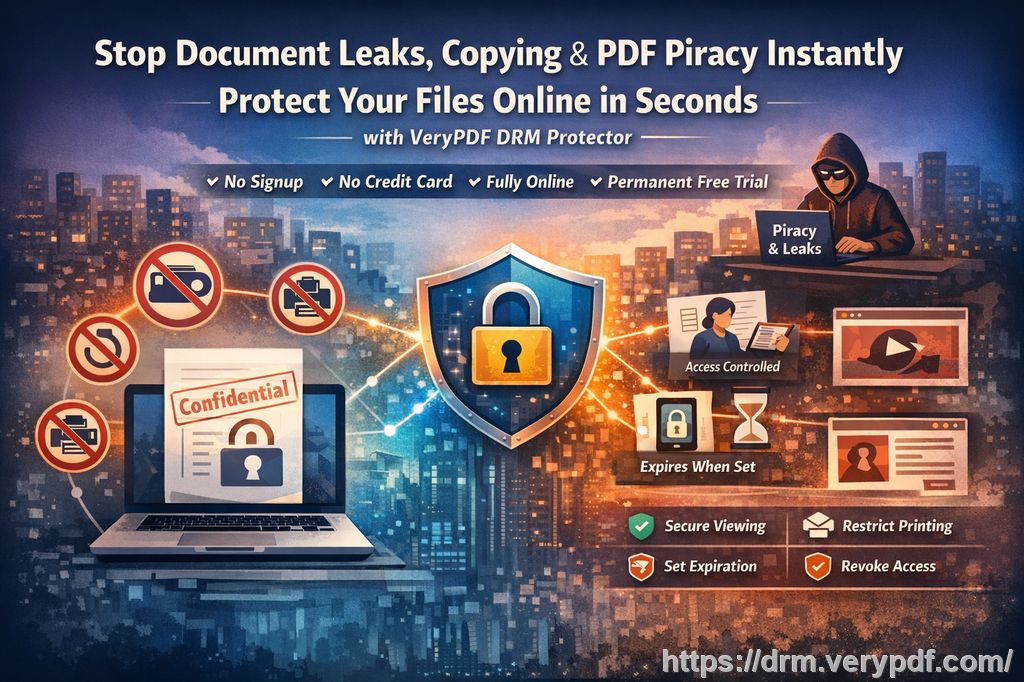
The Common Struggles Teachers Face
In my experience, here are a few major pain points many professors and educators encounter when sharing digital content:
-
Students Sharing PDF Files
Whether it's assignments, lecture slides, or other educational resources, once a PDF is shared, control is lost. Students can email it to their peers, share it in a chat group, or upload it to file-sharing websites. This leads to content being distributed beyond the intended audience. -
Unauthorized Printing and Copying
I've had students print out entire textbooks or course materials that I've provided in PDF form, often in bulk or with intent to resell. Or, they'll copy and paste key parts into other documents. It's not just inconvenient; it's unfair to the time and effort I've invested in creating those resources. -
Conversion to Other Formats
When PDFs are converted to Word, Excel, or even image files, I lose control over the formatting, layout, and integrity of my teaching content. This also makes it easier for unauthorized edits or redistribution to occur.
These issues aren't unique to me—they're common concerns for many educators trying to protect their work. Fortunately, there's a solution that addresses these problems directly, and it's called VeryPDF DRM Protector.
How VeryPDF DRM Protector Solves These Problems
VeryPDF DRM Protector is a powerful tool designed to safeguard your digital content and stop the most common forms of piracy and unauthorized sharing. It provides you with complete control over how your PDFs are accessed and used. Here's how it addresses the challenges I mentioned above:
-
Restricting Access to Authorized Users Only
VeryPDF DRM Protector allows you to lock PDFs to specific users or devices. This means you can limit access to your materials, ensuring that only the students you've assigned the material to can open it. For instance, if I want to restrict my lecture slides to the students enrolled in my course, I can lock the files so that only their devices can access them. -
Preventing Printing and Copying
One of the biggest frustrations I've had is students printing my materials and distributing hard copies. With DRM protection, I can control whether or not students are allowed to print the content. I can even set limits, like restricting printing to a certain number of copies or preventing printing entirely. Furthermore, copying text or images from the PDF becomes impossible, ensuring that students can't take chunks of content and use them elsewhere. -
Stopping Conversions to Other Formats
VeryPDF DRM Protector ensures that your PDFs cannot be converted to other formats, like Word or image files. This is vital for preserving the integrity of your teaching materials. I've had several instances where converted course PDFs were redistributed with incorrect or altered information. DRM protection stops this from happening. -
Expiry and Self-Destruct Features
I love how this tool allows me to set expiration dates on my PDFs. For example, if I distribute course materials that are only relevant for a specific period, I can set them to expire after a certain number of views or a set date. This adds another layer of control, ensuring that materials can't be accessed after they're no longer needed. -
Dynamic Watermarks for Identification
Watermarks are one of the best ways to deter unauthorized sharing and misuse of documents. VeryPDF DRM Protector allows you to add dynamic watermarks that display identifying information, such as the student's name or email address. This discourages students from sharing materials, knowing that their personal information is embedded in the document. -
Revoke Access Anytime, Anywhere
Even after distributing a PDF, I can revoke access to it at any time. This is a game-changer. If I suspect that a document has been shared outside of the approved circle or if there's a change in the class roster, I can instantly terminate access to the document. No need to worry about outdated or unauthorized copies floating around.
Real-Life Examples
Let me share a quick example. Last semester, I distributed a set of homework PDFs to my students. One student decided to forward the assignment to a friend outside the class. With VeryPDF DRM Protector, I was able to revoke access to the file immediately, preventing any further unauthorized use.
Another instance involved a colleague who was struggling with students printing large volumes of her lecture slides. With DRM protection, she was able to restrict printing entirely, ensuring that only authorized users could access the materials digitally.
Benefits of VeryPDF DRM Protector for Teachers
If you're still on the fence about DRM protection, here are some key benefits that I think you'll appreciate:
-
Easy to Use: The software is straightforward, and I didn't need any technical expertise to get started. You simply upload your PDFs, set your desired restrictions, and distribute the protected files.
-
Complete Control: You can manage every aspect of how your content is accessed—whether it's locking the file to a specific device or setting expiration dates.
-
Anti-Piracy Features: By preventing copying, printing, and converting, VeryPDF DRM Protector acts as a powerful deterrent against piracy.
-
Cost-Effective: Protecting your content doesn't have to be expensive. VeryPDF offers flexible pricing that makes it accessible for teachers and professors at all levels.
Conclusion: Protect Your Educational Content Today
If you're distributing digital course materials, I highly recommend using VeryPDF DRM Protector to safeguard your PDFs. It's an easy-to-use solution that gives you complete control over how your content is accessed, shared, and used. With the ability to prevent unauthorized copying, printing, and conversion, you can rest assured that your teaching materials are safe from piracy and misuse.
Start protecting your course materials today: https://drm.verypdf.com
FAQs
-
How can I limit student access to my PDFs?
With VeryPDF DRM Protector, you can lock access to specific users or devices. This ensures that only authorized students can open your PDFs. -
Can students still read PDFs without copying, printing, or converting?
Yes, you can enable read-only access while disabling all copying, printing, and conversion features. -
How do I track who accessed the files?
VeryPDF DRM Protector offers dynamic watermarks that display identifying user information, allowing you to track who views and prints your documents. -
Does this tool prevent PDF piracy and unauthorized sharing?
Absolutely! It prevents copying, printing, and converting of PDFs, ensuring that your content can't be distributed without your permission. -
How easy is it to distribute protected lecture slides and homework?
Distributing protected PDFs is simple. Once you've applied DRM, you can send the files by email, upload them to a portal, or distribute them via USB—without worrying about unauthorized access.
Tags or Keywords
-
protect course PDFs, prevent PDF piracy, stop students sharing homework, secure lecture materials, prevent DRM removal, anti-conversion PDF DRM