
Secure Your Corporate PDFs: Permanently Redact Sensitive Data Offline
Last month, we shared a PDF contract with a partner, only to realize later that it still contained unredacted personal dataputting us at risk of a serious GDPR violation. The client’s private information, including emails and financial identifiers, was visible in plain text, and the thought of accidental exposure kept me up at night. Many businesses face this same dilemma: documents that should be safe to share are riddled with hidden vulnerabilities. One wrong click or overlooked page can result in compliance fines, reputational damage, or even legal action.
In my experience, the real risk isn’t just about what’s visible. Traditional redaction methods, like blacking out text in a PDF, can be deceivingly insecure. Copy-pasting “blacked-out” content often reveals the underlying text. And when employees use online tools to redact PDFs, confidential files may be uploaded to unknown servers, leaving sensitive data exposed to potential breaches. This is where a robust, AI-powered solution that works entirely offline becomes critical.
For businesses managing contracts, HR files, financial reports, or client information, the stakes are high. Accidental leaks of personally identifiable information (PII) or confidential business data can trigger audits, fines, and loss of client trust. Manual redaction processes are not only time-consuming but also prone to errors. Even seasoned legal teams can overlook sensitive details buried within lengthy documents.
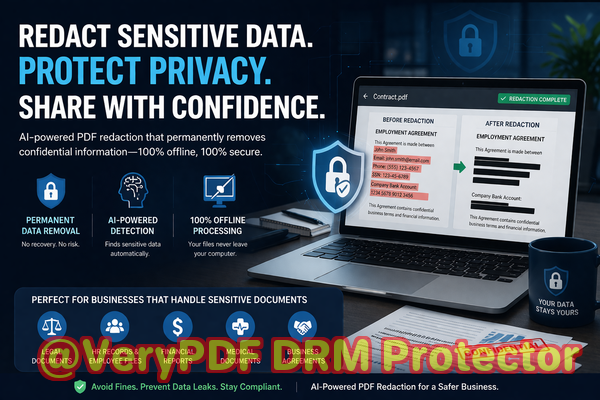
VeryPDF AI PDF Redaction Tool Command Line solves these exact problems. Using advanced AI algorithms, it automatically detects sensitive informationnames, emails, phone numbers, IDs, financial data, and moreand permanently removes it from your PDF. Unlike traditional redaction, the data isn’t just visually hidden; it is completely erased, ensuring no one can recover it.
One of the biggest advantages is that it works fully offline. Your documents never leave your computer, eliminating the risk of uploading confidential files to third-party servers. This guarantees 100% privacy, a critical requirement for companies bound by GDPR, HIPAA, or other data protection regulations.
Consider this scenario: A law firm needed to share several contracts with external partners. Using traditional redaction methods, they feared that hidden clauses or PII might still be recoverable. After switching to VeryPDF AI PDF Redaction Tool, they could automatically detect sensitive clauses, apply permanent redactions, and confidently share the documents without risking exposure. This simple shift prevented potential compliance violations and safeguarded client trust.
Another example comes from a mid-sized HR department managing employee records. Previously, staff manually redacted social security numbers and salary details, which was tedious and prone to mistakes. With the AI-powered tool, sensitive information was detected across hundreds of PDFs in minutes, drastically reducing the risk of human error and freeing the team to focus on more strategic tasks.
Here’s how the workflow typically looks for a business using this tool:
-
Load PDF Open your document in the tool.
-
Detect sensitive data AI scans for PII, financial info, and confidential clauses.
-
Review suggested redactions Ensure accuracy and adjust as needed.
-
Apply redaction Permanently remove sensitive data.
-
Export clean PDF Share the document safely with colleagues, partners, or clients.
Common types of data you can automatically redact include:
-
Personal identifiable information (PII) Names, addresses, phone numbers, social security numbers.
-
Financial data Bank account numbers, credit card information, salary details.
-
Business secrets Strategic plans, pricing structures, internal reports.
-
Legal and confidential clauses Contract terms, NDAs, and sensitive agreements.
The benefits are tangible. Companies avoid accidental data leaks that could lead to fines or legal exposure. Sensitive files remain on-premises, eliminating the risk of third-party data access. Compliance with data protection laws becomes straightforward rather than a constant source of stress.
For instance, a consulting firm preparing client deliverables could not risk sharing internal analysis with unredacted PII or financial data. By leveraging VeryPDF AI PDF Redaction Tool, they automated the redaction process across hundreds of documents. The AI accurately flagged sensitive details and permanently removed them, allowing the firm to maintain professional standards while ensuring client privacy.
Switching from online tools to this offline solution also mitigates hidden risks. Many online PDF redaction services may store documents temporarily, creating exposure points for sensitive information. By keeping everything local, you retain full control over your data, ensuring that confidential information never leaves your organization.
I’ve seen firsthand how this tool can change document workflows. Legal teams now spend less time manually redacting contracts. HR departments securely share personnel files without worrying about leaks. Financial teams confidently distribute reports knowing sensitive figures are fully protected. The peace of mind alone is worth the investment.
If you handle any documents containing sensitive data, here’s a simple tip: stop relying on visual blackouts or online services. Implement an AI-powered offline solution to ensure that confidential information is permanently removed. Your compliance team will thank you, and your clients will appreciate the professionalism.
I highly recommend VeryPDF AI PDF Redaction Tool Command Line to anyone who needs to share documents safely without risking data leaks or compliance issues. Try it now and securely redact your PDFs: https://veryutils.com/smart-redact-server-ai-powered-pdf-redaction-software. Start your free trial today and ensure your sensitive data is permanently removed before sharing.
FAQs
1. How can I permanently remove sensitive data from a PDF instead of just hiding it?
VeryPDF AI PDF Redaction Tool erases sensitive data completely using AI, making it unrecoverable.
2. Can others recover redacted information from my PDF?
No. The redaction is permanent and the underlying text is removed, not just hidden.
3. Is it safe to use online PDF redaction tools?
Online tools may temporarily upload your documents to external servers, which poses security and compliance risks.
4. Does this tool work completely offline?
Yes. All processing happens locally, keeping your sensitive documents fully private.
5. What types of sensitive data can be automatically detected and removed?
PII, financial data, business secrets, and confidential legal clauses are all supported.
6. How can I ensure compliance with GDPR when sharing documents?
By using AI-powered offline redaction to permanently remove personal data before sharing, you reduce the risk of GDPR violations.
7. Can the tool handle bulk PDF processing?
Yes. You can automate redaction across hundreds of documents, saving time and minimizing human error.
8. Does it support complex PDF layouts like tables and forms?
Absolutely. The AI accurately detects sensitive data even in structured content such as tables or forms.
9. Can I review redactions before applying them?
Yes. You can review AI-suggested redactions to ensure accuracy before permanently removing data.
10. Is it suitable for legal, HR, and financial documents?
Yes. It is designed for any document containing sensitive or confidential information.
11. What happens if I miss sensitive data during redaction?
The AI continuously improves detection and can be configured to scan comprehensively, reducing the chance of missed information.
12. How does offline processing benefit my organization?
It ensures 100% privacy, eliminating the risk of uploading confidential files to third-party servers.
Tags or Keywords
redact sensitive data, remove confidential information, PDF redaction tool, protect privacy in PDFs, prevent data leaks, offline PDF redaction, secure document sharing, AI PDF redaction, GDPR compliance, permanently remove sensitive data