
Protect Sensitive Data in PDFs with AI-Powered Redaction for Safe Sharing
Last month, our legal team shared a PDF contract with a potential partner, only to discover later that it still contained unredacted personal emails and employee IDs. The moment of realization hit hardthis small oversight could have triggered a major GDPR violation, not to mention the potential loss of trust with clients. For businesses like ours, ensuring that sensitive information is permanently removed before sharing documents is no longer optionalit’s a necessity.
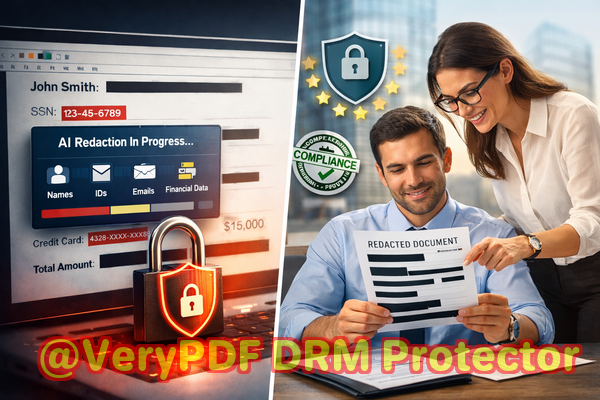
Many organizations face similar challenges. HR records, financial reports, client contracts, and internal agreements all contain sensitive data that, if exposed, can lead to compliance fines, reputational damage, or even legal action. The reality is, traditional methods of “blacking out” text or manually editing PDFs are not enough. In some cases, redacted text can still be copied or recovered, leaving companies dangerously exposed.
This is where VeryPDF AI PDF Redaction Tool Command Line comes in, providing a robust, AI-powered solution for securely removing confidential information from documents before sharing.
Sensitive Data Exposure and Its Risks
One of the most common pain points in businesses today is the accidental exposure of sensitive data in PDFs. Consider a scenario where a financial department shares quarterly reports with external auditors. Without proper redaction, details like social security numbers, bank account information, or personal emails could be included unintentionally. Such exposure not only violates data protection laws like GDPR but also puts employees, clients, and business partners at risk.
Manual redaction is another problem. Many employees attempt to “black out” sensitive information using basic PDF editors. While this may visually hide the text, the underlying data often remains accessible. Text can be copied, extracted, or even restored using standard software toolsmeaning the confidential information isn’t truly removed.
Online redaction tools create an additional risk. Employees sometimes turn to free online services to quickly redact documents, unknowingly uploading confidential files to third-party servers. This introduces a serious security threat, as files containing trade secrets, financial data, or personal information leave the company’s control entirely.
AI-Powered Redaction as a Solution
VeryPDF AI PDF Redaction Tool Command Line solves these problems with a straightforward, secure approach. Using AI-powered detection, it automatically identifies sensitive dataincluding names, emails, phone numbers, financial details, and personal IDsand permanently removes them from PDFs. Unlike traditional methods, this tool doesn’t simply hide information; it eliminates it entirely, preventing recovery.
Because it works fully offline, all document processing happens on your own computer. No files are sent to external servers, ensuring 100% privacy. For businesses handling confidential contracts, HR records, or legal documents, this guarantees that sensitive data never leaves your environment.
Practical Workflow Example
Using VeryPDF AI PDF Redaction Tool Command Line is simple and highly effective. Here’s a typical workflow that demonstrates how it protects sensitive information:
-
Load PDF Open the PDF document you need to share.
-
Detect Sensitive Data Let the AI scan for personal information, financial data, legal clauses, or other confidential content.
-
Review Quickly verify which information the AI flagged.
-
Apply Redaction Permanently remove the identified sensitive data.
-
Export Clean PDF Save the fully redacted file ready for secure sharing.
Types of Data to Redact
Businesses often need to remove several categories of sensitive information:
-
Personally Identifiable Information (PII): Names, emails, addresses, phone numbers, and government IDs.
-
Financial Data: Bank account numbers, credit card information, payroll details, and invoices.
-
Business Secrets: Internal strategies, confidential client data, and pricing models.
-
Legal Clauses: Contractual obligations, settlement terms, or sensitive case information.
Real Business Impact
A law firm we worked with recently faced a situation where a multi-page settlement agreement contained client names and case identifiers. By using VeryPDF AI PDF Redaction Tool Command Line, they were able to automatically detect and remove all sensitive information before sharing with a third-party mediator. Not only did this prevent potential GDPR violations, but it also built trust with their clients by demonstrating rigorous privacy protection.
Another company switched from online redaction tools to this fully offline solution after discovering that employee payroll files had been inadvertently uploaded to a cloud service. Moving to offline AI redaction eliminated that risk entirely, ensuring sensitive files never left the corporate network.
Why Offline Processing Matters
Processing PDFs offline is critical for maintaining privacy and preventing data leaks. Cloud-based tools may seem convenient, but every upload of sensitive information to a serverregardless of provider assurancesintroduces potential exposure. By keeping everything local, VeryPDF AI PDF Redaction Tool Command Line ensures:
-
No accidental uploads: Files remain on your machine.
-
Full compliance: You can safely adhere to GDPR, HIPAA, and other data protection standards.
-
Reduced legal risk: Sensitive data is permanently removed before sharing.
Conclusion: Secure Sharing Without Compromise
In today’s data-sensitive business environment, the stakes for document sharing have never been higher. I highly recommend VeryPDF AI PDF Redaction Tool Command Line to anyone who needs to share PDFs safely without risking accidental data exposure or compliance violations. Its AI-powered detection, permanent data removal, and offline processing provide peace of mind for legal teams, HR departments, and business managers alike.
Try it now and securely redact your PDFs: https://veryutils.com/smart-redact-server-ai-powered-pdf-redaction-software
Start your free trial today and ensure your sensitive data is permanently removed before sharing.
Frequently Asked Questions
1. How can I permanently remove sensitive data from a PDF instead of just hiding it?
VeryPDF AI PDF Redaction Tool Command Line removes sensitive data entirely from the file, ensuring it cannot be copied or recovered.
2. Can others recover redacted information from my PDF?
No. Unlike simple blackouts or highlights, the tool permanently deletes the content, making recovery impossible.
3. Is it safe to use online PDF redaction tools?
Online tools may expose your files to unknown servers, creating privacy and compliance risks. Offline AI PDF redaction is far safer.
4. Does this tool work completely offline?
Yes. All processing occurs on your computer, ensuring your documents never leave your network.
5. What types of sensitive data can be automatically detected and removed?
Names, emails, phone numbers, government IDs, financial details, business secrets, and confidential legal clauses.
6. Can this tool help with GDPR compliance?
Absolutely. By permanently removing personal and confidential information, it reduces the risk of data breaches and ensures safer document sharing.
7. Is it suitable for legal documents and contracts?
Yes. The AI is capable of identifying sensitive clauses, client information, and case details in contracts, settlement agreements, and other legal documents.
8. How long does it take to redact a PDF?
Processing time depends on file size and content complexity, but the AI significantly speeds up detection compared to manual redaction.
9. Can I review the redaction results before finalizing?
Yes. The workflow allows you to review and approve all flagged content before permanently removing it.
10. Will the original formatting of my PDF be preserved?
Yes. Only the sensitive content is removed; the rest of your document’s layout and formatting remain intact.
11. Can I automate redaction for multiple documents?
Yes. Command-line support allows batch processing, making it ideal for businesses with large volumes of sensitive PDFs.
12. What industries benefit most from this tool?
Legal firms, HR departments, finance teams, healthcare providers, and any organization handling confidential client or employee data.
Tags/Keywords: redact sensitive data, remove confidential information, PDF redaction tool, protect privacy in PDFs, prevent data leaks, offline PDF redaction, secure document sharing, GDPR compliance, AI PDF redaction, business document security