How to Enable Secure Cloud-Based and Offline PDF Sharing With Expiry, Watermarks, and Device Locking Using VeryPDF DRM

How to Enable Secure Cloud-Based and Offline PDF Sharing With Expiry, Watermarks, and Device Locking Using VeryPDF DRM

Discover how VeryPDF DRM Protector helps you securely share PDFs with expiry, watermarks, and device locking for cloud-based and offline use.

How to Enable Secure Cloud-Based and Offline PDF Sharing With Expiry, Watermarks, and Device Locking Using VeryPDF DRM


Every Monday morning used to feel like a battle. I’d open my inbox to dozens of PDF contracts, proposals, and reports, all needing to be shared with clients, partners, or internal teamsbut each one came with a headache. Who could I safely send this to? Could someone forward it without my knowledge? And how would I even track whether it was viewed or printed?

This was my reality until I discovered VeryPDF DRM Protector, a tool that completely changed how I handle secure PDF sharing.


Why VeryPDF DRM Protector is a Game-Changer for Secure PDF Sharing

VeryPDF DRM Protector is built for anyone who needs to share confidential documents securelyfrom corporate legal teams and finance departments to publishers and consulting firms. It’s not just a “lock your PDF” tool; it gives you full control over who sees your documents, how they are used, and where they can be accessed.

What immediately drew me in was the dual approach: it works both online in the cloud and offline via USB, so your documents aren’t locked to a single system or workflow. Whether I’m sharing a contract with a client abroad or distributing sensitive internal policies, I know I can protect the content every step of the way.


Key Features That Actually Make a Difference

1. Secure Cloud-Based PDF Sharing

I started with cloud sharing, which is perfect when clients or partners are scattered across different locations. Here’s why it works:

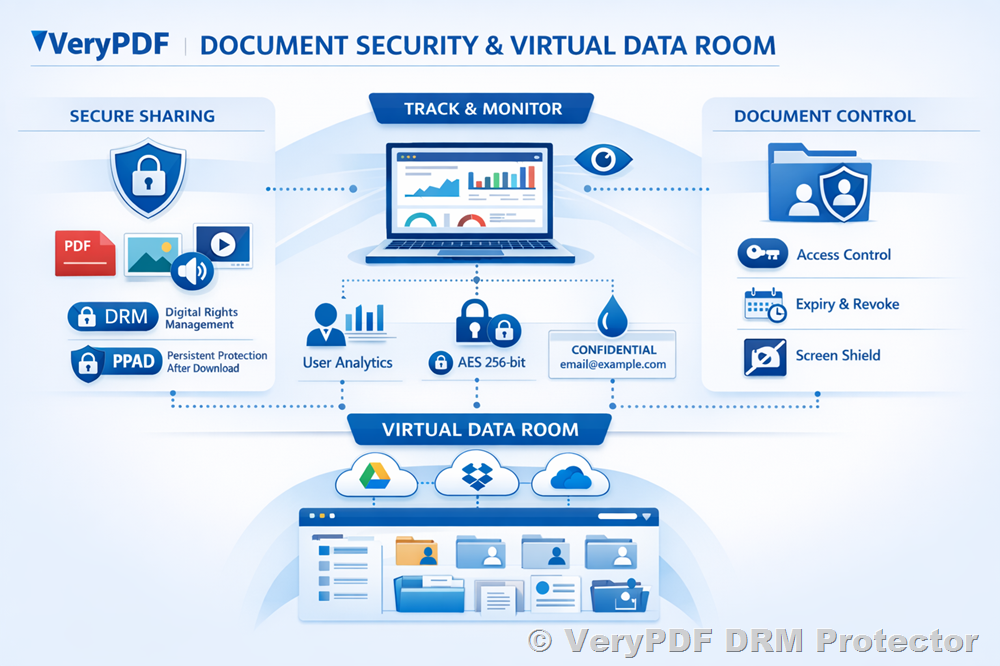
  • Upload and Share Easily: Drag and drop PDFs from my PC, phone, Dropbox, or OneDrive. I can include multiple files in a single link, which is a huge time-saver.

  • Expiry Control: Each PDF can be set to expire on a fixed date, after a number of views, or after a certain number of prints. I don’t have to worry about documents lingering indefinitely.

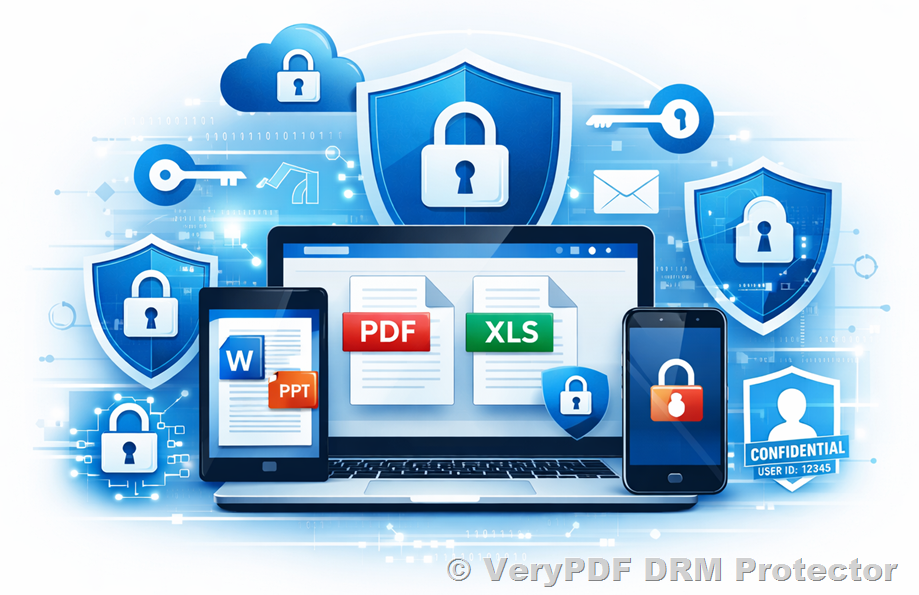
  • Dynamic Watermarks: Every time a user views or prints a PDF, a watermark automatically inserts their name, email, company, and timestamp. This subtle nudge discourages unauthorized sharing.

  • Device and Location Locking: I can limit document access to specific devices or even geographic locations, ensuring sensitive files aren’t misused.

For example, last month I shared an NDA with a contractor overseas. I set the link to expire after three views, locked it to their laptop, and added a dynamic watermark. Not only did I know who accessed it, but I could revoke it immediately after they completed the task. This is security and peace of mind in one package.


2. Offline Secure Sharing With USB

Sometimes, cloud access isn’t possiblelike at trade shows or client meetings. That’s where Safeguard Portable comes in.

  • Fully Offline Access: Users don’t need internet access to open protected PDFs. The secure viewer and keystore come on the USB stick.

  • User-Specific Control: I can enforce expiration, watermarks, and device locking offline. Even if the USB is lost, the files remain protected.

  • Plug-and-Play Simplicity: Recipients don’t install software or pluginsthey just plug in the USB and view the document securely.

I remember sending a sensitive investor presentation via USB for an in-person meeting. The investors could view it instantly, but they couldn’t print unlimited copies or forward it. That level of control made the meeting stress-free.


3. Real-Time Tracking and Revocation

Another feature that changed how I work: tracking and revoking access. With traditional PDF passwords or basic encryption, once a file leaves your system, it’s impossible to know what happens. VeryPDF DRM Protector flips this on its head.

  • Track Usage: I can see who opened the document, when, on which device, and even the operating system used.

  • Instant Revocation: If someone leaves the company or a contract ends, I can revoke access immediatelyno more emailing “please delete” requests.

One real-world example: a contractor accidentally received access to an old draft. I revoked it in seconds, and they couldn’t open the document anymore. No follow-ups, no riskjust done.


Why VeryPDF Beats Other Tools

Before discovering VeryPDF, I relied on Adobe PDF passwords and basic sharing links. Here’s the problem:

  • Users could easily share passwords.

  • No control over printing or forwarding.

  • No expiry or device/location restrictions.

  • Minimal logging for compliance.

VeryPDF solves all of these. The combination of online web viewer encryption, offline USB control, dynamic watermarking, and device-specific DRM is unmatched. It’s a complete solution for organizations that need to protect intellectual property, enforce compliance, and reduce the risk of leaks.


Personal Experience: The Impact on My Workflow

Since adopting VeryPDF DRM Protector, my document-sharing workflow has become smoother and far more secure:

  • I no longer worry about sensitive files being forwarded without permission.

  • Setting expiries and watermarks takes minutes, not hours.

  • I can confidently share documents with external partners knowing they’re protected.

  • Offline meetings are now stress-free because USB distribution maintains security without internet dependency.

It’s one of those tools that just makes the hard stuff simple, and the peace of mind is invaluable.


Conclusion: Secure PDF Sharing Made Simple

If you handle confidential documents, client contracts, financial reports, or proprietary content, VeryPDF DRM Protector is a must-have.

It gives you full control over PDF access, printing, and distributionboth online and offline. I can revoke access instantly, track usage, enforce device locking, and add dynamic watermarks automatically.

I’d highly recommend this to anyone who deals with large volumes of PDFs and wants real security without complexity.

Click here to try it out for yourself: https://drm.verypdf.com/


Custom Development Services by VeryPDF

VeryPDF offers comprehensive custom development services to meet your unique technical needs. Whether you require specialized PDF processing solutions for Linux, macOS, Windows, or server environments, VeryPDF’s expertise spans a wide range of technologies and functionalities.

Services include:

  • Development using Python, PHP, C/C++, Windows API, Linux, Mac, iOS, Android, JavaScript, C#, .NET, HTML5.

  • Creating Windows Virtual Printer Drivers that generate PDF, EMF, or image formats.

  • Capturing and monitoring printer jobs from all Windows printers, saving them as PDF, EMF, PCL, Postscript, TIFF, or JPG.

  • Implementing system-wide and application-specific hooks for monitoring and intercepting Windows APIs.

  • Analysis and processing of PDF, PCL, PRN, Postscript, EPS, Office documents.

  • Barcode recognition and generation, OCR, layout analysis, and table recognition for scanned TIFF and PDF documents.

  • Cloud-based solutions for document conversion, viewing, and digital signatures.

  • PDF security, DRM protection, and TrueType font technology solutions.

For specialized needs or custom solutions, contact VeryPDF at https://support.verypdf.com/.


FAQ

1. Can I share PDFs with expiry on both cloud and USB?

Yes. VeryPDF DRM Protector allows you to set expiration dates, limit views, and restrict printing for both online and offline distributions.

2. Does it prevent forwarding and unauthorized access?

Absolutely. Documents are locked to authorized users and devices, so forwarding or copying without permission is blocked.

3. Can I track who opened my PDFs?

Yes. You can track document views, prints, device info, and operating systems in real time.

4. Are watermarks customizable?

Yes. You can use dynamic variables like user name, company name, email, and date/time to watermark viewed or printed documents.

5. Do I need to install software for offline USB sharing?

No. Safeguard Portable includes a secure viewer on the USB, so users can open files without installing software or plugins.

6. Can I revoke access after distribution?

Yes. You can instantly revoke access for individual users or all users, regardless of where the document is located.


Tags/Keywords

  • Secure PDF sharing

  • Document DRM software

  • Cloud and offline PDF protection

  • PDF watermarking and expiry

  • Device and location locking

VeryPDF DRM Protector for Healthcare Institutions Share Patient Records and Research Documents Securely Online

Secure Patient Record Sharing with VeryPDF DRM Protector for Healthcare Institutions

Easily share sensitive patient records and research documents securely online with VeryPDF DRM Protector while maintaining full control and compliance.

VeryPDF DRM Protector for Healthcare Institutions Share Patient Records and Research Documents Securely Online


Every Monday morning, I used to dread the avalanche of patient records, research files, and sensitive PDFs that needed to be shared across departments and with external partners. Even when sending files over email or cloud services, I’d constantly worry: “Who actually has access to these documents now?”

For healthcare institutions, this isn’t just a nuisanceit’s a potential compliance nightmare. Patient records contain highly sensitive information, research data must remain confidential, and the last thing you want is someone forwarding files outside of approved circles. That’s when I stumbled upon VeryPDF DRM Protector, and honestly, it changed how we manage document sharing entirely.


How VeryPDF DRM Protector Transformed Document Sharing in Healthcare

When I first explored VeryPDF DRM Protector, I wasn’t expecting it to be this intuitive. The tool is designed for securely sharing PDFs online and externally without losing control over how the documents are used. It’s perfect for hospitals, research institutions, clinics, and even legal teams within healthcare organisations.

The software allows you to create secure links for PDFs that can be viewed in a browser, on mobile devices, or even via a protected USB. What stood out immediately was its ability to restrict access, prevent copying, control printing, and enforce expiryall features critical for protecting patient privacy and research data.


Key Features That Made a Difference

1. Secure Sharing with Complete Control

Before using VeryPDF DRM Protector, sharing documents externally meant risking uncontrolled distribution. Now, I can:

  • Stop unauthorised access instantly.

  • Lock documents to specific devices and locations.

  • Prevent editing, copying, and screen capturing.

  • Limit printing or enforce a maximum number of prints.

For example, when our research team needed to share a draft study with an external collaborator, I could set it to expire after five views, lock it to their office laptop, and watermark every page dynamically with their name and timestamp. This gave me peace of mind knowing the file couldn’t be passed along or printed without control.


2. Dynamic Expiry and Revocation

One of the biggest headaches in healthcare document management is knowing when a file is no longer valid. VeryPDF DRM Protector solves this elegantly.

  • Expiry can be set by date, number of views, or prints.

  • Access can be revoked instantly for all users or specific individuals.

I remember a time when a contract with an external lab ended suddenly. With a few clicks, I revoked all access to the related documents across multiple users. In the past, that would have involved manually checking and retrieving every fileimpossible with our workflow.


3. Dynamic Watermarks for Accountability

Every document can include dynamic watermarks with user details, time, date, or even company info. It’s subtle but powerful.

During a conference, we shared draft research via USB using Safeguard Portable, a feature that allows offline access with full DRM protection. Each document printed or viewed carried a watermark identifying the user. Not only does this discourage leaks, but it also gives us a clear audit trail of document usage.


4. Seamless Mobile and Cloud Access

Modern healthcare teams work across multiple devices and locations. VeryPDF DRM Protector’s mobile-friendly web viewer makes it easy to access documents securely from any device.

  • Upload PDFs via drag-and-drop from PC, phone, Dropbox, or OneDrive.

  • Send email invites with QR codes to open files instantly.

  • Monitor device types and operating systems accessing your files.

This flexibility was a game-changer for our team. I no longer had to coordinate cumbersome VPN access or worry about incompatible software on someone else’s tablet.


5. Comprehensive Audit Trails

Knowing how and when a document is used is critical for compliance. With VeryPDF DRM Protector, I could track:

  • Who viewed or printed a document.

  • What device and OS were used.

  • Exact timestamps for every action.

This audit functionality gave our compliance team peace of mind. In case of audits, we had clear, tamper-proof evidence of document handlinga feature we never had with standard password-protected PDFs.


Real-World Use Cases in Healthcare

  • Patient Record Sharing: Doctors and nurses can access critical patient documents from approved devices without risk of leaks.

  • Research Collaboration: Share study drafts and lab reports with external partners securely, even offline via USB.

  • Legal and Compliance: Securely send contracts or compliance documentation to auditors, with full usage control.

  • Training Materials: Distribute sensitive training manuals internally while enforcing expiry and access restrictions.

  • Remote Access for Consultants: Allow temporary access to specialists without worrying about document redistribution.


Why I Prefer VeryPDF DRM Protector Over Other Tools

In the past, we tried standard PDF passwords, cloud storage links, and even enterprise file-sharing systems. But here’s the problem:

  • Passwords can be shared easily.

  • Cloud links can be forwarded without control.

  • Collaboration tools often allow users to edit or download content, bypassing restrictions.

VeryPDF DRM Protector is different. It enforces control wherever the document goes, whether online, offline, or on USB sticks. It’s a purpose-built solution for healthcare data security.


Conclusion: My Take on VeryPDF DRM Protector

If you manage sensitive healthcare documents, VeryPDF DRM Protector is a must-have. It saves time, reduces compliance risk, and gives complete peace of mind when sharing files externally or internally.

I’ve personally seen it prevent potential leaks, streamline collaboration with external labs, and make document distribution almost effortless.

Click here to try it out for yourself: https://drm.verypdf.com/

Start your free trial now and gain full control over patient records, research files, and other sensitive PDFs.


Custom Development Services by VeryPDF

VeryPDF offers bespoke development solutions to match your exact technical needs.

Whether it’s for Linux, macOS, Windows, or server environments, their expertise covers Python, PHP, C/C++, Windows API, Linux, Mac, iOS, Android, JavaScript, C#, .NET, and HTML5.

Services include:

  • Windows Virtual Printer Drivers to generate PDF, EMF, PCL, Postscript, TIFF, and JPG.

  • Printer job capture and monitoring.

  • System-wide or app-specific hooks to monitor APIs.

  • Document and image processing, OCR, barcode recognition, and layout analysis.

  • Cloud-based solutions for conversion, viewing, and digital signatures.

  • Security, DRM protection, and PDF/Office printing solutions.

For custom requirements, contact VeryPDF: https://support.verypdf.com/


FAQ

Q1: Can VeryPDF DRM Protector stop unauthorized users from opening patient records?

Yes. You can lock documents to specific devices and locations, preventing unauthorized access even if the file is shared.

Q2: Can I track who viewed or printed my research PDFs?

Absolutely. The system logs document views, prints, device types, and timestamps for full auditability.

Q3: Can documents be set to expire automatically?

Yes. You can set expiration by date, number of views, or number of prints, reducing administrative work.

Q4: Does it work on mobile devices?

Yes. Protected PDFs can be accessed via a mobile-friendly browser interface, with QR codes for quick access.

Q5: Can I share documents offline securely?

Yes. Safeguard Portable allows distribution via USB with full DRM protection, offline access, and dynamic watermarking.


Tags or Keywords

  • secure patient record sharing

  • healthcare document DRM

  • PDF security for healthcare

  • research document protection

  • external document distribution

  • VeryPDF DRM Protector

  • HIPAA compliant PDF sharing

How to Prevent PDF Documents from Being Copied or Printed Without Authorization Using VeryPDF DRM Protector Software

How to Prevent PDF Documents from Being Copied or Printed Without Authorization Using VeryPDF DRM Protector Software

Secure your PDF files and control access with VeryPDF DRM Protector to prevent copying, printing, or unauthorized sharing.

How to Prevent PDF Documents from Being Copied or Printed Without Authorization Using VeryPDF DRM Protector Software


Every time I’ve had to send confidential PDFs to clients or partners, I’ve felt that knot in my stomach.

You know the oneworrying whether the file you just shared might end up in the wrong hands, copied, printed, or forwarded without your permission.

I’ve seen companies lose hours of work, sensitive financial data, and even revenue because their documents were shared without proper control.

It’s frustrating, especially when traditional password-protected PDFs offer almost zero real security.

That’s when I discovered VeryPDF DRM Protector, a tool that completely changed the way I handle PDF distribution.


Why I Needed Strong PDF Protection

At my company, we frequently send out contracts, technical manuals, financial reports, and marketing material.

Before using VeryPDF, our PDFs were just PDFs.

We could password-protect them, surebut anyone with that password could freely copy, print, or redistribute the content.

There was no control once the file left my hands.

Even cloud-based collaboration tools didn’t give us the security we needed. Users could share login credentials, download content offline, or bypass restrictions in ways that made me nervous.

I wanted a solution that not only protected the content but also gave me real control over who accessed it, where, and for how long.


Discovering VeryPDF DRM Protector

I first stumbled upon VeryPDF DRM Protector while searching for a way to securely share PDFs with external partners without risking leaks.

The tool promised everything I needed: secure online sharing, strict DRM controls, and detailed usage tracking.

It wasn’t just a theoretical solutionthey offered a working, reliable platform I could start using immediately.

What impressed me first:

  • Ease of use: Drag and drop PDF files, set viewing permissions, and send a link. No clunky software installs or complex setup.

  • Multi-device compatibility: Works seamlessly on PCs, tablets, and smartphones. QR codes in emails made it super simple for recipients to access files.

  • Control over views and prints: I could limit the number of views, prevent printing altogether, or allow a controlled number of prints with dynamic watermarks.


Key Features That Changed the Game

1. Stop Unauthorized Sharing and Printing

This was a big one for me.

Unlike regular PDF protection methods, VeryPDF locks files with strong encryption and DRM licensing controls, so even if someone tried to copy the file to another device, it wouldn’t work.

I tested it with a colleague by trying to open a protected PDF on a different laptopwe couldn’t get in. It was a real eye-opener.

Benefits I noticed immediately:

  • No more worrying about passwords being shared.

  • Complete control over document distribution.

  • Peace of mind knowing confidential information stayed secure.

2. Document Expiry and Revocation

Some documents should only be accessible for a limited time.

Before, I’d email contracts or financial reports and have no way of making them disappear after they were no longer relevant.

VeryPDF DRM Protector lets you:

  • Set fixed expiration dates.

  • Limit access by number of views or prints.

  • Revoke access for specific usersor all usersinstantly.

I once had to share a draft agreement with a client on a trial basis.

By setting the document to expire after five days, I didn’t have to worry about the file sitting in someone’s inbox indefinitely.

It was automatically inaccessible after the period, saving me hours of follow-up emails.

3. Dynamic Watermarks for Accountability

Another killer feature: dynamic watermarking.

Every time someone viewed or printed a document, their name, email, date, and time could appear on the page.

This isn’t just a visual deterrentit’s an accountability tool.

I sent out a sensitive pricing strategy PDF to several external partners.

Seeing the watermarked PDF in action, I knew exactly who viewed it and when.

No more anonymous leaks or worrying about documents circulating without my knowledge.

4. Device and Location Locking

VeryPDF also allows you to lock files to specific devices or locations.

This was critical when working with contractors in different countries.

Even if someone got hold of the file, it wouldn’t open unless they were using an approved device or within an authorised IP range.

For sensitive financial documents or regulatory reports, this feature alone was worth the investment.


Real-Life Use Cases

I’ve personally used VeryPDF DRM Protector in several scenarios:

  • Legal Teams: Sharing contracts and NDAs with external counsel without risking leaks.

  • Finance Departments: Sending quarterly financial statements to board members securely.

  • Publishing: Distributing draft ebooks or reports for review without fear of piracy.

  • Sales & Marketing: Sharing sensitive pricing sheets or client proposals externally, while tracking usage.

In every case, the combination of view limits, print restrictions, watermarks, and revocation capabilities gave me total confidence that the files were safe.


How VeryPDF Compares to Other Tools

Before VeryPDF, I tried Adobe PDF password protection, Google Drive, and other “secure” sharing platforms.

  • Adobe passwords? Too easy to bypassanyone with the password could share the file.

  • Google Docs? Collaboration features were great, but security was weak. Links could be shared, content copied, and offline downloads circumvented.

  • VeryPDF DRM Protector? Real security, no compromises. Encryption is strong, device locking is robust, and expiry/revocation works flawlessly.

Honestly, it felt like a night-and-day difference.


Cloud and Offline Flexibility

VeryPDF isn’t limited to cloud-based sharing.

I’ve distributed files on USB drives with Safeguard Portable, allowing offline secure access.

Perfect for meetings, events, or situations where internet access is unreliable.

Everything needed to open and view the file is on the USBplus the same DRM restrictions apply.

Cloud access works seamlessly too.

The Safeguard Web Viewer allows secure browser-based viewing without installing software.

Files are delivered in encrypted “chunks,” so even if someone tried to grab the pages, it would be extremely difficult.


Conclusion: Why I Recommend VeryPDF DRM Protector

If you deal with confidential or sensitive PDFs, VeryPDF DRM Protector is a game-changer.

It solves real problems: preventing unauthorized copying, controlling prints, enforcing expirations, tracking usage, and securing files across devices and locations.

From personal experience, it saved me countless hours of worry and follow-ups.

It’s flexible, easy to use, and provides peace of mind you simply cannot get from basic password-protected PDFs.

I’d highly recommend this to anyone who deals with large volumes of PDFs or sensitive information.

Click here to try it out for yourself: https://drm.verypdf.com/


Custom Development Services by VeryPDF

VeryPDF offers comprehensive custom development services to meet your unique technical needs.

Whether you require specialised PDF processing solutions for Linux, macOS, Windows, or server environments, VeryPDF’s expertise spans a wide range of technologies and functionalities.

Services include development with Python, PHP, C/C++, Windows API, Linux, Mac, iOS, Android, JavaScript, C#, .NET, and HTML5.

They create Windows Virtual Printer Drivers for generating PDF, EMF, and image formats, plus tools to capture and monitor printer jobs.

VeryPDF can process various document formats including PDF, PCL, PRN, Postscript, EPS, and Office documents, and offers OCR, barcode recognition, and table extraction.

For cloud-based solutions, VeryPDF supports secure document conversion, viewing, and digital signatures.

If you have specific technical needs, contact VeryPDF through their support center: https://support.verypdf.com/


FAQ

1. Can VeryPDF DRM Protector prevent users from copying content from a PDF?

Yes, it uses strong DRM and encryption to prevent copying, printing, and redistribution, even if the file is offline.

2. Can I set an expiry date for my PDFs?

Absolutely. You can expire a document based on date, number of views, or number of prints.

3. Is it possible to revoke access to a PDF after sharing?

Yes. Access can be revoked for individual users or all users instantly, no matter where the document is located.

4. Can documents be locked to specific devices or locations?

Yes. VeryPDF allows device and location locking, ensuring files can only be accessed on authorised devices and IP ranges.

5. Does VeryPDF support mobile viewing?

Yes. PDFs are mobile-friendly, and email invites include QR codes for easy access on smartphones and tablets.


Tags or Keywords

PDF security, secure document sharing, DRM PDF protection, prevent PDF copying, control PDF printing, VeryPDF DRM Protector, document access control, PDF expiry management, encrypted PDF sharing, Safeguard PDF

VeryPDF DRM Protector Features That Ensure Secure Offline Document Distribution via USB Without Internet

VeryPDF DRM Protector Features That Ensure Secure Offline Document Distribution via USB Without Internet

Every time I’ve had to prepare sensitive documents for a client meeting, I’ve faced the same headache: how do I make sure these PDFs don’t leak, get copied, or end up in the wrong hands? Traditional file-sharing systems always felt risky. I remember last year, I tried sending a set of confidential contracts via email, only to realize the passwords could be easily shared or guessed. That’s when I discovered VeryPDF DRM Protector, a tool that completely changed how I handle document security.

VeryPDF DRM Protector Features That Ensure Secure Offline Document Distribution via USB Without Internet

It’s designed for people like meprofessionals who need to share PDFs securely offline, without relying on cloud services or internet access. Think legal teams, financial consultants, researchers, or corporate trainers who often distribute sensitive material in meetings, workshops, or external events. The software ensures that no matter where the PDF goesUSB stick, laptop, or shared deviceits security controls stay intact.

How I Started Using VeryPDF DRM Protector

I first stumbled upon VeryPDF DRM Protector when a client asked me to prepare a batch of financial reports for distribution at a seminar. I needed a solution that would let me share the documents via USB, without worrying about internet access or unlicensed copying. Setting it up was surprisingly easy. I uploaded my PDFs, customised the security settings, and generated protected files ready to distribute.

What sets this tool apart is its focus on external document sharing. Unlike other PDF protections that simply password-lock a file, VeryPDF lets you control how, when, and where the document is used. For example, I could:

  • Prevent copying and editing: No more worrying about someone highlighting, copying, or changing critical content.

  • Restrict printing: I can either block printing entirely or limit the number of prints per user. Each printed page comes with a dynamic watermark showing the user’s name and timestamp, which is a game-changer for accountability.

  • Device and location locks: The PDFs I shared were tied to specific USB drives and could only be accessed on authorised devices, preventing accidental distribution.

Key Features That Make Life Easier

  1. Offline Secure Sharing via USB

    One of my favourite features is Safeguard Portable. I can package protected PDFs onto a USB drive with a built-in secure viewer. No internet is needed, yet every document remains fully protected. During a recent workshop, I handed participants USB drives, and they could open the documents instantly. Meanwhile, I knew the files were protected against sharing, printing, and copying.

  2. Automatic Expiry and Revocation

    Another standout feature is automatic expiry. I can set documents to:

    • Expire after a fixed date

    • Expire after a number of days

    • Expire after a certain number of views or prints

    In practice, this meant I could send sensitive marketing strategies to partners, knowing they would self-expire after the presentation. I’ve also had to revoke access for a partner who left a project; it took a few clicks to instantly lock all their documents. No other PDF solution I’ve used made this so seamless.

  3. Dynamic Watermarking and Logging

    Every document I’ve distributed with VeryPDF comes with dynamic watermarks. For example, if Amy from finance opens a report, her name, date, and device info appear on every page. Beyond discouraging leaks, it makes tracing any unauthorized activity trivial. The software also logs views and prints, giving me a full audit trailsuper handy for compliance purposes.

  4. Mobile-Friendly and Cross-Platform Access

    While my primary use is offline USB distribution, I’ve occasionally had to share documents online. VeryPDF handles this elegantly. The secure web viewer ensures files are accessible on any device without compromising security, and email invites can include a QR code for quick mobile access. It’s perfect for teams that sometimes need online access but still want the control that DRM provides.

Comparing With Other Tools

I’ve tried standard PDF password protection and some online DRM tools, but none of them come close:

  • Adobe passwords: Easy to bypass if someone shares the password.

  • Secure cloud file rooms: Great online, but not offline; you lose control if the files are downloaded.

  • Other DRM solutions: Often clunky, require additional software installs, or fail to enforce offline restrictions.

VeryPDF’s approach feels bulletproof. By locking documents to devices and using US government-grade encryption, I can confidently distribute files externally, even in high-stakes situations.

Use Cases That Hit Close to Home

I’ve found VeryPDF DRM Protector perfect for multiple scenarios:

  • Client Meetings and Workshops: Distribute financial reports or training material on USB without worrying about leaks.

  • Legal Teams: Send contracts or case files securely to external counsel or co-counsels.

  • Corporate Trainers: Distribute presentation material offline, ensuring participants can’t share it further.

  • Content Publishers: Sell digital documents while preventing piracy and unauthorized distribution.

Every time I use it, I feel a level of control I didn’t have with traditional tools. It’s especially handy when internet connectivity is unreliable or you want to keep sensitive content completely offline.

Conclusion: Why I Recommend VeryPDF DRM Protector

If you handle sensitive PDFs, whether in finance, legal, education, or publishing, VeryPDF DRM Protector solves real-world problems that go beyond basic password protection. It keeps your documents secure offline, restricts sharing and printing, tracks usage, and even lets you revoke access instantly. I can’t overstate how much time and stress this saves, especially when preparing for meetings, workshops, or distributing intellectual property externally.

I’d highly recommend this to anyone who deals with large volumes of sensitive PDFs and needs secure external distribution without relying on the internet.

Click here to try it out for yourself: https://drm.verypdf.com/

Custom Development Services by VeryPDF

VeryPDF offers flexible custom development services tailored to your technical requirements. From Linux, macOS, Windows, and server environments to specialised utilities in Python, PHP, C/C++, Windows API, Linux, Mac, iOS, Android, JavaScript, C#, .NET, and HTML5, VeryPDF can build tools to fit your workflow.

Their expertise covers Windows Virtual Printer Drivers, document capture and monitoring, system-wide API hooks, PDF, PCL, PRN, Postscript, EPS, Office file processing, barcode recognition, OCR table extraction, report generation, image and document management, cloud-based solutions, PDF security, DRM protection, and TrueType font handling.

For custom solutions, contact VeryPDF support: https://support.verypdf.com/

FAQ

1. Can VeryPDF DRM Protector work completely offline?

Yes, using Safeguard Portable, you can distribute protected PDFs on USB sticks with no internet connection needed.

2. Can I control who prints or views my PDFs?

Absolutely. You can limit views, restrict printing, and watermark each page dynamically to track usage.

3. Can I revoke access to a PDF after distribution?

Yes, you can revoke access for all users or specific individuals instantly, even if the document is on their device.

4. Does it work on mobile devices?

Yes, the web viewer is mobile-friendly and email invites include QR codes for easy access.

5. How secure are the documents?

VeryPDF uses strong US government-grade encryption, device and location locks, and dynamic watermarks to protect content against leaks and piracy.

Tags or Keywords

  • Secure PDF sharing

  • Offline PDF distribution

  • USB document protection

  • Document DRM software

  • VeryPDF DRM Protector

  • PDF watermarking

  • Document expiry management

  • External document security

This solution is a game-changer for anyone serious about offline document security, providing full control over who accesses your PDFs and how they are used.

VeryPDF DRM Protector for Government Agencies Share Reports and Policies Securely With Device and Location Locking

Secure PDF Sharing for Government Agencies with VeryPDF DRM Protector: Device and Location Locking Made Simple

Share PDFs securely in government agencies with VeryPDF DRM Protector, using device and location locking to control access and prevent leaks.

VeryPDF DRM Protector for Government Agencies Share Reports and Policies Securely With Device and Location Locking


Every Monday morning, I used to face the same headache: dozens of PDF reports, policy documents, and confidential files sitting in my inbox, waiting to be shared with various departments and external agencies. The usual problem? Once a PDF left my hands, I had zero control over who opened it, copied it, or forwarded it. And let’s be honestonce a document is out there, it’s nearly impossible to recall it if someone shares it irresponsibly.

For anyone in government or public administration, this is a nightmare scenario. Sensitive reports, policy drafts, or compliance documents can’t be left vulnerable. I needed a solution that wasn’t just about encrypting files or adding passwordsit had to be about real control, tracking, and security. That’s when I discovered VeryPDF DRM Protector.


Why I Chose VeryPDF DRM Protector for Secure External Document Sharing

VeryPDF DRM Protector isn’t just another PDF toolit’s a full-on secure sharing platform designed for organizations that need to control exactly how their documents are used, who can access them, and where they can be viewed.

From the first time I uploaded a policy document to the system, I realised how intuitive it was. Drag and drop files, add multiple PDFs per link, and instantly control the number of views or set an expiry date. You can even send an email invite with an automatic QR codeso sharing with colleagues or third parties is seamless.

This tool is perfect for government agencies, compliance teams, and organisations that handle highly confidential information. It works for both internal and external sharing, letting you keep sensitive documents under lock and key, even after they’ve left your computer.


Key Features That Saved My Team Hours

1. Device and Location Locking

One of the most powerful features is device and location locking. When I sent reports to external auditors, I didn’t want them forwarding the PDFs to unintended recipients. VeryPDF DRM Protector ensures that documents can only be opened on authorised devices. You can even restrict access to specific IP ranges or countries, which is perfect for government regulations that require strict data handling practices.

I remember a time when an external consultant tried to open a protected file on their home laptop. The system blocked access immediatelyno fuss, no intervention needed on my part. That level of control is priceless.

2. Expiry and Access Revocation

Another lifesaver is the ability to set document expiry or revoke access anytime. Whether I wanted a report to be available for only seven days or just a single view, I could configure it with a few clicks.

Once, a confidential inter-departmental memo needed to be recalled after an error was found. With VeryPDF, I revoked access instantly across all devices, ensuring nobody could accidentally continue reading the outdated document. Compared to traditional PDFs or even password-protected files, this is a game-changer.

3. Dynamic Watermarking and Print Controls

I’ve always worried about sensitive PDFs being printed and distributed. VeryPDF DRM Protector lets you control printing, limit the number of prints, or disable it entirely. On top of that, dynamic watermarks display the viewer’s name, email, and even the date/timeright on the page.

This feature saved me during an internal audit. A PDF report that was shared with multiple departments had its prints tracked and watermarked, making it immediately obvious if someone attempted to distribute it outside approved channels.

4. Cloud and Offline Sharing Flexibility

Some documents are shared online, while others need to travel via USB sticks or offline. VeryPDF supports both. I could upload files to the cloud for secure online access or prepare USBs with Safeguard Portable for offline use at board meetings. Every document remained protected, whether viewed in a browser or offline on a secure device.

The offline USB solution was particularly useful for inter-agency meetings where internet access was restricted. Simply hand over the USB, and every PDF was fully secured with the same DRM controls as the cloud version.


How VeryPDF Stands Out from Other Solutions

Before using VeryPDF, we tried password-protected PDFs, shared drives, and even secure file-sharing services like Google Drive. None of them offered the level of control we needed. Passwords could be shared, files could be copied, and cloud platforms didn’t provide granular device or location control.

VeryPDF DRM Protector combines multiple layers of security:

  • Encryption that meets US government standards.

  • Licensing controls that tie documents to authorised devices.

  • Detailed logs of document usage, so you know exactly when and where your files are accessed.

Unlike collaboration tools that allow editing and redistribution, VeryPDF focuses purely on secure sharing. You can distribute information confidently without fearing leaks.


Practical Scenarios Where VeryPDF DRM Protector Excels

Here’s how I used it in real-life government and agency scenarios:

  • Policy Distribution: Share updated internal policies with department heads while restricting downloads and forwards.

  • Confidential Reports: Send financial or operational reports to auditors, ensuring only authorised devices in approved locations can access them.

  • Legal Documentation: Share contracts and agreements with external counsel without risking unauthorised printing or forwarding.

  • Training Materials: Distribute sensitive training manuals to multiple branches while tracking usage and print logs.

  • Inter-agency Coordination: Protect documents that must be shared across government units or with external consultants.


Why I Recommend VeryPDF DRM Protector

If you manage confidential documents, compliance reports, or sensitive policy papers, this tool is a must-have. It gives you the peace of mind that your files won’t leak, be misused, or fall into the wrong hands.

I’ve personally saved countless hours that used to be spent chasing down PDFs or checking whether documents had been shared without permission. It’s intuitive, flexible, and powerful, allowing me to focus on actual work instead of document security stress.

Click here to try it out for yourself: https://drm.verypdf.com/


Custom Development Services by VeryPDF

VeryPDF offers tailored development services for government agencies and enterprises needing specialised PDF and document management solutions.

From Linux, Windows, and macOS utilities to mobile and web integration, VeryPDF can build custom tools in Python, PHP, C/C++, C#, Java, .NET, iOS, Android, and HTML5.

They develop Windows Virtual Printer Drivers, document capture tools, and monitoring software capable of intercepting print jobs across formats like PDF, TIFF, PCL, and PostScript.

VeryPDF also provides OCR, barcode recognition, dynamic forms, image conversion, and PDF security services. Whether you need cloud-based document access, DRM-enabled distribution, or advanced analytics, their team can deliver a solution.

For custom project enquiries, contact VeryPDF via their support center: https://support.verypdf.com/


FAQ

1. Can I control who accesses my PDFs remotely?

Yes. VeryPDF DRM Protector allows you to restrict document access by device, location, and individual users.

2. What happens if a user tries to open a document from an unauthorized device?

The system will block access automatically, ensuring no one outside the authorised devices can view the file.

3. Can I revoke access to documents after sharing?

Absolutely. You can revoke access for all users or specific individuals at any time, regardless of where the document is stored.

4. Does it support offline sharing via USB?

Yes. Safeguard Portable allows documents to be shared securely offline, complete with DRM controls and dynamic watermarks.

5. Are printed copies tracked?

Yes. You can limit the number of prints, disable printing entirely, and add dynamic watermarks to track who printed each document.


Tags/Keywords:

  • Secure PDF sharing for government

  • DRM-protected document distribution

  • Device and location locked PDFs

  • Confidential report sharing software

  • VeryPDF DRM Protector review