10 Tips, Tricks, and Best Practices for Sending Secure PDF Documents

Securing your sensitive information when sharing PDF documents is essential to avoid data breaches, protect confidentiality, and ensure compliance. With tools like VeryPDF DRM Protector, securing your PDFs has never been easier or more reliable.

Below, we explore 10 best practices for sharing PDF documents securely and explain why VeryPDF DRM Protector is the ultimate solution.

10 Tips, Tricks, and Best Practices for Sending Secure PDF Documents


1. Use VeryPDF DRM Protector for Advanced Protection

VeryPDF DRM Protector is a cutting-edge tool that ensures the utmost security for your PDF documents. It allows you to:

  • Set Expiration Dates: Automatically render PDFs inaccessible after a specific date.
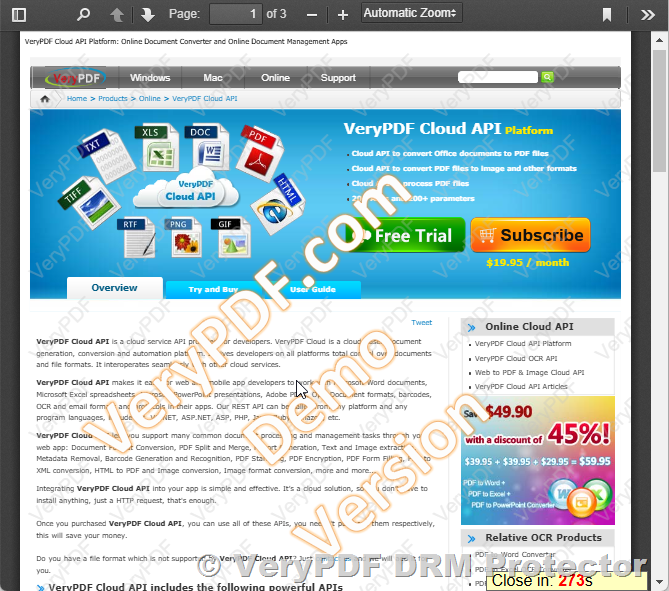
  • Add Watermarks: Apply visible or invisible watermarks to deter unauthorized sharing.
  • Restrict Access by IP Address: Ensure only specific users can open the document based on their IP address.
  • Prohibit Downloads and Printing: Prevent recipients from downloading or printing the file.
  • Disable Screenshots: Stop unauthorized reproduction through screen captures.

Instead of sending a password-protected PDF and worrying about securely sharing the password, VeryPDF DRM Protector generates a secure URL for the document. Share the URL with recipients, and the file remains under your control.

https://drm.verypdf.com/online/


2. Update Your PDF Software

Using outdated PDF software can expose your documents to vulnerabilities. VeryPDF DRM Protector not only ensures that your PDFs are secure but also integrates seamlessly with modern tools to provide advanced protection features.


3. Watermark Originals and Copies

Watermarking PDFs is a proven way to prevent unauthorized duplication. VeryPDF DRM Protector lets you customize watermarks with logos, signatures, or identifiers, helping you trace leaks if they occur.


4. Replace Weak Passwords with Robust DRM Controls

Password protection alone is not enough; hackers can easily crack passwords. With VeryPDF DRM Protector, you can eliminate the need for passwords by applying DRM restrictions, offering a more secure and convenient solution.


5. Authenticate Documents with Digital Signatures

Adding digital signatures ensures the authenticity of your PDF and provides a tamper-evident seal. VeryPDF DRM Protector supports advanced security features that complement digital signatures, offering end-to-end document protection.


6. Restrict Copying and Editing Rights

Using VeryPDF DRM Protector, you can lock down your PDFs to prevent unauthorized copying or editing. These restrictions ensure your document remains intact and under your control, even if it’s shared widely.


7. Use Secure Channels for Sharing PDFs

Avoid insecure methods like email for sharing sensitive documents. With VeryPDF DRM Protector, you can share documents through a secure URL, eliminating the risks associated with file attachments.


8. Set a Document Expiry Deadline

With VeryPDF DRM Protector, you can configure documents to expire after a set period, ensuring they’re not accessible indefinitely. This feature is ideal for contracts, reports, or other time-sensitive files.


9. Monitor and Enforce Compliance

Use VeryPDF DRM Protector to track access to your documents. Monitor who views the files, how they interact with them, and ensure compliance with organizational security policies.


10. Permanently Delete Files When No Longer Needed

With VeryPDF DRM Protector, you can revoke access to files even after sharing them. When a document is no longer needed, deleting its access permissions ensures no unauthorized party can recover it.


Why VeryPDF DRM Protector Is the Best Choice?

  • Comprehensive Control: From access restrictions to editing and sharing limits, you maintain full control over your PDFs.
  • Enhanced Security: DRM features provide a higher level of protection than traditional password-based security.
  • Ease of Use: Share secure URLs effortlessly without requiring recipients to install additional software.
  • Flexibility: Tailor access permissions to meet specific needs, such as IP restrictions or time-based access.

Final Thoughts

Protecting sensitive PDFs requires more than just basic passwords or outdated methods. By using VeryPDF DRM Protector, you can apply advanced security measures, such as DRM restrictions and secure URLs, ensuring your documents remain safe and under your control.

Take the next step toward secure document sharing — choose VeryPDF DRM Protector today and experience unparalleled peace of mind.

How to Securely Send the Password of a Password-Protected PDF File?

When protecting a PDF file with a password, a new challenge arises: how to securely send the password to the intended recipient. Many traditional methods, such as calling or sending the password via a separate email or SMS, offer basic security but still carry certain risks. In today’s digital age, there’s a better solution that eliminates the need to share passwords altogether.

https://drm.verypdf.com/purchase/

How to Securely Send the Password of a Password-Protected PDF File?

Traditional Methods for Sending Passwords

Here are some commonly recommended methods for sharing the password securely:

  • Call the recipient: Share the password over the phone. This is considered an “out-of-band” communication method and leverages voice authentication.
  • Send via SMS or another email address: If the PDF is sent by email, share the password via SMS or a separate email account to reduce the risk of interception.
  • Postal mail: For highly sensitive documents, you can mail the password to the recipient using traditional postal services.

While these methods add an extra layer of security, they are often cumbersome, prone to human error, and still susceptible to interception or misuse.

Why VeryPDF DRM Protector is the Best Option?

Instead of relying on passwords, consider using VeryPDF DRM Protector. This tool eliminates the need for password sharing by adding advanced Digital Rights Management (DRM) features to your PDF file. Here’s how it works and why it’s the most secure method:

Key Features of VeryPDF DRM Protector

  1. Add DRM Protection: Apply robust restrictions to your PDF file, including:
    • File Expiry Dates: Set a specific expiration date after which the file becomes inaccessible.
    • Watermarks: Add visible or invisible watermarks to deter unauthorized sharing and identify potential leaks.
    • IP Address Restrictions: Limit access to specific IP addresses to ensure that only approved users can view the document.
    • Prohibit Downloads: Prevent recipients from downloading the PDF file, keeping it confined to the secure server.
    • Prohibit Printing: Disable printing to avoid the creation of physical copies.
    • Prohibit Screenshots: Block the ability to take screenshots, reducing the risk of unauthorized reproduction.
  2. Generate a Secure URL: Once the DRM options are applied, VeryPDF DRM Protector generates a secure URL for the protected PDF file. This URL ensures controlled and restricted access to the document.
  3. Share the URL: Instead of sharing a password, send the secure URL to the recipient. The recipient can access the document only under the conditions you’ve set, ensuring full control over your content.

Advantages of Using VeryPDF DRM Protector

  • Eliminates Password Sharing: No need to share or manage passwords, reducing the risk of interception or misuse.
  • Maximum Security: The combination of DRM restrictions ensures that your document remains protected against unauthorized access and distribution.
  • Ease of Use: VeryPDF DRM Protector is user-friendly and allows you to set up restrictions quickly and efficiently.
  • Comprehensive Control: You have full control over who can access your document, how they can use it, and for how long.

Why Traditional Methods Are Less Secure

Traditional methods like phone calls, SMS, and email rely on “out-of-band” communication but still involve sharing sensitive information. These methods can be intercepted, forgotten, or mishandled. In contrast, using VeryPDF DRM Protector removes the need for password sharing entirely and offers advanced security features that go beyond basic password protection.

Conclusion

Sharing passwords for password-protected PDFs can be a hassle and a security risk. Instead of relying on traditional methods, use VeryPDF DRM Protector to add DRM protection to your PDF file. By setting restrictions like file expiry dates, adding watermarks, limiting access by IP address, and prohibiting downloads, printing, and screenshots, you can ensure your sensitive information stays secure. Share the secure URL generated by VeryPDF DRM Protector, and enjoy peace of mind knowing your document is protected.

What is the Most Secure Way to Send a PDF?

When it comes to sharing sensitive information, ensuring the security of your PDF files is critical. Many people suggest putting a password on a PDF, but this method is only marginally effective. Why? Because there are numerous tools available online that can easily unlock password-protected PDFs. This exposes your confidential information to potential risks.

Additionally, sending PDFs via email is not secure. No matter which email client you use, email operates like a postcard. When you hit send, your message bounces across dozens of servers, leaving it vulnerable to interception and copying. Anyone with access along the way can see its contents. Even those legal-sounding footers that claim, “This is a confidential document,” are legally non-binding and ineffective at protecting your data.

So, what is the solution? To securely send a PDF, you need a robust strategy that doesn’t rely on email or simple passwords.

What is the Most Secure Way to Send a PDF?

Leverage a Secure File Transfer Tool

The first step toward secure PDF sharing is to stop sending the file itself. Instead, upload the PDF to a secure server and share a link to the file. This approach ensures the document is “placed and taken” rather than being transmitted across insecure email systems. Some email services offer secure file transfer options, but standalone tools designed for secure file sharing provide better control and protection.

Why VeryPDF DRM Protector is the Best Option?

For the most secure and reliable method, use VeryPDF DRM Protector. This tool goes beyond traditional file transfer methods by adding advanced Digital Rights Management (DRM) options to your PDF files. Here’s how it works and why it’s the most secure option:

  1. Add DRM Protection: VeryPDF DRM Protector allows you to set up robust restrictions on your PDF file, such as:
    • File Expiry Dates: You can set a specific expiration date, after which the file becomes inaccessible.
    • Watermarks: Add visible or invisible watermarks to deter unauthorized sharing and identify potential leaks.
    • IP Address Restrictions: Limit access to specific IP addresses, ensuring only approved users can view the document.
    • Prohibit Downloads: Prevent recipients from downloading the PDF file, keeping it confined to the secure server.
    • Prohibit Printing: Disable the ability to print the PDF, safeguarding against physical copies being made.
    • Prohibit Screenshots: Block the ability to take screenshots of the document, reducing the risk of unauthorized reproduction.
  2. Generate a Secure URL: Once the DRM is applied, VeryPDF DRM Protector generates a secure URL for the protected PDF file. This URL ensures controlled access to your file.
  3. Share the URL: Instead of sending the actual file, share the secure URL with your recipient. The recipient can access the document only under the conditions you’ve set, ensuring full control over your content.

Advantages of Using VeryPDF DRM Protector

  • Maximum Security: By combining DRM features with a secure file hosting solution, your document remains protected against unauthorized access and sharing.
  • Ease of Use: The interface is user-friendly, allowing you to set up restrictions and share your file quickly.
  • Comprehensive Control: You retain full control over who can access your document, how they can use it, and for how long.

Why Email Alone Is Not Enough

Remember, email was never designed with security in mind. While it’s convenient, it’s far from secure. The only truly secure way to share sensitive information is to use tools that are purpose-built for protecting and delivering files.

Conclusion

When you need to send a PDF securely, don’t rely on passwords or email alone. Leverage advanced tools like VeryPDF DRM Protector to add DRM protection and share secure URLs with your recipients. By setting file expiry dates, adding watermarks, restricting IP addresses, and prohibiting downloads, printing, and screenshots, you can ensure your sensitive information stays private and protected. This method offers the highest level of security, giving you peace of mind in a world where digital threats are everywhere.

PDF & Document Tracking: Know Who Has Viewed Your PDF and Documents

Sending a PDF or document has become an everyday task for many, but do you know what happens after you send it? Can you be sure who has viewed your files, when they opened them, how often they’re accessed, and from where? Without proper tracking, you may lose control over your document and, in some cases, it could even end up being spread further than you intended.

With PDF file and document tracking solutions, you can gain valuable insights into the movement of your documents, understand whether they have been compromised, and potentially take corrective action. Let’s explore how tracking can enhance your document security and provide you with the control you need.

PDF & Document Tracking: Know Who Has Viewed Your PDF and Documents

Why is PDF File and Document Tracking Useful?

There are three main reasons why you should consider using PDF file and document tracking:

1. Security Concerns

In today’s digital world, many documents, including sensitive information, are transferred electronically. Maintaining the security of these files is crucial, and there is a legitimate concern about ensuring they don’t reach unintended recipients.

Tracking the viewing of a document can provide valuable information, including who has accessed the file and when. If the document is compromised, you can trace the file back to its viewers. For example, if someone opens a file from an unexpected location, it could be a sign of unauthorized access. Additionally, some solutions allow you to revoke access after sending the document, adding a layer of control to your file sharing process.

2. Sales and Marketing

Let’s say you’re sending a pitch deck or proposal to potential investors. You could simply send it and wait to follow up, but a more strategic approach would be knowing when and how your recipient interacts with the document.

By tracking when your document was opened and how long it was viewed, you can gauge the best time to follow up. You’ll know that your recipient has seen the document and likely had time to review it, which gives you an opportunity to time your next steps more effectively.

3. Gauging Interest in M&A Deals

In mergers and acquisitions (M&A), tracking the amount of time spent on a deal document can reveal the level of interest from potential buyers. Do they revisit the document multiple times? Are they opening it right away? This data helps you prioritize your efforts and focus on the most engaged prospects.

For lead magnets, where you give away a PDF to attract potential customers, tracking engagement lets you see how useful the content is and compare its effectiveness to other lead magnets.

How to Track PDF Files with VeryPDF DRM Protector?

VeryPDF DRM Protector offers robust tracking features that allow you to monitor who views your files, their location, and how long they spend reading the document. Whether you’re using the Send Files or Data Rooms section, you can get detailed insights into the usage of your documents. You’ll also be able to track how many times a file is viewed, downloaded, or printed.

Document Security with VeryPDF DRM Protector

PDF and document tracking are part of the comprehensive document security suite offered by VeryPDF DRM Protector. Here’s what you can expect:

  • Instant Notifications: Get alerts via mobile and email when a recipient views your file for the first time, helping you follow up at the optimal time.
  • Detailed Analytics: In the VeryPDF DRM Protector interface, you can see a summary of views, downloads, and prints. You can even drill down into the details to see the flow of who has viewed the file, how many times, and from which location.
  • Monitor User Behavior: You can also observe the usage patterns, helping you spot any suspicious activity, such as shared credentials or file compromise.

Data Rooms: Enhance Document Tracking

VeryPDF DRM Protector’s Virtual Data Rooms offer deep visibility into recipient activity. You can see detailed analytics about who has or hasn’t visited the file, and use this data to tailor your follow-up strategy. Some of the key features include:

  • Visitor Analytics: Rank users by the amount of time they spend on documents, or by the number of times they visit them. This helps you identify the most engaged recipients.
  • Export Analytics: You can sort, rank, and export document analytics for easy reference. This information is invaluable when deciding who to follow up with next.

Complete Document Security with VeryPDF DRM Protector

Beyond just tracking, VeryPDF DRM Protector provides several layers of document security features:

  • Digital Rights Management (DRM): Prevent unauthorized copying, forwarding, or downloading of documents, helping you keep your files secure.
  • Access Control: Set passwords for documents and manage who can access them, including revoking access when necessary.
  • Watermarking: Embed printable watermarks onto documents to protect your intellectual property.
  • Document Expiry and Self-Destruct: Set expiration dates for documents or program them to self-destruct after a specific period, ensuring they can’t be accessed after a certain time.

With AES-256 encryption, certified by the NSA to protect Top Secret documents, VeryPDF DRM Protector provides the highest level of document security while maintaining ease of use.

Conclusion

Document security is more important than ever, and with VeryPDF DRM Protector, you can track your PDFs and documents to ensure they are viewed by the right people, at the right time, and in the right locations. Whether it’s for sales, marketing, or safeguarding sensitive information, tracking gives you the peace of mind that your files are being handled as intended.

From detailed usage analytics to enhanced document protection features, VeryPDF DRM Protector offers everything you need to safeguard your documents and track their movements effectively. You can try out the features for yourself with a free trial and experience the control and security that VeryPDF DRM Protector provides.

Click here to get started with VeryPDF DRM Protector today.

[Solution] VeryPDF DRM Protector for Standards Publishing: Safeguarding and Distributing Critical Technical Standards

The development and distribution of technical standards are essential to global cooperation, safety, and progress. Standards Development Organizations (SDOs) play a vital role in ensuring that technologies and practices across industries can interoperate, both nationally and internationally. These organizations must balance the need for standards documents to be both secure and easily accessible. However, the process of controlling access to these critical documents while ensuring they are available to the right people presents unique challenges. VeryPDF DRM Protector provides the solution, combining robust document protection with easy access, ensuring the seamless distribution and management of standards.

https://drm.verypdf.com/online/

[Solution] VeryPDF DRM Protector for Standards Publishing: Safeguarding and Distributing Critical Technical Standards

Control Standards with Standards-based Technologies

Standards are the backbone of cooperation in industries ranging from telecommunications to environmental protection. Whether it’s national safety standards or international best practices, SDOs are responsible for ensuring that standards are accessible, authentic, and up-to-date. At the same time, these organizations must control how their documents are distributed, preventing unauthorized use or tampering with vital information.

VeryPDF DRM Protector addresses these challenges by providing a secure way to protect standards documents at the source, ensuring that only authorized users can access and distribute them. The technology behind VeryPDF DRM Protector is built on a foundation of standards-based practices, ensuring compliance with industry best practices for secure document distribution and control.

A Trusted Solution for Standards Development Organizations (SDOs)

Since 1996, VeryPDF DRM Protector has been the trusted choice for many Standards Development Organizations around the world. The technology has been developed in close collaboration with SDO licensees to meet the unique needs of standards publishers. Today, VeryPDF DRM Protector has become a de facto standard for the SDO community, much like PDF itself has become the industry standard for document exchange.

VeryPDF DRM Protector provides flexible licensing options to support individual sales, subscriptions, and site licenses, giving standards publishers complete control over their distribution channels. With zero-install access, the solution ensures that protected content can be accessed on any device, anywhere, without requiring users to install additional software.

Key Features and Benefits

  • Zero-Install Access to Protected Content: With VeryPDF DRM Protector, standards documents can be delivered securely to users without requiring them to download or install any software. This ensures that the user experience remains seamless while maintaining control over the distribution of sensitive content.
  • Complete Ownership of Server Resources and Customer Information: Standards publishers maintain complete control over their servers and customer data. Unlike some third-party services, VeryPDF DRM Protector ensures that publishers retain ownership of all data, preventing any information from being shared with unauthorized parties.
  • Support for Complex Licensing Models: Whether it’s a one-time purchase, subscription, or site-wide license, VeryPDF DRM Protector supports all types of licensing models, allowing publishers to tailor access based on the specific needs of their audience.

Use Cases for VeryPDF DRM Protector in Standards Publishing

The flexibility of VeryPDF DRM Protector makes it ideal for a variety of use cases in standards publishing. Some of the key examples include:

  1. Quickly Create an Online Store for Protected Standards: Standards publishers can create secure online portals for selling and distributing their documents. With VeryPDF DRM Protector, they can ensure that only authorized users can access purchased standards, making it easier to manage and monetize their content.
  2. Manage Complex Usage Rules and Requirements: Standards documents often come with complex usage rules, such as multi-user licenses, limited time access, or restrictions on printing and distribution. VeryPDF DRM Protector allows publishers to manage these rules efficiently, ensuring compliance with licensing terms and preventing unauthorized use.
  3. Operate Portals for Mandated Distribution of Publicly Funded Works: Many SDOs are responsible for distributing publicly funded standards. VeryPDF DRM Protector helps these organizations manage distribution while ensuring that only authorized users can access sensitive documents.
  4. Customize the End-User Experience: With VeryPDF DRM Protector, standards publishers can customize the user experience, providing localized language messages and customized access controls, making it easier for users from different regions and industries to access the content they need.
  5. Keep Customer Data Secure: VeryPDF DRM Protector ensures that customer information remains secure by preventing it from being shared with any third parties, protecting both the publisher’s interests and the privacy of users.

Example Document: Version Control and Watermarking for Standards

In the world of standards publishing, it’s essential that users are always accessing the most up-to-date version of a document. VeryPDF DRM Protector helps achieve this by allowing publishers to revoke access to outdated versions of a standard and watermark printed copies with unique identifiers.

For example, if a user prints a copy of a standard, the document will be watermarked with the user’s name, the date and time of the print, and other identifying information. This feature ensures that any unauthorized distribution can be traced back to the specific user who accessed the document. By controlling access and tracking printed copies, VeryPDF DRM Protector ensures that publishers can maintain the integrity and security of their standards documents at all times.

Conclusion

The development and distribution of standards are critical to the smooth functioning of industries and nations. However, the need to control access while ensuring availability presents a unique challenge. VeryPDF DRM Protector provides a powerful solution for standards publishers, offering flexible licensing options, seamless user experiences, and robust document protection.

By implementing VeryPDF DRM Protector, Standards Development Organizations can securely distribute their documents, manage complex licensing requirements, and maintain complete control over their intellectual property. Whether it’s for individual sales, subscriptions, or site-wide licenses, VeryPDF DRM Protector is the ideal solution for standards publishing in the digital age.