Protecting Confidential and Sensitive Documents with DRM Technology: Safeguarding Commercially Sensitive Information

In today’s digital world, organizations are increasingly tasked with safeguarding their confidential and commercially sensitive documents. As businesses move more of their operations online, it becomes essential to find ways to control how sensitive documents are distributed, accessed, and used. Simply encrypting files is no longer enough to prevent misuse or leakage. This is where Digital Rights Management (DRM) technology comes into play. DRM solutions such as VeryPDF DRM Protector offer a comprehensive way to protect confidential documents while retaining control over how they are accessed and shared.
Protecting Confidential and Sensitive Documents with DRM Technology: Safeguarding Commercially Sensitive Information

What is DRM and Why is it Necessary?

Digital Rights Management (DRM) refers to the technology used to control how digital content—such as documents, images, or media—is used and distributed. DRM can prevent unauthorized access, limit the number of times a document can be viewed or printed, and restrict its use on unauthorized devices or networks. As documents are often shared across different departments, clients, and external partners, it becomes vital to have a system in place to ensure that confidential information does not fall into the wrong hands or get misused.

One of the biggest challenges organizations face is the loss of control once documents are shared. Sensitive information in documents, such as mergers and acquisitions proposals, legal disclosures, internal procedures, and staff reports, can be misused or shared without proper authorization. Without DRM, documents can easily be copied, edited, or forwarded, leading to potentially disastrous consequences for a business.

Distributing and Managing Confidential Documents

In any organization, there are countless documents that contain sensitive information, from business agreements and contracts to product planning and market analysis. These documents are typically shared either through email or PDFs, but what happens once they leave the secure environment of the organization? Often, they are at risk of unauthorized copying, editing, or sharing.

DRM solutions are specifically designed to prevent such risks. VeryPDF DRM Protector, for example, provides a way for organizations to distribute sensitive documents with the peace of mind that only authorized users will have access to the document, and that access will be tightly controlled.

Using DRM, organizations can ensure that documents are not shared inappropriately. Features like restricting the ability to copy, print, or share documents, along with controlling how long the document is accessible, help mitigate the risk of unauthorized distribution. DRM also helps monitor the use of documents by tracking when and where they were accessed, providing valuable insight into how sensitive documents are being handled.

Why VeryPDF DRM Protector?

VeryPDF DRM Protector is a powerful, user-friendly solution designed to help organizations protect confidential and sensitive PDF documents. Offering a range of advanced DRM controls, it ensures that documents are only accessible by authorized users and prevents misuse or leakage after they have been distributed.

With the growing need for data security, VeryPDF DRM Protector allows businesses to implement advanced restrictions on their PDFs. It offers the following features:

  • Prevents unauthorized access: Files are encrypted to ensure that only authorized users can view the document.
  • Licensing control: You can control who can access the document by assigning licenses, which can be tailored for specific users or locations.
  • Stopping uncontrolled copying and sharing: DRM technology prevents recipients from copying, pasting, or forwarding documents.
  • Controlling printing: You can disable printing altogether or limit the number of prints allowed. This ensures that confidential information is not leaked through physical copies.
  • Time-based controls: Set expiration dates for documents or restrict access to specific time frames.
  • Geographical restrictions: Limit document access based on IP addresses or countries to prevent unauthorized access from specific locations.

The combination of these features gives organizations fine-grained control over who can access their documents and how they can use them, preventing misuse and ensuring that sensitive information remains secure.

Easy DRM Protection with VeryPDF DRM Protector

One of the key advantages of VeryPDF DRM Protector is how easy it is to use. To protect a document, simply upload your PDF file to https://drm.verypdf.com/online/ and select “Make Secure PDF.” This online tool provides a quick, free trial, enabling you to test the DRM functionality before committing to a full implementation.

By using this tool, you can easily apply encryption and other DRM controls to your documents in a matter of minutes. Once protected, the document is secure, and you can rest assured that it will only be accessible to the right people under the conditions you’ve set.

Benefits of DRM for Protecting Confidential Documents

The primary benefit of DRM technology is that it allows document owners to retain control over their confidential documents even after they have been distributed. By preventing unauthorized access, restricting copying or printing, and even limiting the time a document can be accessed, DRM ensures that sensitive information remains protected.

Additionally, DRM helps organizations comply with data protection regulations by ensuring that confidential information is not shared improperly. In industries such as finance, legal, and healthcare, where compliance is critical, DRM provides an effective way to prevent inadvertent data breaches and ensure that sensitive documents are handled according to strict guidelines.

FAQs

Q1: Can I protect documents shared through SharePoint with DRM?

Yes, you can protect your confidential documents by using a DRM solution like VeryPDF DRM Protector before uploading them to SharePoint. This will ensure that your documents are secure and that only authorized users can access them.

Q2: How can I protect confidential documents when emailing them?

To protect documents when emailing, apply DRM protection using VeryPDF DRM Protector before attaching them to your email. This will prevent unauthorized access and ensure that recipients cannot share, copy, or edit the document.

Q3: Can DRM prevent unauthorized printing?

Yes, DRM solutions like VeryPDF DRM Protector can control printing. You can either prevent printing altogether or limit the number of prints allowed, helping to protect confidential documents from being physically shared or leaked.

Q4: How can I track the use of my protected documents?

VeryPDF DRM Protector offers detailed tracking features, allowing you to log when and where your documents are accessed and printed. This provides valuable insights into how your sensitive documents are being used.

Q5: How does VeryPDF DRM Protector differ from other DRM solutions?

VeryPDF DRM Protector is a specialized solution for PDF documents, offering a range of advanced features that enable fine-grained control over document access. Its user-friendly online platform makes it easy to apply DRM protection to documents without requiring complex software installation.
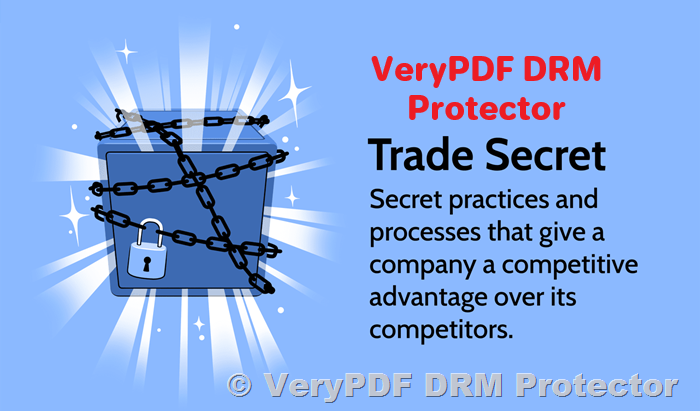
Protecting Trade Secrets From Theft: How VeryPDF DRM Protector Safeguards Your Sensitive Documents

In today’s digital age, protecting corporate secrets and sensitive information is more crucial than ever. Whether you’re a startup or a multinational corporation, your intellectual property and trade secrets must be safeguarded from unauthorized access, theft, or misuse. While various legal protections like patents and copyrights offer some form of security, they are not always the best fit for every type of sensitive document. This is where Digital Rights Management (DRM) tools come in. In this article, we will explore how trade secrets can be protected in digital documents and why VeryPDF DRM Protector is an essential tool for safeguarding your information.

Protecting Trade Secrets From Theft: How VeryPDF DRM Protector Safeguards Your Sensitive Documents

Why Protect Trade Secrets?

Trade secrets are any confidential business information that provides an organization with a competitive edge. This could range from manufacturing processes, formulas, customer lists, sales data, or even marketing strategies. Unlike patents, which require public disclosure of information, trade secrets remain confidential as long as they are kept secret. However, the challenge lies in ensuring that these secrets are not exposed to unauthorized individuals or leaked in any way.

Protecting trade secrets is not just about keeping them hidden—it’s also about ensuring they remain in the hands of those who have legitimate access to them. This is where DRM software like VeryPDF DRM Protector comes into play. It offers a robust solution to control how documents are accessed, used, and shared, even after they’ve been sent out or viewed.

Why DRM for Trade Secrets?

There are many reasons to choose DRM for protecting trade secrets over other legal protections like patents or copyrights. DRM allows you to:

  1. Prevent Unauthorized Access: Only authorized users can open and view the document, ensuring that sensitive data does not end up in the wrong hands.
  2. Control Document Usage: With DRM, you can restrict actions such as copying, printing, or forwarding the document. This prevents unauthorized distribution or modification of your trade secrets.
  3. Dynamic Watermarks: Watermarks are an effective way to discourage unauthorized sharing. With DRM, you can create dynamic watermarks that include the user’s details, such as their name or email, making it traceable.
  4. Access Time Limitations: DRM allows you to set expiration dates for documents, ensuring they become inaccessible after a certain period. You can even revoke access instantly when necessary.
  5. Track Document Usage: DRM tools enable you to track who opens your documents, when, and from which device, providing you with insights into how your trade secrets are being used.
How VeryPDF DRM Protector Can Help

VeryPDF DRM Protector is a powerful tool that allows you to protect your sensitive documents from unauthorized use, ensuring that your trade secrets remain safe. The process is simple and can be done online without the need for software installation.

Step-by-Step Guide to Protecting Your Documents
  1. Upload Your PDF File: To begin protecting your trade secrets, simply upload your PDF file to VeryPDF DRM Protector. The interface is user-friendly, making it easy to get started, even if you have no prior experience with DRM software.

  2. Select ‘Make Secure PDF’: Once your document is uploaded, select the “Make Secure PDF” option. This will allow you to configure a variety of settings to ensure your document is properly protected.

  3. Apply Custom Protection Settings: You can customize several protections, including preventing printing, disabling copying or forwarding, and setting expiration dates for document access. You can also add a dynamic watermark that identifies the user accessing the document, making it easier to trace any leaks or unauthorized use.

  4. Download Your Secure Document: Once the settings are applied, download your secure PDF document. It will now be protected by the security measures you’ve configured, ensuring that your trade secrets are safe.

Features of VeryPDF DRM Protector

VeryPDF DRM Protector offers an extensive range of features that can be tailored to your specific needs. Some of the key features include:

  • Prevents Saving and Saving As: This prevents unauthorized users from saving a copy of the document on their local devices, reducing the risk of leakage.
  • No Temporary Files: Many DRM tools use temporary files to cache content, which can be exploited by malicious actors. VeryPDF ensures that no such files are generated, thus preventing any unauthorized access.
  • Prevents Screen Grabbing and Remote Copying: With VeryPDF DRM Protector, the document cannot be captured via screen grabbers or remote copying systems, ensuring that your trade secrets remain confidential.
  • Device and Location Restrictions: This feature restricts access to documents based on the device or location. You can specify where and on which devices the document can be accessed.
  • Document Tracking: Every time a document is opened or printed, the activity is logged, allowing you to track how your trade secrets are being used and by whom.
  • Revoke Access Instantly: If you ever need to stop someone from accessing a document, you can do so instantly, ensuring that your trade secrets are not at risk.
FAQs on Trade Secret Protection with VeryPDF DRM Protector
What is a trade secret, and how is it different from a patent or copyright?

A trade secret is any confidential business information that gives an organization a competitive advantage. Unlike patents, trade secrets remain confidential as long as they are not disclosed, while patents require public disclosure. Copyrights protect creative works like literature or music but don’t provide the same level of control over business processes.

How can DRM protect my trade secrets?

DRM tools like VeryPDF DRM Protector help prevent unauthorized access, copying, printing, or distribution of your sensitive documents. They offer features like dynamic watermarks, document expiration dates, and access tracking to ensure your trade secrets are safe.

Can I try VeryPDF DRM Protector for free?

Yes! You can try VeryPDF DRM Protector for free online at https://drm.verypdf.com/online/. Simply upload your document, configure the protection settings, and download the secure file.

Is VeryPDF DRM Protector easy to use?

Absolutely! The interface is user-friendly, allowing you to upload your document and apply protection settings in just a few clicks. You don’t need any prior experience with DRM tools to get started.

What if I need to change the protection settings later?

VeryPDF allows you to adjust the protection settings even after the document has been secured. You can revoke access, extend expiration dates, or modify restrictions as needed.

Conclusion

Protecting trade secrets is vital for maintaining a competitive edge in today’s fast-paced business environment. VeryPDF DRM Protector offers a powerful and user-friendly solution to safeguard your sensitive information. With robust features like watermarking, document tracking, and access restrictions, you can ensure that your trade secrets remain secure, even when shared with authorized parties. Don’t wait until it’s too late—try VeryPDF DRM Protector for free today and take the first step toward protecting your business’s most valuable assets.

How Brexit, GDPR, and Data Protection Affect Confidential Document Management

The recent political and regulatory shifts surrounding Brexit have raised numerous concerns regarding data protection, especially when it comes to the handling and safeguarding of confidential documents. The complexity surrounding GDPR (General Data Protection Regulation) compliance has led to widespread confusion regarding the definition of personal data and the measures necessary to protect it. As the UK transitions to being classified as a “third country” for data protection purposes, these concerns are amplified. In this article, we explore the importance of protecting confidential documents, the implications of Brexit on GDPR compliance, and how tools like VeryPDF DRM Protector can help ensure that your sensitive data remains secure.

How Brexit, GDPR, and Data Protection Affect Confidential Document Management

The Impact of Brexit on Data Protection and GDPR Compliance

Brexit marks a significant shift in how personal data is handled between the UK and the European Union. With the UK no longer part of the EU, it is no longer subject to the same data protection frameworks and agreements that apply to EU member states. As a result, the UK is classified as a “third country” under GDPR, which means that personal data transferred between the EU and the UK must be handled with additional safeguards to ensure compliance with GDPR.

For businesses in the UK and the EU that rely on transferring personal data, the consequences of Brexit could lead to challenges in maintaining GDPR compliance. This is particularly true for organizations that handle sensitive information, such as personal details, financial data, or proprietary business documents. The increased complexity of cross-border data transfers highlights the need for robust document protection solutions that can ensure confidentiality and integrity while complying with GDPR’s strict requirements.

Understanding Personal Data and Confidential Document Protection

Personal data is broadly defined under GDPR as any information that can identify a living individual, whether directly or indirectly. This can include names, email addresses, identification numbers, or even location data when combined with other identifiers. As such, businesses must take proactive steps to protect confidential documents that contain personal data, especially in an era where data breaches and unauthorized access are growing concerns.

It’s essential to identify when a document contains personal data and apply appropriate protection measures to ensure that unauthorized parties cannot access or misuse the information. But protecting documents goes beyond just safeguarding personal data; it also involves securing proprietary business information and classified documents, which may include intellectual property, trade secrets, or government data. Whether you’re dealing with a single document or a large batch of sensitive files, using secure document protection methods can prevent exposure and misuse.

Are Traditional Document Handling Tools Sufficient?

Many common document handling applications are designed for collaboration and file sharing, making it easy to work with colleagues or clients on a document. However, these tools may not offer sufficient protection for sensitive or confidential data. With the increasing number of cyber threats and data breaches, organizations must adopt specialized tools that provide robust document security, especially when it comes to restricting access and controlling the use of confidential documents.

For confidential documents, it’s vital to implement solutions that prevent unauthorized users from using basic functions like “Save” or “Save As” to create copies of documents. In addition, features such as disabling the Print Screen key and blocking screen capture software can help further safeguard documents from being stolen or shared unintentionally.

Enhancing Confidential Document Protection with DRM

One of the most effective ways to protect confidential documents is through the use of Digital Rights Management (DRM) solutions. DRM tools enable organizations to control access to documents, ensuring that only authorized individuals can view, modify, or distribute files. DRM technology can provide additional layers of protection, such as encryption, document access restrictions, and the ability to prevent users from copying, printing, or distributing sensitive information.

With DRM solutions like VeryPDF DRM Protector, businesses can secure confidential documents and control how they are shared with others. For example, VeryPDF DRM Protector allows users to apply document encryption, prevent unauthorized copying or editing, and limit access based on specific permissions. This ensures that sensitive information is only accessible to the individuals for whom it was intended, and it also allows organizations to monitor and track document usage for compliance and security purposes.

Protecting Documents with VeryPDF DRM Protector

VeryPDF DRM Protector is a powerful document protection tool that can help organizations secure their confidential data while ensuring compliance with GDPR and other data protection regulations. Using VeryPDF’s DRM Protector, businesses can protect their documents with encryption and define specific usage restrictions, such as limiting access to certain IP addresses or requiring users to authenticate online to open a document.

To get started with VeryPDF DRM Protector, simply upload your PDF file to https://drm.verypdf.com/online/ and select the option to “Make Secure PDF.” This easy-to-use online platform allows businesses to quickly apply protection to their files, ensuring that unauthorized access is prevented, even if the document is shared outside the corporate network.

Additionally, VeryPDF DRM Protector allows for extensive control over document expiration, revocation, and licensing. This means that you can set specific access dates, automatically revoke user access when needed, and ensure that documents are no longer usable after a predefined period. This is especially important when dealing with legal retention periods or the expiration of contracts, as it ensures compliance with regulations and protects against the risk of unauthorized document usage.

Document Tracking and Leak Prevention

Another essential feature of VeryPDF DRM Protector is its ability to track document usage and trace potential leaks. By adding dynamic watermarks to viewed or printed documents, the tool helps identify the individual responsible for sharing or leaking sensitive information. These watermarks can act as a deterrent against unauthorized distribution, as the person responsible for any leaks can be easily traced.

Additionally, VeryPDF DRM Protector provides detailed logs of document access, showing who accessed a document and when it was used. This feature is particularly useful for auditing purposes, as it allows businesses to demonstrate compliance with GDPR and other data protection regulations. By tracking document use, organizations can show where personal data has been accessed, printed, or distributed, providing a transparent record for audits.

Conclusion

As businesses continue to navigate the complexities of GDPR compliance and data protection in the wake of Brexit, it is essential to implement comprehensive solutions that secure confidential documents and prevent unauthorized access. VeryPDF DRM Protector offers a robust toolset for encrypting, protecting, and tracking documents, ensuring that sensitive information is kept secure and compliant with regulations.

To try it out, upload your PDF file to VeryPDF’s DRM Protector online platform and explore its features with a free trial. With DRM protection in place, you can safeguard your documents against unauthorized use, track their distribution, and demonstrate compliance with data protection laws.

FAQs
  1. What is GDPR and why is it important for businesses?

    • GDPR is a regulation set by the European Union to protect the personal data of individuals. It imposes strict rules on how businesses collect, store, and process personal data, ensuring that individuals’ privacy rights are respected.
  2. How can DRM protect my confidential documents?

    • DRM technology helps prevent unauthorized access to documents by encrypting them and setting restrictions on actions such as copying, printing, or sharing. It also enables you to track document usage and revoke access when needed.
  3. What happens if a user tries to bypass DRM protections?

    • DRM solutions like VeryPDF DRM Protector prevent users from bypassing protections by controlling access through secure authentication and restricting actions such as copying or saving the document.
  4. Can I apply DRM protection to existing documents?

    • Yes, you can easily apply DRM protection to existing documents by uploading them to VeryPDF DRM Protector and selecting the appropriate security settings.
  5. How can I track who is using my protected documents?

    • VeryPDF DRM Protector provides detailed logs and dynamic watermarks, allowing you to monitor document usage and trace any potential leaks back to the authorized user.

How Document DRM Systems Work: Overview of PDF Security, Protection, and Digital Rights Management

In an increasingly digital world, the importance of safeguarding sensitive documents cannot be overstated. This is where Document DRM (Digital Rights Management) systems come into play, providing robust solutions to prevent unauthorized access, copying, or distribution of digital files. Among the various DRM technologies available in the marketplace, VeryPDF DRM Protector stands out for its unique approach to document security, offering both ease of use and advanced protective features.

How Document DRM Systems Work: Overview of PDF Security, Protection, and Digital Rights Management

What is Document DRM?

Document DRM refers to a set of technologies designed to control and protect the access and usage of digital documents. These systems enable publishers and businesses to manage who can view, edit, print, and share their documents, ensuring that sensitive or valuable content is not misused or leaked. DRM solutions have become an essential tool for organizations looking to protect intellectual property, prevent information theft, and enforce compliance with regulations.

Why Use Document DRM?

The need for document DRM is driven by several factors. Below are some of the key reasons why businesses and individuals rely on DRM systems for document protection:

  1. Revenue Protection: DRM ensures that content cannot be copied or redistributed without authorization, protecting the business’s revenue streams.
  2. IPR Theft Prevention: Intellectual Property Rights (IPR) protection is vital, especially in industries where content, such as research, design, and proprietary information, is highly valuable.
  3. Regulatory Compliance: Certain industries are bound by strict regulations regarding the sharing and storage of sensitive documents. DRM helps ensure compliance with these rules.
  4. Secure Sharing: DRM enables users to securely share documents, without fear of unauthorized access or distribution.
  5. Cost and Time Savings: By eliminating the need for physical document management and reducing the risks of document leaks, DRM can save businesses both time and money.
The Right Document DRM Solution: Key Features

When choosing a DRM solution, not all systems are created equal. Security and functionality should be top priorities, and there are certain features you should look for in a PDF DRM software to ensure comprehensive protection.

1. Web-Based DRM Systems

Many document DRM solutions require users to log in via a web portal to access ‘protected’ documents. While this approach may seem convenient, it has significant security flaws. Unprotected documents are often uploaded to third-party servers where encryption is applied, but there is no guarantee that these documents are securely handled.

At VeryPDF, we offer a safer alternative. VeryPDF DRM Protector’s Web Viewer ensures that only protected documents—those that have been encrypted and have DRM controls applied—are uploaded to the cloud. We decrypt documents directly on the client device, meaning no temporary files are created that could potentially be exploited.

2. Client-Side Protection

Instead of relying on third-party servers or JavaScript-based protections, VeryPDF DRM Protector uses installed secure PDF Viewers on the client-side to apply DRM controls. This method provides several advantages:

  • No password vulnerabilities: Unlike Adobe’s password protection system, which can be easily bypassed, VeryPDF’s solution doesn’t rely on weak passwords.
  • Protection from unauthorized sharing: By controlling where documents can be opened, we prevent users from sharing files with unauthorized individuals.
  • No risk of unencrypted uploads: Documents are never uploaded in an unprotected state, eliminating the risk of sensitive files being compromised during transfer.
3. Robust Document Control Features

VeryPDF DRM Protector offers advanced features to ensure documents remain secure throughout their lifecycle. Some of the key functionalities include:

  • Copy and Paste Protection: Users cannot copy or paste content from the document into other applications.
  • Printing Restrictions: Administrators can control printing options, including preventing prints, limiting the number of prints, or allowing unrestricted printing.
  • Watermarking: Dynamic watermarks can be added to documents to identify the user, ensuring accountability.
  • Document Expiry: Documents can be set to expire after a certain number of views, days, prints, or a fixed date.
  • Revocation: Documents or user access can be revoked at any time, providing a quick response if a security breach is detected.
  • Offline and Flexible Usage: Users can work offline or be restricted to always-online access, depending on the need.
How to Use VeryPDF DRM Protector

Getting started with VeryPDF DRM Protector is simple and user-friendly. Unlike complex systems that require extensive configuration, our solution allows you to apply DRM protection to your documents with just a few clicks.

  1. Upload Your PDF File: Visit the VeryPDF DRM Protector website and upload your PDF file to the platform.
  2. Select “Make Secure PDF”: After uploading your document, simply select the option to secure it. VeryPDF will apply all necessary DRM controls to protect your content.
  3. Download Your Protected PDF: Once your document is secured, you can download it, knowing that it is fully protected from unauthorized access.
Why Choose VeryPDF DRM Protector?

What sets VeryPDF DRM Protector apart from other DRM systems is its emphasis on simplicity, security, and flexibility. Our software offers comprehensive protection without the need for complex key management or plugin installations. With both cloud-based and installed PDF viewers, we provide you with multiple ways to protect and manage your documents based on your specific needs.

Additionally, our system avoids common weaknesses found in other DRM solutions, such as unprotected file uploads or reliance on password-based protection. With VeryPDF, you can rest assured that your documents are fully secure.

Free Trial Available

Interested in experiencing the power of VeryPDF DRM Protector? You can try it for free online at https://drm.verypdf.com/online/. This free trial gives you full access to the software, so you can see for yourself how easy it is to protect your PDFs.

Frequently Asked Questions (FAQs)
  1. What types of documents can I secure using VeryPDF DRM Protector?

    • You can secure any PDF document using the VeryPDF DRM Protector, ensuring it is protected from unauthorized access, sharing, and printing.
  2. Is the DRM protection applied to the document irreversible?

    • Yes, once a document is protected with DRM, the restrictions cannot be bypassed or removed without authorization, offering long-term security.
  3. Can I restrict document access by location or device?

    • Yes, you can lock document access to specific devices, locations, or even IP addresses, ensuring that only authorized users can view the content.
  4. Does VeryPDF DRM Protector offer offline access to protected documents?

    • Yes, you can allow offline access to your protected documents while still maintaining strict security controls.
  5. Can I revoke document access at any time?

    • Absolutely! You have the ability to revoke access to a document at any time, preventing unauthorized users from accessing it.
Conclusion

In today’s digital age, protecting sensitive documents is more important than ever. With VeryPDF DRM Protector, businesses and individuals can ensure that their PDFs remain secure, confidential, and protected from unauthorized access. Whether you need to prevent document sharing, restrict printing, or apply dynamic watermarks, VeryPDF offers a comprehensive and easy-to-use solution that guarantees the highest level of document security. Try it today with the free online trial and take control of your document protection strategy.

Why PDF Document Tracking Needs DRM: Protecting, Securing, and Managing Your Documents with Digital Rights Management

Sharing PDF documents is easy, but keeping track of how they are used is much more difficult. A PDF can be forwarded, copied, or downloaded within seconds, often without the document owner’s knowledge. PDF document tracking helps monitor document activity, while Digital Rights Management (DRM) adds security controls that restrict unauthorized access, copying, printing, and sharing. Together, these technologies help organizations protect confidential information and maintain control over their digital documents.

PDF document tracking is crucial for document owners who need to monitor where their documents have been, when they’ve been accessed, and by whom. This is particularly important in scenarios where the document contains sensitive or proprietary information. With the rise of digital communication and file-sharing technologies, documents are easily circulated and can fall into unauthorized hands. Without DRM, these documents may be altered or misused, and tracking them becomes nearly impossible.

Why PDF Document Tracking Needs DRM: Protecting, Securing, and Managing Your Documents with Digital Rights Management

Why Is Document Tracking Important?

There are several reasons why tracking PDF documents is necessary. For commercial entities, document owners may want to ensure that their PDFs are only being accessed by authorized individuals. For example, a company distributing a proprietary report might want to confirm that it’s only being read by specific recipients, not by competitors or unauthorized users. Furthermore, owners may need to track when documents are being printed, as printing could indicate that documents are being shared or distributed beyond the intended audience.

From a regulatory perspective, organizations may be required to prove that their staff or clients have reviewed certain documents, especially if these documents contain legal, regulatory, or compliance-related information. Companies might need to demonstrate that employees have read and acknowledged critical policies or procedures, even if they haven’t fully understood them. However, achieving this level of oversight without DRM is incredibly challenging because a document’s integrity cannot be guaranteed without proper protection.

Addressing the Challenges in PDF Tracking

Tracking PDF documents is not without its challenges. One of the primary issues is ensuring that the content of the document remains unaltered. If a PDF document can be edited by anyone, then it becomes almost impossible to verify what was actually tracked. As such, there’s a need for an encryption-based solution like DRM that prevents unauthorized editing or modification of the document’s content.

Another challenge is authenticating the user who is accessing the document. This can be particularly difficult in environments where documents are shared across multiple devices and systems. Unlike artificial intelligence-based systems that require facial recognition or other sensitive personal data, DRM solutions often authenticate users through machine identities, which are more secure and less intrusive. This ensures that documents are only accessible to authorized machines, providing a reliable level of control and preventing unauthorized access.

How DRM Protects PDF Documents and Enables Tracking

Digital Rights Management (DRM) is a technology designed to control how a document is used, shared, and tracked. DRM works by encrypting the document’s content and restricting actions such as printing, copying, and editing. With DRM-enabled PDFs, document owners can track who is accessing their files, from which devices, and in which locations, without the need for intrusive measures like facial recognition.

One of the key benefits of DRM for PDF tracking is its ability to provide location-based control. By utilizing IP addresses, DRM systems can pinpoint the geographical location of the device accessing the document. This allows document owners to prevent access from unauthorized regions or locations, enhancing the security and control over their documents. Moreover, with DRM, document owners can track the time and frequency of document access, ensuring that the content is being used in the manner intended.

VeryPDF DRM Protector: A Solution for PDF Document Tracking

When it comes to DRM solutions for PDF document protection and tracking, VeryPDF DRM Protector stands out as a comprehensive tool. This software allows you to secure your PDFs and monitor their usage with ease. Whether you’re a business, an educator, or a legal professional, VeryPDF DRM Protector offers a reliable way to manage your documents and ensure they are only accessed by authorized users.

To use VeryPDF DRM Protector, simply upload your PDF file to https://drm.verypdf.com/online/ and select the option to “Make Secure PDF.” The software will instantly apply DRM protections to the document, preventing unauthorized access, editing, or printing. This online service is easy to use and offers a free trial for you to explore its features.

Key Features of VeryPDF DRM Protector
  1. Encryption and Access Control: VeryPDF DRM Protector encrypts your PDF documents, ensuring that only authorized users can open and view them. The software also allows you to restrict printing, copying, and sharing, giving you full control over how your document is used.

  2. User Authentication: The software tracks users based on their machine identity, making it easier to identify and authenticate authorized individuals without violating privacy regulations.

  3. Location Tracking: VeryPDF DRM Protector enables you to track the geographical location of users who access your documents, allowing you to prevent unauthorized access from specific regions.

  4. Document Usage Tracking: The software tracks who is accessing your document, when they’re accessing it, and what actions they’re performing. This data is available only to the document owner, ensuring that your privacy is maintained.

  5. Secure Online Service: VeryPDF DRM Protector offers a free online trial at https://drm.verypdf.com/online/, allowing you to experience the full functionality of the software before committing to a subscription.

FAQs on PDF Document Tracking and DRM

1. What is DRM and how does it protect my PDF?

DRM (Digital Rights Management) is a technology that protects digital content by encrypting the document and controlling actions such as printing, copying, and editing. DRM ensures that only authorized users can access the content.

2. How can I track my PDF documents?

Using DRM technology like VeryPDF DRM Protector, you can track who has accessed your document, when they accessed it, and from which devices or locations. The software provides detailed tracking data to help you manage your documents effectively.

3. Can I prevent users from printing my PDF?

Yes, VeryPDF DRM Protector allows you to restrict printing and other actions, ensuring that your document is not misused or distributed without your permission.

4. Is my personal data protected when using DRM?

VeryPDF DRM Protector does not collect personal data. Any data collected for tracking purposes is only accessible by the document owner, ensuring privacy and compliance with data protection regulations.

5. How do I start using VeryPDF DRM Protector?

Simply visit https://drm.verypdf.com/online/ to upload your PDF file and use the “Make Secure PDF” option. The software applies DRM protections and allows you to track document usage.


With the growing need for document security and tracking, implementing DRM solutions like VeryPDF DRM Protector ensures that you retain full control over your PDF files, protecting them from unauthorized access and misuse. Try the service today for free at https://drm.verypdf.com/online/ and experience the peace of mind that comes with knowing your documents are secure.