How to Use VeryPDF DRM Protector to Control Access to Your eBooks and Training Materials

How to Use VeryPDF DRM Protector to Control Access to Your eBooks and Training Materials

Meta Description:

Learn how to protect your eBooks, videos, and training materials with VeryPDF DRM Protector, preventing piracy and unauthorized sharing.

How to Use VeryPDF DRM Protector to Control Access to Your eBooks and Training Materials


Let’s face it. You’ve spent months creating the perfect training manual, writing engaging eBooks, and producing high-quality video courses. Then, you release it all to your audience, only to realize your content is being pirated or shared without your permission.

I’ve been there. It’s frustrating, especially when the work you put in goes unrewarded due to piracy or unauthorized distribution.

This is where VeryPDF DRM Protector for Education and Training comes into play. With the rise of digital content, protecting your intellectual property has never been more critical. I found this tool at just the right time when I was looking to secure my course materials and ensure that my videos and documents stayed exclusive to paying users. Here’s how I did it and why it works.


What Is VeryPDF DRM Protector and How Does It Work?

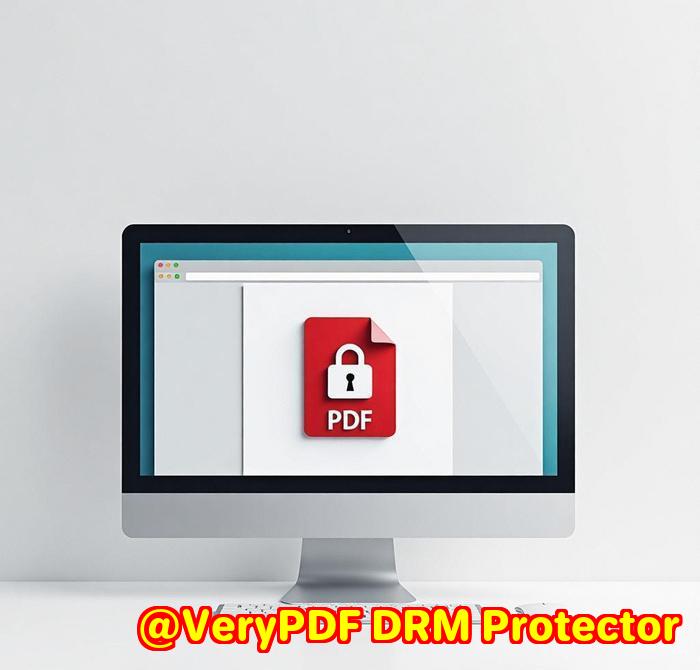
VeryPDF DRM Protector is a digital rights management (DRM) software designed to safeguard eBooks, videos, course materials, and other digital content. It prevents unauthorized sharing, copying, or downloading, which is vital for creators like you and me who rely on our digital content for revenue.

The beauty of VeryPDF DRM Protector is its ease of use. You don’t need to be tech-savvy to secure your content. With this tool, you can distribute content securely to authorized users, ensuring that your hard work stays protected.


Key Features That Make DRM Protector a Must-Have for Content Creators

1. Content Protection with AES Encryption

Imagine having a key to your content’s security. VeryPDF DRM Protector encrypts your eBooks, videos, and other content using 128-bit AES encryption. It’s like locking your work in a digital safe, only allowing access to those who have the right permissions.

My experience:

I uploaded my eBook and training videos into the system and instantly felt at ease. I could control whether users could print, copy, or download the materials. It felt great to know that only authorized users could access my content.

2. Customizable DRM Controls

With VeryPDF DRM Protector, I was able to control how my content was consumed. I could set expiry dates, limit device access, and even add user-specific watermarks. The most important feature for me was the ability to restrict content access based on geographic location or IP addresses. I could block certain regions that I didn’t want accessing my materials.

My experience:

I made the decision to apply these restrictions for a course I was offering internationally. This ensured that students from unauthorized regions couldn’t access the course, which protected my content and my bottom line.

3. Easy Integration with Your Business Systems

Whether you’re using an LMS (Learning Management System), eCommerce platform, or any other system, DRM Protector can integrate seamlessly. The setup process was smooth and painless, and I was able to set up secure user access in no time.

My experience:

I integrated it with my existing LMS and streamlined the user experience. The system was easy for my users to log into, and I could ensure their access was secure without additional steps on their end. The single sign-on (SSO) feature was a game-changer.


Who Can Benefit from VeryPDF DRM Protector?

If you’re running an educational institution, training centre, or any type of business where content protection is crucial, VeryPDF DRM Protector is for you. It’s a game-changer for anyone distributing digital content, from eBooks and textbooks to video tutorials and training materials.

Use Cases:

  • eLearning Providers: Protect courses from unauthorized distribution.

  • Publishers: Safeguard eBooks and training manuals.

  • Corporate Trainers: Secure video tutorials and sensitive internal documents.

  • Content Creators: Keep your videos and documents exclusive to paying users.


Why Choose VeryPDF DRM Protector Over Other Tools?

I’ve tried a few DRM tools in the past, and I can tell you right away that VeryPDF DRM Protector is the best when it comes to ease of use and advanced security features. Other tools I’ve used were clunky and lacked the flexible controls that VeryPDF offers, like geo-restrictions and watermarking.

Plus, the tracking and analytics feature was a real bonus. I could see exactly who was accessing my content, how often, and where they were coming from. This was invaluable in understanding my audience and making data-driven decisions.


Conclusion: My Final Recommendation

If you’re serious about protecting your digital content, I’d highly recommend VeryPDF DRM Protector for Education and Training. Whether you’re an educator, a publisher, or a content creator, this tool will save you from the headache of dealing with unauthorized distribution. It’s secure, easy to use, and highly customizable.

Click here to try it out for yourself: VeryPDF DRM Protector.


Custom Development Services by VeryPDF

VeryPDF offers comprehensive custom development services for your unique technical needs. Whether you require specialized DRM solutions for Linux, macOS, Windows, or server environments, VeryPDF has the expertise to create a solution tailored to your needs.

VeryPDF specializes in creating Windows Virtual Printer Drivers, developing PDF processing solutions, and offering integrations with popular business systems such as LMS, CRM, eCommerce, and more.

If you have specific technical needs or require customized solutions, don’t hesitate to contact VeryPDF’s support team to discuss your requirements.


FAQ

Q: Do I need any special software to access DRM-protected content?

A: No, VeryPDF DRM Protector uses a web-based viewer for documents and an on-demand player for videos. No plugins or apps are needed.

Q: Can I protect both eBooks and videos?

A: Yes, VeryPDF DRM Protector can secure both eBooks and videos, ensuring that all content remains protected.

Q: Can students access their materials on any device?

A: Yes, students can access your DRM-protected content on any device, using any modern browser.

Q: Can I control who accesses my content by IP or region?

A: Yes, you can restrict access based on IP addresses and even block certain countries.

Q: Is offline access available for video content?

A: Offline access is available for documents, images, and audio content but not for videos.


Tags:

  • DRM software

  • Content protection

  • eBook protection

  • Training materials security

  • Digital rights management

The Importance of Using DRM for Protecting Your Educational Content Why Choose VeryPDF DRM Protector

The Importance of Using DRM for Protecting Your Educational Content: Why Choose VeryPDF DRM Protector

As educators, we invest hours into creating high-quality contentwhether it’s eBooks, training videos, or detailed course materials. But what happens when that content gets pirated, copied, or shared without permission? Suddenly, all that hard work is at risk. It’s a frustrating situation many of us face, especially when we’re looking to protect valuable intellectual property (IP) that we’ve poured so much time into.

The Importance of Using DRM for Protecting Your Educational Content Why Choose VeryPDF DRM Protector

Why DRM Protection is Crucial for Educational Content

In the digital age, protecting your content has never been more important. Whether you’re an individual educator, part of a large university, or running a corporate training program, ensuring your content stays secure and only accessible to authorized users is key. Without DRM (Digital Rights Management), you’re leaving your intellectual property exposed to unauthorized distribution and misuse.

This is where VeryPDF DRM Protector for Education and Training comes in, and it’s a game-changer.

How I Discovered VeryPDF DRM Protector

I first stumbled upon VeryPDF DRM Protector when I was trying to secure some proprietary training videos I had created for a course. At first, I was simply uploading them to a learning management system (LMS), thinking the system’s basic password protection would suffice. Boy, was I wrong.

I quickly realized that password protection alone wasn’t enough. These videos could still be downloaded, shared, or even re-uploaded to unprotected platforms. That’s when I started looking for a more robust solution, and VeryPDF DRM Protector stood out.

Key Features That Make VeryPDF DRM Protector Stand Out

1. Complete Control Over Content Distribution

With VeryPDF DRM Protector, you have full control over who can access your content and how they can interact with it. Want to prevent users from downloading, printing, or screen-sharing your eBooks or videos? Done. It’s all configurable. You can apply different rules for different users or groups, which means you’re in total control of your content’s distribution.

For example, I was able to set expiry dates on certain materials, restricting access after a certain period. I also set device limits, so users couldn’t share their login credentials across multiple devices. The result? My content remained secure, and I could rest easy knowing that I had control over every aspect.

2. AES Encryption for Ultimate Security

Nothing gives you peace of mind like knowing your content is protected by industry-standard AES encryption. With VeryPDF DRM Protector, all of my eBooks, videos, and training manuals were secured with 128-bit AES encryption, making it nearly impossible for unauthorized users to crack.

This encryption ensured that even if someone somehow managed to access the files, they couldn’t do anything with them. The added bonus is that the content is delivered via a secure web format, ensuring protection without requiring users to download any proprietary software.

3. Seamless Integration with LMS and Other Systems

One of the standout features of VeryPDF DRM Protector is its ability to integrate seamlessly with my Learning Management System (LMS) and other business systems. I was able to integrate it smoothly, enabling secure content access through a custom portal. The process was as simple as adding my content to a secure folder, linking it to my LMS, and sending out login credentials.

I also loved the option for single sign-on (SSO), making the login experience super smooth for users. As an admin, I could track every action and identify who was accessing the materials, when, and for how long. This feature alone was worth its weight in gold.

Personal Experience: Why I Recommend VeryPDF DRM Protector

After using VeryPDF DRM Protector for a few months, the results have been nothing short of impressive. My eBooks, videos, and course materials have remained fully protected, and I no longer worry about unauthorized sharing or distribution. The integration with my LMS was smooth, and I can track detailed analytics on user activityeverything from what content is most popular to which users are engaging the most.

Compared to other DRM solutions I’ve used, VeryPDF DRM Protector offers much more flexibility and control over permissions. While some DRM tools feel clunky or overly complicated, this one is intuitive and provides the right level of protection without overcomplicating things.

Why You Should Choose VeryPDF DRM Protector for Your Educational Content

If you’re serious about protecting your valuable educational content, I can’t recommend VeryPDF DRM Protector enough. It offers a comprehensive solution that ensures your eBooks, videos, and other educational materials stay safe from unauthorized access, all while giving you full control over distribution.

  • Prevent piracy and unauthorized sharing

  • Secure your content with AES encryption

  • Easily integrate with your LMS, eCommerce, or other systems

  • Track user engagement and access with in-depth analytics

Protect your intellectual propertystop worrying about stolen or misused content. With VeryPDF DRM Protector, you can focus on creating the next big course or educational resource while leaving the security to the experts.

Custom Development Services by VeryPDF

If you need specialized DRM solutions tailored to your specific needs, VeryPDF offers custom development services. Whether you need to integrate DRM protection into your existing platform, develop custom workflows, or protect specific types of content, VeryPDF has you covered.

VeryPDF’s DRM services include protection for eBooks, training manuals, videos, and more, with secure distribution methods across various platforms and devices. Reach out to VeryPDF today to discuss your unique requirements and see how they can help you protect your educational content.

FAQ

Q1: Do my students need to install any software to access the content?

A1: No, students can access their content directly through a modern web viewer without needing to install any proprietary software.

Q2: Can I protect videos as well as eBooks?

A2: Absolutely. VeryPDF DRM Protector secures video content, eBooks, documents, and more with AES encryption.

Q3: Can I track who’s accessing my content?

A3: Yes, VeryPDF DRM Protector provides robust analytics, letting you track user engagement, popular content, and user activity.

Q4: Is offline access available for all types of content?

A4: Offline access is available for documents, images, and audio. However, video content is streamed online and does not support offline access.

Q5: Can I integrate VeryPDF DRM Protector with my LMS?

A5: Yes, VeryPDF DRM Protector integrates easily with any Learning Management System (LMS) via REST APIs.

Tags or Keywords

  • DRM for Education

  • Digital Rights Management for eBooks

  • Secure Content Distribution for Training

  • Protect Educational Videos

  • VeryPDF DRM Protector for Education

Explore VeryPDF DRM Protector for Education and Training Software at: https://drm.verypdf.com/

Protect Your Digital Content with VeryPDF DRM Protector No Downloads, No Risk

Protect Your Digital Content with VeryPDF DRM Protector: No Downloads, No Risk

Every time I publish new training materials, eBooks, or videos for my courses, there’s a nagging worry in the back of my mind: what if someone copies, shares, or downloads my content without permission? For educational institutions and training companies, content protection is not just important; it’s crucial. After all, those materials represent hours of work, effort, and intellectual property that should be safeguarded.

Protect Your Digital Content with VeryPDF DRM Protector No Downloads, No Risk

This is where VeryPDF DRM Protector for Education and Training comes in. If you’re in the business of creating valuable digital contentbe it eBooks, videos, training materials, or anything in betweenthis tool can be your best line of defence. Let me walk you through how it works, why it’s a game changer, and how it saved me time and stress.

The Challenge of Protecting Digital Content

We all know the drill. You spend weeks (sometimes months) creating an educational video series, writing an eBook, or designing course materials that you intend to sell or distribute. You want to ensure that only the right people have access to itwhether that’s students, corporate partners, or clients.

But here’s the problem: digital content is so easily copied, shared, and pirated these days. It’s like a never-ending battle to keep your hard work from falling into the wrong hands. Sure, there are basic password-protected PDFs or video players with simple access control, but they aren’t foolproof. You need something with more robust security features.

How I Discovered VeryPDF DRM Protector

When I first started looking for a solution, I wanted something that didn’t just restrict access but also allowed me to maintain control over how my content was used. After exploring several options, I came across VeryPDF DRM Protectora tool specifically designed to protect digital assets for education and training.

What caught my attention? AES encryption, user-specific restrictions, and the ability to distribute content securely without worrying about unwanted downloads or screen sharing. This was exactly what I needed, and I decided to give it a shot.

Key Features That Make VeryPDF DRM Protector Stand Out

Once I started using VeryPDF DRM Protector, it quickly became clear that it wasn’t your run-of-the-mill DRM tool. Here are a few features that stood out:

1. Content Protection with AES Encryption

One of the first things I noticed was the AES encryptiona strong, industry-standard encryption technique used to protect eBooks, videos, images, and documents. This means no one can just download and open the files without the right permissions.

For instance, I could upload an eBook, choose whether users could print or copy the content, and set expiration dates or device limits. The peace of mind I get knowing that my content is locked down securely is priceless.

2. Advanced DRM Controls for Flexibility

What I loved about this tool was the flexibility in controlling how and when users can interact with the content. I could assign different permissions based on the user’s role. For example, students might have read-only access, while trainers could have the ability to annotate or share selected sections of content.

With options to restrict access based on IP addresses, limit the number of devices, and even set country-specific access controls, I had full control. This was especially handy when distributing my training materials to international clients or partners. No more worrying about unauthorized access from other regions.

3. Seamless Integration with Your LMS or eCommerce Platform

Another feature that impressed me was the integration with my LMS (Learning Management System). Since I use an LMS to distribute course materials, VeryPDF DRM Protector seamlessly integrated into the system. It was a breeze to upload, manage, and control content directly through the LMS, without disrupting the user experience.

Moreover, with its custom secure web portal, I could even add a “single sign-on” feature, which made logging in much easier for users.

4. Tracking and Analytics for Insights

One of the best things about this tool is the tracking and analytics capabilities. I could see who was accessing my content, when, and even where they were logging in from. This gave me invaluable insights into which of my training modules were most popular, and who my most active users were.

For example, I could dive into detailed reports to see whether certain materials needed updating or if a particular video was getting the most views.

Real-World Scenario: My Experience with DRM Protector

I remember launching a new eBook and a set of video tutorials for a corporate training program. The eBook was high-quality, packed with critical insights, and the videos were designed to be a huge resource for managers in the company. But there was a major concern on my endwhat if someone simply downloaded the eBook or screen-recorded the videos? That could easily lead to piracy and the loss of revenue.

That’s when I turned to VeryPDF DRM Protector. I uploaded the eBook and videos, set strict controls to prevent downloads, and even applied watermarks with user-identifying information. I could track how many people accessed the content, which chapters were most viewed, and if any issues arose with the content.

In short, it was a total game changer. No more stress about content being pirated or shared with the wrong audience.

Why VeryPDF DRM Protector Is a Must-Have for Education & Training Providers

In the end, VeryPDF DRM Protector is not just about protecting contentit’s about taking control of how your digital resources are used. Whether you’re dealing with eBooks, videos, or other training materials, it offers flexible, secure, and user-friendly options to prevent unauthorized sharing, downloading, or printing.

I’d highly recommend VeryPDF DRM Protector to anyone in education or training who wants to ensure their content is secure and properly managed.

Click here to try it out for yourself: https://drm.verypdf.com/

Custom Development Services by VeryPDF

If your needs go beyond standard DRM protection, VeryPDF offers custom development services to create specialized solutions tailored to your unique requirements. Whether it’s a custom integration with your LMS or the development of DRM protection tools for specific platforms, VeryPDF has the technical expertise to bring your project to life.

Contact VeryPDF at http://support.verypdf.com/ to discuss your custom development needs.

FAQs

Q: Can I protect both eBooks and videos with VeryPDF DRM Protector?

A: Yes, VeryPDF DRM Protector can secure a wide range of content, including eBooks, videos, documents, and audio files.

Q: Will my users need to install special software to access protected content?

A: No, users can access content using a sleek, modern web viewer for documents and images, or an on-demand video player for video contentno plugins or extra apps required.

Q: Can I set different access permissions for different users?

A: Absolutely! You can set individual or group-based access rights for each user, including restrictions on printing, downloading, or sharing.

Q: How do I integrate DRM protection with my LMS?

A: VeryPDF DRM Protector supports seamless integration with most LMS systems using REST APIs.

Q: Can I track user engagement with my content?

A: Yes, VeryPDF DRM Protector provides detailed tracking and analytics, allowing you to see who accessed your content, when, and what they did with it.

Tags

  • Digital Rights Management

  • Content Protection for Education

  • Secure Content Distribution

  • eBook Protection

  • Video DRM

How to Prevent the Unauthorized Sharing of Your Educational Materials with VeryPDF DRM Protector

How to Prevent the Unauthorized Sharing of Your Educational Materials with VeryPDF DRM Protector

We all know that creating valuable educational content takes a lot of time and effort. Whether you’re a teacher, trainer, or eLearning provider, you’re likely pouring your expertise into crafting lessons, courses, videos, and materials that help others. But here’s the kicker: once it’s out there, how can you be sure your content isn’t being shared with the wrong people? How can you protect your intellectual property from unauthorized distribution?

How to Prevent the Unauthorized Sharing of Your Educational Materials with VeryPDF DRM Protector

I’ve been there, dealing with the frustration of seeing valuable training materials, eBooks, and videos getting circulated in ways they shouldn’t. It felt like my hard work was being undermined. That’s when I found out about VeryPDF DRM Protector for Education and Traininga game-changer in securing digital content.

Let’s dive into how this tool works and how it can save your educational materials from being pirated or misused.

The Digital Rights Management (DRM) Solution You Need

When I first came across VeryPDF DRM Protector, I knew I needed something that could protect my educational content without getting in the way of the user experience. DRM software often has a bad reputation for being complicated or overly restrictive. But this tool felt different.

The core of VeryPDF DRM Protector is its ability to encrypt your contentwhether it’s an eBook, video, or training manualusing 128-bit AES encryption. This alone gives me peace of mind knowing that no matter what device the content is accessed on, it’s protected.

The beauty of the software is that it doesn’t just secure your contentit gives you total control over how it’s accessed and used. You can choose to restrict printing, copying, downloading, and even screen sharing. And you can set expiry dates, control device access, and place watermarks with user information to trace any potential leaks.

Real-Life Example: A Case for Secure eBook Distribution

Let’s say you’re an educator or a training provider, and you’ve just created a course ebook for a group of students. You want to ensure that only your enrolled students access the material, and that they can’t share it with others. This is where VeryPDF DRM Protector shines.

For me, the ability to apply user-specific permissions was a game-changer. I set up restricted access for each student, and could control how long they could access the eBook, whether they could print it, and whether they could share it with others. When I needed to distribute updated content, I simply pushed it through a secure portal, making sure only authorized users could access the new version.

Key Features That Stand Out

1. Advanced DRM Controls:

One of the standout features for me is the level of control I have over the access and use of my content. I can:

  • Set expiry dates for content access

  • Limit the number of devices on which users can view the content

  • Prevent copying, downloading, or screen sharing

  • Use watermarks to trace unauthorized distribution

2. Secure Distribution and User Access:

The tool integrates seamlessly with Learning Management Systems (LMS) or other platforms like eCommerce sites. For instance, once a user is authorized, they can access their content through a customized secure portal. No need for extra pluginseverything is handled through a sleek, modern web viewer or streaming video player.

3. Tracking and Analytics:

The ability to track and analyze how users interact with my content has been invaluable. I can see:

  • Who is accessing the materials

  • Where they’re accessing it from

  • What actions they’re taking with the content

This insight allows me to troubleshoot, refine my content, and spot potential issues before they become bigger problems.

Why VeryPDF DRM Protector is a Must-Have for Educators

If you’re in the education or training field, you know how important it is to safeguard your intellectual property. VeryPDF DRM Protector is more than just a toolit’s a safeguard for your hard-earned work. Whether you’re creating eBooks, video courses, or comprehensive training manuals, this software gives you peace of mind knowing your materials won’t end up in the wrong hands.

I’ve recommended this to colleagues in the educational space, and they’ve had the same positive experience. The balance between protection and ease of use is perfect. Plus, it works across multiple file formats, so no matter what type of content you’re creating, you can be sure it’s secure.

Customizable, Seamless Integration

Another feature that I absolutely love is how VeryPDF DRM Protector integrates effortlessly with your existing systems. You can set it up with your LMS, CRM, or eCommerce platforms using industry-standard APIs, which makes it incredibly easy to deploy.

This means you can protect your content while also automating workflows. For example, if a user purchases a course or signs up for a training session, they can automatically be granted access to the protected contentwithout you having to manually intervene.

My Personal Recommendation

If you’re tired of seeing your educational materials being pirated or shared without permission, I’d highly recommend giving VeryPDF DRM Protector a try. It’s simple to set up, easy to manage, and, most importantly, it keeps your content secure. For anyone who’s serious about maintaining control over their educational IP, this is the tool you need.

Click here to try it out for yourself: https://drm.verypdf.com/

FAQ

Q: Can I protect video content as well as eBooks?

A: Yes, VeryPDF DRM Protector works with video, audio, eBooks, training manuals, and more. All content is encrypted and can be streamed securely.

Q: Can I restrict users from printing or copying the content?

A: Absolutely. You have full control over what users can and cannot do with the content, including restrictions on printing, copying, and downloading.

Q: Is it easy to integrate with my LMS or eCommerce system?

A: Yes, VeryPDF DRM Protector supports integration with a wide range of systems via REST APIs, making it seamless to add to your existing platform.

Q: How does content distribution work?

A: Content can be distributed via a secure portal, and access can be controlled based on user credentials, device limits, and more.

Q: Does the DRM software support offline access?

A: Yes, offline access is available for documents, images, and audio, but video content requires an internet connection.

Tags/Keywords

  • DRM for education

  • Protect educational content

  • Secure eBook distribution

  • Prevent unauthorized sharing

  • Digital rights management for training materials

How to Protect Your Educational eBooks and Videos from Unauthorized Access Using VeryPDF DRM Protector

How to Protect Your Educational eBooks and Videos from Unauthorized Access Using VeryPDF DRM Protector

You’ve put months of effort into creating that perfect online course, educational video, or eBook. But here’s the hard truth: without proper protection, all that hard work can be pirated, shared without your consent, or even sold by someone else. That’s where VeryPDF DRM Protector comes inan absolute game changer for anyone in the education or training space looking to safeguard their digital content.

How to Protect Your Educational eBooks and Videos from Unauthorized Access Using VeryPDF DRM Protector

The Problem with Unprotected Content

Let’s face itdigital content is at risk every day. Whether you’re running an eLearning platform, selling course materials, or simply sharing valuable training resources, the threat of unauthorized access is very real. I used to worry about my content being shared beyond my intended audience. What if someone copied my eBook, shared my video without permission, or even distributed it for free?

I knew I needed a solution that gave me control over my content, no matter where it was being accessed from. That’s when I found VeryPDF DRM Protector, a tool specifically designed to protect educational content from piracy and unauthorized distribution.

What is VeryPDF DRM Protector?

VeryPDF DRM Protector is a digital rights management (DRM) solution built to protect eBooks, videos, course materials, and other educational content. It prevents your work from being copied, printed, downloaded, or shared without your permission. The software encrypts your content and allows you to control who can access it and for how long.

But it’s not just about locking down your files. It’s about giving you the flexibility to distribute content securely and manage user access with precision. From online course creators to schools and universities, if you create digital learning resources, this tool is tailor-made for you.

Features That Make VeryPDF DRM Protector Stand Out

Let me walk you through some of the standout features that made me a fan of VeryPDF DRM Protector:

1. Comprehensive Content Protection

Whether it’s a course video, eBook, or training manual, you can protect any type of content. What’s awesome is the use of AES encryption, which ensures your files are locked down tight. But that’s just the start.

You can choose what users can and can’t do with your content. Want to prevent downloading? Done. Need to restrict printing or screen sharing? Easy. These fine-grained controls let you tailor your content protection to exactly what you need.

2. Customised User Access

I love the flexibility this gives me. You can create user accounts, set access limits, and even apply unique restrictions based on specific users or groups. Let’s say you’re offering a course to a schoolthis allows you to apply one set of rules for the teachers and another for the students.

You can also integrate your protected content into your LMS or eCommerce platform with single sign-on (SSO) capabilities. This makes user access seamless without compromising security.

3. Analytics & Tracking

Here’s the kicker: you can track exactly who is accessing your content, when, and where. I’ve used this feature to pinpoint the most popular training modules in my courses and even identify users who encountered issues. This data is invaluable for improving the content and user experience.

I can also get detailed reports on user behaviourlike who’s watching your videos the most and which content is driving the most engagement.

4. Offline Access for Documents

While video content requires an internet connection, eBooks and documents can be accessed offline. This is a big win for students or users who might not always have internet access but still need to work on the go. You can control what content is available for offline use and for how long.

5. Integration With Existing Systems

VeryPDF DRM Protector integrates smoothly with learning management systems (LMS), CRM, and other business systems. This level of integration means you don’t have to manually handle each user; everything works automatically, which saves you a lot of time and effort.

Why Choose VeryPDF DRM Protector Over Other Tools?

I’ve tested several DRM solutions, and here’s why I find VeryPDF DRM Protector to be the most reliable:

  • No Plug-ins or Apps: Other DRM solutions require users to install apps or plug-ins. With VeryPDF, there’s no installation required. Users can access the content from any device with just a browser.

  • Seamless Integration: Unlike some tools that complicate things with clunky integrations, VeryPDF integrates effortlessly into your existing systems, whether it’s your LMS, eCommerce site, or anything else.

  • Flexibility: The level of customization and control you get with VeryPDF is unmatched. You can apply different rights for different users, content, and even IP addresses. Other tools don’t offer this level of control.

Use Cases for VeryPDF DRM Protector

Online Course Providers: If you run a platform offering paid courses, this is a must-have. You can prevent your students from downloading and redistributing the content.

Publishers and eBook Sellers: Protect your digital books and ensure only authorized users can read them. You can apply different permissions based on the purchase package.

Corporate Training: Companies offering internal training materials can restrict access to their training manuals, videos, and documents, ensuring employees can only view them within the organization’s network.

Video Creators: If you’re selling online tutorials or training videos, VeryPDF lets you control who can view them, where, and for how long.

My Personal Experience with VeryPDF DRM Protector

Before discovering VeryPDF DRM Protector, I struggled with the idea of my content being shared without permission. I spent so much time creating resources, only to have them at risk of being copied or shared by unauthorized users. After implementing VeryPDF DRM Protector, I noticed a huge difference. Not only did it provide peace of mind, but it also simplified the distribution process. Users could easily access the content through secure links, and I could track how well each module was performing.

I highly recommend VeryPDF DRM Protector to anyone who’s serious about protecting their digital content. It’s an investment that pays for itself by keeping your intellectual property secure and ensuring that only the right people can access it.

Click here to try it out for yourself: https://drm.verypdf.com/

FAQ

Q: Can students access the content offline?

A: Yes, students can access eBooks and documents offline, but video content requires an internet connection.

Q: How does VeryPDF DRM Protector handle video content?

A: VeryPDF encrypts video content and streams it securely. You can control playback and restrict actions like downloading and screen sharing.

Q: Can I integrate VeryPDF DRM Protector with my LMS?

A: Absolutely! VeryPDF integrates smoothly with most Learning Management Systems using REST APIs.

Q: Does VeryPDF DRM Protector require users to install any software?

A: No, users can access content through a browser without needing to install anything.

Q: Can I apply different restrictions to different users?

A: Yes, VeryPDF allows you to set unique permissions for different users or groups, making it incredibly flexible.

Keywords

  • DRM for Education

  • Digital Content Protection

  • Secure eBook Distribution

  • Video DRM

  • Educational Content Security