Dynamic Watermarking for Pharmaceutical Research Protect Clinical Data and Trial Results

Dynamic Watermarking for Pharmaceutical Research Protect Clinical Data and Trial Results

Protect sensitive pharmaceutical research with VeryPDF DRM Protector’s dynamic watermarking, ensuring secure sharing and tracking of clinical documents.


Every time I had to share clinical trial results or internal research reports, a little knot of anxiety formed in my stomach.

Would someone accidentally forward the document?

Would confidential data leak to a competitor?

In pharmaceutical research, every PDF, Word document, or presentation can hold months of work and sensitive information. A single misstep could compromise a study, a partnership, or even patient safety.

Dynamic Watermarking for Pharmaceutical Research Protect Clinical Data and Trial Results

I knew I needed more than just a standard PDF password. I needed control, tracking, and a way to visibly tag each file for the person accessing it. That’s when I discovered VeryPDF DRM Protector with dynamic watermarking.


Why Dynamic Watermarking is a Game-Changer in Pharma Research

Dynamic watermarking isn’t just a cosmetic label across a PDF page.

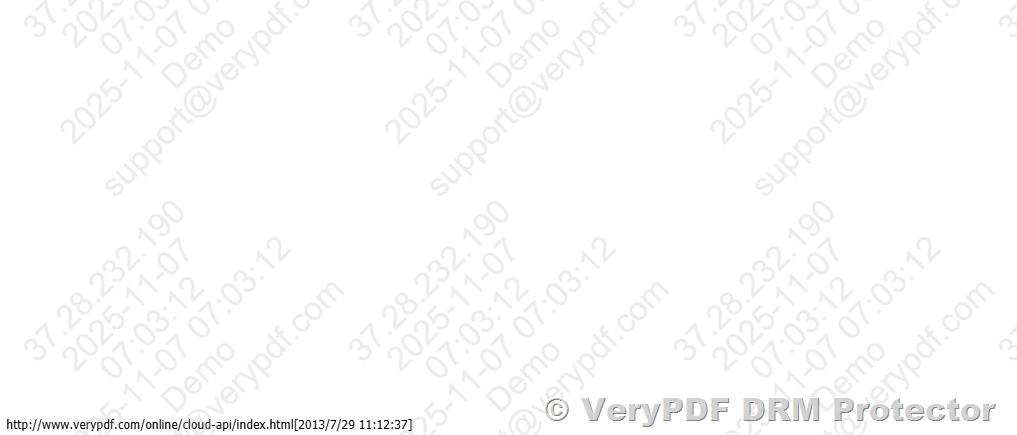
It’s a real-time, non-removable signature that automatically inserts viewer-specific data like their name, email, company, IP address, and even the date and time when they open the document.

I started testing it on trial protocols and confidential research presentations, and the difference was immediate:

  • Each document carried a unique fingerprint, which meant even if someone forwarded it, the trail was visible.

  • My team could share multiple documents without worrying about them being copied or leaked.

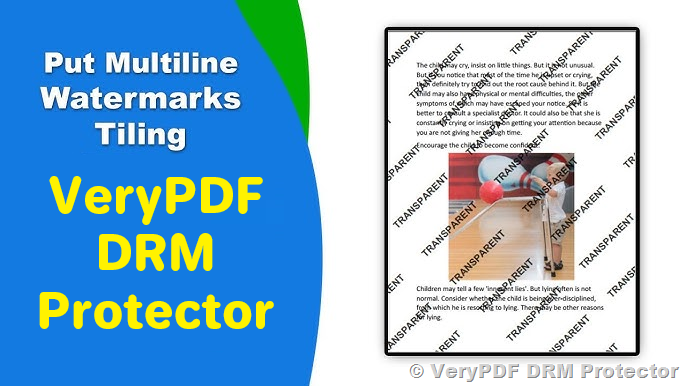
  • I could adjust watermarks on the flychanging colour, position, rotation, and textto match each file’s sensitivity.

For anyone in clinical research, pharmaceutical companies, or life sciences, this kind of control is not optionalit’s essential.


How I Implemented VeryPDF DRM Protector in My Workflow

At first, I was sceptical about the setup. I imagined hours of configuration, clunky interfaces, and frustrated colleagues. But VeryPDF’s platform surprised me.

Uploading Documents

I uploaded trial data PDFs, PowerPoint presentations for internal reviews, and Word documents containing lab results to a “Space.”

Applying Dynamic Watermarks

With a few clicks, I added viewer-specific information dynamically:

  • Name & Email: Automatically tagged each recipient.

  • Date & Time: Marked when the document was accessed.

  • IP Address: Tracked the viewing location for extra security.

The interface allowed me to see how the watermark would appear liveno guesswork.

Batch Watermarking

I needed to share multiple documents for a review meeting. Instead of watermarking one file at a time, I used the bulk upload feature. Within seconds, all documents had individualized dynamic watermarks applied.

Secure Sharing and Tracking

Sending the links via VeryPDF DRM links was liberating. No more endless email chains or worrying about attachments being forwarded without control.

  • I set expiration dates for access.

  • Enabled or disabled downloads depending on the document’s confidentiality.

  • Received real-time notifications when someone opened the document.

Tracking wasn’t just about knowing someone saw the file. The analytics told me which pages or tabs were viewed most, helping me understand which sections drew attention. This insight allowed me to optimise presentations before major internal or external reviews.


Key Features That Stood Out in Real Use

1. Permanent Dynamic Watermarks

Unlike static watermarks that can be cropped or removed, these are permanent.

I shared early-phase clinical trial protocols and saw that even if a file was downloaded, the watermark embedded personal user information and viewing metadata. This instantly discouraged unauthorized sharing.

2. Batch Processing for Speed

In pharmaceutical research, timelines are tight. I needed to share multiple trial documents at once. VeryPDF’s bulk watermarking saved hours. A task that would have taken half a day manually was completed in minutes.

3. Document Tracking and Analytics

Knowing who viewed a document is useful, but tracking how they interacted with it is priceless. I could see which pages were scrutinized, which were skipped, and if the document was forwarded to an unexpected viewer. This level of insight helped me plan follow-ups and discussions with external collaborators.

4. Real-Time Updates

One feature I loved: updating content after sharing. If we found an error in a protocol, we could fix it and every shared link automatically pointed to the latest version. No confusing versions floating around.

5. Integration with eSignatures

Pharma research involves approvals, NDAs, and agreements. VeryPDF DRM Protector allowed me to send secure, signable documents, all within the same platform. Up to ten people could sign the same file, with audit trails automatically generated.


Why VeryPDF Beats Other Tools

Before discovering VeryPDF, I experimented with standard PDF password protection and conventional watermarking software. The problems were obvious:

  • Passwords are clumsy: Sharing meant emailing passwords separately, often to multiple recipients.

  • Static watermarks are ineffective: Easily cropped or removed, offering little real-world security.

  • No analytics: You could never know who actually read your document or which sections were important.

VeryPDF solved all of these issues elegantly.

It’s more than a DRM toolit’s a workflow enhancer, giving control, visibility, and security in one package.


Real-World Use Cases in Pharmaceutical Research

  1. Clinical Trial Data Sharing

    Share trial results with collaborators while embedding watermarks that identify every viewer.

  2. Internal Research Protocols

    Protect sensitive lab methods and findings from accidental leaks.

  3. Regulatory Submission Documents

    Ensure controlled access to documents that must remain confidential before approval.

  4. Investor and Partner Presentations

    Allow secure viewing while maintaining the ability to track engagement metrics.

  5. eSignature Workflows

    Streamline NDA signing and regulatory approvals without losing audit control.


Conclusion: Why I Recommend VeryPDF DRM Protector

Dynamic watermarking transformed how my team handles confidential pharmaceutical research.

It solved real problems: secure sharing, tracking engagement, updating files post-send, and managing eSignaturesall under one roof.

I’d highly recommend VeryPDF DRM Protector to anyone who deals with sensitive research, trial data, or confidential business documents.

The peace of mind alone is worth it.

Click here to try it out for yourself: https://drm.verypdf.com/


Custom Development Services by VeryPDF

VeryPDF offers comprehensive custom development services to meet your specific needs.

Whether you need PDF processing tools, virtual printer drivers, or OCR and barcode solutions, VeryPDF can create tailored software for Windows, Linux, macOS, iOS, Android, or web environments.

They specialise in:

  • Python, PHP, C/C++, .NET, JavaScript, HTML5 utilities.

  • Virtual printer drivers producing PDF, EMF, PCL, TIFF, and more.

  • System-wide and application-specific API hooks.

  • Document analytics, OCR, barcode generation, and digital signatures.

For custom solutions, visit: https://support.verypdf.com/


FAQ

Q1: What is dynamic watermarking?

Dynamic watermarking is a method to embed viewer-specific information like name, email, IP address, and timestamp into a document, making it traceable and non-removable.

Q2: Can I watermark multiple documents at once?

Yes. VeryPDF DRM Protector allows batch watermarking, making it easy to protect multiple files in seconds.

Q3: Is it possible to update a document after sharing it?

Absolutely. Any updates to the original file automatically apply to all shared links.

Q4: Which file formats are supported?

PDF, Word, PowerPoint, and Keynote files are fully supported, with dynamic watermarking applied seamlessly.

Q5: Can I track who viewed my documents?

Yes. The platform provides real-time notifications and analytics showing who accessed each document and how they engaged with it.


Tags or Keywords

  • dynamic watermarking for clinical data

  • pharmaceutical research document security

  • VeryPDF DRM Protector

  • secure file sharing for pharma

  • protect trial results and research

Why VeryPDF DRM Protector Is the Ideal Solution for Secure Virtual Data Room Management

Why VeryPDF DRM Protector Is the Ideal Solution for Secure Virtual Data Room Management

Protecting Your Most Sensitive Documents Has Never Been Easier

Why VeryPDF DRM Protector Is the Ideal Solution for Secure Virtual Data Room Management

Every time I’ve had to share confidential files with clients or investors, I’ve felt that familiar knot in my stomach. What if someone forwards it without permission? What if a key slide leaks before a pitch? Sending attachments through email or relying on clunky cloud storage always felt like leaving a door unlocked. I needed a solution that not only shared documents efficiently but also kept me in control every step of the way. That’s when I stumbled upon VeryPDF DRM Protector.

This tool completely changed how I manage sensitive documents and virtual data rooms. It’s specifically built for professionals who need to protect, track, and control access to critical files. If you’ve ever struggled with ensuring confidentiality while collaborating on business deals, NDAs, or internal reports, this is for you.

Dynamic Watermarking That Actually Works

One of the first things that impressed me was dynamic watermarking. Unlike static watermarks, which anyone can crop or ignore, VeryPDF DRM Protector lets you embed personalized, non-removable watermarks. Every viewer sees their own email, company, IP address, and timestamp right on the document.

I remember uploading a batch of investor decks before a funding round. By setting dynamic watermarks, I could see exactly who opened which deck and when. It wasn’t just about protectionit was about insight. I could track engagement and identify serious prospects without guessing.

Here’s what makes it stand out:

  • Customisable watermarks: Change the text, colour, rotation, and position. Make it subtle or bold, depending on your needs.

  • Multi-format support: PDFs, Word docs, PowerPoint, Keynoteno matter what format, you’re covered.

  • Batch watermarking: Instead of editing each document one by one, I uploaded them to a Space and applied watermarks to all files in seconds.

Before using VeryPDF DRM, I tried other tools. Some lacked dynamic features, others didn’t support batch processing. With VeryPDF, it’s instant, reliable, and flexible.

Secure File Sharing Without the Headaches

Traditional email attachments always felt risky. Once you hit send, control is gone. VeryPDF DRM links change that entirely. You can:

  • Set passcodes for access

  • Verify viewers via email

  • Restrict downloading

  • Set expiration dates

I shared a sensitive client proposal last month, and within hours, I realised I needed to correct a typo. Normally, I’d be sweating over whether everyone downloaded the old version. With VeryPDF DRM, I updated the document, and every shared link reflected the change automatically. No emails, no confusion, no risks.

Document Tracking and Analytics: Know Exactly Who Sees What

This is a game-changer. Document tracking gives me real-time insights into engagement. Every time someone opens a link, I get a notification. I can even track which pages they spend the most time on.

For example, during a recent due diligence process, I noticed a partner repeatedly reviewing the same financial table. That told me exactly where their concerns were, so my follow-up could be precise. No more blind guesses, no more wasted hours.

  • Page-level analytics: Understand which sections get the most attention.

  • Version performance: Compare multiple document versions to see what resonates.

  • Stakeholder tracking: Know if links have been forwarded and still maintain control.

Other tools I’ve used either provided very basic read receipts or none at all. VeryPDF DRM takes this to the next level, giving actionable data that actually helps you make decisions.

Simplified Virtual Data Rooms for Deal Management

Setting up a secure data room can be painful. Multiple tools, endless permissions, and constant back-and-forth. VeryPDF DRM makes this simple. You can create unlimited data rooms, invite unlimited viewers, and control every permission in one place.

I managed a recent M&A deal entirely within VeryPDF. From uploading NDAs to setting granular file permissions, everything was under my control. I didn’t have to juggle Dropbox, email, or other platforms. It saved me hours, reduced errors, and gave my team confidence that sensitive info stayed protected.

Integrated eSignature and NDA Management

Another feature that’s worth highlighting is the eSignature and NDA workflow. VeryPDF DRM lets you:

  • Turn any document into a signable file

  • Collect legally binding eSignatures compliant with E-Sign and UETA

  • Send multi-party signature requests simultaneously

  • Track signature analytics in real-time

I once had to get ten signers on a complex agreement. Normally, coordinating that is a nightmare. With VeryPDF DRM, I set up the signature workflow in minutes. Everyone signed, I got instant updates, and the audit trail was complete. No chasing, no confusion.

The one-click NDA is equally impressive. Viewers must sign before seeing your documents, and the process is seamless. No downloading multiple files, no messy email threadsjust clean, professional security.

Why I Recommend VeryPDF DRM Protector

In short, VeryPDF DRM Protector solves all the problems I’ve struggled with for years:

  • Protects sensitive documents with robust, non-removable dynamic watermarks

  • Maintains control over shared files, even after sending

  • Tracks engagement to help prioritise follow-ups

  • Simplifies secure virtual data rooms and eSignature workflows

I’d highly recommend this to anyone handling confidential files, from startup founders and financial teams to legal professionals and corporate clients. It’s reliable, intuitive, and designed to reduce risk while boosting efficiency.

Start your free trial now and experience the control and security you need: https://drm.verypdf.com/

Custom Development Services by VeryPDF

VeryPDF offers tailored development solutions for your unique technical needs. Whether you require specialised PDF processing for Linux, macOS, Windows, or server environments, their expertise covers:

  • Programming in Python, PHP, C/C++, JavaScript, C#, .NET, HTML5, iOS, and Android

  • Windows Virtual Printer Drivers for PDF, EMF, and image generation

  • Capturing and monitoring print jobs across all Windows printers

  • Hook layers for file system and application monitoring

  • Advanced document format processing, including PDF, PCL, PRN, Postscript, EPS, and Office files

  • Barcode recognition, OCR, and OCR table recognition for TIFF and PDF

  • Cloud-based document conversion, viewing, and secure digital signatures

For tailored solutions, contact VeryPDF’s support team to discuss your project: https://support.verypdf.com/

FAQs

1. What is dynamic watermarking, and why does it matter?

Dynamic watermarking adds personalised, non-removable watermarks to documents, showing viewer info like email, IP, and timestamp. It deters unauthorized sharing.

2. Can I update documents after sharing them?

Yes, VeryPDF DRM automatically updates all shared links when you modify a document, so viewers always see the latest version.

3. Does VeryPDF DRM support eSignatures?

Absolutely. You can create legally binding eSignatures, send multi-party signing requests, and track the process in real-time.

4. How secure are shared files?

VeryPDF DRM offers granular permissions, passcode protection, email verification, and expiration settings, ensuring only authorized viewers access files.

5. Which document types can I protect with VeryPDF DRM?

You can apply DRM and dynamic watermarks to PDFs, Word, PowerPoint, and Keynote files, supporting most commonly used business documents.

Tags / Keywords

VeryPDF DRM Protector, dynamic watermarking, secure virtual data room, document tracking, eSignature workflow, file security, NDA management, sensitive document protection, secure file sharing, deal management

The Most Secure Way to Share PDF Contracts with Real-Time Tracking and Dynamic Watermarks

The Most Secure Way to Share PDF Contracts with Real-Time Tracking and Dynamic Watermarks

Securely share PDF contracts with dynamic watermarks, real-time tracking, and full control over sensitive documents using VeryPDF DRM Protector.

Every Monday Morning, I Dreaded Sending Sensitive Contracts

Every Monday morning, I used to dread sending PDF contracts out to clients or partners.

I’d painstakingly attach files to emails, double-check recipients, and pray nothing got forwarded to the wrong person.

The reality? Even with password-protected PDFs, files could be saved, shared, or printed without my knowledge.

It was stressful, time-consuming, and downright risky.

The Most Secure Way to Share PDF Contracts with Real-Time Tracking and Dynamic Watermarks

I needed a solution that gave me real control over my documents, not just a false sense of security. That’s when I discovered VeryPDF DRM Protector.

How VeryPDF DRM Protector Changed My Document Workflow

VeryPDF DRM Protector is a dynamic watermarking solution designed to secure sensitive documents while giving you full control over how they’re shared and viewed.

It’s perfect for legal teams, finance departments, startups, or anyone who deals with confidential PDFs, Word files, or PowerPoint presentations.

The platform is not just about locking down filesit’s about smart, actionable security. I was able to protect contracts, financial reports, and pitch decks without disrupting my workflow.

Here’s how it made a difference for me:


Dynamic Watermarks That Actually Work

One of the biggest frustrations I had with other tools was static watermarks. They were easy to crop out, screenshot, or simply ignore.

With VeryPDF DRM Protector, watermarks are dynamic and tied to the viewer.

  • Each document automatically displays the viewer’s name, email, company, IP address, and timestamp.

  • You can customise color, position, rotation, and text, making it impossible for someone to remove without leaving traces.

  • Bulk watermarking is simple: upload multiple files to a Space and apply watermarks to all of them at once.

For me, this meant I could share a batch of 20 client contracts in minutes, confident that each file was uniquely identifiable.

No more worrying about forwarded PDFs or accidental leaks.


Real-Time Document Tracking

Another game-changer was real-time analytics.

Before this, I had no idea if recipients even opened my contracts until I followed up days later.

Now, with VeryPDF DRM Protector:

  • I get instant notifications when someone opens a document.

  • I can track page-by-page engagement or tab-by-tab for spreadsheets.

  • I can see which links were forwarded, even to people I hadn’t engaged with yet.

This allowed me to prioritise follow-ups and focus on stakeholders who were actively reviewing the files.

It’s like having a radar for your contractsno more blind emailing or chasing ghost readers.


Secure File Sharing Without Email Chaos

I used to spend hours attaching files to emails, waiting for delivery confirmations, and handling messy replies.

VeryPDF DRM Protector replaces clunky email attachments with secure links.

  • Share multiple files with one click.

  • Set passcodes, access restrictions, and expiration dates.

  • Decide if a recipient can download or just view the file.

I’ve personally shared sensitive pitch decks with investors using this feature.

No more worrying about unauthorized access or accidental downloads. The recipient opens the link, sees the document with their personal watermark, and I can track their engagement in real time.


Update Documents Even After Sharing

Mistakes happen. Typos, outdated info, or new versionsit’s a fact of life.

With VeryPDF DRM Protector, I can update a document once, and every shared link automatically reflects the changes.

No chasing people with attachments or sending “corrected” versions.

This single feature alone saved me hours of back-and-forth and prevented potential miscommunications.


Seamless eSignature Integration

Closing contracts often meant juggling multiple tools for eSignatures.

VeryPDF DRM Protector simplifies this with secure, fast, and compliant eSignature workflows.

  • Convert documents into legally binding, signable formats directly in the platform.

  • Allow multi-party signing, with up to ten signers on one document.

  • Track who signed, when, and how long they spent reviewing, all with a complete audit trail.

For me, this meant closing deals faster and with zero compliance headaches.


One-Click NDA Signing

NDAs are critical, especially when sharing sensitive files with new stakeholders.

With VeryPDF DRM Protector, NDAs can be embedded directly into the file-sharing process.

  • Recipients sign with one click before accessing the document.

  • Both parties automatically receive a copy and audit trail.

  • No more juggling PDFs, emails, or scanning signatures.

I remember a time I had to get five NDAs signed in a single morning.

What used to take hours was done in minutes, and every document was fully traceable.


Why VeryPDF DRM Protector Is a Must-Have

After using it for months, I can confidently say this tool addresses every pain point I had with sharing sensitive documents.

  • Full control over file access and permissions.

  • Dynamic, non-removable watermarks that deter leaks.

  • Real-time tracking to prioritise engagement.

  • Seamless multi-file sharing and document updates.

  • Integrated eSignature and NDA workflows.

If you’re dealing with PDF contracts, financial reports, or client-sensitive documents, this tool is a game-changer.

I’d highly recommend this to anyone who needs secure, tracked, and professional document sharing.

Start your free trial and see how much time and stress you save: https://drm.verypdf.com/


Custom Development Services by VeryPDF

VeryPDF offers custom development services to fit your specific technical requirements.

  • Solutions for Linux, macOS, Windows, and server environments.

  • Development in Python, PHP, C/C++, Windows API, Linux, Mac, iOS, Android, JavaScript, C#, .NET, and HTML5.

  • Custom Windows Virtual Printer Drivers for PDF, EMF, and image generation.

  • Tools to capture and monitor printer jobs, intercept APIs, and handle document formats like PDF, PCL, PRN, Postscript, EPS, and Office documents.

  • Expertise in barcode recognition, layout analysis, OCR, and table recognition for scanned files.

  • Development of report generators, image conversion tools, and document management solutions.

  • Cloud-based solutions for document conversion, viewing, digital signatures, and DRM protection.

If you have unique requirements, contact VeryPDF through their support center: https://support.verypdf.com/


FAQ

1. What types of documents can I watermark with VeryPDF DRM Protector?

You can watermark PDFs, Word files, PowerPoint presentations, and Keynote documents with dynamic watermarks.

2. Can I update documents after sharing them?

Yes. Any updates to a document are automatically reflected across all shared links.

3. How does real-time tracking work?

You receive notifications when someone opens a file and can track page-by-page engagement and forwarded links.

4. Is eSignature compliant with legal standards?

Yes. VeryPDF DRM’s eSignature functionality complies with E-Sign and UETA regulations.

5. Can I restrict file access or downloads?

Absolutely. You can set passcodes, expiration dates, and control whether a viewer can download, view only, or forward the file.


Tags/Keywords

  • PDF contract security

  • Dynamic watermarking

  • Secure document sharing

  • Real-time document tracking

  • eSignature workflow

  • NDA automation

  • Confidential file protection

  • VeryPDF DRM

How to Prevent File Sharing Abuse in Remote Teams with Dynamic Watermarks and Expiration Dates

How to Prevent File Sharing Abuse in Remote Teams with Dynamic Watermarks and Expiration Dates

Keep your sensitive documents secure with VeryPDF DRM Protector, using dynamic watermarks, expiration dates, and advanced file tracking.

How to Prevent File Sharing Abuse in Remote Teams with Dynamic Watermarks and Expiration Dates


Every day, our remote team juggles dozens of files.

From contracts and financial reports to client proposals, we share sensitive documents constantly. But no matter how careful I am, I’ve seen files get forwarded without permission, downloaded by the wrong person, or worse, leaked outside our team. That frustrationknowing that sensitive info could be circulating without controlis something I know a lot of remote managers feel.

I wanted a solution that didn’t just slap a PDF password on a file, but gave me real control over how documents were accessed, viewed, and shared. That’s when I discovered VeryPDF DRM Protector, and honestly, it changed the way I handle secure files entirely.


Why Dynamic Watermarks Are a Game-Changer

The first feature that blew me away was the dynamic watermarking system. Unlike static watermarks that anyone can crop or screenshot around, dynamic watermarks actually embed the viewer’s detailslike name, email, IP address, date, and timedirectly onto the document.

Here’s what this means in practice:

  • When I shared a PDF with a client or team member, their name and email appeared subtly across each page.

  • If that file was forwarded, I could instantly see whose copy it was and when it was accessed.

  • It’s more than just a deterrentpeople actually respect files when they know their identity is tied to it.

Setting this up was surprisingly painless. I could customise text, colour, position, and rotation of the watermark, so it was noticeable but didn’t ruin the reading experience. And I wasn’t limited to PDFs; Word documents, PowerPoints, and even Keynote files were all supported.


Secure File Sharing Without the Headaches

Next, I realised how much time I’d wasted emailing attachments back and forth. VeryPDF DRM lets you upload multiple files to a Space and apply dynamic watermarks across all of them at once.

For example:

  • Our finance team needed to send quarterly reports to 10 clients. I uploaded all the files in a single Space, applied dynamic watermarks, and shared a link.

  • Each client accessed their own version automatically tagged with their details.

  • No more multiple emails, no more accidental forwards.

And this isn’t just for clients. Internal collaboration benefits too. Teams working on sensitive drafts, proposals, or legal documents stay secure without extra steps. You can set passcodes, restrict downloads, and even expire links after a certain date. That’s peace of mind I didn’t have with older systems.


Expiration Dates: Taking Control Back

One of the most underrated features is document expiration. In our team, we often circulate draft contracts or confidential decks that shouldn’t stay online forever. With VeryPDF DRM Protector, I can:

  • Set a document to expire after a week or a month.

  • Revoke access at any time if a situation changes.

  • Automatically update files, so even if someone saved a local copy, the latest version reflects changes when they access it again.

Before this, we relied on sending follow-up emails and hoping old versions weren’t floating around. Now, it’s automatic. I don’t worry about outdated or sensitive info being misused.


Tracking and Analytics: Knowledge is Power

I’m a data-driven person, so one feature that instantly won me over was document tracking and analytics. I can see exactly who viewed a file, how long they spent on each page, and even which sections they focused on.

This has been invaluable for:

  • Following up with leads who interacted heavily with our proposals.

  • Identifying team members who might need guidance on certain documents.

  • Spotting unauthorized forwards quickly.

For instance, a proposal I sent to a potential investor was forwarded to someone outside the original recipient list. The watermark and tracking immediately flagged this, and I was able to intervene without embarrassing anyone. That kind of insight is a game-changer.


eSignature and NDAs: Streamlining Secure Workflows

Another thing I love about VeryPDF DRM Protector is that eSignatures and NDAs are integrated directly into the workflow. No more sending separate NDA PDFs or juggling DocuSign links.

Here’s what happens:

  • I attach a document and require an NDA or signature before it can be viewed.

  • The signer completes everything in a single interface, including text fields, signatures, and audit trails.

  • Once signed, both parties automatically get a copy, and the document remains protected with dynamic watermarking.

This one-click NDA feature saved me hours during a recent client onboarding. No back-and-forth emails, no lost files, and everyone knows their access is tied to them personally.


Real-World Use Cases

Remote Teams: Keep internal documents like SOPs, financial reports, and draft contracts secure.
Sales & Marketing: Share proposals and pitch decks with clients while tracking engagement.
Legal Teams: Distribute contracts, agreements, and NDAs with guaranteed audit trails.
Finance Departments: Control access to sensitive spreadsheets, quarterly reports, and investor communications.
Education: Protect research papers, exam content, or confidential student data.


Why I Prefer VeryPDF DRM Protector

I’ve tried other tools in the past. Password-protected PDFs? Easy to bypass. Cloud sharing with no restrictions? Risky. VeryPDF DRM Protector hits the sweet spot: control, visibility, and ease of use.

Some highlights that stood out:

  • Dynamic watermarking that actually discourages forwarding.

  • Expiration dates and access controls for total file lifecycle management.

  • Real-time analytics that empower smarter follow-ups.

  • Integrated eSignatures and NDAs for secure, seamless workflows.

For anyone managing sensitive files, especially in remote or hybrid teams, this tool is a lifesaver.


Conclusion: My Personal Take

I’ll be honest: before VeryPDF DRM Protector, I felt like I was constantly fighting fires with file security. Now, I can share, track, and protect documents without the stress.

I’d highly recommend this to anyone who deals with large volumes of PDFs, Word documents, PowerPoints, or any sensitive files. It’s simple to set up, easy to use, and gives you confidence that your documents won’t end up in the wrong hands.

Start protecting your documents today and see how much smoother remote collaboration can be: https://drm.verypdf.com/


Custom Development Services by VeryPDF

VeryPDF offers comprehensive custom development services to meet unique technical requirements. Whether you need specialized PDF solutions for Linux, macOS, Windows, or server environments, their expertise spans Python, PHP, C/C++, Windows API, Linux, Mac, iOS, Android, JavaScript, C#, .NET, and HTML5.

Key offerings include:

  • Windows Virtual Printer Drivers generating PDF, EMF, PCL, Postscript, TIFF, and JPG.

  • Document and image processing tools, including OCR, barcode recognition, layout analysis, and table extraction.

  • Document tracking, reporting, and cloud-based solutions, such as digital signatures, DRM protection, and secure file sharing.

If you have custom needs, contact VeryPDF via their support centre: https://support.verypdf.com/


FAQ

1. What is dynamic watermarking and why is it important?

Dynamic watermarking embeds viewer-specific info (name, email, IP) into a document, deterring unauthorized sharing.

2. Can I apply dynamic watermarks to multiple files at once?

Yes, you can upload multiple files to a Space, and VeryPDF DRM Protector will apply watermarks to all of them simultaneously.

3. How do expiration dates work?

You can set a specific date for a document to expire, automatically revoking access once that date passes.

4. Does VeryPDF DRM support eSignatures and NDAs?

Absolutely. You can require signatures or NDAs before a document is accessed, all within the platform.

5. Can I track document activity after sharing?

Yes, you get real-time analytics on who viewed the file, how long they spent on each page, and which sections they focused on.


Tags or Keywords

dynamic watermark, secure file sharing, remote team document security, VeryPDF DRM Protector, document expiration, eSignature, NDA workflow, document tracking, PDF protection, client portals

Why Enterprises Choose VeryPDF DRM Protector for Multi-Department Secure PDF Management

Why Enterprises Choose VeryPDF DRM Protector for Multi-Department Secure PDF Management

Discover how VeryPDF DRM Protector secures sensitive documents with dynamic watermarking and advanced permissions for enterprises of all sizes.

Why Enterprises Choose VeryPDF DRM Protector for Multi-Department Secure PDF Management


Every Monday morning, I used to face the same headache: multiple departments sending over PDFs with sensitive data, all asking for instant review or approval. Some files were contracts, others financial reports, and a few were strategic presentations. Email chains were chaotic, and I constantly worried about accidental forwarding or leaks. If you’ve ever managed multi-department document sharing, you know the stress of keeping everything secure while still keeping projects moving.

That’s when I discovered VeryPDF DRM Protector. Honestly, it completely changed how our teams manage sensitive documents. If you’ve ever wished there was a way to protect PDFs without slowing everyone down, this tool is worth a closer look.


Securing Multi-Department PDFs with Dynamic Watermarking

VeryPDF DRM Protector is all about dynamic watermarking for sensitive documents. Unlike static watermarks, dynamic watermarks adapt based on who’s viewing the document, when, and from where. You can include variables like the viewer’s name, company, email, IP address, or the exact date and time the file is opened.

I remember testing it with a batch of confidential project proposals. Each file automatically displayed the viewer’s details without me having to touch a single PDF manually. Not only did this discourage forwarding, but it also gave us a layer of accountability that no traditional watermark could provide.

The interface is surprisingly user-friendly. Upload a file, select your dynamic variables, adjust the watermark’s position, colour, and rotation, and hit apply. Even if you’re managing multiple document types like PDFs, Word, PowerPoint, or Keynote, it handles them seamlessly.

Key benefits I noticed:

  • Full control over appearance: Customise text, colour, rotation, and placement to ensure branding and readability.

  • Batch processing: Apply dynamic watermarks across multiple files in seconds by uploading to a “Space” and generating shareable links.

  • Permanent protection: The watermark cannot be easily removed, so sensitive content stays traceable.


Simplifying Secure File Sharing Across Teams

Before we adopted VeryPDF DRM Protector, sharing files across departments meant long email chains and constant follow-ups. Now, we use secure DRM links. It’s essentially goodbye to clunky attachments. You can:

  • Set passcodes and verify via email.

  • Restrict access to specific users.

  • Apply expiration dates and turn on/off download permissions.

One memorable scenario was when our legal and finance teams needed simultaneous access to an NDA document. Using traditional sharing methods, it would have taken hours to confirm everyone had the latest version and access permissions. With VeryPDF DRM, we shared a single link, updated content on the fly, and everyone automatically received the latest version. No confusion, no risk of old versions floating around.

The document tracking features are another game-changer. You get notified each time someone opens a file and can track engagement in real-time. For me, this meant focusing follow-ups only on the people who actually interacted with the documents, which saved countless hours.


Streamlined Client Collaboration

If you’ve ever sent sensitive proposals or contracts to clients, you know how nerve-wracking it can be. VeryPDF DRM Protector offers secure client portals that elevate the experience.

I customised portals for our top-tier clients to reflect their brand while keeping our content protected. This is a massive advantage because:

  • Clients can view, interact, and even sign documents without juggling multiple files.

  • eSignature integration is smoothup to ten signers per document and fully compliant with E-Sign and UETA regulations.

  • NDAs can be set up as part of the sharing process, meaning a client signs once and gains immediate access.

One practical example: during a recent pitch, I uploaded the proposal into a DRM portal with a one-click NDA requirement. The client signed instantly, and I could track their interactions with each section of the proposal. That insight allowed me to tailor the follow-up call precisely to their interests. It felt like having a secret playbook for client engagement.


Advanced Features That Stand Out

Document Updates After Sharing

Ever noticed the panic when a typo is found after sending out critical files? VeryPDF DRM lets you update the content without resending links. Every user sees the latest version automatically. This single feature alone has saved us multiple embarrassing moments.

Page-by-Page Analytics

Knowing who viewed what, and for how long, is invaluable. We used this during a cross-departmental strategy review. The analytics showed which sections were most relevant to each department, letting us tailor our follow-ups efficiently.

Unlimited Virtual Data Rooms

VeryPDF DRM offers secure virtual data rooms with unlimited viewers. For our M&A team, this replaced costly traditional VDRs and reduced complexity while maintaining robust security.

Granular Permissions and Control

Whether granting download privileges, editing rights, or just view-only access, VeryPDF DRM gives precise control down to the file level. This flexibility made coordinating across departments far less stressful.


Why VeryPDF DRM Protector Beats Other Solutions

Before VeryPDF, we tried conventional PDF security tools. They often failed to:

  • Provide dynamic, personalized watermarking.

  • Handle batch document updates efficiently.

  • Offer integrated eSignature workflows with analytics.

Other tools either slowed our processes or required complex setups. VeryPDF DRM’s intuitive design lets non-technical staff protect and track files immediately, without IT intervention.


Real-World Scenarios Where It Shines

  • Legal Teams: Protect NDAs, contracts, and case files across multiple departments.

  • Finance Departments: Secure reports and financial statements during audits or quarterly reporting.

  • Project Management: Share strategic documents across teams with dynamic watermarks and real-time analytics.

  • Client Engagement: Pitch decks, proposals, and agreements delivered securely with full tracking.

  • M&A and Deals: Secure virtual data rooms with granular permissions, eSignatures, and analytics.

For me, the biggest relief came from knowing that sensitive documents weren’t just “sent out” into the voidthey were secure, trackable, and updateable anytime.


Conclusion

If you handle sensitive files across multiple departments, VeryPDF DRM Protector is a must-have. It solves the problems of accidental leaks, outdated versions, and tedious email chains.

Personally, I’d highly recommend this to anyone managing multi-department document sharing or client interactions. The combination of dynamic watermarking, secure sharing, document tracking, and eSignature integration makes it a tool that truly streamlines workflows while keeping your files safe.

Click here to try it out for yourself: https://drm.verypdf.com/


Custom Development Services by VeryPDF

VeryPDF offers comprehensive custom development services tailored to your unique technical needs. Whether you require specialised PDF processing solutions for Linux, macOS, Windows, or server environments, VeryPDF’s expertise spans a wide range of technologies.

Their services include development in Python, PHP, C/C++, Windows API, Linux, Mac, iOS, Android, JavaScript, C#, .NET, and HTML5. They can create Windows Virtual Printer Drivers to generate PDF, EMF, and image formats, and provide tools to capture and monitor printer jobs, intercepting and saving print jobs from all Windows printers in formats such as PDF, EMF, PCL, Postscript, TIFF, and JPG.

VeryPDF also specialises in OCR, barcode recognition, document form generation, layout analysis, and secure cloud-based solutions for document conversion, digital signatures, and DRM protection.

For custom technical needs, contact VeryPDF at https://support.verypdf.com/.


FAQs

1. What is dynamic watermarking in VeryPDF DRM Protector?

Dynamic watermarking automatically adds personalized details, like the viewer’s name or email, to your documents for enhanced security.

2. Can I update documents after sharing them?

Yes, all shared links automatically display the latest version, ensuring recipients always access current files.

3. Does VeryPDF DRM support eSignatures?

Absolutely. You can execute multi-party eSignatures compliant with E-Sign and UETA regulations.

4. How do client portals work?

You can create custom portals with branding, secure file access, real-time tracking, and integrated NDAs for a professional client experience.

5. Can I track who viewed specific pages of my documents?

Yes, page-by-page analytics allow you to see engagement levels for each viewer, helping refine follow-ups and decision-making.


Tags or Keywords

  • Dynamic watermarking

  • Secure PDF management

  • DRM PDF protection

  • Enterprise document security

  • Multi-department file sharing

  • eSignature workflow

  • Virtual data room