
Secure Your Business Documents: Redact Sensitive Data and Prevent PDF Leaks Offline
Last month, we shared a PDF contract with a new partner, only to discover afterward that it still contained unredacted personal datanames, emails, and even partial financial information. The thought of a potential GDPR violation and the reputational risk sent shivers down my spine. This scenario isn’t rare; many businesses unknowingly expose confidential information every day, and the consequences can be severe.
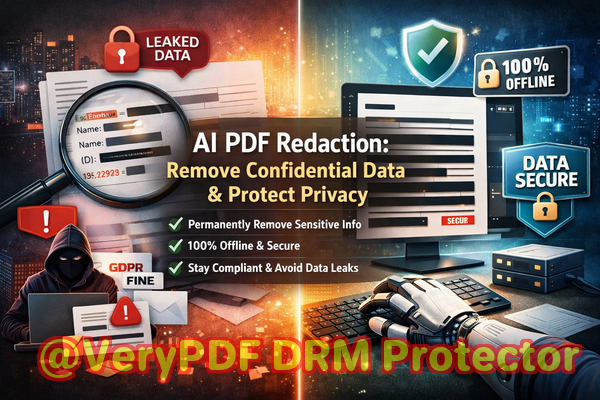
Imagine sending internal reports with client details, employee records, or contract clauses, thinking they’re safe, only to learn that someone could recover sensitive information from supposedly “redacted” PDFs. The business impact can be immediatecompliance fines, legal disputes, or damaged client trust.
Why Sensitive Data Leaks Happen in PDFs
One of the most common risks companies face is accidental exposure of confidential information. Here are some real-world pain points:
-
Unintended Data Exposure: PDFs often contain personal identifiable information (PII), financial records, or confidential business clauses. Sharing these documents without thorough redaction can lead to compliance violations under GDPR, HIPAA, or other regulations.
-
Ineffective Manual Redaction: Many businesses rely on blacking out text in PDF editors. While it looks secure, the text often remains behind the black boxes and can be copied or recovered using simple tools. This creates a false sense of security.
-
Online Redaction Risks: Employees sometimes use online PDF redaction tools for convenience, unknowingly uploading sensitive files to third-party servers. This opens the door to data breaches, unauthorized access, or even insider threats from the service provider.
How AI-Powered Offline Redaction Solves These Problems
The solution that transformed how we handle sensitive documents is the VeryPDF AI PDF Redaction Tool Command Line. Unlike traditional methods, it combines AI intelligence with fully offline processing to eliminate all risks associated with document sharing. Here’s why it works:
-
Automatic Detection of Sensitive Data: Names, emails, phone numbers, IDs, financial data, and other sensitive information are detected by AI, eliminating human error.
-
Permanent Removal, Not Just Visual Hiding: Redaction isn’t just about hiding text. VeryPDF ensures that confidential information is fully removed from the PDF, leaving no trace behind.
-
Offline Processing for Maximum Privacy: Documents never leave your computer. No uploads to servers, no third-party accessjust complete control over your data.
Real Business Scenarios
-
A law firm needed to send court documents to opposing counsel. Using traditional redaction, some personal addresses were still recoverable, which could have led to a compliance breach. By switching to VeryPDF AI PDF Redaction Tool, they ensured all sensitive details were permanently removed before sharing.
-
A financial services company frequently sends reports containing client account numbers. Using online redaction tools posed a risk of uploading client data to external servers. With the offline VeryPDF solution, all files remain secure on their network.
-
HR departments handling employee evaluations or medical records often need to redact salaries and health information. AI-powered detection makes this process faster and more reliable, avoiding manual errors.
Step-by-Step Workflow for Safe PDF Sharing
To make this practical for businesses, here’s a clear workflow:
-
Load PDF: Open the document in VeryPDF AI PDF Redaction Tool Command Line.
-
Detect Sensitive Data: Run AI detection to identify PII, financial information, or business secrets.
-
Review and Confirm: Verify detected items to ensure accuracy.
-
Apply Redaction: Permanently remove the sensitive content from the document.
-
Export Clean PDF: Save a fully redacted PDF ready for safe sharing.
Types of Data You Should Always Redact
-
Personal identifiable information (names, addresses, emails, phone numbers)
-
Financial data (account numbers, invoices, payment details)
-
Confidential business information (strategies, pricing, trade secrets)
-
Legal or contractual clauses that should remain private
The Benefits Are Clear
Implementing AI-powered offline PDF redaction brings tangible business advantages:
-
Prevent Data Leaks: No more accidental exposure of sensitive information, which could lead to fines or lawsuits.
-
Enhance Compliance: Stay aligned with GDPR, HIPAA, and internal privacy policies.
-
Secure Document Sharing: Keep your data offline and under your control.
-
Reduce Human Error: AI automatically detects sensitive content, removing reliance on manual processes.
Conclusion
After facing multiple near-misses with sensitive PDF data, I can confidently say that the VeryPDF AI PDF Redaction Tool Command Line is a game-changer. It allows businesses to permanently remove confidential information, operate offline for complete privacy, and prevent compliance risks.
I highly recommend this to anyone who needs to share documents safely without risking data leaks or legal exposure.
Try it now and securely redact your PDFs: https://veryutils.com/smart-redact-server-ai-powered-pdf-redaction-software
Start your free trial today and ensure your sensitive data is permanently removed before sharing.
Frequently Asked Questions
1. How can I permanently remove sensitive data from a PDF instead of just hiding it?
VeryPDF AI PDF Redaction Tool removes the underlying text and metadata, ensuring nothing can be recovered.
2. Can others recover redacted information from my PDF?
No. Once processed with VeryPDF, redacted information is permanently removed, leaving no traces behind.
3. Is it safe to use online PDF redaction tools?
Online tools can pose risks because your sensitive documents leave your system. Offline tools like VeryPDF ensure 100% privacy.
4. Does this tool work completely offline?
Yes, all processing happens on your local machine, so confidential data never leaves your network.
5. What types of sensitive data can be automatically detected and removed?
AI can detect PII, financial data, business secrets, legal clauses, emails, phone numbers, and more.
6. How can I ensure compliance with GDPR when sharing documents?
Use offline, AI-powered redaction tools to permanently remove PII before sending documents externally.
7. Can I review what the AI redacts before finalizing the PDF?
Absolutely. The tool allows you to verify all detected content before applying permanent redaction.
8. Does this work for large PDFs with hundreds of pages?
Yes, the tool is optimized for efficiency and can handle large-scale documents with complex content.
9. How do I integrate this into my business workflow?
You can run command-line scripts to automate detection and redaction across multiple PDFs, streamlining compliance processes.
10. What industries benefit most from offline AI redaction?
Legal, finance, HR, healthcare, and corporate environments where sensitive documents are routinely shared.
11. Can I redact images containing sensitive text?
Yes, AI detection includes embedded text in images, ensuring complete data removal.
12. How does this compare to traditional manual redaction?
Manual redaction is prone to errors and often leaves recoverable data. AI-powered offline redaction ensures permanent, reliable removal.
Keywords
redact sensitive data, remove confidential information, PDF redaction tool, protect privacy in PDFs, prevent data leaks, offline PDF redaction, secure document sharing, AI PDF redaction, compliance-friendly PDF, permanently remove sensitive data