
How to Safely Redact Sensitive Client Data in PDFs Without Risking Leaks
Last month, we shared a PDF contract with a partner, only to realize later that it still contained unredacted personal dataputting us at risk of a serious GDPR violation. The frustration, panic, and immediate scramble to recall and correct the document made me realize how common this issue is across businesses handling sensitive information. From financial institutions to HR departments, accidentally sharing confidential data isn’t just embarrassingit carries legal, financial, and reputational consequences.
One of the most pressing problems in document management today is the risk of exposing sensitive client information. Businesses frequently send PDFs containing personal data, financial records, or internal strategies, assuming that “blacking out” text or using online redaction tools is enough. Unfortunately, these methods often fall short. Redacted text can sometimes be recovered, and uploading files to online platforms exposes data to unknown servers, creating potential breaches.
This is where VeryPDF AI PDF Redaction Tool Command Line becomes essential. By permanently removing sensitive information offline, it ensures documents can be shared safely without compromising privacy or compliance.
Financial institutions, legal teams, and HR departments face three common pain points that put them at risk:
1. Accidental Exposure of Sensitive Data
A typical scenario involves sending a PDF containing client names, email addresses, account numbers, or tax IDs to an external partner. Without proper redaction, anyone receiving the file could access confidential data, leading to regulatory violations such as GDPR or HIPAA. Even minor oversights, like including a spreadsheet attachment or internal note, can escalate into serious compliance issues.
2. Ineffective Manual Redaction
Many employees still rely on black markers, “strikethrough” formatting, or basic PDF editors to redact confidential information. While it may look secure visually, manual redaction often leaves text recoverable with copy-paste tools or simple PDF extraction techniques. This creates a false sense of security and exposes the organization to potential data leaks.
3. Online Tools Compromise Privacy
Some teams attempt to solve redaction problems by using free online PDF tools. While convenient, these services upload sensitive documents to third-party servers. If a document contains financial data, personal identifiers, or internal strategies, uploading iteven accidentallycan violate company policies and privacy regulations.
The solution lies in a tool designed for real-world business scenarios. VeryPDF AI PDF Redaction Tool Command Line addresses these risks by providing:
-
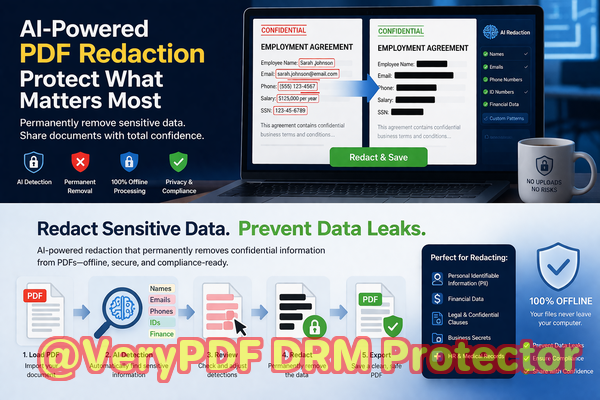
AI-Powered Detection: Automatically identifies names, emails, phone numbers, IDs, and other sensitive information in PDFs. No need to manually hunt through hundreds of pages.
-
Permanent Data Removal: Unlike visual redaction, the tool removes confidential content completely, making it impossible to recover.
-
Offline Processing: All work is done locally on your computer, ensuring that sensitive files never leave your secure environment.
Here’s a scenario illustrating the tool in action: a compliance officer at a mid-sized bank needed to share quarterly client reports with a third-party auditing firm. Using traditional redaction methods, they risked leaving residual data visible. By switching to VeryPDF AI PDF Redaction Tool Command Line, they could:
-
Load the PDF securely on their workstation.
-
Let the AI detect and highlight sensitive client information.
-
Review suggested redactions for accuracy.
-
Apply permanent redaction and export a sanitized version.
The result? The report was fully safe to share without risking exposure of personal or financial data.
Beyond preventing breaches, offline AI-powered redaction offers tangible business benefits:
-
Compliance Assurance: Ensures adherence to GDPR, HIPAA, and other data protection regulations.
-
Reduced Legal Risk: Minimizes the chance of fines or litigation due to accidental data leaks.
-
Employee Confidence: Staff can process sensitive documents without worrying about accidental exposure.
Real-world examples show the importance of proper redaction:
-
A legal firm avoided a costly data breach after switching from manual PDF editing to offline AI redaction for client contracts.
-
An HR department prevented accidental disclosure of employee records by automating detection and removal of personal identifiers.
-
A finance team eliminated risk when sharing internal reports with auditors, avoiding potential GDPR fines.
For businesses considering implementation, the workflow is straightforward:
-
Load PDF Open the document securely on your local machine.
-
Detect Sensitive Data AI scans for PII, financial info, and confidential clauses.
-
Review Highlighted areas can be quickly confirmed by a team member.
-
Redact Apply permanent removal of all identified sensitive content.
-
Export Save a clean, safe version ready for sharing.
Common types of data to redact include:
-
Personal Identifiable Information (PII) such as names, addresses, and social security numbers
-
Financial records like bank account numbers, transaction histories, and tax IDs
-
Business secrets including strategic plans, client lists, or pricing strategies
-
Legal clauses or confidential agreements
Using VeryPDF AI PDF Redaction Tool Command Line turns a risky, time-consuming process into a secure, streamlined workflow. The peace of mind from knowing sensitive documents are fully protected cannot be overstated.
I highly recommend this to anyone who needs to share documents safely without risking data leaks or compliance issues. The ability to work fully offline, coupled with AI-driven accuracy, makes it indispensable for financial institutions, law firms, HR departments, and any organization handling confidential information.
Try it now and securely redact your PDFs: https://veryutils.com/smart-redact-server-ai-powered-pdf-redaction-software
Start your free trial today and ensure your sensitive data is permanently removed before sharing.
Frequently Asked Questions
How can I permanently remove sensitive data from a PDF instead of just hiding it?
Use AI-powered redaction tools like VeryPDF AI PDF Redaction Tool Command Line, which deletes confidential content entirely rather than overlaying black boxes.
Can others recover redacted information from my PDF?
If redaction is applied correctly offline using AI-powered tools, the data is permanently removed and cannot be recovered.
Is it safe to use online PDF redaction tools?
No. Uploading sensitive files to third-party servers exposes your documents to unknown risks and potential data breaches.
Does this tool work completely offline?
Yes. All processing occurs locally, ensuring that confidential files never leave your secure environment.
What types of sensitive data can be automatically detected and removed?
The tool identifies personal information, financial records, IDs, email addresses, phone numbers, and confidential business content.
How can I ensure compliance with GDPR when sharing documents?
Permanently removing personal data before sharing and processing documents offline ensures GDPR compliance.
Can I use it for large volumes of documents?
Yes. The command line tool is suitable for batch processing and automating redaction across multiple PDFs.
Will manual redaction mistakes be eliminated?
Absolutely. AI-driven detection ensures no sensitive information is missed, reducing human error.
How long does it take to redact a PDF?
Processing speed depends on document size, but AI detection is typically fast, allowing for quick, accurate redaction.
Is it suitable for HR and legal documents?
Yes. Any document containing confidential or personal information can be safely processed.
Can I review suggested redactions before applying them?
Yes. The tool allows review and approval of all detected items before permanent redaction.
Tags / Keywords
redact sensitive data, remove confidential information, PDF redaction tool, protect privacy in PDFs, prevent data leaks, offline PDF redaction, secure document sharing, GDPR compliance, AI PDF redaction, permanent data removal