
Protecting Engineering Designs: How to Secure Business Reports and Prevent PDF Piracy
Last month, I faced a serious setback when a set of engineering drawings we shared with a trusted contractor ended up circulating outside our approved partners. The designs were critical to a product launch, and seeing them in the hands of competitors was a harsh wake-up call. Losing control over proprietary data isn’t just frustratingit can cost contracts, damage client trust, and erode months of hard work.
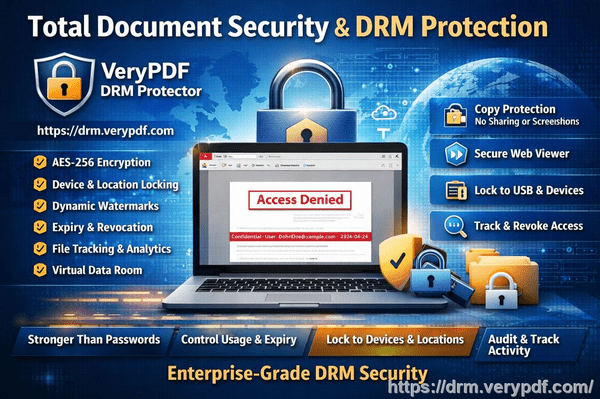
In today’s collaborative business environment, sharing sensitive documents like engineering drawings, market research reports, or strategic plans is unavoidable. Yet, every external exchange carries risk. Emails get forwarded, USB drives are misplaced, and PDF files can be easily copied, printed, or converted into editable formats by unauthorized users. For businesses, these leaks translate into lost revenue, duplicated projects, and compromised intellectual property.
One solution that has changed how we handle sensitive materials is VeryPDF DRM Protector. It allows me to share essential documents with confidence, ensuring only authorized people can view, print, or modify them.
I remember a recent case where a market research report detailing emerging tech trends was accidentally forwarded to an external vendor. Without protection, the data could have been used by competitors to undercut our strategies. By applying DRM restrictions with VeryPDF, I restricted access to the intended recipients, prevented any copying or printing, and set expiry controls. The report remained secure, and our competitive advantage stayed intact.
The main pain points businesses face are clear:
-
Unauthorized sharing and forwarding: Business reports often contain insights that, if leaked, can lead to lost contracts or diminished trust with clients. Imagine sending a detailed competitor analysis to a partner, only to find it has been shared publicly.
-
Loss of control over sensitive content: Once a file leaves your system, traditional PDFs offer no way to track who opened it, when, or where it ended up. The lack of visibility can result in missed warning signs before a leak impacts revenue.
-
Conversion and piracy risk: PDF files can easily be converted into Word, Excel, or images. Competitors or unauthorized users can repurpose the content, leading to intellectual property theft and financial loss.
VeryPDF DRM Protector addresses these issues in practical ways. Here’s how:
-
Access control: Only specified users or departments can open the documents. You can set permissions for viewing, printing, or copying on a granular level.
-
Anti-printing and anti-copying measures: Protects content from being printed or extracted into other formats, so sensitive insights cannot be reproduced outside your organization.
-
Expiry and revocation: Documents can automatically expire or have access revoked, ensuring temporary collaborators cannot retain or misuse information.
-
Audit and tracking: You can see exactly who accessed a document and when, allowing for better monitoring and accountability.
One example from our engineering team highlights the value. During a multi-company collaboration on a new product design, we used VeryPDF DRM Protector to distribute CAD drawings. Only authorized engineers could open the files, and the DRM prevented any copy or export. When a junior contractor attempted to download and share the files with an outside vendor, the DRM restrictions blocked the action immediately. The potential leak was stopped before it caused any damage.
Implementing these protections is straightforward:
-
Upload your PDF report or design file into the DRM software.
-
Set user access, print permissions, and expiration dates.
-
Share the secured PDF with collaborators.
-
Monitor usage through the audit logs to ensure compliance.
By using these features, businesses can protect engineering designs, market research, and proprietary reports while maintaining operational flexibility. The visible benefits are immediate: fewer leaks, preserved IP, and a measurable reduction in financial and competitive risk.
The anti-piracy impact cannot be overstated. Without DRM, unauthorized users can bypass standard PDF protections in minutes. With VeryPDF DRM Protector, such attempts fail, ensuring that sensitive data remains in the hands of authorized recipients only. This not only prevents revenue loss but also upholds your company’s reputation for handling confidential information responsibly.
Another real-world example: a client-facing report on market expansion strategy was once shared via email. Before applying DRM, the file could have been easily copied or printed by anyone receiving it. After securing it with VeryPDF, the report could only be viewed on approved devices, and any attempt at conversion to Word or Excel was blocked. This prevented misuse and maintained our client’s trust.
Using DRM protection also simplifies internal content management. Teams no longer have to worry about accidental sharing or outdated versions floating around. Access rights can be adjusted as project teams change, and any suspicious activity is immediately traceable. The peace of mind that comes from knowing sensitive materials are controlled is invaluable.
In conclusion, protecting your engineering drawings, market research, and confidential business reports is not optionalit’s essential for maintaining competitive advantage. VeryPDF DRM Protector makes this process practical and effective. By restricting access, preventing unauthorized printing and conversion, and providing full audit visibility, it shields your business from real, measurable risks.
I highly recommend this to anyone distributing confidential business documents who wants to avoid costly leaks. Try it now and protect your business reports: https://drm.verypdf.com. Start your free trial today and keep your market research secure from leaks or misuse.
FAQs
Q: How can I limit access to confidential business documents to prevent revenue loss?
A: VeryPDF DRM Protector allows you to specify exactly who can open a PDF, restricting access to authorized users only. Permissions can include viewing, printing, or copying restrictions.
Q: Can I stop others from copying, printing, or converting my reports into editable formats?
A: Yes. The DRM system prevents printing, copying, and conversion to Word, Excel, or image formats, ensuring your content remains secure.
Q: How do I track who accessed my business reports and when?
A: DRM Protector provides audit logs showing user activity, including timestamps and access attempts, giving you full visibility.
Q: Does DRM technology prevent unauthorized sharing of PDFs outside my organization?
A: Absolutely. Files are encrypted and can only be opened by authorized users. Any attempt to forward, copy, or bypass restrictions is blocked.
Q: How easy is it to securely distribute protected business reports to clients or colleagues without risk?
A: Very simple. You can upload files, assign permissions, and share secure links. The recipients access the documents through approved devices, eliminating risk.
Q: Can I set temporary access for collaborators or contractors?
A: Yes. You can define expiration dates or revoke access at any time, ensuring temporary collaborators cannot misuse the files.
Q: Will protected PDFs still work on mobile devices?
A: Yes. Authorized users can access secured PDFs on desktops, tablets, and smartphones while all restrictions remain enforced.
Keywords/Tags:
protect business reports, secure market research, prevent PDF piracy, stop unauthorized access, protect confidential PDFs, prevent PDF conversion, restrict PDF access, anti-piracy PDF, secure business documents, control PDF distribution