
Secure Your Course PDFs and Stop Students Sharing Homework with VeryPDF DRM Protector
Keep your lecture materials safe, prevent students from sharing PDFs, and protect paid course content from piracy.
Last semester, I found myself in a frustrating situation: a PDF of my lecture slides ended up circulating on a student forum before the next class even started. Despite my efforts to warn students about academic honesty, I realized that digital files could easily slip through my control. Like many professors, I worried that my course PDFshomework, lecture slides, or paid supplemental materialsmight be copied, printed, or converted without my permission. I needed a solution that would let me teach efficiently while keeping my content secure. That’s when I discovered VeryPDF DRM Protector.
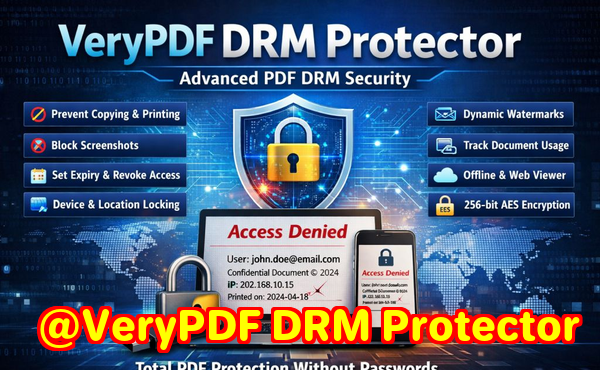
One of the biggest headaches I’ve faced as an educator is students sharing course materials. A single PDF containing homework solutions or lecture notes can quickly spread beyond the classroom. This not only undermines the learning process but also risks the integrity of paid courses or proprietary research. Another common problem is unauthorized printing and copying. Even if students don’t share files online, they might convert them into Word documents or take screenshots, bypassing the intended limitations. The third challenge is losing control over digital course content. Once a PDF leaves your hands, you have no visibility over who accesses it, how many times it’s opened, or whether it ends up in the wrong place.
VeryPDF DRM Protector solves all these issues in a practical, easy-to-use way. The software allows you to protect your PDFs with DRM restrictions that are simple for students to use but impossible to bypass. For example, you can restrict PDF access to enrolled students only, prevent printing or copying, and block conversions to Word, Excel, or images. This ensures your lecture slides, homework assignments, and paid course materials remain exactly where you want themsecure, controlled, and accessible only to the right audience.
I’ve used VeryPDF DRM Protector in my classes, and it has made a huge difference. Here’s how it helps in real classroom scenarios:
-
Protecting lecture slides: I upload all my PDFs to VeryPDF DRM Protector and set them so only registered students can view them. Students can annotate slides for personal study, but they can’t copy or share the files. This keeps discussions in class based on the intended materials.
-
Securing homework assignments: Previously, some students would forward homework PDFs to peers not enrolled in the course. With DRM restrictions, only the assigned student can open the file, and it can’t be forwarded or printed.
-
Preventing piracy of paid content: For supplemental paid materials, DRM restrictions prevent downloading, copying, or converting the files. Even if someone tries to hack the PDF, the software blocks DRM removal and maintains full protection.
The anti-piracy benefits are significant. With VeryPDF DRM Protector, students and potential hackers cannot bypass security to convert PDFs into Word documents, Excel sheets, or image files. You maintain full control over content distribution, and your PDFs stay safe whether they’re being used in a lecture hall or accessed remotely.
Annotation is another standout feature. VeryPDF DRM Protector supports FreeText, Highlight, Strikeout, Ink, and Stamp annotations directly in the browser. Students can interact with materialshighlighting key points or adding noteswithout ever compromising security. Annotations are tied to individual users and the protected PDF, so personal notes are saved and can be reused whenever the student opens the file again.
Here’s a step-by-step example of how I enabled PDF annotations for my students:
-
Log in to the VeryPDF DRM dashboard and locate your protected PDF.
-
Click “Actions” “Edit Settings” on the PDF file.
-
In the “Advanced Settings” section, enable annotation features such as FreeText, Highlight, Ink, and Stamp.
-
Click “Save.”
-
Return to the book list and select “Enhanced Web Viewer” to let students view and annotate the PDF online.
This simple process allowed my students to actively engage with materials while keeping the content secure. They can highlight important passages, add comments, or even draw diagrams with the Ink tool, all without compromising DRM protection.
The software also provides tracking capabilities, which I found invaluable. I can see who accessed each PDF and when, giving me insight into student engagement and ensuring that materials aren’t being shared outside of the course. This feature alone saved me hours of manual follow-ups and prevented multiple incidents of unauthorized sharing.
From a workflow perspective, VeryPDF DRM Protector is incredibly efficient. Setting up protected PDFs and annotations took less than a few minutes per file, which meant I could focus more on teaching and less on policing content. It integrates seamlessly into existing classroom workflows, whether you’re distributing homework, lecture slides, or premium online course materials.
Real-life example: Last year, I distributed a set of advanced lecture slides to my graduate students. One student accidentally emailed the file to a peer from another department. Normally, this could have led to widespread sharing, but because the PDF was protected with DRM, the file couldn’t be opened by anyone not registered in the system. That single protection step saved weeks of potential problems and reinforced the importance of using DRM for educational content.
Another useful feature is the flexibility of annotation types. Students can choose from FreeText, Ink, Highlight, Strikeout, Stamps, and even custom shapes. These tools enhance learning by allowing visual and textual interaction with the content, while instructors retain full control over the original material. It’s a win-win: students engage more deeply, and course materials remain secure.
In summary, VeryPDF DRM Protector addresses the major pain points of teaching digital content:
-
Stop students from sharing PDFs: Restrict access to enrolled users only.
-
Prevent unauthorized copying, printing, or conversion: Maintain control over every PDF you distribute.
-
Protect paid or sensitive materials from piracy: DRM enforcement stops bypass attempts.
-
Enhance student interaction: Annotation tools keep learning active without compromising security.
-
Track access: Monitor who reads your PDFs and when, adding accountability.
I highly recommend this to anyone distributing PDFs to students. Whether you’re sharing lecture slides, homework assignments, or paid supplemental content, VeryPDF DRM Protector keeps your materials secure, prevents unauthorized sharing, and simplifies content management.
Try it now and protect your course materials: https://drm.verypdf.com
Start your free trial today and regain control over your PDFs.
FAQs
How can I limit student access to PDFs?
You can restrict access using VeryPDF DRM Protector by assigning PDFs to specific students or groups. Only registered users can open the file.
Can students still read PDFs without copying, printing, or converting?
Yes, DRM protection allows students to view and annotate PDFs safely without the ability to copy, print, or convert content.
How do I track who accessed my PDF files?
The software provides access logs showing which users opened the file and when, helping you monitor engagement and prevent unauthorized sharing.
Does this prevent PDF piracy and unauthorized sharing?
Absolutely. DRM restrictions prevent copying, printing, forwarding, and conversion, making it very difficult for anyone to bypass protection.
Is it easy to distribute protected lecture slides and homework?
Yes. You can upload PDFs, set DRM permissions, and distribute them online. Students can access, read, and annotate files in a secure environment.
Can students annotate PDFs safely?
Yes, annotations like FreeText, Highlight, Ink, and Stamp are saved per user and per PDF. They can interact with materials without compromising DRM security.
Does it work on mobile devices?
Yes, VeryPDF DRM Protector supports annotations and reading on touch devices, allowing students to engage with course materials from anywhere.
Tags / Keywords
protect course PDFs, prevent PDF piracy, stop students sharing homework, secure lecture materials, prevent DRM removal, anti-conversion PDF DRM, PDF annotation for students, online course content security, protect homework PDFs, secure lecture slides