
Using PDF Tracking to Spot Which Proposals Need Updates Based on Client Interaction
Secure your market research and business reports while tracking client engagement to prevent leaks or unauthorized access.
I remember one afternoon, staring at my laptop, feeling that familiar anxiety. I’d just sent out a crucial market research report to a potential client, and I had no idea if they were actually reading itor worse, if it had already been forwarded around without my permission. Every business professional knows this tension: the fear that sensitive reports could leak, be misused, or sit unopened in someone’s inbox while deals slip through our fingers. For me, the question was simple: how could I protect my documents and actually understand how clients engage with them?
One of the biggest frustrations in business today is the loss of control over confidential documents. Market research reports, strategic proposals, and internal business plans carry vital information that could compromise competitive advantage if shared improperly. Too often, these PDFs are forwarded outside authorized circles, printed without permission, or converted into editable formats like Word or Excel. And as a sales or management professional, you’re left in the dark about whether clients are genuinely engaging with your content.
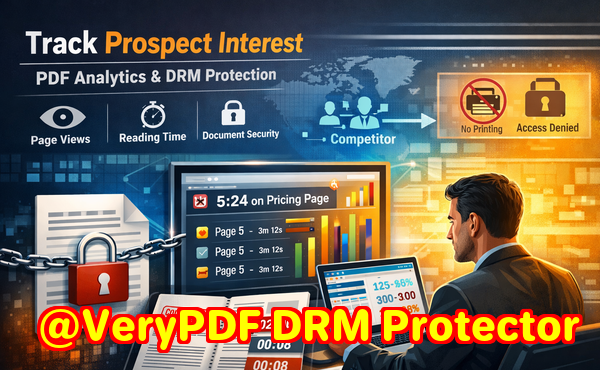
This is where PDF Analytics for Sales by VeryPDF DRM Protector comes in. It doesn’t just secure your PDFsit transforms them into smart, trackable assets. By restricting access to authorized users and departments, preventing printing, copying, or forwarding, and tracking exactly how each recipient interacts with the document, it gives you insights that were previously impossible to obtain. You can see which pages a client lingered on, how long they spent reading each section, and the total time they engaged with your proposal.
Imagine sending a product pricing proposal and noticing through PDF Analytics that a prospect spent several minutes analyzing the pricing table. That’s a clear signal of interest. Conversely, if they skimmed quickly past the competitive analysis, you know that section may need revision or further clarification in your next outreach. This real-time feedback allows you to adjust your strategy, refine proposals, and engage clients more effectively.
Practical Ways PDF Analytics Protects Your Business
-
Access Control: Restrict each PDF to specific users or departments. Unauthorized recipients cannot open the document.
-
Anti-Piracy Measures: Stop printing, copying, or converting your PDFs to Word, Excel, or images. Your confidential data remains secure.
-
Engagement Tracking: See which pages clients read, how long they spent on each, and overall reading time. This gives your sales team actionable intelligence.
-
Version Control: Know when a document was last accessed and prevent outdated proposals from circulating.
-
Audit Trail: Maintain full control over content distribution, including who opened the document and when.
I’ve personally experienced how these features save time and protect sensitive information. Once, a competitor tried to obtain a confidential market study through one of our contacts. Thanks to PDF Analytics, I was alerted that someone attempted to open the document from an unauthorized device, immediately halting the leak. In another case, I observed that a potential client spent almost half an hour on a single section of our pricing model. Armed with that insight, I followed up with targeted questions and closed the deal faster than I would have relying on guesswork alone.
Step-by-Step Guidance for Implementing PDF Analytics in Your Workflow
-
Protect Your PDF: Apply VeryPDF DRM Protector before distribution. Assign specific users or groups who are authorized to access the document.
-
Set Restrictions: Disable printing, copying, and file conversion. Choose whether users can forward the file.
-
Distribute Securely: Share the protected PDF through email or your internal system. Every interaction is tracked automatically.
-
Monitor Engagement: Use PDF Analytics to check which sections clients read, time spent per page, and overall engagement metrics.
-
Adjust and Follow Up: Analyze behavior to refine your proposals, adjust sales pitches, or follow up where engagement is low.
-
Maintain Control: Revoke access instantly if a document falls into the wrong hands or becomes outdated.
The power of PDF Analytics lies not just in security, but in insight. Your PDFs become living documents, offering intelligence that informs business decisions and improves client interactions. You can confidently share sensitive materials without fear of leaks, while simultaneously understanding how each client interacts with your content.
Why Anti-Piracy Matters for Your Business
Unauthorized sharing and piracy are not just theoretical risksthey’re real threats. A leaked market research report or proposal can undercut your competitive advantage, expose confidential strategies, and even damage client trust. Traditional PDFs, even with password protection, are vulnerable to conversion tools and forwarding. VeryPDF DRM Protector closes these loopholes. By locking down your content and preventing copying, printing, or format changes, it ensures your business insights remain under your control.
Equally important is the ability to track engagement. Without knowing whether your clients are reading the key sections of your report, you’re essentially flying blind. PDF Analytics eliminates this uncertainty, allowing you to see engagement patterns, identify high-interest areas, and proactively address client needs.
Real Business Scenarios
-
Market Research Reports: A research firm sends quarterly reports to multiple clients. Using PDF Analytics, they discovered that a section on consumer trends was being skipped frequently. They updated the report with clearer visuals and saw engagement spike.
-
Sales Proposals: A B2B company shared proposals for a new service package. Analytics showed prospects spent extra time on the pricing breakdown, highlighting where negotiation conversations should start.
-
Internal Confidential Documents: HR or finance teams can protect salary studies or strategic plans while monitoring access to prevent leaks within the organization.
These examples illustrate how PDF Analytics doesn’t just protect documentsit actively improves business outcomes. Knowing exactly how a PDF is being consumed allows managers and sales teams to act decisively, reduce risk, and close deals faster.
Practical Tips for Maximizing Client Engagement
-
Highlight critical pages or sections that you want clients to focus on.
-
Use engagement data to tailor follow-up communications. If a client skimmed a key section, clarify or expand on it in your next conversation.
-
Schedule document updates strategically, based on which pages are most read. If analytics reveal confusion in a certain section, revise it promptly.
-
Combine DRM protections with your CRM for a seamless workflowdocument engagement insights feed directly into client relationship strategies.
I highly recommend PDF Analytics for any business distributing sensitive or high-value content. It gives you the dual advantage of protection and intelligence. Not only do you prevent unauthorized access, but you also gain actionable insights into client behavior. This is a game-changer for anyone dealing with confidential proposals, market research reports, or internal strategic documents.
Try it now and protect your business reports: https://drm.verypdf.com
Start your free trial today, secure your market research, and track PDF engagement.
FAQs
Q1: How can I limit access to confidential business documents?
A1: You can restrict PDFs to specific users or departments using VeryPDF DRM Protector. Only authorized recipients can open and view the documents.
Q2: Can I prevent others from copying, printing, or converting my reports?
A2: Yes. DRM settings allow you to disable printing, copying, forwarding, and prevent conversion to Word, Excel, or images.
Q3: How do I track which pages my clients are reading and how long they spend?
A3: PDF Analytics records engagement metrics for each page, including time spent and total reading duration, giving you detailed insight into client interactions.
Q4: Does DRM technology prevent unauthorized sharing of PDFs?
A4: Absolutely. DRM restricts access, prevents bypassing, and maintains an audit trail of document activity to ensure content remains secure.
Q5: How easy is it to distribute protected business reports to clients or colleagues?
A5: Distribution is simple via email or internal systems. Every interaction is automatically tracked, and access can be revoked at any time.
Q6: Can PDF Analytics help improve my sales strategy?
A6: Yes. By analyzing which sections clients focus on, your sales team can follow up more effectively and prioritize high-interest areas.
Q7: What happens if a protected PDF falls into the wrong hands?
A7: You can immediately revoke access or block the document from being opened on unauthorized devices, keeping your content safe.
Tags/Keywords
protect business reports, secure market research, prevent PDF piracy, stop unauthorized access, track PDF engagement, protect confidential data, monitor PDF reading, PDF Analytics, DRM protection, client engagement tracking