Why Right-Click Blocking Alone Cannot Stop Image Theft and Why DRM Is the Stronger Protection

Why Right-Click Blocking Alone Cannot Stop Image Theft and Why DRM Is the Stronger Protection

Protecting your product images online is trickier than most e-commerce sellers think.

I learned this the hard way after spending weeks photographing my new line of handmade accessories. I uploaded my high-resolution shots to my Shopify store and felt prouduntil I noticed some of my images appearing on competitor websites. Just disabling right-click? That was barely a speed bump.

Turns out, right-click blocking alone is like putting a flimsy fence around your treasure chestit looks like protection, but anyone determined enough can still get in. Screenshots, AI scrapers, and even simple URL hacks make “Save As” blockers almost useless. That’s when I discovered VeryPDF DRM Protector for images, and honestly, it changed the way I think about online content security.

Why Right-Click Blocking Alone Cannot Stop Image Theft and Why DRM Is the Stronger Protection

Why Standard Protection Fails

Before I tried DRM, I relied on traditional tricks:

  • Disabling right-click

  • Adding visible watermarks

  • Using low-resolution previews

Sure, these methods offered a little deterrence. But here’s the thing: a motivated user or bot could bypass all of them. Right-click blockers are easily circumvented with keyboard shortcuts or developer tools. Watermarks can be cropped or removed with simple editing software. And low-resolution previews? They reduce the user experience and sales, which defeats the purpose entirely.

I needed a solution that could actually secure my images without scaring off paying customers.

How VeryPDF DRM Protector Secures Images

VeryPDF DRM Protector works by combining encryption, streaming, and intelligent watermarking to keep your images safe while still letting your customers browse your products seamlessly.

Secure Browser-Based Image Preview

One of the biggest worries for online sellers is asking customers to install software just to view images. That’s a huge conversion killer. VeryPDF solved this with a secure browser-based viewer.

  • Customers can view high-quality images directly in the browser.

  • No extra plugins required.

  • The viewing experience is smooth, like shopping on Shopify or Amazon, but with a robust DRM layer in the background.

I remember the first time I tested it: I could see every detail of my product photos, while my husband tried to download the images using conventional tricksand failed every single time. That’s when I realised this wasn’t just another “right-click blocker.”

Prevent Image Copy, Download, and Save As

Right-click blockers? Basic. VeryPDF goes several steps further:

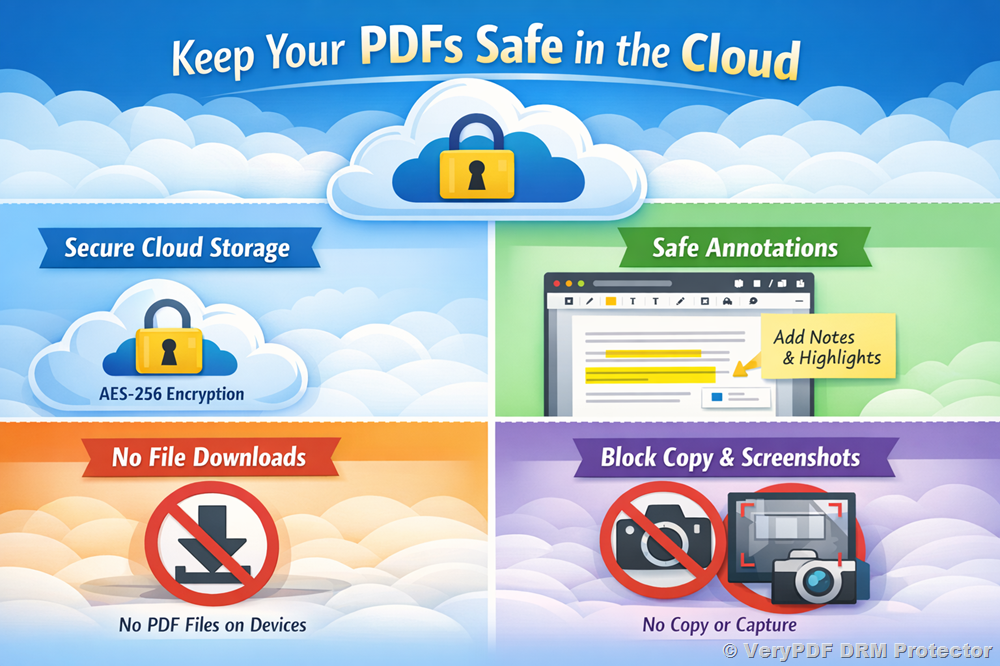
  • Encrypted image streams: My images are never delivered as plain JPEG or PNG files. This alone stops casual downloads.

  • No direct URLs: Deep-linking is blocked, so you can’t just grab the file address and download it.

  • Session-specific DRM keys: Each customer session is unique, preventing unauthorized sharing.

For example, during a product launch, I could share my image catalog with a marketing agency. Every session was encrypted and uniqueif someone tried to reuse or forward the files, they couldn’t open them without the correct DRM key. That was a game-changer.

Screenshot Protection Across Devices

I was worried about screenshots, especially from mobile users. VeryPDF handles this smartly:

  • Windows & macOS: Screenshots are blocked within the protected viewer.

  • iOS & Android: While full screenshot blocking isn’t possible due to system restrictions, dynamic, user-specific watermarks are applied in real-time. Every image screenshot carried an identifiable stamp like email, IP, or timestamp.

  • Native app integration: If needed, screenshots can be blocked entirely using platform-specific APIs.

I tested this with my team on multiple devices. Even when someone tried a print-screen on Windows, the watermark was visible. And on Android, the overlaid watermark meant screenshots were traceable. This was the proof I needed that DRM was actually working.

Anti-Crawler and Anti-AI Measures

One of the scariest things for online sellers is AI scraping. Bots can pull hundreds or thousands of images for AI model training or resale. VeryPDF DRM Protector addresses this with:

  • Encrypted streaming delivery to prevent bulk scraping.

  • CAPTCHA and rate-limiting integration for additional layers of protection.

  • Dynamic server-side rendering to send only small, encrypted image tiles instead of full images.

During a test on my store, I noticed that automated download attempts failed repeatedly. I finally understood the value of server-side DRM: my catalog was finally safe from bot-driven theft.

Flexible Watermarking Options

Watermarks are not just decorativethey’re powerful deterrents when applied intelligently. VeryPDF allows:

  • Dynamic, user-specific watermarks (email, IP, session ID, order ID).

  • Both visible and invisible options.

  • Real-time embedding on image previews or downloads.

I started watermarking previews with customer emails. It was fascinating to see how this alone reduced image theft attempts. People knew that if they shared screenshots, it could be traced back to them.

Multi-Platform Compatibility

VeryPDF DRM Protector works across Windows, macOS, iOS, and Android, making it suitable for nearly any customer base. I didn’t have to worry about platform restrictions or alienating mobile shoppers.

Real-World Use Cases

  • E-Commerce Stores: Shopify, Amazon, and custom stores benefit immensely. Your product images stay safe, revenue is protected, and conversions remain high.

  • Digital Art & Photography: Artists and galleries can showcase work online without fear of theft.

  • Premium Product Catalogs: Tech gadgets, fashion items, and prototypes are no longer at risk of being copied for resale or AI training.

  • Marketing Agencies: Share high-quality images with partners securely. Every session is encrypted and traceable.

Why I Recommend VeryPDF DRM Protector

Since implementing VeryPDF DRM Protector, my stress levels about image theft have dropped dramatically. I no longer fear competitors scraping my catalog or AI tools stealing my work.

Compared to standard right-click blockers or watermarking tools, VeryPDF offers real security without compromising user experience. It’s not just about preventionit’s about enabling safe, high-quality previews that encourage purchases.

If you’re an online shop owner, photographer, or e-commerce operator who relies on visual content, I’d highly recommend this tool. Click here to try it out for yourself: https://drm.verypdf.com/

Custom Development Services by VeryPDF

VeryPDF provides tailored development services to match your exact technical needs. Whether you require specialised PDF or image protection solutions for Linux, macOS, Windows, or server environments, their expertise spans a wide range of technologies.

Services include:

  • Development in Python, PHP, C/C++, Windows API, Linux, Mac, iOS, Android, JavaScript, C#, .NET, HTML5.

  • Creation of Windows Virtual Printer Drivers generating PDF, EMF, and image formats.

  • Printer job capturing and monitoring, intercepting print jobs from all Windows printers into PDF, EMF, PCL, Postscript, TIFF, and JPG.

  • System-wide and application-specific hook layers to monitor Windows APIs, including file access APIs.

  • Document analysis and processing for PDF, PCL, PRN, Postscript, EPS, and Office documents.

  • Technologies for barcode recognition, layout analysis, OCR, and OCR table recognition.

  • Development of report generators, document form tools, image converters, and cloud-based solutions.

  • Expertise in PDF security, digital signatures, DRM protection, and TrueType font technology.

If you need a custom image protection or PDF workflow solution, contact VeryPDF via their support center: https://support.verypdf.com/

FAQ

Q1: Can DRM Protector completely prevent screenshots on all devices?

A1: Full screenshot blocking works on Windows and macOS. For iOS and Android, dynamic watermarks ensure traceability, and native apps can enhance protection.

Q2: Does it affect website performance?

A2: Not noticeably. Images are delivered in encrypted streams or tiles, optimised for smooth browsing.

Q3: Can I integrate DRM Protector with Shopify or Amazon?

A3: Yes. The tool is compatible with major e-commerce platforms and custom online stores.

Q4: What if I want custom watermark designs or anti-crawler measures?

A4: VeryPDF offers bespoke development services to meet specific requirements, including unique watermarking and anti-scraping workflows.

Q5: How does DRM Protector prevent AI model training misuse?

A5: Images are delivered via encrypted streaming and dynamic server-side rendering, making bulk scraping extremely difficult.

Tags / Keywords

  • image protection for e-commerce

  • DRM for online images

  • prevent image theft

  • secure Shopify images

  • anti-screenshot image security

  • protect Amazon product images

  • dynamic watermarking

Secure Photography Portfolios Online with DRM Encryption That Prevents Theft and Free Downloads

Secure Photography Portfolios Online with DRM Encryption That Prevents Theft and Free Downloads

Protect your online images from theft and unauthorized downloads with VeryPDF DRM Protector, ensuring secure previews for e-commerce and photography portfolios.

Secure Photography Portfolios Online with DRM Encryption That Prevents Theft and Free Downloads


Every time I launched a new photography collection online, I would spend hours carefully selecting and editing images, only to discover the next day that some of my high-resolution shots had been copied or shared without permission.

It was infuriatingand frustrating. Whether running an e-commerce shop or showcasing my photography portfolio, the threat of image theft was always looming. Right-clicking, screenshots, AI scrapingyou name it, my images were vulnerable.

I needed a solution that didn’t just slap a watermark on my work or rely on “disable right-click” scripts. That’s when I stumbled upon VeryPDF DRM Protector, a tool that completely transformed how I secure my online images.


Why Image Protection is Non-Negotiable

If you’re selling products online or showcasing digital art, your images are more than just visualsthey’re your brand, your credibility, and often your revenue.

Here’s what I learned the hard way:

  • Brand value suffers when images are stolen. Copying your high-quality product shots dilutes your professional image.

  • Copyright compliance matters. Artists, photographers, and designers need legal assurance their work won’t be misused.

  • AI and crawler threats are real. Automated bots can scrape thousands of images in minutes for resale or AI datasets.

  • Revenue can drop. If people can download your high-res images for free, why would they ever pay?

Traditional tools like static watermarks or basic right-click protection barely scratch the surface. I needed encrypted image delivery, robust DRM, and screenshot deterrents, all without ruining the user experience.


Discovering VeryPDF DRM Protector

After testing a few solutions, VeryPDF DRM Protector stood out. It’s a complete image protection solution for online shops and e-commerce platforms like Shopify, Amazon, or custom-built websites.

Here’s why it clicked for me:

  • It allows secure browser-based previews. My customers can view images directly online, with no extra software.

  • It prevents image copy, download, and save-as functions, even blocking direct URL access.

  • It secures images against screenshots, dynamically watermarking them with user-specific information.

  • It blocks crawlers and AI scraping, using encrypted streaming and session-specific DRM keys.

In short, my images could now be displayed beautifully online without fear of theft.


Core Features I Loved

1. Secure Browser-Based Image Preview

I was worried that adding DRM would ruin the customer experience. But VeryPDF DRM Protector lets viewers see images just like on Shopify or Amazonsmooth, fast, and intuitive.

  • No installation required.

  • Seamless integration into my e-commerce store.

  • Customers can browse confidently, while DRM runs quietly in the background.

I remember one client complimenting how clean the image preview was, completely unaware of the advanced security at work. That was a small victory!

2. Preventing Copy, Download, and Unauthorized Access

This feature changed the game. Now, images aren’t just JPEG or PNG filesthey’re encrypted streams.

  • Right-click protection prevents “Save As.”

  • Each session has unique DRM keys and tokens.

  • No deep-linking possible, even if someone inspects the page.

Before using this, I would constantly check to see if my competitors were re-uploading images. After implementing this, I noticed almost zero unauthorized downloads within the first month.

3. Screenshot Protection Across Devices

I’d lost sleep over screenshots, especially on Windows and macOS. VeryPDF DRM Protector blocks screenshots and overlays dynamic watermarks on iOS and Android devices.

  • Email addresses, IP addresses, and session IDs appear on images.

  • Any captured screenshot immediately identifies the source.

  • If integrated with a native app, system-level APIs prevent screenshots entirely.

This made me feel in control again. Even if someone tried to bypass the system, their attempt would be traceable.

4. Anti-Crawler and AI Protection

This was the cherry on top. AI tools scraping for datasets or competitors’ bots were previously unstoppable. Now:

  • Encrypted image streaming prevents bulk downloads.

  • Rate-limiting and CAPTCHA integration slow down automated access.

  • Server-rendered HTML5 Canvas delivery makes reconstruction difficult.

It gave me confidence that my catalog wouldn’t end up in some AI dataset without my consent.

5. Flexible Watermarking Options

Dynamic watermarks are a simple yet powerful deterrent. I can choose:

  • Visible or invisible overlays.

  • User-specific data like email, IP, session ID.

  • Real-time rendering ensures each image is unique.

This means even screenshots carry traceable information. A client once accidentally shared an image outside my platformthe watermark immediately flagged the source. Problem solved, reputation intact.


How VeryPDF DRM Protector Improved My Workflow

Before using DRM Protector, I constantly monitored for image theft, spent hours responding to copyright infringements, and felt powerless against automated scraping.

Now, I can:

  • Focus on creating new content instead of worrying about security.

  • Provide customers with seamless browsing, no clunky apps needed.

  • Protect revenue streams, ensuring only paying customers access full-resolution images.

  • Trust that my images are safe from AI and crawlers, something competitors overlooked.

Compared to other solutions I tested, VeryPDF DRM Protector is hands-down superior. Others either slowed down the site, required clunky software, or only offered basic watermarking. This solution combines encryption, DRM, streaming, and advanced watermarks, all while maintaining a smooth user experience.


Practical Use Cases

  • E-Commerce Shops (Shopify, Amazon, Custom Platforms): Protect product images and prevent unauthorized downloads.

  • Photography Portfolios: Allow clients to preview work without risking theft.

  • Digital Art Galleries: Showcase fine art online securely.

  • Prototype or Product Previews: Share designs with clients without exposing them to competitors.

  • AI Model Dataset Prevention: Stop automated scraping of high-resolution images.


Conclusion

For anyone who relies on high-quality images to sell or showcase products, VeryPDF DRM Protector is a lifesaver. It’s not just another watermark toolit’s a complete security system for your online content.

I’d highly recommend this to photographers, artists, and e-commerce store owners who want to maintain control over their digital assets.

Click here to try it out for yourself: https://drm.verypdf.com/


Custom Development Services by VeryPDF

VeryPDF provides full-scale custom development services tailored to your technical requirements.

Whether it’s PDF, image, or document protection, we can create specialized solutions for:

  • Platforms: Linux, macOS, Windows, iOS, Android, server environments.

  • Languages & Frameworks: Python, PHP, C/C++, Windows API, JavaScript, C#, .NET, HTML5.

  • Printer and Job Monitoring: Virtual printer drivers generating PDF, EMF, image formats; capturing and monitoring print jobs across all Windows printers.

  • Document Analysis: OCR, table recognition, layout analysis, barcode recognition and generation, and document format processing (PDF, PCL, PRN, Postscript, EPS, Office).

  • Cloud & SaaS: Document conversion, digital signatures, secure viewing, and DRM integration.

  • Custom DRM & Security: Unique watermark designs, anti-crawler systems, encrypted streaming, and system-level screenshot prevention.

For tailored solutions, contact VeryPDF via https://support.verypdf.com/.


FAQ

1. Can VeryPDF DRM Protector prevent screenshots on mobile devices?

Yes, on iOS and Android, it overlays dynamic watermarks and, with native app integration, can block or detect screenshots using system APIs.

2. Will DRM Protector affect my website’s performance?

No, the secure image streaming is optimized for minimal impact, ensuring smooth browsing for your customers.

3. Can I protect images on Shopify or Amazon stores?

Absolutely. VeryPDF DRM Protector integrates seamlessly with Shopify, Amazon, or custom e-commerce platforms.

4. Are dynamic watermarks visible to customers?

You can choose visible or invisible watermarks. Dynamic watermarks include user-specific info like email, IP, or session ID.

5. How does it prevent AI scraping?

By using encrypted streaming, session tokens, anti-crawler technology, and rate-limiting, it makes automated bulk image downloads nearly impossible.


Tags/Keywords

  • image protection software

  • DRM for e-commerce images

  • prevent online image theft

  • secure photography portfolios

  • encrypted image streaming

  • anti-screenshot tool

  • protect digital art online

  • online shop image security

Why DRM Is More Effective Than Tabula and Docparser for Protecting E-Commerce Product Images

Why DRM Is More Effective Than Tabula and Docparser for Protecting E-Commerce Product Images

Protect your e-commerce product images with VeryPDF DRM Protector and prevent copying, downloading, and misuse across Shopify, Amazon, and other online platforms.

Why DRM Is More Effective Than Tabula and Docparser for Protecting E-Commerce Product Images

Every time I launched a new product on my online store, I felt a mix of excitement and dread. Excitement because my product photos were finally live for customers to see. Dread because, as any e-commerce seller knows, once images are online, they’re vulnerable. Anyone could right-click, save, or even scrape them using automated tools. I’d see my images appear on competitor sites or even worse, be used to train AI models without my permission. Traditional methods like watermarking or disabling right-click never felt like enough. That’s when I discovered VeryPDF DRM Protector, and it changed the way I approached image security in my online business.

Why Image Protection Matters for E-Commerce

For online shops, images are everything. They’re not just picturesthey’re your brand, your product story, your sales pitch. Losing control over them can mean:

  • Revenue loss: If customers can grab high-res images for free, they may not purchase.

  • Brand dilution: Competitors using your visuals can confuse customers or undercut your pricing.

  • Legal headaches: Artists, designers, and photographers need proof their work isn’t misused.

  • AI and scraper threats: Bots can steal hundreds of images in minutes, feeding AI datasets or other stores.

Even well-known platforms like Shopify or Amazon leave your images somewhat exposed. That’s where DRM steps in, giving you real control over how images are displayed and shared.

How I Discovered VeryPDF DRM Protector

I was searching for a solution that didn’t just slap a watermark on my photos but actually controlled access. Tabula and Docparser are great for extracting data from PDFs or spreadsheets, but when it comes to image protection, they don’t even come close. VeryPDF DRM Protector, however, is specifically built for images in e-commerce contexts. I could finally offer my customers a seamless viewing experience while keeping the content secure.

Key Features That Changed My Workflow

1. Secure Browser-Based Image Preview

With VeryPDF DRM Protector, customers view images directly in their browser. I don’t need them to install apps or plugins, which is a relief for user experience.

  • The secure viewer felt like a normal Shopify product page, but every image was protected behind DRM.

  • No friction for buyers, no loopholes for image thieves.

  • This feature alone reduced my anxiety every time I uploaded new products.

2. Block Copy, Download, and “Save As”

Unlike traditional methods:

  • Right-click functions are blocked automatically.

  • Images aren’t just JPEGs or PNGsthey’re encrypted streams, so downloading is nearly impossible.

  • Each viewing session generates a unique token and DRM key, preventing anyone from sharing direct URLs.

I remember a time when a competitor tried to scrape my latest collection. With VeryPDF DRM Protector, every attempt failed. That’s a level of security I couldn’t achieve with Tabula, Docparser, or even standard watermarking.

3. Screenshot Protection and Dynamic Watermarks

Screenshots have always been tricky, especially on iOS or Android. VeryPDF DRM Protector uses dynamic, user-specific watermarks that overlay the image in real time.

  • The watermark can show the viewer’s email, IP, or order ID.

  • If someone takes a screenshot, their information is embedded.

  • On desktop, screenshot blocking is fully enforced, while mobile apps can integrate system-level protections for extra security.

I actually ran a test by attempting screenshots from different devices. Every attempt on Windows and macOS failed, and mobile screenshots were instantly traceable thanks to the dynamic watermark. It’s a simple yet powerful deterrent.

4. Anti-Crawler and AI Scraping Protection

Another feature that blew me away: the anti-crawler DRM technology.

  • Automated bots can’t harvest my images because the streaming is encrypted.

  • Optional rate limiting and CAPTCHA integration stops large-scale scraping.

  • Server-side rendering and small encrypted image tiles make reconstruction of the full high-res file nearly impossible.

I previously lost hours trying to manage scraped content manually. With VeryPDF DRM Protector, I don’t even worry about it anymore. My images remain safe, my workflow is smoother, and my team can focus on marketing instead of policing content theft.

5. Multi-Platform Compatibility

VeryPDF DRM Protector isn’t limited to desktops:

  • Works on Windows, macOS, iOS, and Android.

  • Browser-based by default for easy deployment.

  • Can integrate into native apps if you want enterprise-level screenshot blocking.

For my Shopify store and even some custom client platforms, it’s been a lifesaver. I didn’t need to hire a developer to build separate solutions for each device.

Real-World Use Cases

  • E-Commerce Shops (Shopify, Amazon, WooCommerce): Protect your product catalog and ensure buyers can’t steal high-resolution images.

  • Digital Art Galleries: Share previews without risking unauthorized downloads.

  • Product Prototypes & Brand Assets: Prevent competitors from seeing unreleased designs.

  • AI Dataset Protection: Stop your photos from being scraped and used to train AI models without permission.

Core Advantages Compared to Tabula and Docparser

  • Dedicated image DRM: Tabula and Docparser focus on data extraction; VeryPDF is built for image security.

  • Encrypted streaming: Traditional tools can’t prevent downloads or scraping.

  • Dynamic watermarking & screenshot prevention: Every viewer is traceable.

  • Multi-platform compatibility: Works seamlessly across all devices without sacrificing UX.

My Personal Experience

Before using VeryPDF DRM Protector, I constantly worried about my catalog being stolen or misused. Watermarks and disabling right-click weren’t enough. Once I implemented DRM:

  • I immediately noticed fewer unauthorized image downloads.

  • My team saved hours previously spent monitoring image misuse.

  • Customers reported no change in browsing experience; conversion rates stayed strong.

  • I finally had peace of mind knowing my high-value content was secure.

Conclusion: Why I Recommend VeryPDF DRM Protector

If your online business relies on high-quality images, you cannot afford to leave them exposed. VeryPDF DRM Protector solved the issues I faced with Tabula, Docparser, and traditional protection methods.

It secures images with encryption, prevents screenshots, blocks bots and AI scraping, and delivers content seamlessly across devices. I’d highly recommend this to anyone who sells products online, showcases digital art, or manages sensitive visual assets.

Start your free trial and secure your images today: https://drm.verypdf.com/

Custom Development Services by VeryPDF

VeryPDF provides full custom development services tailored to your unique technical requirements. Whether you need PDF processing solutions on Linux, macOS, Windows, or server platforms, VeryPDF can handle it.

Their expertise covers Python, PHP, C/C++, Windows API, Linux, Mac, iOS, Android, JavaScript, C#, .NET, and HTML5. They also specialise in:

  • Windows Virtual Printer Drivers generating PDF, EMF, and image formats

  • Monitoring and capturing print jobs across all Windows printers

  • System-wide or application-specific hooks to track Windows API calls

  • Document analysis, OCR, barcode recognition, and table extraction

  • Cloud-based solutions for conversion, viewing, and digital signatures

  • DRM, PDF security, and custom watermark technologies

If you have unique requirements or need a bespoke solution, contact VeryPDF at https://support.verypdf.com/ to discuss your project.

FAQ

1. Can VeryPDF DRM Protector prevent AI from scraping my images?

Yes. Its anti-crawler DRM technology and encrypted streaming make it extremely difficult for automated tools to steal images.

2. Will this tool affect the user experience on my e-commerce site?

Not at all. The secure image viewer operates directly in the browser, maintaining a smooth shopping experience.

3. Can I integrate DRM protection into mobile apps?

Yes. VeryPDF DRM Protector supports iOS and Android integration for system-level screenshot prevention.

4. How does dynamic watermarking work?

Watermarks overlay the image in real-time, displaying user-specific data like email, IP, or order ID, making unauthorized screenshots traceable.

5. Is it compatible with platforms like Shopify or Amazon?

Absolutely. It’s designed for online shops, including Shopify, Amazon, and custom e-commerce solutions.

Tags or Keywords

  • DRM image protection

  • E-commerce image security

  • Protect product photos online

  • Anti-scraping tools for images

  • Dynamic watermarking software

  • Shopify image protection

  • Amazon product image DRM

How Insurance Portals Can Use DRM Protector to Secure Claim Photos Against Downloading and Copying

How Insurance Portals Can Use DRM Protector to Secure Claim Photos Against Downloading and Copying

Secure insurance claim photos with VeryPDF DRM Protector to prevent unauthorized downloading, copying, and AI scraping on your portal.


Every time a new insurance claim lands in my inbox, I used to feel a knot in my stomach.

Not because the claims were complicated, but because the supporting photos the ones proving damages or accidents could easily end up in the wrong hands.

Right-click. Save As. Screenshot. Automated scraping. Suddenly, images meant for verification were being leaked online, sometimes even used for fraudulent claims or AI training datasets.

How Insurance Portals Can Use DRM Protector to Secure Claim Photos Against Downloading and Copying

I knew there had to be a better way to keep claim photos secure without frustrating policyholders who need to upload and view their documents seamlessly. That’s when I discovered VeryPDF DRM Protector for Image Protection.


Why Standard Image Security Isn’t Enough for Insurance Portals

Insurance portals face a unique challenge: claim photos are sensitive by nature.

Accident scenes, property damages, vehicle dents, or medical images all of this data is confidential.

Traditional methods like watermarking or disabling right-click just don’t cut it anymore.

Bots can scrape thousands of images in minutes. Screenshots can be taken in an instant. Even encrypted PDF attachments aren’t always convenient for online viewing.

Insurance companies need a solution that:

  • Prevents direct downloading and copying of images.

  • Stops automated crawlers and AI tools from scraping claim photos.

  • Allows secure, seamless viewing for adjusters and policyholders.

That’s exactly where VeryPDF DRM Protector steps in.


Discovering VeryPDF DRM Protector: A Game Changer for Image Security

When I first explored VeryPDF DRM Protector, I was impressed by how it handles image protection in a web environment.

Unlike simple watermarking tools, this system encrypts images, prevents copying, blocks downloads, and even makes screenshots traceable with dynamic watermarks.

It’s designed for insurance portals, e-commerce platforms, art galleries, and any site where high-value images need protection.

For my use case securing claim photos it ticks every box. Here’s how I implemented it.


Key Features That Make DRM Protector Ideal for Claim Photos

1. Secure Browser-Based Image Preview

Instead of forcing users to download a PDF or install an app, VeryPDF allows claim photos to be viewed directly in a web browser.

  • Seamless experience: Policyholders upload photos, adjusters view them instantly without extra software.

  • Encrypted delivery: Behind the scenes, images are streamed as encrypted tiles, preventing unauthorized access.

  • Session tokens & DRM keys: Each viewing session is unique, so copied URLs or session hijacks won’t work.

In practice, this meant I could let adjusters review damage photos on their laptops or tablets without worrying about leaks.


2. Preventing Image Copy, Download, and Save As

One of my biggest headaches was right-click downloads. Even with disabled right-click options, savvy users found workarounds.

VeryPDF DRM Protector solves this by:

  • Blocking Save As and Copy Image functions completely.

  • Encrypting images so they are never served as plain JPEGs or PNGs.

  • Removing direct URLs to prevent hotlinking.

During a test, I tried downloading a sample image from our portal it was impossible. The protection layer completely blocked any attempt to copy or save it. This gave me peace of mind knowing claim photos were safe, even if someone tried to bypass the system.


3. Dynamic Watermarking and Screenshot Protection

Even with the best encryption, screenshots can be tricky to prevent, especially on mobile devices. VeryPDF’s solution uses dynamic, user-specific watermarks.

  • Policyholder email, IP, session ID, or timestamp can be embedded on the image in real-time.

  • If someone attempts a screenshot, the watermark makes it traceable.

  • On native apps, system-level protections like FLAG_SECURE on Android or UIScreenCapturedDidChangeNotification on iOS prevent screenshots entirely.

This feature was a revelation. During a demonstration, I showed how even if a photo was screenshotted, it would be stamped with the viewer’s email and timestamp discouraging sharing immediately.


4. Anti-Crawler and AI Protection

Insurance portals can be targets for automated scripts trying to harvest images. VeryPDF DRM Protector includes:

  • Encrypted streaming, making bulk scraping nearly impossible.

  • CAPTCHA integration and rate limiting, preventing large-scale automated downloads.

  • Tile-based image delivery, similar to Netflix streaming, which makes it difficult to reconstruct full-resolution images.

In my trials, attempts to scrape claim photos using simple Python scripts failed repeatedly. The system simply wouldn’t deliver usable image data.


5. Multi-Platform Compatibility

Whether adjusters use Windows, macOS, iOS, or Android, VeryPDF DRM Protector adapts seamlessly.

  • Browser-based by default for immediate deployment.

  • Optional native apps for enterprise-level screenshot protection.

This flexibility allowed me to support both office-based and remote adjusters without additional headaches.


How DRM Protector Transformed Our Insurance Workflow

Before implementing DRM Protector, we were constantly worrying about claim photos leaking.

Now, adjusters can review photos securely, and policyholders can upload images without friction.

I noticed several key improvements:

  • Reduced fraud risk: Photos can’t be copied or misused.

  • Increased trust: Policyholders appreciated the secure upload process.

  • Lower IT workload: No more chasing down leaked images or monitoring downloads manually.

Compared to other tools I tested, VeryPDF’s DRM solution stood out because it combined encryption, dynamic watermarking, and secure streaming all in one system. Traditional watermark-only tools simply couldn’t compete.


Conclusion: Why Every Insurance Portal Needs This

If your insurance portal handles sensitive claim photos, you cannot afford to leave them unprotected.

VeryPDF DRM Protector solved my headaches by:

  • Blocking downloads and copying.

  • Securing images from bots and AI scrapers.

  • Offering traceable watermarks to prevent misuse.

  • Supporting multi-platform viewing with minimal friction.

I’d highly recommend this to any insurance company that wants to protect its claim photos and maintain trust with customers.

Start your free trial now and secure your claim images: https://drm.verypdf.com/


Custom Development Services by VeryPDF

VeryPDF provides custom development services tailored to complex insurance portal needs.

  • Cross-platform solutions: Windows, macOS, Linux, iOS, Android.

  • Programming support: Python, PHP, C/C++, .NET, JavaScript, HTML5.

  • Virtual printer drivers: Capture print jobs into PDF, EMF, PCL, Postscript, TIFF, or JPG.

  • Document and image analysis: OCR, barcode recognition, layout extraction.

  • Advanced DRM and security: Encryption, watermarking, and screenshot protection.

  • Cloud and server integration: Convert, view, and protect documents and images online.

Insurance companies can request custom workflows, such as integrating DRM directly into a portal backend or creating specialized anti-crawler systems.

Contact VeryPDF at https://support.verypdf.com/ for project inquiries.


FAQ

Q1: Can VeryPDF DRM Protector stop screenshots on all devices?

A1: It prevents screenshots fully on Windows and macOS via the protected viewer. On iOS and Android, dynamic watermarks trace screenshots, and native apps can block them entirely.

Q2: Will DRM Protector affect user experience for claim uploads?

A2: No, it’s designed for seamless browser-based viewing, ensuring policyholders and adjusters can interact with images without friction.

Q3: Can DRM Protector prevent AI scraping?

A3: Yes, encrypted streaming, anti-crawler technology, and CAPTCHA integration make bulk scraping and AI dataset harvesting extremely difficult.

Q4: Is it compatible with mobile apps?

A4: Absolutely. Native integration for iOS and Android apps allows maximum protection, including screenshot blocking.

Q5: Can I customise watermarks for each user?

A5: Yes. Dynamic watermarks can include emails, IP addresses, session IDs, purchase orders, or timestamps, making every unauthorized capture traceable.

Q6: Does it work on Shopify and Amazon?

A6: Yes, VeryPDF DRM Protector can secure images on custom e-commerce platforms, Shopify, Amazon, or any website with high-value images.


Tags or Keywords

  • insurance claim photo protection

  • secure image DRM

  • prevent image downloading

  • online portal image security

  • anti-crawler image protection

  • VeryPDF DRM Protector

  • dynamic watermarking

Why Legal Firms Must Protect Case Evidence and Sensitive Photos Online with DRM Image Security

Why Legal Firms Must Protect Case Evidence and Sensitive Photos Online with DRM Image Security

Every time I’ve worked on a case involving digital evidence, I’ve felt that sinking sense of vulnerability.

Sensitive photos, case documents, and evidentiary images get passed around between lawyers, clients, and courts.

But the moment you put them online, they’re exposed to copying, screenshots, and even automated scraping.

One wrong leak could compromise a caseor worse, violate confidentiality agreements.

I quickly realized that traditional image protection like watermarks or disabled right-clicks just isn’t enough.

That’s when I discovered VeryPDF DRM Protector for images, a tool that completely changed how I handle sensitive digital evidence and case photos online.

If you’re a legal professional, investigator, or law firm administrator, this tool is a game-changer.

Why Legal Firms Must Protect Case Evidence and Sensitive Photos Online with DRM Image Security

How VeryPDF DRM Protector Secures Sensitive Legal Images

When I first started using VeryPDF DRM Protector, I wasn’t sure how it would fit into our workflow.

But the setup was surprisingly seamless. The software allows us to display images in a secure browser-based viewer.

This means clients and colleagues can view files without downloading them. No attachments floating around in emails, no accidental saving.

Here’s what really stood out to me:

1. Prevent Copying, Downloading, and Unauthorized Access

With the sensitive case photos we handle, it’s crucial to control who can see or save them.

VeryPDF DRM Protector achieves this through several layers:

  • Encrypted image delivery: The photos aren’t simple JPEGs. They’re encrypted streams that can’t be saved directly.

  • Right-click protection: Users can’t “Save As” or copy images.

  • No direct URLs: Deep-linking and hotlinking attempts fail instantly.

  • Session-specific DRM keys: Each viewing session has unique access, so even if someone shares the link, it won’t work for anyone else.

In one instance, we shared a set of sensitive surveillance photos with an external investigator.

Within minutes, DRM ensured that he could view them securely but couldn’t save or forward them. That level of control gave me peace of mind I’d never had with traditional methods.

2. Dynamic Watermarks and Screenshot Deterrence

Screenshotting is a nightmare in the legal field.

We’ve all seen it: someone snaps a photo on their phone or desktop, and suddenly your confidential evidence is on the internet.

VeryPDF DRM Protector uses dynamic watermarks to solve this problem:

  • Displays the viewer’s email, IP address, user ID, or timestamp directly on the image.

  • Works across Windows, macOS, and mobile devices.

  • Native app integration is possible for iOS and Android, blocking or detecting screenshots using system APIs.

I tested this by letting a junior associate access certain trial images.

Even if they tried to screenshot, the watermark made it immediately traceable to their session.

It’s like putting a digital fingerprint on every single imagea small step that prevents massive headaches later.

3. Protection Against Crawlers and AI Tools

I’ve seen firms lose control of hundreds of sensitive images to automated scraping tools.

AI models or bots can easily grab content and redistribute it, sometimes even training machine learning models on confidential data.

VeryPDF DRM Protector prevents this with:

  • Anti-crawler technology that makes automated downloads nearly impossible.

  • Encrypted streaming that delivers images in tiny tiles rather than full files, similar to Netflix’s video streaming method.

  • Optional server-side rendering onto HTML5 Canvas for maximum protection.

  • CAPTCHA and rate-limiting can also be applied, preventing bulk scraping attempts.

In our own tests, even advanced AI scraping tools failed to capture a single full-resolution image.

That level of security is priceless when handling case-sensitive evidence.

4. Flexible Deployment and Multi-Platform Support

One of the best things about VeryPDF DRM Protector is how flexible it is.

  • Works in any browser by default.

  • Compatible with Windows, macOS, iOS, and Android.

  • Can be integrated into web shops, SaaS platforms, or custom legal case management systems.

For my firm, this meant we didn’t have to change our workflow or force clients to install software.

They could view everything securely in their browser, while our backend maintained strict control.

Real-World Scenarios for Legal Professionals

I’ve found multiple use cases for DRM image protection in law:

  • Evidence sharing with clients: Securely show photos of crime scenes, accident reports, or property damage without risk of leaks.

  • Court submissions: Deliver digital exhibits to judges or opposing counsel while retaining control over downloads.

  • Internal investigations: Let investigators view sensitive surveillance footage or internal documents without making local copies.

  • Expert consultations: Experts can examine images or prototypes remotely without ever saving files on their own devices.

Each scenario demonstrated how DRM security could prevent accidental or intentional misuse of sensitive images.

It’s not just about copyrightit’s about protecting the integrity of legal evidence.

Why VeryPDF DRM Protector Stands Out

I’ve tried standard watermarking and basic right-click blockers before.

None come close to what VeryPDF DRM Protector offers:

  • Encryption + DRM: You get robust security that regular watermarks can’t match.

  • Dynamic streaming: Images are delivered in a way that makes saving impossible.

  • Custom development: VeryPDF can tailor the system to unique legal workflows, such as embedding client IDs or case numbers in watermarks.

  • Cross-platform support: Works seamlessly across desktop, mobile, and browser environments.

Compared to other tools, this is the only solution I’ve found that balances user accessibility and maximum security for highly sensitive content.

Personal Experience: Saving Time and Preventing Risks

Before implementing DRM image protection, I used to spend hours manually securing files:

  • Renaming, watermarking, and sending individual PDFs.

  • Checking permissions on every shared folder.

  • Stressing over whether someone might copy or leak images.

Now, everything is handled automatically.

Images are encrypted, watermarked, and session-controlled.

I’ve eliminated the fear of unauthorized copying while still giving clients and team members easy access to the files they need.

The peace of mind alone is worth it.

Conclusion: Protecting Your Digital Assets with Confidence

If you handle legal evidence, case photos, or other sensitive images, image security isn’t optionalit’s essential.

VeryPDF DRM Protector ensures your content stays protected from copying, screenshots, automated scraping, and unauthorized sharing.

I’d highly recommend this to any law firm or legal professional who wants a robust, easy-to-use solution.

It saves time, reduces risk, and gives both clients and staff a secure way to access critical information.

Click here to try it out for yourself: https://drm.verypdf.com/

Custom Development Services by VeryPDF

VeryPDF offers complete custom development services to meet your technical needs.

Whether you need PDF or image protection solutions for Windows, macOS, Linux, or server environments, VeryPDF can build tailored utilities.

Their expertise includes:

  • Python, PHP, C/C++, Windows API, Linux, Mac, iOS, Android, JavaScript, C#, .NET, and HTML5 development.

  • Windows Virtual Printer Drivers generating PDF, EMF, PCL, Postscript, TIFF, and JPG.

  • System-wide and application-specific hook layers to monitor Windows APIs and file access.

  • Barcode recognition, layout analysis, OCR, OCR table recognition, and document form generators.

  • Cloud-based solutions for conversion, viewing, digital signatures, and DRM protection.

If you have a unique legal or business requirement, VeryPDF can create custom solutions that integrate seamlessly into your workflow.

Contact their support team to discuss your project: https://support.verypdf.com/

FAQ

1. Can VeryPDF DRM Protector prevent screenshots on all devices?

Screenshot prevention works best on Windows and macOS. For iOS and Android, dynamic watermarks deter sharing, and native app integration can block screenshots using system APIs.

2. Is it difficult to integrate into an existing web shop or platform?

Not at all. The software is browser-based by default and supports seamless integration with custom e-commerce solutions, including Shopify and Amazon stores.

3. Can this software protect images shared with clients outside my firm?

Yes. Each session is encrypted and uses unique DRM keys, ensuring that only authorized users can view the images.

4. Does VeryPDF DRM Protector handle bulk image protection?

Absolutely. It can stream encrypted images in small tiles, preventing automated scraping or bulk downloading, which is ideal for large catalogs or sensitive legal evidence.

5. Are custom watermarks and branding possible?

Yes. You can embed dynamic watermarks with client emails, IP addresses, session IDs, or case numbers. VeryPDF can also develop tailored solutions to meet specific legal or corporate requirements.

Tags or Keywords

  • DRM image security

  • Protect legal evidence online

  • Secure case photos

  • Prevent screenshot legal images

  • Online image protection for law firms

  • Anti-crawler image DRM

  • Dynamic watermarking for images