Blackboard DRM Solution Safeguard PDF Materials from Unauthorized Access with VeryPDF DRM Protector

Blackboard DRM Solution: Safeguard PDF Materials from Unauthorized Access with VeryPDF DRM Protector

Protect your PDF course materials from unauthorized sharing with VeryPDF DRM Protector, fully integrating with LMS, CMS, and other platforms.

Blackboard DRM Solution Safeguard PDF Materials from Unauthorized Access with VeryPDF DRM Protector


Every semester, I noticed a frustrating trend: no matter how carefully I prepared my PDF course materials for students, copies started popping up on forums, shared drives, and even social media groups. As a lecturer managing multiple classes, keeping control over my content felt impossible. I’d spend hours creating detailed lecture notes, only to worry whether my studentsor someone elsewere distributing them without permission.

I knew there had to be a better way, especially for educators using Learning Management Systems (LMS) like Moodle or Canvas. That’s when I discovered VeryPDF DRM Protector, a tool that completely changed how I manage and secure digital materials.


Why I Chose VeryPDF DRM Protector for Blackboard PDFs

Initially, I explored several DRM and PDF security tools, but most felt clunky. Some required manual encryption, others lacked proper integration with my LMS, and almost all failed to prevent screen captures or unauthorized sharing effectively. VeryPDF stood out because it allowed seamless integration with platforms like Moodle, Canvas, WordPress, and even enterprise systems like Salesforce or SAP.

I could finally protect PDFs in real-time, automatically applying encryption, dynamic watermarks, and access controls. It wasn’t just a tool; it was a complete system for managing digital rights across every platform my institution uses.


Core Features That Made a Difference

1. Dynamic Watermarking That Tracks Users

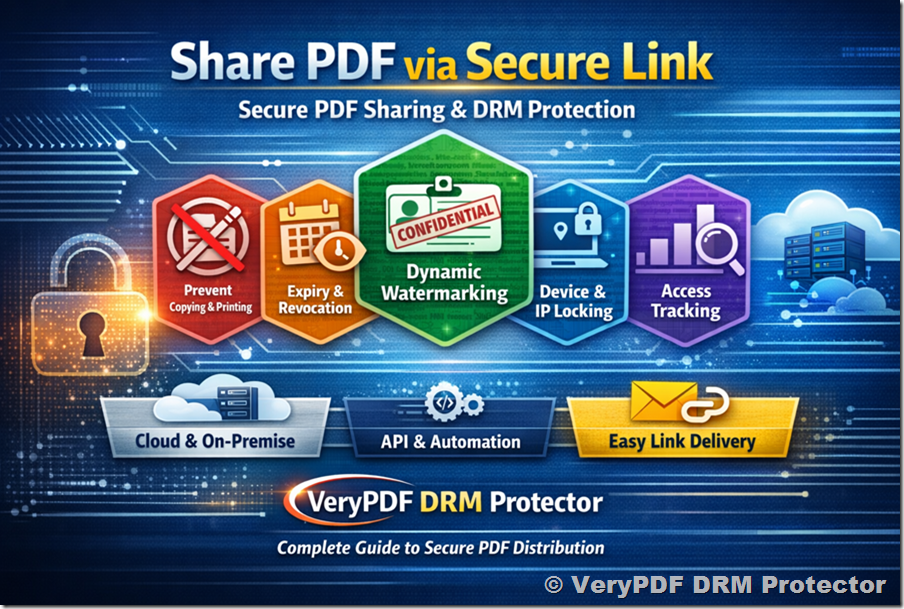
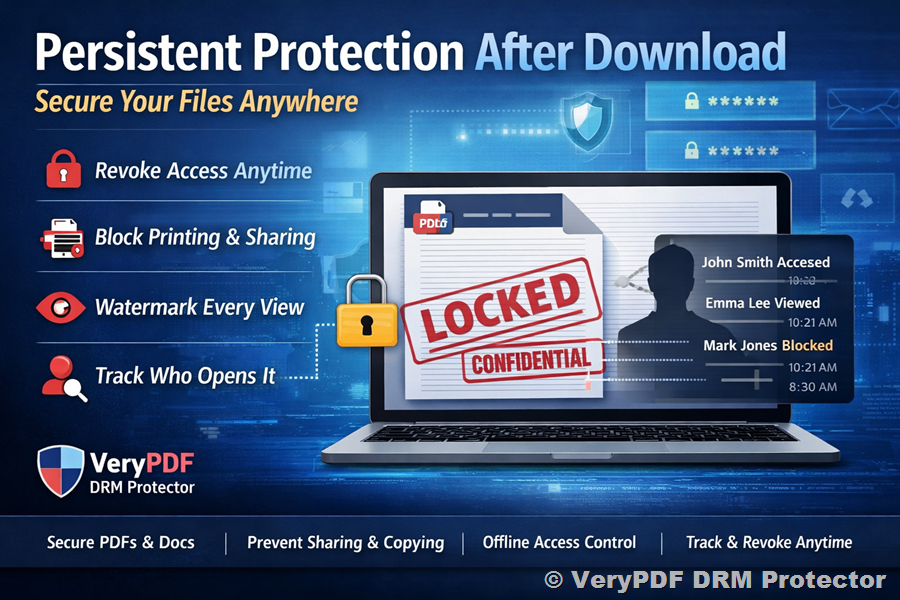
One of the first features I used was dynamic watermarking. Each PDF automatically displayed the student’s name, email, and access date as a watermark.

  • It instantly discouraged sharing because any leaked copy could be traced back.

  • Even if someone tried screenshots, the watermark remained visible, making content theft obvious.

  • Setting this up took less than 15 minutes across all my course PDFs.

For example, I uploaded a batch of lecture notes to Moodle, and by the next day, I noticed fewer requests for “shared copies” in the student forum. The watermarking feature worked silently but effectively.

2. Flexible DRM Controls

VeryPDF DRM Protector offers over 20 controls, which allowed me to tailor access for each student or group:

  • Device and account limits Students can only open materials on a set number of devices.

  • Expiry dates Materials automatically stop being accessible after the semester ends.

  • Offline access control PDFs can be made viewable offline but only within the protected app.

  • IP and location restrictions Prevents content from being accessed in unauthorized regions.

These features gave me peace of mind, knowing that sensitive research or proprietary teaching materials were fully protected. I also appreciated being able to automate permissions instead of manually adjusting settings for every student.

3. Integration with LMS, CMS, and Enterprise Systems

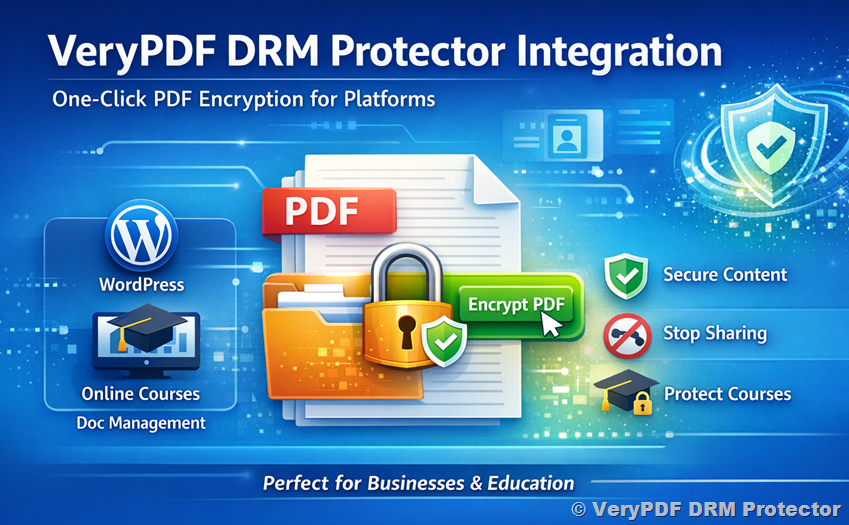
Another game-changer was integration. VeryPDF DRM Protector didn’t just secure filesit became part of the ecosystem.

  • Uploading content to Canvas or Moodle instantly applied DRM protection.

  • For CMS platforms like WordPress or Drupal, I could restrict PDF access to logged-in members.

  • Integration with CRM systems and ERP platforms helped track document engagement, which proved useful for compliance and reporting.

I was able to connect the DRM system with multiple platforms simultaneously, saving hours I previously spent managing permissions across different systems.


Real-World Use Cases

For anyone working in education, training, or content publishing, VeryPDF DRM Protector is a practical solution. Here’s how I’ve seen it applied:

  • University courses: Secure lecture PDFs, research papers, and exam materials against unauthorized distribution.

  • Corporate training: Protect training manuals, compliance guides, and internal reports.

  • Publishers and writers: Restrict distribution of eBooks or technical manuals.

  • Research organizations: Share sensitive documents while controlling who can view and copy them.

I used it during a research collaboration with another university. Both institutions needed to exchange PDFs securely. Using VeryPDF, we could ensure that each recipient had limited access, could not copy or print without permission, and the content was traceable. It saved us months of potential headaches around content misuse.


Advantages Over Other Tools

Before switching to VeryPDF, I tried several PDF protection solutions:

  • Some only encrypted files but didn’t prevent screenshots or sharing.

  • Others required complex manual configurations or didn’t integrate with my LMS.

  • Few offered the level of dynamic watermarking and real-time DRM controls that VeryPDF provides.

VeryPDF DRM Protector was simple to implement, yet powerful. The automation, integration options, and variety of DRM controls made it far more effective than anything else I’d tested.


How VeryPDF DRM Protector Fits Into My Workflow

Now, my workflow looks like this:

  1. Prepare PDF materials as usual.

  2. Upload to my LMS or CMS.

  3. Apply DRM settings: expiry dates, device limits, watermarking.

  4. Students receive access via single sign-on (SSO) or through the protected portal.

  5. Track engagement and ensure materials aren’t shared beyond permitted boundaries.

I can honestly say, it’s transformed how I handle digital content. I spend less time worrying about misuse and more time focusing on teaching.


Conclusion: My Personal Recommendation

If you’re an educator, trainer, or content provider, VeryPDF DRM Protector is a must-have. It solves real problems:

  • Prevents unauthorized sharing and piracy.

  • Tracks who accesses your materials.

  • Integrates smoothly with LMS, CMS, CRM, and ERP systems.

I’d highly recommend this to anyone who deals with large volumes of PDFs and wants true control over their intellectual property. Start your free trial now and boost your productivity: https://drm.verypdf.com/


Custom Development Services by VeryPDF

VeryPDF offers tailored development services to fit your technical needs. Whether it’s specialized PDF processing for Linux, macOS, Windows, or server environments, their expertise covers a wide range of technologies.

  • Development platforms: Python, PHP, C/C++, Windows API, Linux, Mac, iOS, Android, JavaScript, C#, .NET, HTML5.

  • Virtual Printer Drivers: Generate PDF, EMF, image formats; capture print jobs from all Windows printers into PDF, EMF, PCL, Postscript, TIFF, JPG.

  • Document processing: PDF, PCL, PRN, Postscript, EPS, Office documents; barcode recognition and generation; OCR and OCR table recognition.

  • Other tools: Report/document form generators, graphical/image conversion, cloud solutions, digital signatures, DRM, TrueType font technology, Office/PDF printing.

For custom projects, contact VeryPDF through the support center: https://support.verypdf.com/


FAQ

1. How does VeryPDF DRM Protector prevent PDFs from being shared?

It uses AES encryption, dynamic watermarks, and DRM controls such as device limits, IP restrictions, and expiry dates to prevent unauthorized distribution.

2. Can I integrate VeryPDF DRM Protector with my LMS?

Yes, it supports Moodle, Canvas, and other LMS platforms, providing seamless integration and real-time protection.

3. Is offline access possible?

Yes, offline access can be enabled but restricted to the protected environment, ensuring the content remains secure.

4. How does dynamic watermarking work?

Each PDF includes user-specific watermarks with details like name, email, and access time, discouraging sharing and making leaks traceable.

5. What types of organizations benefit most?

Educational institutions, publishers, content creators, research organisations, training companies, and associations all gain value from protecting their digital assets.


Tags/Keywords

  • VeryPDF DRM Protector

  • Protect PDF course materials

  • DRM for LMS

  • Secure PDF sharing

  • Dynamic PDF watermarking

  • PDF encryption

  • Blackboard DRM solution

  • Digital rights management for education

  • Prevent PDF piracy

  • PDF content protection

Secure Moodle PDF Assignments Implement VeryPDF DRM Protector to Block Screenshots and Copying

Secure Moodle PDF Assignments with VeryPDF DRM Protector to Block Screenshots and Copying

Every semester, I noticed a recurring headache: after uploading my PDF assignments to Moodle, students would screenshot or copy parts of the material, bypassing the intended learning flow. It was frustrating seeing months of preparation vanish into uncontrolled sharing, sometimes ending up on forums or WhatsApp groups. I knew I needed a solution that wouldn’t require constant policing but still allowed students to access the content legitimately.

Secure Moodle PDF Assignments Implement VeryPDF DRM Protector to Block Screenshots and Copying

That’s when I stumbled upon VeryPDF DRM Protector. At first, I was skepticalhow could a tool integrate directly with Moodle and other platforms to enforce content security without annoying users? But after diving in, I realised it wasn’t just a toolit was a complete content protection ecosystem designed for educators, publishers, and digital content creators.

Integrating DRM Protection into Moodle and Beyond

VeryPDF DRM Protector offers seamless integration with LMS platforms like Moodle and Canvas, but it doesn’t stop there. It can connect with CMS platforms such as WordPress, Joomla, Drupal, CRMs, DMS solutions, ERP systems, and even eCommerce platforms. For me, the Moodle integration was the game-changer. With a few simple API calls, I could ensure every PDF uploaded was automatically encrypted and protected without any extra effort on my part.

The tool caters to anyone who needs tight control over digital contentteachers, corporate trainers, publishers, and even research organisations. If you create content and worry about it leaking, this software is built for you.

Key Features That Changed My Workflow

Here’s where VeryPDF DRM Protector really shines:

  • Dynamic Watermarking: Every PDF document I uploaded received an automatic watermark containing the student’s ID and timestamp. This single feature drastically reduced illegal sharing, because the watermark made screenshots traceable. One moment I remember clearly: a student attempted to distribute a PDF externally, and the watermark immediately flagged the leak. That was a relief.

  • Copy, Print, and Screenshot Controls: Unlike other tools I tried, which only restricted printing or required complicated installations, VeryPDF’s approach blocked screenshots, printing, and copying on multiple devices, even offline. I could tailor permissionsallowing viewing but restricting saving or sharing, which is crucial when dealing with sensitive exam materials.

  • Expiry and Access Controls: I love that I can set access limits per device or account, control expiry dates, and even restrict access by IP or country. For one course, I restricted content to students accessing from our university network, which instantly prevented external distribution. The control over offline access was especially handy for students in low-connectivity regionsthey could read the PDFs locally, but sharing them elsewhere was impossible.

  • Integration With Other Systems: Because our institution also uses SharePoint and Google Drive for document storage, the integration allowed me to protect documents no matter where they resided. I automated workflows like updating our CRM after students viewed materials or sending out course content via eCommerce plugins for paid training modules. It felt like a complete ecosystem instead of a patchy, add-on solution.

Why I Chose VeryPDF Over Other Solutions

Before finding VeryPDF, I tried multiple PDF protection tools. Some were clunky, slow, and failed to prevent screenshots. Others required students to install additional softwarean impossible ask when managing hundreds of users. VeryPDF stood out because:

  • It’s lightweight and web-based: Students don’t need special software or plugins; they access protected PDFs directly through their browser.

  • Automation is seamless: From watermarking to access controls, everything is handled automatically via APIs.

  • It’s scalable: Whether you’re handling 50 students or 5,000, the system remains responsive and reliable.

Real-World Use Cases

Here’s how I applied VeryPDF DRM Protector in my daily work:

  • University Courses: Protect lecture notes, assignments, and exam papers to ensure only enrolled students can view them.

  • Corporate Training: Distribute sensitive training materials securely across multiple branches without fear of leaks.

  • Publishing: Authors and editors can release PDFs of new publications to beta readers or reviewers without losing control.

  • eLearning Platforms: Paid online courses can be delivered securely, preventing piracy and unauthorized redistribution.

Every time a student opens a protected PDF, the system logs the activity, giving me insights into engagement and compliance. The peace of mind that comes from knowing my content is secure is invaluable.

My Recommendation

For anyone dealing with digital content that needs protectionespecially in educationI’d highly recommend VeryPDF DRM Protector. It’s more than just DRM; it’s a tool that integrates, automates, and secures your documents without disrupting user experience. Since implementing it, I’ve seen a noticeable drop in unauthorized sharing, a smoother workflow for uploading and managing PDFs, and overall happier students who can focus on learning rather than juggling files.

Click here to try it out for yourself: https://drm.verypdf.com/

Custom Development Services by VeryPDF

VeryPDF goes beyond ready-made solutions, offering custom development services tailored to your unique technical requirements. Whether you need PDF processing for Linux, macOS, Windows, or server environments, or specialised Windows Virtual Printer Drivers capable of generating PDF, EMF, or image formats, VeryPDF has you covered.

Services include:

  • Programming and Scripting: Python, PHP, C/C++, Windows API, Linux, Mac, iOS, Android, JavaScript, C#, .NET, HTML5.

  • Printer Job Monitoring: Capture and convert print jobs from all Windows printers into PDF, EMF, PCL, Postscript, TIFF, JPG.

  • Document Analysis: Process PDF, PCL, PRN, Postscript, EPS, Office files, including OCR and table recognition for scanned PDFs and TIFFs.

  • Content Management Tools: Report generators, image and document management, graphical conversions.

  • Cloud Integration: Convert, view, sign, and protect documents in cloud environments.

  • Security Technologies: PDF encryption, digital signatures, DRM protection, TrueType font handling, secure printing.

For bespoke solutions, contact VeryPDF via their support center: https://support.verypdf.com/

FAQ

Q1: Can I integrate VeryPDF DRM Protector with Moodle and other LMS platforms?

Yes. VeryPDF DRM Protector supports automatic API integration with Moodle, Canvas, and other LMS platforms for seamless PDF protection.

Q2: How does dynamic watermarking work?

Dynamic watermarks add personalised information, such as user ID and timestamp, to each PDF. This discourages sharing and helps track leaks if they occur.

Q3: Is offline access possible?

Yes. You can allow offline reading while still restricting printing, copying, and sharing, ensuring content is secure even without an internet connection.

Q4: Can I restrict PDFs by country or IP?

Absolutely. You can set IP restrictions, allow certain regions, and block others to maintain complete control over document access.

Q5: What devices are supported?

VeryPDF DRM Protector works across Windows, macOS, iOS, Android, and browser platforms. It is designed for scalability and multi-device protection.

Tags or keywords

  • DRM PDF protection

  • Secure Moodle assignments

  • PDF screenshot prevention

  • Digital rights management

  • eLearning content security

This setup not only secured my content but also simplified management, making my teaching and content delivery more effective than ever.

Secure Blackboard Lecture Notes Apply VeryPDF DRM Protector for Controlled PDF Distribution

Secure Blackboard Lecture Notes: Apply VeryPDF DRM Protector for Controlled PDF Distribution

Keep your lecture notes safe with VeryPDF DRM Protectorcontrol access, prevent sharing, and secure PDFs across LMS and CMS platforms.

Secure Blackboard Lecture Notes Apply VeryPDF DRM Protector for Controlled PDF Distribution


Every professor knows the headache of distributing lecture notes online.

You upload your PDFs to Blackboard, Moodle, or Canvas, thinking they’re safe, only to discover students are forwarding them or uploading them elsewhere.

The frustration is realyour intellectual property, years of work, shared without your consent.

I faced this exact problem last semester. I was teaching an advanced course, and my lecture notes were being circulated freely, even outside our institution. It wasn’t just inconvenientit risked students relying on materials rather than learning. That’s when I stumbled upon VeryPDF DRM Protector, and it changed the way I shared content completely.


Why VeryPDF DRM Protector is a Game-Changer for Educators

VeryPDF DRM Protector isn’t just another PDF toolit’s a full-fledged Digital Rights Management system designed to integrate seamlessly with platforms like Blackboard, Moodle, Canvas, WordPress, Joomla, and Drupal.

For educators, content creators, and institutions, it’s a shield for PDFs, ensuring your materials stay in the right hands.

When I first explored the tool, I was amazed by its real-time protection capabilities. You can encrypt documents, apply dynamic watermarks, and set granular access controls all within a couple of clicks. Here’s what really stood out for me:

  • Dynamic Text Watermarks: Each PDF automatically embeds unique user-identifying watermarks. This discourages students from taking screenshots or sharing notes online, because their name or ID is stamped visibly on the document.

  • Access & Expiry Controls: I could restrict documents to certain users, limit the number of devices, and even set expiry dates for temporary access. One lecture note I wanted only available for the week of the class? Done.

  • Integration with LMS & CMS: The API allows me to plug the DRM system into Blackboard, Moodle, and even our WordPress site. Students log in through their existing accountsno extra software or complicated setups required.

Compared to other PDF protection tools I tried before, VeryPDF felt intuitive. Many competitors offer encryption, but their solutions were clunky or required separate login layers. VeryPDF integrates seamlesslymy students don’t even notice it, yet the content is completely secure.


My Personal Experience: Real Classroom Impact

Before DRM, I spent hours chasing down PDFs that had been shared externally. I even had a student email me saying they’d accidentally posted notes on a public forum. That was a nightmare.

After implementing VeryPDF DRM Protector, everything changed:

  • Uploading PDFs to Blackboard now triggers automatic DRM encryption.

  • Each student receives a personalized watermark. If someone attempts to screenshot or forward the PDF, their name is visible.

  • I can set download permissions, block offline access, or restrict document opening to campus IPs.

One standout moment? During exam week, I needed to distribute study guides quickly. With DRM, I uploaded them in bulk, set device limits, and added expiration dates. Within minutes, every student had access securely, without any risk of the PDFs being leaked.

Another plusprinting and copy restrictions. Students can read online but cannot print or copy content unless I explicitly allow it. This simple feature drastically reduced unauthorized sharing and gave me peace of mind.


Use Cases Beyond the Classroom

While I primarily use it for lecture notes, VeryPDF DRM Protector applies across multiple scenarios:

  • Training organizations can secure corporate manuals or policy documents.

  • Publishers can distribute ebooks while preventing piracy.

  • Research institutes can share sensitive data or white papers without risking leaks.

  • Film or media companies can protect scripts or production materials during pre-release phases.

In each case, the DRM system ensures that only the right people access content, and any misuse is traceable thanks to watermarks and access logs.


Core Advantages That Won Me Over

  • Seamless Integration: Works with almost any platformLMS, CMS, ERP, CRM, or eCommerce system.

  • Granular Control: Over 20 DRM controls including device limits, printing restrictions, offline access, IP restrictions, and country blocking.

  • Automation: Once set up, the system handles new uploads automatically. No repetitive tasks or manual enforcement.

  • Security: AES encryption ensures content is protected both in transit and at rest.

  • Monitoring & Tracking: Know who accessed what, when, and on which device. Perfect for accountability.

For me, the combination of dynamic watermarks, integration, and automation was a real productivity booster. No more chasing down unauthorized PDFs or spending hours emailing students about content misuse.


Conclusion: Why I Recommend VeryPDF DRM Protector

If you’re an educator, content creator, or institution dealing with valuable digital content, this tool is indispensable.

It solves real problems:

  • Prevents unauthorized sharing and piracy.

  • Gives you control over who can view, print, or download content.

  • Integrates with existing systems without disrupting workflow.

I’d highly recommend this to anyone who deals with large volumes of PDFs, whether for teaching, publishing, or corporate training.

Click here to try it out for yourself: https://drm.verypdf.com/


Custom Development Services by VeryPDF

VeryPDF provides tailored development services to meet unique technical needs. From Linux, macOS, and Windows utilities to server-based solutions, the team can deliver custom features for your business.

  • Development Languages & Tools: Python, PHP, C/C++, Windows API, Linux, Mac, iOS, Android, JavaScript, C#, .NET, HTML5.

  • Virtual Printer Drivers: Generate PDF, EMF, TIFF, JPG, and more.

  • Printer Job Monitoring: Intercept and save print jobs from all Windows printers.

  • Document Analysis & OCR: Extract tables, convert formats, and recognize text in PDFs and scanned TIFFs.

  • Cloud & Web Integration: DRM, document signing, viewing, and conversion capabilities.

If you have a specific requirement, contact VeryPDF’s support at https://support.verypdf.com/ to discuss a tailored solution.


FAQ

Q1: Can VeryPDF DRM Protector integrate with Blackboard or Canvas?

A1: Yes, it offers API integration for major LMS platforms, allowing seamless distribution of protected PDFs without extra logins for students.

Q2: Can I prevent students from taking screenshots of my lecture notes?

A2: Absolutely. The software uses dynamic text watermarks that display each user’s information, discouraging sharing or screenshots.

Q3: Can I set an expiry date for my PDFs?

A3: Yes. You can limit access to specific dates or durations, perfect for temporary course materials or exams.

Q4: Does it support offline access?

A4: Offline access can be controlled. You can allow or block downloads, ensuring your content is secure even when students work remotely.

Q5: Can I monitor who views my PDFs?

A5: Yes. VeryPDF DRM Protector provides logs of document access, including device, IP, and timestamp, helping you track usage accurately.


Tags/Keywords:

VeryPDF DRM Protector, secure lecture notes, Blackboard PDF security, protect PDFs online, dynamic watermarking, digital rights management, LMS integration, controlled PDF distribution, academic content protection, DRM for educators

Blackboard LMS Integration Monitor User Activity in Real-Time with VeryPDF DRM Protector

Blackboard LMS Integration: Monitor User Activity in Real-Time with VeryPDF DRM Protector

Protect your course materials and monitor student activity in real-time with VeryPDF DRM Protector integrated with Blackboard LMS.

Blackboard LMS Integration Monitor User Activity in Real-Time with VeryPDF DRM Protector


Every semester, I faced the same headache.

I’d upload all my course PDFs and lecture notes to Blackboard, only to find students sharing them outside the class or printing them without permission.

It wasn’t just about copyrightit was about control, accountability, and knowing exactly who was accessing my materials.

I needed a way to secure my PDFs, track student interactions, and keep everything seamless for the learners.

That’s when I discovered VeryPDF DRM Protector, a tool that completely changed the way I manage digital content in Blackboard LMS.

It isn’t just a PDF protectorit’s a full-scale solution that integrates with LMS platforms like Moodle and Canvas, CMS platforms such as WordPress and Joomla, CRM systems, DMS, ERP, eCommerce platforms, and even custom applications.

It gives me real-time insights into who is accessing my materials, how often, and from which devicesall while keeping my PDFs fully secure.


Why I Chose VeryPDF DRM Protector for Blackboard LMS Integration

I had tried a few other DRM and PDF protection tools in the past, but they always fell short in one way or another.

Some offered encryption but no monitoring.

Others allowed tracking but didn’t prevent printing or screenshots.
VeryPDF DRM Protector combines both worlds: strong encryption plus dynamic watermarking, and over 20 DRM controls to fully manage access.

When I integrated it with Blackboard, the setup was surprisingly smooth.

Using the REST API, I connected my course library to the DRM system.

Students log in once with single sign-on (SSO), and from there, every interaction is logged.

No extra clicks, no disruptions to their learning experiencejust seamless security.


Core Features That Make Life Easier

1. Real-Time Monitoring and Analytics

I can now see exactly who is opening a PDF, how many times, and even which pages they’re spending the most time on.

For example, during a recent economics module, I noticed a handful of students repeatedly accessed the case study PDFs late at night.

This insight allowed me to tailor follow-up questions in class and encourage more engagement.

2. Dynamic Watermarking

One of my favourite features is the automatic user-specific watermarking.

Every PDF is stamped with the student’s name, email, and access time.

If a file ever leaks, I can immediately trace it back to the source.

It’s not just deterrenceit’s accountability baked right into the content.

3. Fine-Grained Access Controls

From device limits to country restrictions, expiry dates, and offline access controls, I can tailor permissions based on the user or group.

For instance, I can allow my teaching assistants to print lecture notes, while students can only view them online.

This flexibility is something I couldn’t get from other DRM solutions I tested.

4. Multi-System Integration

Since I also manage content on WordPress and a small eCommerce platform for course materials, VeryPDF DRM Protector’s integration capabilities are a lifesaver.

I can push new PDFs to multiple platforms simultaneously, track usage in all systems, and automate notifications when documents are accessed or shared.

5. Offline and IP-Based Controls

Sometimes students are in remote areas with limited internet access.

I can enable offline viewing but restrict access to specific devices, or limit the number of times a PDF can be opened.

It’s a balance between convenience and security that actually works in the real world.


How It Transformed My Workflow

Before VeryPDF, I spent hours checking logs, following up with students who complained about missing files, or worrying about unauthorized distribution.

Now, everything happens automatically.

I upload the PDFs, configure permissions, and the system handles monitoring, watermarking, and access restrictions in the background.

During my last semester, I had over 200 students accessing multiple PDFs.

Not a single file was leaked.

I could see exactly who was engaging with the material and when.

This level of transparency has improved student accountability and reduced my administrative workload by at least 40%.


Comparing VeryPDF DRM Protector to Other Tools

Other DRM systems I tested either:

  • Had clunky LMS integrations that required extra development work.

  • Offered static watermarks that students could crop or blur.

  • Limited monitoring capabilities, giving only file open counts, no detailed analytics.

VeryPDF DRM Protector stands out because:

  • It integrates seamlessly with multiple platforms.

  • Provides dynamic watermarks that are hard to bypass.

  • Offers granular DRM controls for every user type.

  • Tracks real-time activity and gives actionable insights.

The difference is night and day.

I now feel in control, without slowing down my students or overcomplicating the workflow.


Use Cases Beyond Blackboard LMS

While my experience focuses on educational content, VeryPDF DRM Protector has broader applications:

  • Corporate Training Track employee engagement with internal training documents.

  • Publishing Protect eBooks or research papers distributed online.

  • Finance Secure client reports while monitoring who views them.

  • Legal Firms Control access to sensitive case files.

Essentially, any organisation that needs secure, trackable document distribution can benefit.


Conclusion: Why I Recommend It

VeryPDF DRM Protector solves multiple headaches in one package:

  • Keeps PDFs secure against leaks and unauthorized printing.

  • Provides full visibility into who is accessing content and when.

  • Integrates seamlessly with Blackboard LMS and other platforms.

  • Offers flexible DRM settings to match your workflow.

I’d highly recommend this to anyone who deals with large volumes of PDFs, especially in educational settings.

It’s been a game-changer for me, saving time, preventing unauthorized sharing, and making course management far more efficient.

Start your free trial now and boost your productivity: https://drm.verypdf.com/


Custom Development Services by VeryPDF

VeryPDF offers comprehensive custom development services to meet unique technical requirements.

Whether you need specialized PDF processing solutions for Linux, macOS, Windows, or server environments, VeryPDF’s team can tailor solutions to your workflow.

Services include development in Python, PHP, C/C++, Windows API, Linux, Mac, iOS, Android, JavaScript, C#, .NET, and HTML5.

Expertise extends to Windows Virtual Printer Drivers capable of generating PDF, EMF, and image formats, as well as printer job capturing and monitoring, intercepting and saving print jobs from all Windows printers into formats like PDF, EMF, PCL, Postscript, TIFF, and JPG.

VeryPDF also handles system-wide and application-specific hook layers to monitor and intercept Windows APIs, including file access APIs.

Additional services include barcode recognition and generation, OCR and table recognition, layout analysis, and document form/report generation.

They provide solutions for image conversion, document management, cloud-based conversion, digital signatures, DRM protection, font technologies, and Office/PDF printing.

For tailored solutions, contact VeryPDF Support: https://support.verypdf.com/


FAQ

Q1: Can VeryPDF DRM Protector track who opens a PDF in real-time?

Yes, it provides detailed analytics on PDF access, including user identity, device, location, and pages viewed.

Q2: Does it work with multiple LMS platforms?

Absolutely. It integrates with Blackboard, Moodle, Canvas, and other LMS platforms using REST APIs and SSO.

Q3: Can I prevent students from printing or sharing PDFs?

Yes, dynamic DRM controls let you restrict printing, copying, screen sharing, and even offline access.

Q4: How does dynamic watermarking work?

Every PDF is automatically stamped with user-specific information like name, email, and timestamp, deterring unauthorized sharing.

Q5: Is it possible to integrate with other systems like CRM or eCommerce platforms?

Yes, VeryPDF DRM Protector integrates with CRMs, CMS, DMS, ERP, and eCommerce platforms, enabling automated content distribution and monitoring.


Tags / Keywords

Blackboard LMS DRM, PDF content protection, student monitoring tools, digital rights management, LMS integration, eLearning security, VeryPDF DRM, document tracking, dynamic watermarking, online course protection

Blackboard PDF Protection Use VeryPDF DRM Protector to Limit Access by Device or Location

Blackboard PDF Protection: Use VeryPDF DRM Protector to Limit Access by Device or Location

Secure your course PDFs with VeryPDF DRM Protector, controlling access by device, location, and more for LMS and eLearning platforms.

Blackboard PDF Protection Use VeryPDF DRM Protector to Limit Access by Device or Location


Every semester, I used to wrestle with the nightmare of sharing course materials on Blackboard and other LMS platforms.

No matter how careful I was, PDFs would end up downloaded, shared with other students, or even leaked outside the classroom.

The thought of my carefully crafted lecture notes floating around unchecked made me anxiousand frankly, frustrated.

I needed a solution that would let me share educational resources digitally without losing control over who accessed them.

That’s when I discovered VeryPDF DRM Protector, and honestly, it changed the game for me.

This tool isn’t just about slapping a password on a PDFit’s a full-on digital rights management system that works across devices, platforms, and even geographies.

If you’re an educator, content creator, or institution struggling with securing PDFs on LMS platforms like Blackboard, Moodle, or Canvas, this is exactly what you need.


Why VeryPDF DRM Protector Became My Go-To for PDF Security

I started by exploring the basic features.

VeryPDF DRM Protector integrates seamlessly with LMS platforms (Moodle, Canvas), CMS platforms (WordPress, Joomla, Drupal), CRM systems (Salesforce, Zoho), DMS solutions (SharePoint, M-Files), cloud storage (Google Drive, Dropbox, OneDrive), ERP systems (SAP, Oracle, Microsoft Dynamics), and even eCommerce platforms (WooCommerce, Shopify, Magento).

Basically, no matter where my PDF lived, VeryPDF could protect it.

What stood out immediately was the dynamic watermarking feature.

Instead of a static watermark, every PDF gets personalised watermarks tied to the user’s account, device, and IP address.

For example, when I uploaded my lecture notes for a seminar, each student received a uniquely watermarked copy.

If they attempted to screenshot or share it, the watermark clearly identified the source.

I no longer worried about anonymous leaks or unauthorized sharingthe system had my back.

Another standout is the granular access control.

I could limit PDFs by:

  • Device limits (allowing a student to open a file on only one laptop and tablet)

  • Account/library limits (restricting files to registered students)

  • Expiry dates (for timed access during the course)

  • IP address restrictions (blocking access from outside the campus or certain countries)

I remember a specific case: I was teaching an international seminar, and I wanted students in certain countries to access the notes, but not others.

Before VeryPDF, this was nearly impossible without creating separate PDF copies manually.

Now, I just applied country-level restrictions, and everything worked seamlessly.


How I Integrated DRM Protection into Blackboard and Other LMS

Integration was surprisingly straightforward.

VeryPDF offers REST API support and single sign-on (SSO), so I connected it with Blackboard without disrupting student workflows.

Students could log in as usual and access materials, but behind the scenes, VeryPDF enforced DRM rules in real-time.

Some features I found incredibly useful:

1. Offline Access Controls

Even if students wanted to download the PDF, I could control whether they could view it offline.

It’s a subtle but powerful featurestudents can study anywhere, but the content remains secure.

2. Printing and Copy Controls

I could allow students to print a single copy for personal study while preventing bulk printing or copying into other documents.

For exams and graded assignments, this was critical to prevent redistribution.

3. Tracking and Analytics

I could see exactly when and where a PDF was accessed.

This was more than just reassuranceit helped me notice patterns, such as students struggling to open files due to device incompatibility, which I could then proactively fix.


Comparing VeryPDF DRM Protector to Other Tools

I’ve tried generic PDF password protection and even some other DRM platforms.

Here’s why VeryPDF stands out:

  • Other tools: Just password-protected PDFs. One leak, and the whole PDF is compromised.

  • VeryPDF DRM Protector: Device, account, IP, and country restrictions plus dynamic watermarks. Even screenshots carry user identification.

  • Other tools: Manual file management and multiple versions to cover different restrictions.

  • VeryPDF DRM Protector: Centralised management. One upload, multiple controls. Save time, avoid human error.

  • Other tools: Limited integration with LMS or CMS.

  • VeryPDF DRM Protector: API and SSO integration with LMS, CRM, DMS, ERP, eCommerce, making it perfect for educational institutions and content-heavy organisations.


Real-World Use Cases

Here’s where I’ve found VeryPDF DRM Protector invaluable:

  • Universities and Colleges Securing lecture notes, exam papers, and eBooks.

  • Corporate Training Protecting proprietary training manuals and onboarding materials.

  • Publishing Preventing eBook piracy while allowing legal downloads.

  • Research Organizations Sharing sensitive studies or reports with specific collaborators only.

For example, during a recent cross-campus workshop, I uploaded all the materials using VeryPDF.

Students could access their files on tablets during live sessions without fear of leaks.

It worked flawlessly, and the dynamic watermarks made sure every file was traceable.


Why I Recommend VeryPDF DRM Protector

If you deal with sensitive PDFs on Blackboard, Canvas, Moodle, or any other LMS, VeryPDF DRM Protector is a no-brainer.

It saves time, reduces stress, and gives you peace of mind knowing your content isn’t floating around unprotected.

I’d highly recommend this to anyone who manages digital contentespecially educators, trainers, publishers, and research professionals.

You can start securing your PDFs today and control exactly who accesses them.

Click here to try it out for yourself: https://drm.verypdf.com/


Custom Development Services by VeryPDF

VeryPDF offers flexible custom development services tailored to your technical needs.

Whether you require PDF processing solutions for Linux, macOS, Windows, or server environments, their expertise spans multiple technologies:

  • Python, PHP, C/C++, Windows API, Linux, Mac, iOS, Android, JavaScript, C#, .NET, HTML5

  • Windows Virtual Printer Drivers for PDF, EMF, and image outputs

  • Tools to capture and monitor printer jobs (PDF, EMF, PCL, Postscript, TIFF, JPG)

  • System-wide and application-specific API hooks

  • Advanced document processing (PDF, PCL, PRN, Postscript, EPS, Office documents)

  • OCR and table recognition for scanned PDFs/TIFFs

  • Cloud-based solutions for document conversion, digital signatures, and DRM protection

If you have specific technical requirements, you can discuss them directly with VeryPDF via the support center: https://support.verypdf.com/


FAQs

1. Can I restrict access to PDFs by device or location?

Yes, VeryPDF DRM Protector allows device limits, IP restrictions, and country-based access control.

2. Does it integrate with Blackboard or other LMS platforms?

Absolutely. VeryPDF DRM Protector integrates seamlessly with LMS like Moodle, Canvas, and Blackboard via APIs and SSO.

3. Can I track who accessed my PDFs and when?

Yes, it offers detailed access logs and analytics to monitor user activity.

4. Is offline access possible while keeping files secure?

Yes, you can enable or disable offline access while still maintaining DRM controls and dynamic watermarks.

5. Can I prevent printing, copying, or sharing?

Yes, you can control printing, copying, and screen-sharing, ensuring your content remains protected.


Tags / Keywords

  • Blackboard PDF protection

  • VeryPDF DRM Protector

  • LMS PDF security

  • Digital rights management for education

  • Secure course materials

  • PDF watermarking and access control