[Solution] Digital Rights Management for Corporate Training Materials: Why Choose PDF DRM Protection

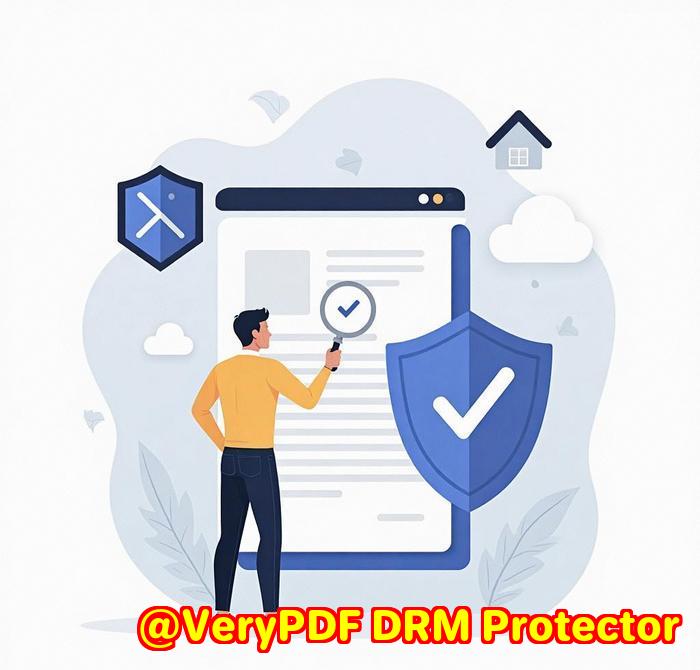
In today’s digital landscape, the need to protect corporate training materials has become more pressing than ever. As businesses increasingly rely on digital documents and eLearning content, safeguarding this valuable intellectual property from unauthorized access, copying, and redistribution is paramount. VeryPDF PDF DRM Protector offers a robust solution to protect your corporate training materials and ensure that they are only accessible to authorized users.

[Solution] Digital Rights Management for Corporate Training Materials: Why Choose PDF DRM Protection

Why Is Protecting Corporate Training Materials Crucial?

Corporate training materials, such as manuals, courses, eBooks, and presentations, are an essential part of a company’s intellectual property. These materials can contain proprietary information, industry-specific knowledge, or trade secrets that provide a competitive advantage. However, as digital content becomes easier to distribute and share, it also becomes more vulnerable to unauthorized use.

Without proper protection, these materials can be copied, altered, or shared without consent, leading to significant financial and reputational risks. Unauthorized distribution can result in breaches of confidentiality, loss of control over content, and even legal issues. Protecting your corporate training materials through Digital Rights Management (DRM) ensures that only authorized users have access and that your content remains secure.

What Is VeryPDF PDF DRM Protector?

VeryPDF PDF DRM Protector is an advanced tool designed specifically to provide digital rights management (DRM) protection for PDF documents. It enables businesses to protect their training materials and other sensitive content, ensuring that it is not misused or shared without permission.

This tool applies DRM technology to control how PDFs are accessed, shared, and used. It is ideal for businesses that need to distribute training materials securely, with customizable permissions and access restrictions. With features like expiration dates, watermarking, and real-time access revocation, VeryPDF PDF DRM Protector allows businesses to maintain control over their corporate content.

Key Features of VeryPDF PDF DRM Protector

  1. Prevent Unauthorized Copying, Editing, and Printing
    One of the key features of VeryPDF PDF DRM Protector is the ability to prevent unauthorized copying, editing, and printing of your corporate training materials. This helps ensure that the integrity of the content is maintained and that it is only used in the way it was intended.
  2. Expiration Dates for Content Access
    Corporate training materials often have limited relevance over time. For instance, training manuals or course materials may be updated regularly, or may only be relevant for specific periods (e.g., for a quarterly training session). With VeryPDF PDF DRM Protector, you can set expiration dates on your PDF documents, ensuring that users only have access to the content for the specified time period.
  3. Customizable Watermarking
    To deter unauthorized sharing and distribution, the tool allows businesses to add customizable watermarks to their PDFs. These watermarks can display important messages such as “Confidential,” “Do Not Share,” or even the recipient’s name, making it clear that the content is protected and traceable.
  4. Real-Time Access Revocation
    One of the most powerful features of DRM protection is the ability to revoke access to a document at any time. If a corporate training document is accidentally shared with an unauthorized person, or if there is a security breach, you can immediately revoke access to the document, preventing further distribution.
  5. Track Document Usage
    VeryPDF PDF DRM Protector also provides usage tracking and monitoring capabilities, enabling businesses to see who has accessed their training materials and when. This is useful for tracking engagement and ensuring compliance with licensing agreements or internal company policies.

Benefits of Using VeryPDF PDF DRM Protector for Corporate Training Materials

  1. Protect Intellectual Property
    Corporate training materials often contain proprietary information. DRM protection ensures that this content is not leaked or shared without permission, safeguarding your company’s valuable intellectual property.
  2. Control Over Access
    VeryPDF PDF DRM Protector allows businesses to have granular control over who can access training materials. You can set access restrictions based on roles, departments, or individuals, ensuring that only the right people have access to sensitive content.
  3. Enhanced Security
    Unlike simple password protection, DRM tools like VeryPDF PDF DRM Protector offer robust security features that prevent screenshots, screen recording, copying, editing, and printing. This provides an extra layer of protection against unauthorized use.
  4. Ease of Use
    VeryPDF PDF DRM Protector is a cloud-based tool, meaning there is no need to install complex software or worry about compatibility. Businesses can simply upload their PDF documents and configure their desired security settings with ease.
  5. Cost-Effective Solution
    VeryPDF PDF DRM Protector offers an affordable solution to protect corporate training materials. It is ideal for businesses of all sizes, offering high-level security at a fraction of the cost of traditional DRM solutions.

How to Use VeryPDF PDF DRM Protector?

Getting started with VeryPDF PDF DRM Protector is simple. Businesses can visit the VeryPDF PDF DRM Protector website, upload their corporate training PDFs, and configure security settings. The process is quick, user-friendly, and ensures that your content is fully protected from unauthorized access and misuse.

Conclusion

In an increasingly digital world, protecting your corporate training materials is more critical than ever. VeryPDF PDF DRM Protector provides an advanced, easy-to-use solution to secure your content and maintain control over who can access, share, and modify it. By using DRM technology, businesses can safeguard their intellectual property, ensure compliance, and prevent unauthorized distribution, all while maintaining a smooth and secure learning experience for employees.

Explore VeryPDF PDF DRM Protector today and take the first step towards protecting your corporate training materials with the power of DRM.

[Solution] How Educational Institutions Can Leverage PDF DRM Technology to Protect eTextbooks?

In the digital age, educational institutions face the growing challenge of protecting their intellectual property and ensuring the security of their educational content. With the rise of eBooks and digital learning materials, it has become crucial to prevent unauthorized access, copying, and distribution of sensitive educational resources. VeryPDF PDF DRM Protector provides a powerful solution for safeguarding eTextbooks and educational PDFs, offering an effective way to protect educational content while still allowing authorized users to access and benefit from it.

[Solution] How Educational Institutions Can Leverage PDF DRM Technology to Protect eTextbooks?

The Need for Protecting eTextbooks

Educational materials, especially textbooks, are valuable intellectual property that can be easily shared, copied, or redistributed online. This unauthorized distribution can lead to financial losses for publishers and educational institutions, as well as legal issues regarding copyright infringement. With the increasing popularity of digital learning, eTextbooks are particularly vulnerable to piracy, making it more important than ever for educational institutions to implement strong protection mechanisms.

Traditional methods of securing PDF files, such as password protection, may not be enough to prevent unauthorized access or distribution. This is where VeryPDF PDF DRM Protector comes into play, offering a more robust solution by applying Digital Rights Management (DRM) technology to control how PDFs are accessed, shared, and used.

What is VeryPDF PDF DRM Protector?

VeryPDF PDF DRM Protector is a comprehensive PDF security tool designed to provide advanced protection for your PDFs using DRM technology. It offers features that allow educational institutions to restrict access to their eTextbooks, ensuring that only authorized users can view and interact with the content.

With this solution, educational institutions can:

  • Set expiration dates for PDF access, ensuring that content is only available for a specified period.
  • Prevent screenshots and screen recording to prevent the unauthorized sharing of content.
  • Disable copying, editing, and printing of eTextbooks to preserve the integrity of the content.
  • Restrict access to specific individuals or groups, providing a more controlled distribution.
  • Track who accesses the document and when, offering full visibility into the usage of educational materials.

Key Benefits for Educational Institutions

  1. Protecting Intellectual Property
    With eTextbooks and digital learning materials, ensuring that only authorized individuals have access to the content is essential. VeryPDF PDF DRM Protector helps prevent unauthorized distribution by restricting the ability to copy, print, or edit documents. Educational institutions can now safely distribute their content knowing that it is protected against piracy and unauthorized use.
  2. Granular Control Over Permissions
    VeryPDF PDF DRM Protector allows educational institutions to set specific permissions for each PDF document. For example, teachers or administrators can provide students with view-only access, preventing them from copying or printing the content. Additionally, access can be restricted based on the individual or group, providing flexibility and control over how educational materials are shared.
  3. Time-Based Access
    Many educational institutions offer eTextbooks for specific periods (e.g., for the duration of a semester). VeryPDF PDF DRM Protector allows you to set expiration dates for the PDFs. Once the expiration date is reached, the file becomes inaccessible, ensuring that students only have access to the content when they are authorized to do so. This feature is especially useful for temporary course materials and for limiting the use of outdated textbooks.
  4. Watermarking for Added Security
    To further discourage unauthorized sharing and copying, VeryPDF PDF DRM Protector allows you to add customizable watermarks to your PDFs. These watermarks can display messages such as “Confidential” or “Do Not Share,” and can serve as a deterrent to those considering distributing the document without authorization.
  5. Real-Time Access Revocation
    One of the standout features of DRM protection is the ability to revoke access to a document in real-time. If a document is shared with an unauthorized individual or if there is a security breach, educational institutions can instantly revoke access, preventing further distribution of the eTextbook. This ability provides an extra layer of protection and peace of mind.
  6. Usage Tracking and Monitoring
    VeryPDF PDF DRM Protector also provides tracking and monitoring features, allowing educational institutions to see who has accessed their eTextbooks and when. This feature is particularly useful for ensuring compliance with licensing agreements, as well as for tracking student usage of learning materials. Institutions can gain valuable insights into how their digital content is being used.

Why Choose VeryPDF PDF DRM Protector for Educational Institutions?

  • Comprehensive Protection: Beyond simple password encryption, it offers full DRM features to prevent unauthorized copying, printing, and editing of PDFs, providing a higher level of security for educational materials.
  • Ease of Use: The cloud-based tool is easy to use, allowing educational institutions to quickly and efficiently protect their eTextbooks without requiring complex software installations.
  • Customizable Permissions: Institutions can tailor access permissions according to their needs, ensuring that the right people have the right level of access to the content.
  • Affordable Solution: VeryPDF PDF DRM Protector offers a cost-effective solution for protecting educational content, making it accessible for institutions of all sizes.

How to Use VeryPDF PDF DRM Protector

Using VeryPDF PDF DRM Protector is simple. Educational institutions can visit the VeryPDF PDF DRM Protector website and upload their eTextbook PDFs. From there, they can configure various permissions, set expiration dates, add watermarks, and more. The entire process is quick, secure, and user-friendly.

Conclusion

As digital learning continues to evolve, protecting educational content has become a priority for institutions. VeryPDF PDF DRM Protector offers a comprehensive and easy-to-use solution to safeguard eTextbooks and other digital materials. With its advanced DRM features, educational institutions can maintain control over their intellectual property, prevent unauthorized distribution, and ensure that their valuable content is used in the way it was intended.

By leveraging VeryPDF PDF DRM Protector, educational institutions can confidently protect their eTextbooks and foster a secure digital learning environment for students and educators alike.

Explore VeryPDF PDF DRM Protector today and take control of your educational content security!

[Solution] How to Effectively Protect PDF File Copyright? A One-Stop PDF DRM Solution

In today’s digital age, where information flows freely across the internet, protecting the copyrights of your PDF documents has become a critical concern. Whether you’re a business sharing confidential reports, an author distributing eBooks, or a designer safeguarding creative work, it’s essential to ensure that your PDF files remain secure from unauthorized use and distribution. The key to achieving this is to use the right tools and strategies to protect your PDFs.

[Solution] How to Effectively Protect PDF File Copyright? A One-Stop PDF DRM Solution

Protecting PDF Copyrights: Why It Matters

PDF (Portable Document Format) files are one of the most widely used formats for document sharing, but they are also prone to unauthorized access, copying, editing, or even redistribution. Without proper protection, PDFs can be easily tampered with, leading to intellectual property theft, data breaches, and loss of control over your sensitive information. This is where PDF security tools come into play.

VeryPDF PDF DRM Protector offers an all-in-one solution to effectively protect the copyrights of your PDFs and ensure that your intellectual property remains secure.

What Is VeryPDF PDF DRM Protector?

VeryPDF PDF DRM Protector is a comprehensive PDF security tool designed to provide Digital Rights Management (DRM) protection to your PDF files. It allows you to control how your PDF documents are accessed, shared, and used, providing an extra layer of security beyond traditional password protection. The tool uses advanced DRM technology to prevent unauthorized copying, editing, printing, and sharing of your PDFs.

With VeryPDF PDF DRM Protector, you can:

  • Set expiration dates for access to your documents.
  • Prevent screenshots and screen recording.
  • Disable copying or printing of content.
  • Restrict access to specific individuals or groups.
  • Track who opens your document and when.

This robust protection ensures that your PDF files are used only as you intend, and once your document is protected, you have complete control over its distribution and access.

Key Features of VeryPDF PDF DRM Protector

  1. Granular Control Over Permissions
    With VeryPDF PDF DRM Protector, you can set specific permissions for your PDF files. For example, you can restrict users from editing, copying, or printing your document. You can even prevent users from taking screenshots or sharing the file with others. This allows you to maintain complete control over your content.
  2. Time-Based Access Restrictions
    The tool enables you to set expiration dates for your documents. This means that you can specify a timeframe during which the PDF can be accessed. After the expiration date, the document will no longer be available, ensuring that your content is protected even after distribution.
  3. Watermarking for Extra Security
    To deter unauthorized sharing and copying, VeryPDF PDF DRM Protector adds customizable watermarks to your PDFs. These watermarks can display important information such as “Confidential” or “Do Not Share,” and can be customized to appear as visible text or images on your document.
  4. Real-Time Access Revocation
    One of the key features of DRM protection is the ability to revoke access in real-time. If a document is shared with an unauthorized person or is found to be at risk, you can instantly revoke access to it, preventing further unauthorized use.
  5. Usage Tracking and Monitoring
    The tool also offers the ability to track who is accessing your document and when. This feature is especially useful for monitoring the distribution of sensitive business documents or intellectual property. You can keep an eye on who is accessing your files and what actions they are taking.
  6. User-Friendly Interface
    Despite its powerful features, VeryPDF PDF DRM Protector is easy to use. The cloud-based tool allows you to upload and protect your PDFs without the need for complex software installations. It offers an intuitive interface that makes securing your documents simple and quick.

Why Choose VeryPDF PDF DRM Protector?

VeryPDF PDF DRM Protector stands out in the market for its ability to offer both powerful protection and ease of use. Here are a few reasons why it’s the right choice for protecting your PDFs:

  • Comprehensive Protection: Beyond simple password encryption, it offers a full range of DRM features to prevent unauthorized copying, printing, and editing.
  • Customizable Permissions: Tailor access permissions according to your needs, including view-only access, expiration dates, and even restrictions on screenshots and printing.
  • Cloud-Based Convenience: No need for software installation. Protect your documents directly from your browser anytime, anywhere.
  • Real-Time Control: Revoke access at any time and monitor who is accessing your files.
  • Cost-Effective: Affordable pricing for a robust solution to protect your PDF copyrights and intellectual property.

How to Use VeryPDF PDF DRM Protector?

To start protecting your PDFs, simply visit the VeryPDF PDF DRM Protector website and upload the PDF you want to protect. From there, you can set up permissions, expiration dates, watermarks, and more. The process is fast, efficient, and secure.

Conclusion: The Best Solution for PDF Copyright Protection

In a world where intellectual property theft is rampant, protecting your PDFs is more important than ever. VeryPDF PDF DRM Protector provides an easy-to-use and powerful solution for ensuring the security of your documents. With its advanced DRM features, granular control over document access, and real-time monitoring, you can rest assured that your PDFs are safe from unauthorized use and distribution.

Whether you’re sharing confidential business reports, protecting creative works, or safeguarding legal documents, VeryPDF PDF DRM Protector is the ideal tool for securing your PDFs and protecting your copyrights.

Explore VeryPDF PDF DRM Protector today and take control of your PDF security!

PDF Encryption vs. DRM Protection: Which One Is Right for Your Needs?

In today’s digital age, protecting PDF documents from unauthorized access and distribution is more important than ever. Whether you are sharing sensitive business documents, confidential contracts, or intellectual property, ensuring your PDFs remain secure is a top priority. When considering protection options, two commonly used methods stand out: PDF Encryption and Digital Rights Management (DRM) Protection.

In this article, we will compare PDF encryption and DRM protection to help you understand the differences and determine which one is best suited for your needs.

Explore VeryPDF PDF DRM Protector here: VeryPDF PDF DRM Protector

PDF Encryption vs. DRM Protection: Which One Is Right for Your Needs?


What is PDF Encryption?

PDF encryption refers to the process of securing a PDF file with a password, ensuring that only authorized users can open and view the document. This is the most basic form of document protection, where the PDF is encrypted using a secret key that only the recipient knows.

PDF encryption generally allows users to set a password that must be entered before the document can be accessed. Additionally, it may also offer restrictions on printing or copying the content. However, this protection is relatively simple and can be bypassed by advanced tools or techniques.


What is DRM Protection?

Digital Rights Management (DRM) protection is a more advanced form of document security. Unlike encryption, DRM controls the usage rights of a document, going beyond simple password protection. DRM can impose a variety of restrictions on a PDF, such as:

  • View-only access: Prevents users from editing, copying, or printing the document.
  • Expiration dates: Allows the document to be accessible only for a specific period of time.
  • Watermarking: Adds visible text or images to the document to indicate ownership or discourage unauthorized sharing.
  • Access control: Limits access to specific individuals or groups and allows real-time control, such as revoking access at any time.
  • Tracking: Monitors who is accessing the document and what actions they are taking.

DRM protection gives you much more granular control over how your PDFs are used and distributed, making it a preferred option for those looking for higher levels of security.


Key Differences: PDF Encryption vs. DRM Protection

Feature PDF Encryption PDF DRM Protection
Password Protection Yes, requires a password to open the PDF. Yes, but also includes additional controls like access restrictions.
Limitations on Editing Can restrict editing, but not always secure. Prevents editing, copying, printing, and tampering with the document.
Expiry Dates No, cannot set expiration dates. Yes, expiration dates can be set, limiting document access after a certain period.
Tracking & Monitoring No, does not track document usage. Yes, tracks who accesses the document and when.
Revoke Access No, once the file is sent, access is permanent. Yes, allows you to revoke access in real-time.
Usage Restrictions Basic restrictions like printing and copying. Granular restrictions, including preventing screenshots, printing, and more.
Ease of Use Simple and fast to implement. More complex setup, but offers greater control.

When to Use PDF Encryption?

PDF encryption is a good choice when you need basic protection for your documents. It is straightforward to implement and works well for situations where you only need to ensure that the document is not accessed without the correct password. Some common scenarios for using PDF encryption include:

  • Personal Documents: If you’re sending a document containing personal information and only need to restrict access to specific individuals.
  • Simple Privacy: When you need to share a document securely without the need for additional restrictions like expiry dates or usage monitoring.
  • Low-Level Security Needs: For documents that don’t contain highly sensitive information or intellectual property.

When to Use PDF DRM Protection?

DRM protection is the best choice when you need comprehensive control over your documents and want to prevent unauthorized sharing, editing, or distribution. DRM is particularly suitable for businesses or individuals who handle confidential, high-value, or proprietary information. Some examples of when DRM protection is ideal include:

  • Confidential Business Documents: If you’re sharing contracts, business proposals, financial reports, or other proprietary information that must remain secure.
  • Intellectual Property Protection: When you want to protect creative work, designs, or patents from being copied or redistributed without permission.
  • Compliance with Legal or Industry Regulations: If your documents need to meet strict compliance requirements (e.g., GDPR, HIPAA) and you must control how, when, and by whom they are accessed.
  • Time-Sensitive Documents: If you want to ensure that access to your PDF document expires after a certain period or after it has been opened a specific number of times.

Why Choose VeryPDF PDF DRM Protector?

VeryPDF PDF DRM Protector offers an easy-to-use, comprehensive solution for protecting your PDFs with DRM features. Here’s why it stands out:

  • Granular Control: Set permissions for viewing, copying, printing, and editing, ensuring that your document is protected in all aspects.
  • Time-Based Access: Control access with expiration dates or limit how many times a document can be opened or printed.
  • Real-Time Access Revocation: Instantly revoke access to your document, even after it has been distributed.
  • User-Friendly Interface: The tool is simple to use, with a straightforward interface for uploading and protecting PDFs.
  • Web-Based Convenience: It’s a cloud-based tool, so you don’t need to install any software. You can protect your PDFs from any device with an internet connection.

Explore VeryPDF PDF DRM Protector here: VeryPDF PDF DRM Protector


Conclusion

Both PDF encryption and DRM protection offer different levels of security, and the choice between them depends on your specific needs. If you simply need password protection and basic restrictions, PDF encryption may be sufficient. However, if you require more control over your document’s usage, tracking, or need to revoke access in real-time, DRM protection is the better choice.

For users seeking advanced document protection, VeryPDF PDF DRM Protector is a powerful solution that offers extensive security features and complete control over your PDFs. Whether you’re securing business documents, protecting intellectual property, or ensuring compliance, DRM protection is the way to go.

Explore VeryPDF PDF DRM Protector today and start safeguarding your PDFs with ease!


Protect your PDFs from unauthorized sharing and control how they are used with VeryPDF PDF DRM Protector.

How to Protect Your PDFs from Unauthorized Sharing with VeryPDF PDF DRM Protector?

In an age where digital documents are shared across borders and devices, the risk of unauthorized distribution has never been higher. Whether you’re sharing contracts, reports, or sensitive data, unauthorized access and redistribution can have serious consequences. Fortunately, VeryPDF PDF DRM Protector offers an effective solution to safeguard your PDFs from being shared or accessed by unauthorized users.

Explore the tool here: VeryPDF PDF DRM Protector.

How to Protect Your PDFs from Unauthorized Sharing with VeryPDF PDF DRM Protector?


Why Protect Your PDFs from Unauthorized Sharing?

Unauthorized sharing of documents poses a significant security risk, especially for confidential, personal, or proprietary information. The consequences can range from data breaches to legal ramifications. Here are a few reasons why protecting your PDFs is crucial:

  • Confidentiality: Many PDFs contain sensitive data such as contracts, personal details, financial information, or business plans that must be kept private.
  • Compliance with Regulations: Industries like healthcare, finance, and law require strict data protection measures. Unauthorized sharing of documents may result in non-compliance with regulations such as GDPR, HIPAA, or financial reporting laws.
  • Intellectual Property Protection: Protecting your intellectual property, including designs, reports, and creative works, is essential to maintaining competitive advantage.
  • Preventing Document Tampering: Unauthorized users may alter or tamper with the content of your PDF documents, leading to potential misinformation or fraudulent activity.

How to Protect Your PDFs from Unauthorized Sharing with VeryPDF PDF DRM Protector?

VeryPDF PDF DRM Protector provides powerful tools to protect your documents from unauthorized access, copying, printing, and redistribution. Here’s how you can use it to secure your PDFs:

Step 1: Upload Your PDF File

Visit VeryPDF PDF DRM Protector and upload the PDF you want to protect. This online tool is simple to use and supports all types of PDF documents.

Step 2: Set Permissions for Your PDF

Once your document is uploaded, you can set specific permissions that prevent unauthorized users from sharing your PDF. Key options include:

  • View-Only Access: Prevent recipients from editing, copying, or printing the document. This ensures that the document can only be viewed, reducing the risk of unauthorized distribution.
  • Password Protection: Set a password to restrict access to your document. Only users with the correct password will be able to open the PDF, adding an additional layer of security.
  • Restrict Printing and Copying: You can disable the ability to print or copy the contents of your PDF, making it harder for users to share or replicate the document.
  • Watermarking: Add a custom watermark to the document. This makes it clear who the document belongs to and discourages unauthorized sharing or misuse of the content.

Step 3: Set Expiry Date or Access Limitations

One of the most powerful features of VeryPDF PDF DRM Protector is the ability to set expiration dates or access limitations on your PDFs. You can specify a date after which the document will no longer be accessible, or limit the number of times the document can be opened. This ensures that the document will not be available indefinitely and prevents long-term unauthorized sharing.

Step 4: Apply and Distribute Your Protected PDF

After you’ve configured the settings to protect your PDF, click to apply the security measures. You can then securely share the document with the authorized recipients. If someone tries to access the document without permission or after the expiration date, they will be unable to open or view it.


Why Choose VeryPDF PDF DRM Protector?

VeryPDF PDF DRM Protector offers several advantages when it comes to preventing unauthorized sharing of your PDFs:

  • Comprehensive Protection: It allows you to implement a variety of protection measures, including password encryption, watermarking, and access restrictions.
  • Simple and Intuitive Interface: The online tool is user-friendly, requiring no technical expertise. Just upload your file, configure the permissions, and apply the protections.
  • Real-Time Control: If you decide that a document should no longer be accessible, you can revoke access instantly, giving you full control over your files.
  • Cloud-Based Convenience: The tool is web-based, meaning you don’t need to install any software. You can access it from any device with an internet connection and manage your protected PDFs on the go.

Applications of PDF Protection

VeryPDF PDF DRM Protector is ideal for securing documents in various industries:

  • Legal Documents: Protect contracts, agreements, and legal notices to ensure they are only accessible by the intended recipients.
  • Business Reports and Proposals: Safeguard business plans, proposals, and financial reports to prevent unauthorized sharing with competitors or unauthorized parties.
  • Confidential Medical Records: Ensure that sensitive patient information is only accessible by authorized medical professionals, preventing breaches of privacy regulations.
  • Intellectual Property: Protect patents, designs, and other intellectual property from unauthorized distribution, ensuring that your proprietary work remains safe.

Conclusion

With VeryPDF PDF DRM Protector, you can easily protect your PDFs from unauthorized sharing, ensuring that your sensitive documents are only accessible by those who are authorized to view them. By applying password protection, disabling printing and copying, watermarking your files, and setting expiration dates, you gain full control over your PDF documents and prevent misuse or unauthorized redistribution.

Take control of your PDFs and protect your important documents today. Visit VeryPDF PDF DRM Protector and start securing your PDFs with ease.


Protect your documents from unauthorized sharing and keep your information secure with VeryPDF PDF DRM Protector.