 How Universities Can Protect Digital Textbooks and Research Papers from Being Copied or Shared by...
How Universities Can Protect Digital Textbooks and Research Papers from Being Copied or Shared by Students
As a professor, one of the most frustrating concerns I face is the fear that my lecture PDFs or research papers might be shared or converted without my permission. This is especially true when I upload course materials online for students, and I lose control over how they use or share these resources. It's a common dilemma in academia: how can you share your course content without fearing it will be passed around, copied, or worse, altered? In today's digital age, protecting the intellectual property and hard work you put into creating teaching materials has become more important than ever.
Thankfully, solutions like VeryPDF DRM Protector provide a reliable and practical way to safeguard your digital textbooks, lecture slides, and research papers, ensuring they remain in the right hands. With this software, you can enforce access restrictions while still providing authorized learning resources to your students. Let's dive into how you can protect your content and maintain control over its distribution.
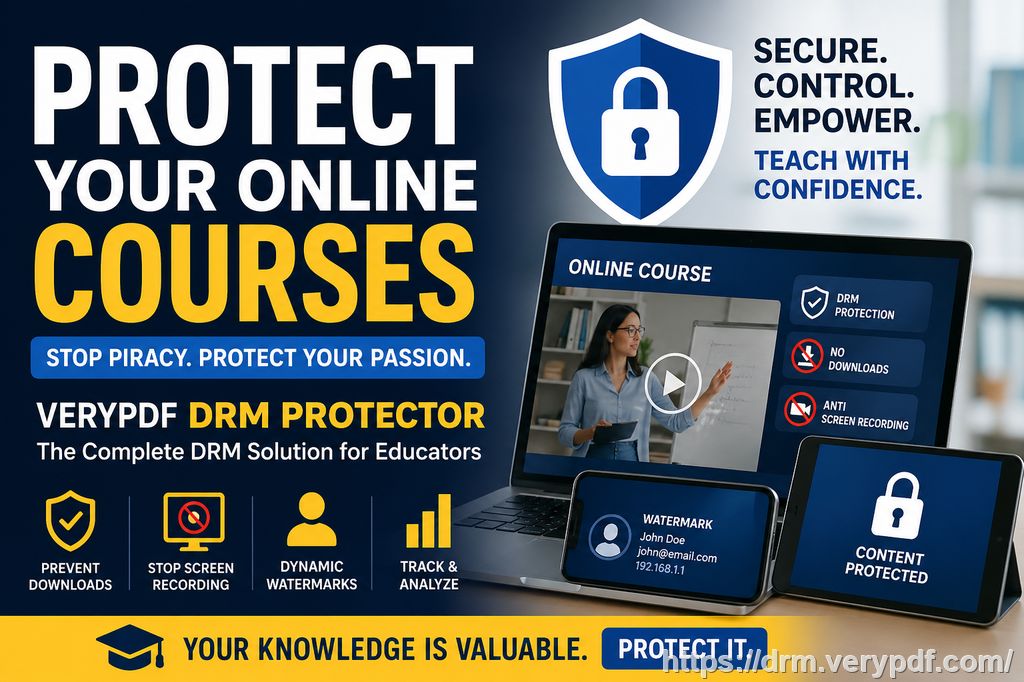
The Growing Challenge of Content Protection in Education
Every semester, I share dozens of PDF files with my students – from lecture notes to research papers and homework assignments. It's meant to make learning easier, but over time, I've realized that these digital files are vulnerable to unauthorized sharing and misuse.
Pain Point #1: Unauthorized Sharing of PDFs
Imagine this: you upload your course materials to your university's learning management system (LMS), and within days, you see your PDFs floating around on social media or other student groups. That content, which you worked hard on, is now publicly available for anyone to access – and you've lost control over how it's being shared.
Pain Point #2: Copying, Printing, and Converting Files
Another concern that's been on my mind is students copying and pasting from my lecture slides into assignments, or even converting my PDF notes into Word documents to make them easier to plagiarize. Even worse, they might print my materials and hand them out to classmates. This not only undermines my work but also risks my materials being used in ways I never intended.
Pain Point #3: Loss of Content Control
It's a reality that once you distribute PDFs online, you can't control who accesses them, how many times they're opened, or whether they're printed or copied. Once they're out there, the security is virtually gone. Without the right tools in place, this can be disastrous, especially when you're sharing paid content or research that needs to stay exclusive.
The Solution: VeryPDF DRM Protector
After struggling with these challenges, I came across VeryPDF DRM Protector, a tool designed to provide PDF document security while maintaining ease of access for authorized users. This software has completely transformed the way I share my teaching materials, allowing me to retain full control without complicating the user experience for my students. Here's how it works:
Restricting Access to PDFs
One of the standout features of VeryPDF DRM Protector is the ability to restrict access to PDFs. This means I can limit who can view the documents to only enrolled students or specific individuals, ensuring that only those authorized to use the content can access it. This is ideal when sharing materials that need to be kept within a closed group.
Preventing Copying, Printing, and Conversion
The software allows me to prevent students from copying, printing, or converting my documents into other formats (like Word or Excel). No more worrying about my PDFs being printed out and shared, or students ripping off sections of my lecture slides. By enabling these restrictions, I maintain the integrity of my work and prevent unauthorized alterations.
Dynamic Watermarks and Anti-Piracy Features
To further discourage piracy, VeryPDF DRM Protector applies dynamic watermarks to my documents. These watermarks display user-specific information, such as the student's name or email, which appears when the document is viewed or printed. This simple but effective feature discourages students from redistributing documents because they can't do so without identifying who the original document belongs to.
Expiry and Self-Destruct Features
Another fantastic feature is the ability to set expiry dates on my documents. I can program the PDF to expire after a certain number of views or a set number of days, ensuring that content isn't accessible indefinitely. Even after distributing the materials, I can revoke access at any time, putting me back in control of the content.
Prevention of Screen Sharing and Screenshots
In today's online learning environment, students often share their screens during virtual classes. Unfortunately, this can lead to unauthorized sharing of course materials. VeryPDF DRM Protector blocks screen sharing and screenshot tools, which stops students from taking pictures of the PDF during a Zoom or WebEx session. This is particularly helpful when teaching sensitive or exclusive content.
Device and Location Locking
To ensure my PDFs are only accessed on specific devices or locations, I can lock the documents to a student's specific computer, tablet, or USB device. This added layer of security helps prevent students from accessing the material on unauthorized devices, ensuring the documents stay protected.
Real-World Example: Preventing Content Leakage
Last semester, I was preparing my final exam review notes for distribution. Normally, I'd just upload them to the LMS, but knowing how easy it is for students to share or copy these files, I decided to use VeryPDF DRM Protector. I restricted access to only students enrolled in my course and set an expiration date for the end of the semester.
A few weeks after the exam, I noticed that some of my materials had been posted on a public forum. However, thanks to the dynamic watermark feature, I was able to trace it back to the specific student who had shared the materials. I immediately revoked access to the file and prevented any further misuse. This simple solution saved me a lot of stress and helped maintain the integrity of my course content.
Conclusion: Protect Your Content with VeryPDF DRM Protector
The challenges of distributing digital materials in today's classroom are real, but VeryPDF DRM Protector provides a reliable, easy-to-use solution to safeguard your teaching content. By restricting access, preventing unauthorized copying, and providing dynamic controls, this software ensures that your PDFs stay protected.
As a professor, I highly recommend this tool to anyone who regularly shares PDFs with students. It's an essential tool for anyone concerned with content piracy, unauthorized sharing, and loss of control over digital materials.
Try it now and protect your course materials: https://drm.verypdf.com.
Start your free trial today and regain control over your PDFs.
Frequently Asked Questions (FAQ)
1. How can I limit student access to my PDFs?
You can limit access by using VeryPDF DRM Protector's user authentication system. This ensures that only authorized students can view the PDFs, and you can lock the document to specific devices or locations.
2. Can students still read PDFs without copying, printing, or converting them?
Yes, VeryPDF DRM Protector allows students to view the PDFs but disables the ability to copy, print, or convert them into other formats.
3. How can I track who accessed the files?
VeryPDF DRM Protector includes dynamic watermarks that display user-specific information. This helps track who accessed or printed the file.
4. Does it prevent PDF piracy and unauthorized sharing?
Yes, the software prevents students from sharing, copying, or altering the PDFs. Dynamic watermarks make it easy to identify the source of any leaked content.
5. How easy is it to distribute protected lecture slides and homework?
It's very easy. You can distribute protected PDFs through email, USB sticks, or online platforms like your LMS. The protection stays intact no matter how the document is shared.
6. Can I revoke access to a PDF after distributing it?
Yes, you can revoke access at any time, even after the document has been distributed. This provides you with total control over the material.
7. How does VeryPDF DRM Protector compare to secure data rooms?
Unlike secure data rooms that rely on credentials which can be shared, VeryPDF DRM Protector locks the document to the user's device and prevents unauthorized access at all stages.
Keywords
-
Protect course PDFs
-
Prevent PDF piracy
-
Stop students sharing homework
-
Secure lecture materials
-
Prevent DRM removal
-
Anti-conversion PDF DRM