 The Common Problems Accounting Firms Face with Document...
How DRM-Protected PDFs Can Safeguard Sensitive Financial Documents in Accounting Firms
In today's digital age, accounting firms face numerous challenges when it comes to securing sensitive financial documents. During audits, whether internal or external, the integrity of financial documents must be maintained at all costs. These documents often contain proprietary and confidential information, making them prime targets for unauthorized distribution or alterations. But how can accounting firms ensure that their financial records remain secure and accessible only to authorized personnel?
One solution that's gaining traction in the industry is the use of DRM (Digital Rights Management) protection for PDF documents. Specifically, VeryPDF DRM Protector provides a robust way for accounting firms to prevent unauthorized printing, forwarding, copying, and even the alteration of sensitive financial documents, all while maintaining full control over who can access them.
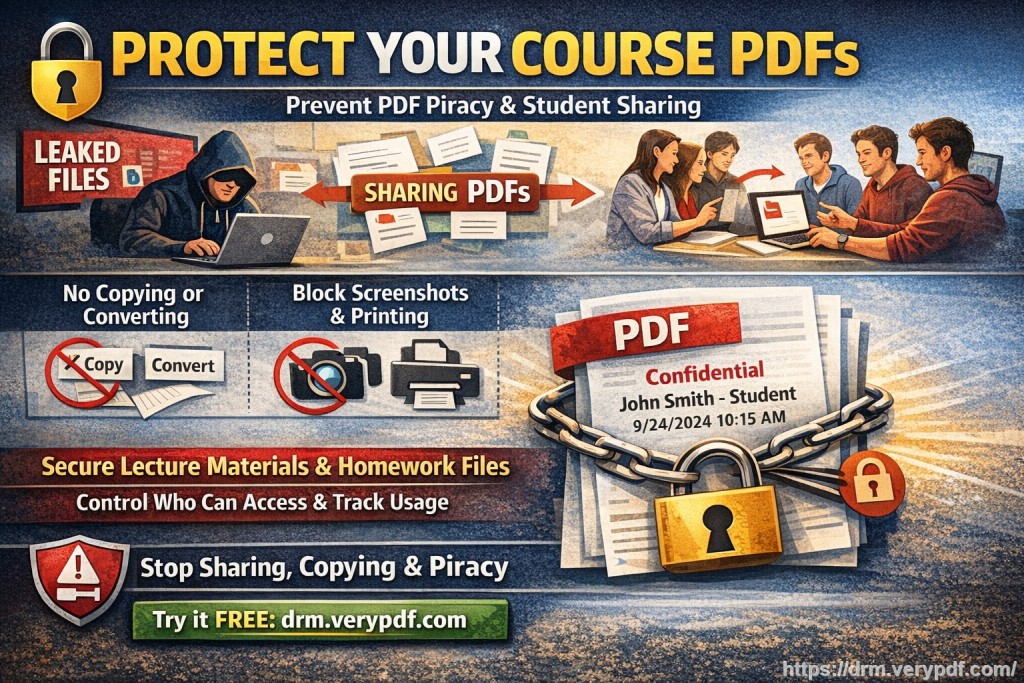
The Common Problems Accounting Firms Face with Document Security
As an accountant or financial auditor, one of the biggest concerns is the potential leak of sensitive financial data. It's not just about ensuring that data is accessible to the right people, but also about making sure that it can't be misused or shared without consent. Let's explore some common pain points that accounting professionals face when it comes to document security:
1. Unauthorized Printing and Copying
Whether it's an internal audit report or a financial statement shared with external auditors, once a document is shared, the risk of unauthorized printing and copying increases. It's all too easy for someone to print a copy and leave the physical document lying around, or even worse, copy sensitive information and share it via email or on an unsecured platform.
2. Unauthorized Distribution
Even if documents are securely shared, there's always the risk that someone will forward them to unauthorized parties. Once a document leaves your control, it's hard to track where it goes or ensure it's being used as intended.
3. Converting Documents
Financial documents in PDF form are usually locked in place to maintain their integrity. However, with the right tools, PDFs can be converted into editable formats like Word, Excel, or even images, which makes the data vulnerable to manipulation or unauthorized modifications.
Introducing VeryPDF DRM Protector: The Solution to Document Security
VeryPDF DRM Protector is designed to address the very issues accounting firms face when distributing sensitive documents. This easy-to-use software enables you to apply powerful DRM protections to your PDFs, ensuring that only authorized individuals can access, view, and print them. Below are just a few ways in which VeryPDF DRM Protector can help:
1. Restrict Access to Authorized Users
With DRM protection, you can limit access to your PDF documents based on the user's identity, location, or device. This means that only specific users (such as certain employees or external auditors) can view the documents. By locking documents to particular devices, you prevent unauthorized access, even if login credentials are shared.
2. Prevent Printing, Copying, and Forwarding
One of the most significant benefits of DRM protection is its ability to stop unauthorized printing, copying, or forwarding of sensitive PDFs. You can disable the print function entirely or limit it to a specific number of prints, helping you maintain control over physical copies of your documents. Furthermore, by preventing copying, you ensure that no one can extract valuable financial data from your PDFs.
3. Stop Document Conversion
With VeryPDF DRM Protector, you can prevent PDF files from being converted to other formats like Word, Excel, or image files. This means that your documents will always remain in their original, uneditable format, even if someone tries to bypass the security.
4. Dynamic Watermarks for Anti-Piracy
The addition of dynamic watermarks to your PDFs adds another layer of security. These watermarks display user-specific information (such as name, email, or the date/time of access), making it easy to track the source of any leaks. Should someone attempt to share or redistribute your document, the watermark acts as a deterrent and a clear identifier.
5. Expiry and Self-Destruction
You can set your documents to expire after a set number of views, days, or prints, ensuring that sensitive financial documents don't remain accessible for longer than necessary. If you need to recall a document, you can revoke access at any time, even after it's been distributed.
6. Lock PDF Access to Specific Devices
One of the most valuable features of VeryPDF DRM Protector is the ability to lock PDFs to specific devices, ensuring that only the intended users can access the document. This feature also allows for USB-stick-based access, which means financial records can be shared securely offline.
Real-Life Scenarios: How DRM Protects Accounting Firms
Let's look at a few real-world scenarios where VeryPDF DRM Protector can help accounting firms maintain the security and integrity of their financial documents.
Scenario 1: Internal Audits
Imagine your firm needs to share confidential internal audit documents with a few key stakeholders. Without DRM protection, those documents could be easily printed, copied, or forwarded to unauthorized individuals. With VeryPDF DRM Protector, you can restrict access to only those stakeholders, prevent them from printing or copying the documents, and set an expiration date after the audit is complete. This ensures that your financial records remain secure and protected throughout the audit process.
Scenario 2: Sharing Sensitive Financial Reports with External Auditors
When working with external auditors, you often need to share sensitive financial reports that could be vulnerable to misuse. By applying VeryPDF DRM Protector to these documents, you can prevent auditors from forwarding them to anyone else, ensure that the files can't be edited, and track who accessed the document and when. Plus, if any issues arise, you can revoke access immediately.
Scenario 3: Protecting Tax Returns and Financial Statements
Tax returns and financial statements contain highly sensitive data that could lead to significant financial or reputational damage if leaked. With DRM protection, you can ensure that these documents cannot be copied, edited, or shared without your consent, providing peace of mind to both your firm and your clients.
Conclusion: Protect Your Firm's Financial Documents with DRM
In an age where digital threats are more prevalent than ever, securing your firm's financial documents is critical. VeryPDF DRM Protector provides accounting firms with a simple and effective solution to prevent unauthorized printing, copying, and forwarding of sensitive financial documents. By using DRM protection, you can maintain full control over your PDFs, prevent document piracy, and ensure that your documents remain safe and secure.
I highly recommend VeryPDF DRM Protector to any accounting firm looking to safeguard their financial documents from unauthorized access and distribution. Whether you're sharing audit reports, tax returns, or sensitive financial statements, DRM protection offers a simple yet powerful way to protect your content.
Try it now and protect your financial documents: https://drm.verypdf.com
Start your free trial today and regain control over your PDFs.
Frequently Asked Questions (FAQs)
1. How can I limit access to my financial PDFs?
With VeryPDF DRM Protector, you can lock PDFs to specific users, devices, or IP addresses, ensuring that only authorized personnel can access them.
2. Can auditors still read the PDFs without being able to copy or print them?
Yes, you can restrict printing, copying, and forwarding, while still allowing auditors to view the documents.
3. How can I track who accessed my PDFs?
VeryPDF DRM Protector allows you to track document access and even adds dynamic watermarks with user-specific details, making it easy to see who viewed or printed your documents.
4. Does DRM protection prevent unauthorized sharing of financial documents?
Absolutely! DRM protection ensures that your financial documents cannot be forwarded or copied without your permission.
5. How easy is it to distribute protected financial reports?
Distributing DRM-protected PDFs is simple. You can share them securely via email, USB, or web links without worrying about unauthorized access.
6. Can I revoke access to a document after it's been distributed?
Yes, VeryPDF DRM Protector allows you to revoke access to any document, even after it's been shared.
7. How does DRM protection stop screen grabbing?
Our DRM software blocks screen sharing, screen grabs, and other third-party capture tools, ensuring your documents cannot be copied through screenshots.
Keywords:
Protect financial PDFs, prevent PDF piracy, secure audit documents, stop unauthorized sharing, stop PDF conversion, DRM for accounting firms, prevent document leakage