 Protecting Your Educational PDFs from Unauthorized Access: A Practical Solution for...
Protecting Your Educational PDFs from Unauthorized Access: A Practical Solution for Teachers
As a professor, I've often found myself dealing with the challenge of protecting my digital course materials. Whether it's lecture slides, homework PDFs, or paid course content, it's crucial to ensure that these materials are only accessed by the right people and used appropriately. I'm sure many of you, like me, have had the experience of students sharing course PDFs online or trying to bypass security measures to print or copy your materials. This creates significant risks—not only to the integrity of your content but also to your reputation and your ability to manage your classroom.
The good news is, there's a solution: VeryPDF DRM Protector. This tool has been a game-changer for me, allowing me to control and protect my educational PDFs from unauthorized access, copying, printing, and sharing. In this article, I'll walk you through how VeryPDF DRM Protector works, how it solves common teaching pain points, and how you can start protecting your course materials today.
The Problem: Loss of Control Over Course Content
It's a nightmare scenario for any educator: you upload your course materials, hoping students will use them for their intended purpose. But then you find out that those same PDFs are being shared freely across the internet, printed out, or even converted to Word documents. Not only is this a violation of your intellectual property, but it also undermines the integrity of your course.
Here are a few real-world examples of issues I've faced:
-
Students sharing lecture slides on social media: When a student emails a lecture slide to a friend, or worse, uploads it to an online forum, it becomes nearly impossible to control how that content is used.
-
Copying and pasting content: Some students simply copy and paste content from PDFs into their own work, claiming it as their own.
-
Printing and distributing materials: Once your lecture slides or homework PDFs are printed, you lose control over where they end up. Students can hand out copies to others or even sell them.
The Solution: VeryPDF DRM Protector
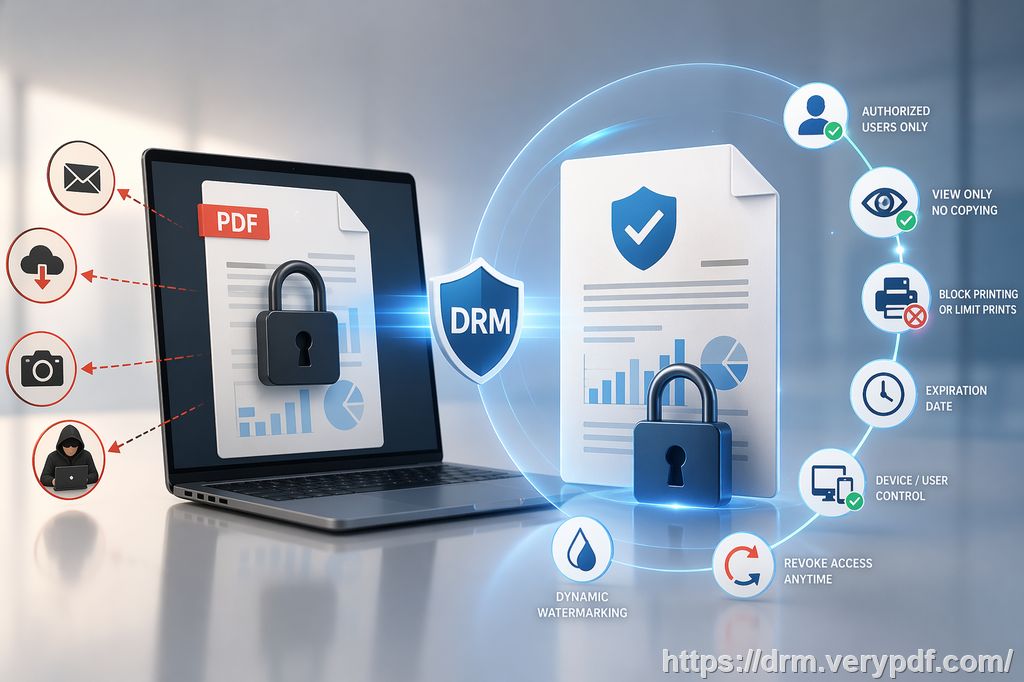
This is where VeryPDF DRM Protector comes into play. It's a powerful tool that allows you to add Digital Rights Management (DRM) protection to your PDFs, preventing unauthorized sharing, copying, printing, and even conversion to other file formats. Here's how it addresses some of the most common classroom challenges:
1. Restricting Access to Only Legitimate Users
With VeryPDF DRM Protector, you can limit access to your PDFs to only those who are enrolled in your course. You can lock PDFs to specific devices or locations, ensuring that only authorized students can access the materials.
For example, I've used this feature to ensure that my homework PDFs can only be viewed on students' personal devices, preventing them from sharing the file with others. This eliminates the risk of my materials circulating without my consent.
2. Preventing Unauthorized Printing and Copying
One of the most frustrating issues I've encountered is students printing out my course materials and sharing them. With VeryPDF DRM Protector, I can prevent printing altogether, or I can set limits on the number of prints allowed. You can even enforce print quality, ensuring that the printed version doesn't degrade or lose important details.
Beyond printing, copying is another common issue. With DRM protection in place, students can no longer simply copy text from your PDFs and paste it into their own assignments. This stops them from using your content inappropriately.
3. Stopping PDF Conversion and Bypassing Protection
Students often find ways to convert PDFs into Word, Excel, or image formats using various tools. With DRM protection, VeryPDF DRM Protector blocks these conversion attempts, ensuring that your content remains in its original format and cannot be easily manipulated.
I remember a time when a student tried to convert my lecture slides into Word to plagiarize the content. Thankfully, with the DRM in place, this wasn't possible.
4. Watermarking and Tracking Use
VeryPDF DRM Protector adds dynamic watermarks to your PDFs, displaying user-specific information like their name, email address, or the date. This makes it easier to track any unauthorized sharing or printing. If a student shares a screenshot or prints a copy, the watermark serves as a deterrent and an identifier.
For instance, I've used watermarks to ensure that if any of my PDFs leak, I can trace it back to the specific student who may have shared it.
5. Expiry and Revocation of Access
Another key feature of VeryPDF DRM Protector is the ability to set expiry dates for your PDFs. You can make content available only for a certain number of days, views, or prints, after which access is automatically revoked. Additionally, you can revoke access at any time, even after the file has been distributed.
This feature is perfect for paid course materials or time-sensitive content. For example, I've used it to ensure that access to final exam papers is revoked after the exam date has passed.
Why VeryPDF DRM Protector Is the Best Solution for Educators
You might be wondering why VeryPDF DRM Protector is a better choice than other document protection methods, like using secure data rooms or relying on passwords. The main difference lies in how the DRM protection is enforced. With VeryPDF DRM Protector, there are no login credentials to share, and no unprotected documents leave your computer.
Here's a quick rundown of the key advantages:
-
No weak links in security: Unlike secure data rooms, which are only as secure as the weakest link (such as shared login credentials), VeryPDF DRM Protector ensures that documents can never be shared or accessed by unauthorized users.
-
No insecure plugins or JavaScript: Many DRM systems rely on plugins or JavaScript, which can be easily bypassed by savvy users. With VeryPDF DRM Protector, the protection is enforced directly by the software, ensuring stronger security.
-
Comprehensive protection: From disabling screen sharing to preventing printing to file, VeryPDF DRM Protector offers robust and dynamic controls that other solutions lack.
Real-World Impact on Teaching
Since I started using VeryPDF DRM Protector, I've noticed a significant reduction in the issues I used to face. Here are a few real-world impacts:
-
Reduced student misuse: With the ability to lock PDFs to specific devices and locations, I've eliminated the problem of students sharing my lecture slides or assignments with others.
-
Time saved: By preventing copying, printing, and conversion, I no longer spend time dealing with students violating my content. I can focus on teaching instead.
-
Better content control: The ability to revoke access to documents, set expiry dates, and track who accesses the materials gives me peace of mind knowing my content is protected at all times.
Conclusion: Protect Your Educational Materials Today
If you're tired of worrying about students sharing or misusing your educational PDFs, I highly recommend VeryPDF DRM Protector. It's an easy-to-use, powerful tool that will give you full control over your course materials. Whether it's lecture slides, homework PDFs, or paid course content, you can protect your work from unauthorized access, copying, and piracy.
Try it now and protect your course materials: https://drm.verypdf.com
Start your free trial today and regain control over your PDFs.
FAQs
1. How can I limit student access to PDFs?
You can restrict access to your PDFs by locking them to specific devices or locations, ensuring only authorized users can view them.
2. Can students still read the PDFs without copying, printing, or converting them?
Yes, you can allow students to read the PDFs but block them from copying, printing, or converting the content to other formats.
3. How can I track who accessed my PDFs?
VeryPDF DRM Protector adds dynamic watermarks with user information, making it easy to track who accessed or printed the documents.
4. Does VeryPDF DRM Protector prevent PDF piracy and unauthorized sharing?
Yes, the tool ensures that PDFs cannot be shared, copied, printed, or converted by unauthorized users, protecting your content from piracy.
5. How easy is it to distribute protected lecture slides and homework?
It's simple! You can distribute your PDFs via email, web, or even USB sticks, and they will remain protected regardless of how they are shared.
6. Can I revoke access to my PDFs after distribution?
Absolutely! You can revoke access at any time, even after the documents have been distributed, giving you full control over your content.
7. How does DRM protection help reduce student misuse of my materials?
By blocking copying, printing, and unauthorized sharing, DRM protection reduces the temptation for students to misuse or distribute your materials illegally.
Tags or Keywords
-
protect course PDFs
-
prevent PDF piracy
-
stop students sharing homework
-
secure lecture materials
-
prevent DRM removal
-
anti-conversion PDF DRM