 Protecting Confidential Documents from Unauthorized Sharing
How Accounting Firms Can Prevent Employees from Forwarding or Copying Confidential Financial Documents While Maintaining a Controlled and Auditable Workflow
As an accounting professional, the integrity and confidentiality of financial documents are paramount. It's not just about balancing the books; it's about maintaining trust with clients, safeguarding sensitive information, and ensuring that your firm's internal processes are streamlined and secure. With digital transformation, these documents often need to be shared internally, which can lead to a major headache—how do you prevent unauthorized sharing, copying, or tampering, without making the sharing process a hassle?
This is a problem that many face: sharing sensitive documents with staff while keeping full control over the content. How do you strike a balance between flexibility and security? That's where VeryPDF DRM Protector comes into play.
Protecting Confidential Documents from Unauthorized Sharing
Imagine you're an accountant at a mid-sized firm, managing a vast amount of confidential financial data. You're tasked with sharing this information with a team of accountants and managers, but you also need to ensure that the information doesn't leak outside the firm. Documents are regularly shared via email or internal servers, and the last thing you want is for an employee to forward a financial statement to the wrong person or worse, print it out and hand it over to someone who isn't authorized to view it.
With the right digital rights management (DRM) solution, these concerns are a thing of the past.
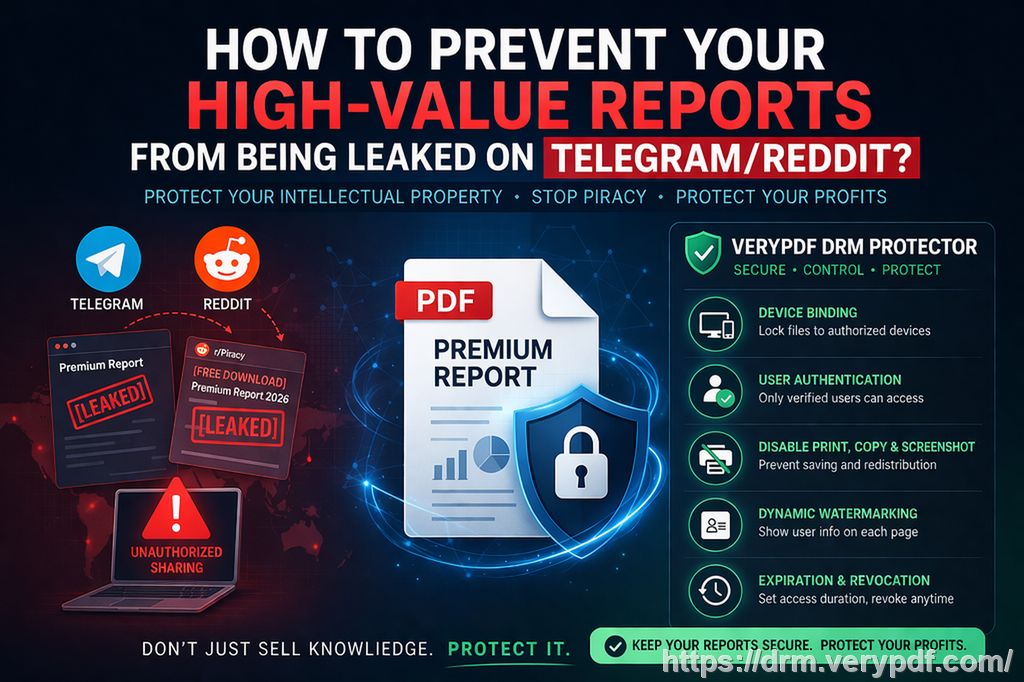
VeryPDF DRM Protector provides an effective solution to this challenge. With it, you can lock your documents to specific devices or users, ensuring that only the right individuals have access to sensitive financial files. No more worrying about documents being forwarded or copied. The software also enables you to control access with expiry dates, limiting how long someone can access the information. This feature is particularly useful when dealing with temporary employees or contractors who don't need access to financial data after a certain period.
Key Features of VeryPDF DRM Protector for Accounting Firms
Here are some of the standout features that make VeryPDF DRM Protector a must-have for accounting firms:
-
Restrict Access to Authorized Devices: You can lock your PDFs to specific devices, meaning that employees can only access sensitive financial documents on approved computers or mobile devices. This eliminates the risk of unauthorized access through shared accounts or devices.
-
Prevent Unauthorized Printing or Copying: One of the most significant concerns is the risk of printing out confidential financial documents and sharing them physically. VeryPDF DRM Protector prevents printing, copying, or converting PDFs into other file formats, like Word or Excel, ensuring that your financial documents remain in their original form.
-
Set Expiry Dates or View Limits: Sometimes, you only need documents to be accessible for a limited time—whether it's a quarterly financial report or an internal memo. With VeryPDF DRM Protector, you can set a specific expiry date, limiting when documents can be viewed or printed. You can even restrict the number of times a document can be viewed or printed.
-
Dynamic Watermarks: If an employee does take a screenshot or prints the document, you can apply a dynamic watermark that identifies the user, making it clear who the document belongs to. This discourages unauthorized distribution and adds an extra layer of security.
-
Revoke Access Instantly: Even after documents have been shared, you can revoke access at any time, even if they have already been downloaded or printed. This ensures that if any security breach occurs, you can act swiftly to prevent further unauthorized access.
Real-World Example: Preventing Financial Data Leaks
A perfect example of how VeryPDF DRM Protector can prevent leaks comes from a story shared by an accountant at a large accounting firm. The firm had been facing issues with employees inadvertently sharing confidential financial reports with external parties. The firm implemented VeryPDF DRM Protector, and within weeks, unauthorized sharing was significantly reduced.
One employee had inadvertently shared a PDF of a financial analysis with a colleague in another department, who wasn't authorized to view the report. However, thanks to the DRM tool, the document was locked to the employee's device. When the report was opened on another device, it was inaccessible. This feature alone saved the firm from potential data breaches, highlighting the importance of securing sensitive financial documents.
How It Helps Maintain a Controlled and Auditable Workflow
Internal workflows within accounting firms need to be as seamless as possible, especially when dealing with time-sensitive financial reports or tax filings. However, they also need to be fully auditable and secure.
With VeryPDF DRM Protector, your workflow can remain both efficient and fully controlled. Since the software allows you to monitor who accesses your documents, you can generate logs that detail who viewed, printed, or attempted to convert a document. This level of accountability can be invaluable for tracking the movement of sensitive information within the firm.
Moreover, because access control and document expiration are integrated directly into your workflow, you don't need to rely on manual processes or cumbersome password-protection systems, which are often easily bypassed.
Benefits of VeryPDF DRM Protector
-
Peace of Mind: Knowing that your financial documents are protected from unauthorized distribution or tampering can give you peace of mind, especially during busy tax seasons or financial audits.
-
Increased Efficiency: No more worrying about whether documents are going to the right people. You can focus on your work, knowing that your content is secure and access is easily managed.
-
Enhanced Control: Whether it's setting access restrictions, applying watermarks, or revoking access to a document, you maintain full control over who sees your documents and for how long.
-
Reduced Risk: The risk of piracy and unauthorized sharing is dramatically reduced, keeping your sensitive financial information secure and reducing the likelihood of data breaches.
Conclusion
If you're looking for a way to prevent employees from sharing or copying confidential financial documents while maintaining a controlled and auditable workflow, VeryPDF DRM Protector is an essential tool. It's an easy-to-use solution that offers robust document security features, including access restrictions, printing control, dynamic watermarks, and the ability to revoke access at any time.
I highly recommend this tool to anyone in an accounting firm or any other business that deals with sensitive financial documents. Protect your firm's reputation and your client's trust by implementing this software.
Try it now and protect your confidential financial documents: https://drm.verypdf.com
Start your free trial today and regain control over your PDFs.
Frequently Asked Questions
1. How can I limit access to financial PDFs for employees?
VeryPDF DRM Protector allows you to lock documents to specific devices or users, ensuring that only authorized personnel can view sensitive documents.
2. Can employees still read the documents without copying, printing, or converting?
Yes, the software prevents unauthorized copying, printing, and converting. Employees can read the document, but cannot alter it in any way.
3. How do I track who accessed the financial documents?
You can monitor access through audit logs, which show who has viewed, printed, or attempted to share the document.
4. Does this tool prevent PDF piracy and unauthorized sharing?
Absolutely. VeryPDF DRM Protector includes features like dynamic watermarks, restricted access, and instant revocation of documents to prevent piracy.
5. How easy is it to distribute protected financial documents to my team?
It's very simple. You can distribute protected documents via email or file-sharing services, and recipients will only be able to access them based on the permissions you set.
Tags or Keywords:
-
protect financial PDFs
-
prevent PDF piracy
-
stop employees sharing financial reports
-
secure financial documents
-
prevent DRM removal
-
anti-conversion PDF DRM