
Protect Sensitive Data in PDFs: How AI Redaction Prevents Accidental Leaks
Last month, our team shared a PDF containing new employee contracts with a partner firm, only to realize later that Social Security numbers and passport details were still visible. The mistake wasn’t obvious at first glance, but the consequences could have been severe: potential GDPR violations, client distrust, and the administrative nightmare of recalling shared documents. For any business handling sensitive informationHR records, financial reports, legal contractsthis scenario isn’t hypothetical. It’s a real risk that grows with every PDF you share.
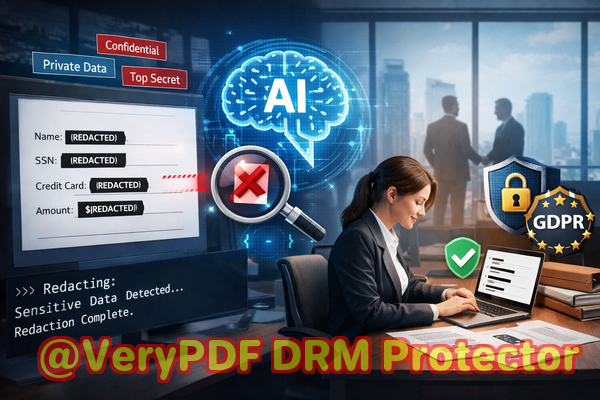
Many organizations rely on manual redaction: blacking out text in Adobe Acrobat or even using Word to “hide” confidential details. The problem? What looks redacted isn’t always secure. Text can often be copied or recovered from hidden layers, leaving sensitive information exposed. On top of that, some teams use free online tools, unaware that uploading confidential files to third-party servers introduces massive privacy risks.
This is where VeryPDF AI PDF Redaction Tool Command Line comes in. Designed for businesses of all sizes, it provides a fully offline, AI-powered solution to permanently remove sensitive data from PDFs before they leave your computer. The software automatically detects Social Security numbers, passport numbers, emails, phone numbers, financial details, and other personal identifiers. Once redacted, this information is irrecoverable, providing peace of mind and compliance with regulations like GDPR.
Imagine a legal firm needing to share case files with external consultants. Previously, a paralegal might have spent hours manually blacking out confidential client details, only to worry whether every sensitive datum was actually removed. With VeryPDF, the firm can now load all PDFs, let the AI detect sensitive information, review suggested redactions, and export fully sanitized files in minutes. The process is simple: load detect review redact export. Not only does this save time, it prevents costly mistakes that could result in fines or legal exposure.
Another common pain point is financial reporting. Companies often share quarterly reports with auditors or investors that include employee salaries, client billing information, or proprietary budget data. Any slip-up could reveal confidential business secrets. By switching to a fully offline AI-powered redaction tool, companies ensure that sensitive figures are permanently removed from PDFs without the risk of third-party exposure.
Even within internal workflows, mistakes happen. An HR manager may think a PDF containing employee performance reviews is safe to share internally, but without proper redaction, performance notes or personal identifiers might be visible to the wrong audience. VeryPDF’s AI-driven detection automatically flags sensitive data, providing a layer of protection that manual redaction simply cannot match.
Here’s a practical example of using the tool:
-
Load your PDF into the software.
-
Detect sensitive datathe AI scans for names, Social Security numbers, passport numbers, emails, phone numbers, and financial data.
-
Review suggested redactions to ensure accuracy.
-
Apply redactionall selected data is permanently removed, not just visually obscured.
-
Export clean PDF ready for secure sharing with clients, auditors, or partners.
Common types of sensitive data to redact include:
-
Personal identifiable information (PII) like Social Security numbers, passport IDs, driver’s licenses
-
Financial data, including bank account numbers, invoices, and salary details
-
Legal or confidential clauses within contracts
-
Proprietary business information or trade secrets
Using VeryPDF also solves the problem of accidental online exposure. Free web-based redaction services might seem convenient, but uploading confidential PDFs to unknown servers introduces serious risks. Even when encryption is advertised, you lose control of your files. VeryPDF works entirely offline, ensuring sensitive documents never leave your computer and providing 100% privacy protection.
Many clients have shared real stories highlighting the impact. One HR department avoided a GDPR compliance violation after realizing an internal PDF with employee tax IDs was about to be emailed to an external consultant. Using VeryPDF, they redacted all identifiers in minutes and shared the sanitized documents confidently. Another case involved a legal office switching from online tools to VeryPDF’s offline solution, immediately reducing risk of exposing client data to third parties. These scenarios demonstrate how AI-powered redaction is not just a convenience but a critical safeguard for business operations.
The benefits are tangible:
-
Prevents accidental data leaks that could lead to legal exposure or fines
-
Ensures compliance with GDPR, HIPAA, and other data protection regulations
-
Eliminates risks from online tools by keeping documents fully offline
-
Saves time and reduces human error with AI-driven detection
-
Provides permanent redaction rather than superficial hiding
For businesses sharing sensitive PDFs regularly, integrating VeryPDF into your workflow can be transformative. The process is intuitive, doesn’t require technical expertise, and supports batch processing for multiple documents, making it ideal for HR departments, legal teams, finance divisions, and even marketing teams handling confidential campaigns.
I highly recommend this to anyone who needs to share documents safely without risking data leaks or compliance issues. Try it now and securely redact your PDFs: https://veryutils.com/smart-redact-server-ai-powered-pdf-redaction-software
Start your free trial today and ensure your sensitive data is permanently removed before sharing.
Frequently Asked Questions
-
How can I permanently remove sensitive data from a PDF instead of just hiding it?
The VeryPDF AI PDF Redaction Tool Command Line removes selected data completely, making it unrecoverable, unlike simple blackouts.
-
Can others recover redacted information from my PDF?
No. Once the AI applies redaction, the information is permanently deleted and cannot be extracted.
-
Is it safe to use online PDF redaction tools?
Online tools may expose confidential documents to third-party servers, creating privacy and compliance risks. Offline solutions are safer.
-
Does this tool work completely offline?
Yes. All processing happens locally on your computer, ensuring full document privacy.
-
What types of sensitive data can be automatically detected and removed?
Names, Social Security numbers, passport IDs, emails, phone numbers, financial data, legal clauses, and other PII or confidential information.
-
Can I batch redact multiple PDFs at once?
Yes, the command line version supports batch processing for efficient handling of multiple documents.
-
How does AI improve redaction accuracy compared to manual methods?
AI scans text and identifies sensitive patterns that humans might miss, reducing the risk of accidental exposure.
-
Will redacted PDFs remain readable for non-sensitive content?
Absolutely. Only the selected confidential data is removed; all other content remains intact.
-
Does this tool help with GDPR compliance?
Yes. Permanently removing sensitive data before sharing ensures adherence to GDPR and other privacy regulations.
-
Can I review the redactions before applying them?
Yes. The workflow allows for reviewing AI-suggested redactions to confirm accuracy before final export.
-
Is technical expertise required to use the command line version?
Minimal. The tool is designed for professionals and includes clear instructions for loading, detecting, reviewing, and exporting PDFs.
-
Can I redact non-standard identifiers or custom sensitive data?
Yes. The AI can be trained or configured to detect specific patterns unique to your organization.
Relevant Keywords
redact sensitive data, remove confidential information, PDF redaction tool, protect privacy in PDFs, prevent data leaks, offline PDF redaction, secure document sharing, AI-powered PDF redaction, GDPR compliance, permanent PDF redaction