
How to Automatically Redact Sensitive Customer Data in PDFs for Secure Sharing
Protect sensitive information in your PDFs and prevent data leaks with AI-powered redaction, ensuring full privacy and compliance.
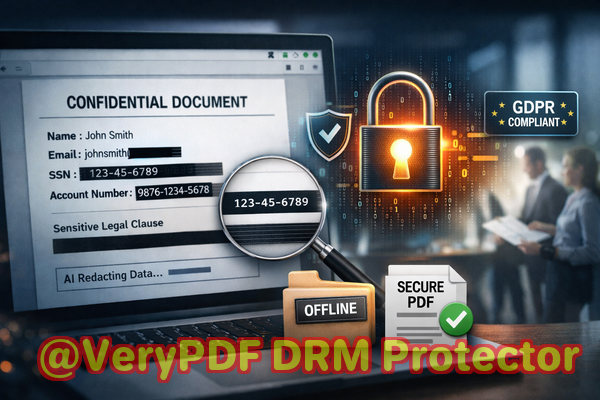
Last month, our finance team shared a quarterly report with a strategic partner, only to realize afterward that it still contained unredacted employee emails and personal IDs. That single oversight could have triggered a serious GDPR violationand it left everyone in the office scrambling to correct the mistake. Unfortunately, this scenario is more common than many businesses realize: confidential data slips through even careful hands, and the consequences can be costly.
Accidental exposure of sensitive information in PDFs is a major risk for businesses of all sizes. Whether it’s client contracts, HR documents, financial statements, or legal agreements, even a small lapse in redaction can have significant repercussions. Traditional redaction methodsblackout boxes, manual editing, or using free online toolsoften fail to fully remove the underlying data. This leaves sensitive information recoverable, putting businesses at risk of data breaches, legal penalties, and reputational damage.
Many teams still rely on manual processes, highlighting text in PDFs and drawing black rectangles over it. While it looks secure at first glance, the truth is that the underlying content often remains accessible. A simple copy-paste or PDF extraction tool can reveal confidential information that was supposedly hidden. Some employees turn to online redaction tools to speed things up, unknowingly uploading highly confidential documents to third-party servers, further increasing the risk of exposure.
That’s where VeryPDF AI PDF Redaction Tool Command Line comes in. This offline solution addresses the real business challenges of accidental data leaks, ineffective manual redaction, and unsafe online tools. With AI-powered detection, it automatically identifies sensitive informationlike names, email addresses, phone numbers, social security numbers, and confidential clausesand permanently removes it from your PDFs. Because everything runs entirely on your local computer, your files never leave your network, giving you complete control and peace of mind.
Imagine a law firm preparing client contracts for multiple partners. With VeryPDF AI PDF Redaction Tool Command Line, the process becomes seamless: you load the PDF, let the AI detect sensitive sections, review the redactions for accuracy, and export a clean, fully sanitized document ready for sharing. No hidden data remains, and compliance is maintained effortlessly. Similarly, a HR department can safely send performance reviews or payroll reports without fear that employee PII will be leaked or misused.
Some of the most common scenarios include:
-
Financial teams sharing quarterly reports with external auditors.
-
HR departments distributing sensitive employee data internally or externally.
-
Legal teams preparing contracts or court documents for third parties.
-
Marketing or content teams working with client case studies containing confidential data.
The tool handles a wide range of sensitive information automatically:
-
Personally Identifiable Information (PII): Names, addresses, emails, phone numbers, social security numbers.
-
Financial Data: Bank account numbers, credit card information, salaries, tax IDs.
-
Business Secrets: Proprietary formulas, trade secrets, internal strategies.
-
Legal or Confidential Clauses: Non-disclosure agreements, contract terms, settlement details.
A concrete example: a mid-sized accounting firm was about to share annual reports with a partner firm. Using manual redaction, they overlooked several client IDs and emails. By switching to VeryPDF AI PDF Redaction Tool Command Line, they scanned the entire document, automatically removed all sensitive identifiers, and safely sent the report without any risk of data leaks. The firm avoided potential GDPR fines and maintained client trust.
Using this command line tool also streamlines workflows. Here’s a typical step-by-step process:
-
Load the PDF into the tool.
-
AI automatically scans for sensitive data patterns.
-
Review detected items for accuracy.
-
Apply redaction with a single command.
-
Export the fully redacted PDF for secure sharing.
The benefits are clear:
-
Permanent Removal: Unlike simple blackout methods, sensitive information is completely deleted.
-
Offline Processing: No document leaves your local system, ensuring privacy and security.
-
Compliance-Friendly: Helps meet GDPR and other data protection requirements.
-
Time-Saving: Automates detection and redaction, reducing manual workload and errors.
In practice, businesses have seen measurable improvements:
-
A law office reduced redaction time by 80% while ensuring no recoverable confidential data remained.
-
HR departments eliminated accidental leaks when distributing payroll reports.
-
Accounting firms gained confidence sharing client financial statements externally without risk of exposure.
I highly recommend this tool to anyone handling sensitive PDFs regularly. It’s not just about convenienceit’s about protecting your business, your clients, and your reputation. By automating and securing redaction, you remove the risk of accidental exposure, comply with regulations, and save countless hours of manual work.
Try it now and securely redact your PDFs: https://veryutils.com/smart-redact-server-ai-powered-pdf-redaction-software
Start your free trial today and ensure your sensitive data is permanently removed before sharing.
Frequently Asked Questions (FAQs)
-
How can I permanently remove sensitive data from a PDF instead of just hiding it?
The tool deletes underlying content rather than covering it, ensuring it cannot be recovered.
-
Can others recover redacted information from my PDF?
No, redacted data is permanently removed and cannot be extracted.
-
Is it safe to use online PDF redaction tools?
Online tools risk uploading sensitive files to third-party servers, exposing confidential information.
-
Does this tool work completely offline?
Yes, all processing is local to your computer; no data leaves your system.
-
What types of sensitive data can be automatically detected and removed?
PII, financial information, business secrets, legal clauses, emails, phone numbers, and more.
-
How can I ensure compliance with GDPR when sharing documents?
By permanently redacting sensitive data before sharing, you minimize the risk of data breaches and regulatory violations.
-
Can I process multiple PDFs at once?
Yes, batch processing is supported through the command line interface, saving time on repetitive tasks.
-
Does the tool support different PDF formats and versions?
Yes, it works with standard PDFs, scanned documents, and most PDF versions.
-
Is there a way to review redacted items before finalizing?
Absolutely, the tool provides a review step so you can verify all sensitive data is correctly identified.
-
Can this tool be integrated into automated workflows?
Yes, the command line interface allows integration into scripts or enterprise automation pipelines.
-
What happens if new types of sensitive data appear in my documents?
The AI model continuously detects patterns like IDs, emails, and custom sensitive keywords, adapting to your needs.
-
How does it compare to manual redaction methods?
Manual redaction is error-prone and time-consuming, whereas this tool ensures accuracy, permanent removal, and efficiency.
Keywords/Tags: redact sensitive data, remove confidential information, PDF redaction tool, protect privacy in PDFs, prevent data leaks, offline PDF redaction, secure document sharing, AI-powered PDF redaction, GDPR compliance, confidential PDF protection