
Secure Your Business Reports: Permanently Redact Sensitive Data in PDFs
Last month, I sent a financial report to a potential partner, only to realize later that it still contained unredacted employee salaries and client details. That one oversight could have led to a serious GDPR violation, damaged our reputation, and possibly triggered legal action. Unfortunately, situations like this are all too common in businesses today, especially when sensitive PDFs are shared across teams, with clients, or with third-party vendors.
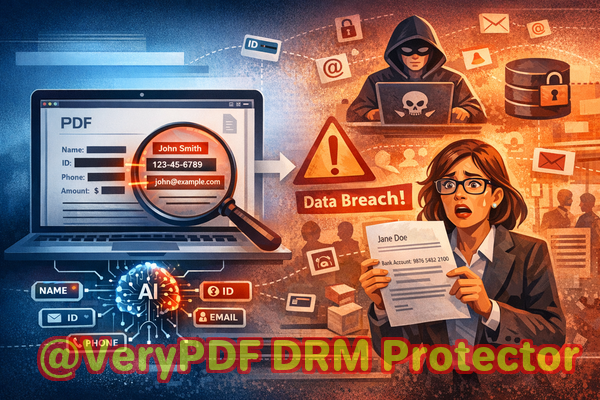
Many organizations assume that simply blacking out text or using an online tool is enough. But the truth is, hidden text can often be recovered, and uploading confidential documents to external servers introduces a huge privacy risk. Protecting your sensitive data requires more than just a visual coverit requires permanent removal. That’s where VeryPDF AI PDF Redaction Tool Command Line comes in, offering businesses a reliable, offline way to safeguard confidential information.
One of the biggest challenges in modern business is the accidental exposure of sensitive data. Consider HR departments managing employee records: names, social security numbers, salary details, and performance reviews often reside in PDFs. Sharing these files without proper redaction risks severe compliance violations. In finance teams, reports containing client account numbers, bank statements, or transaction histories could be leaked, causing not only legal headaches but also trust issues with clients. Even legal teams handling contracts or NDAs face the same problem: confidential clauses, personal information, and strategic terms must be protected before distribution.
Manual redaction introduces another layer of risk. Many employees believe that using the highlight or black-out tool in a standard PDF editor is sufficient. Unfortunately, in most cases, this only hides the information visually; the underlying text often remains in the file and can be copied, extracted, or recovered with minimal effort. This creates a false sense of security and leaves organizations exposed to data breaches, fines, and reputational damage.
Some businesses turn to online PDF redaction services, thinking they offer convenience. The reality is that uploading confidential files to unknown servers is a huge privacy risk. A single mistake could send sensitive financial data, employee records, or proprietary business strategies into the hands of third parties. For companies committed to data protection and regulatory compliance, this is simply unacceptable.
VeryPDF AI PDF Redaction Tool Command Line addresses these pain points with a practical, secure solution. Designed for business professionals, it leverages advanced AI to detect sensitive datanames, email addresses, phone numbers, social security numbers, financial data, and legal clausesthen permanently removes them from PDFs. Unlike visual redaction, this tool ensures that sensitive content cannot be recovered or extracted once processed.
The process is straightforward and designed for busy teams:
-
Load your PDF into the software.
-
AI automatically scans for sensitive data based on predefined patterns.
-
Review detected items to confirm accuracy.
-
Apply redaction to permanently remove confidential information.
-
Export a fully sanitized PDF ready for safe sharing.
Because it operates entirely offline, VeryPDF AI PDF Redaction Tool Command Line guarantees that your documents never leave your computer. This eliminates the risk of uploading sensitive files to external servers, a common vulnerability with online tools. For businesses concerned about GDPR, HIPAA, or other data protection regulations, this offline capability is a game-changer.
Real-life examples illustrate its effectiveness. A mid-sized consulting firm recently avoided a compliance violation after realizing that several client reports contained unredacted personal identifiers. By using VeryPDF AI PDF Redaction Tool Command Line, the team quickly sanitized the documents before sharing them with stakeholders, preventing any potential fines or reputational damage. Another case involved a law firm transitioning from an online redaction service to VeryPDF’s offline tool. Not only did this reduce the risk of exposing confidential case details, but it also improved the team’s workflow, as redaction could now be completed faster and with more accuracy.
Businesses can protect a wide variety of sensitive information using this tool, including:
-
Personal Identifiable Information (PII) like names, addresses, social security numbers, and emails
-
Financial information such as bank details, invoices, and payroll records
-
Legal clauses, proprietary agreements, and confidential business strategies
-
Internal communications and sensitive HR records
For teams looking to implement a secure workflow, here’s a recommended approach:
-
Identify the PDFs that need redaction.
-
Load them into VeryPDF AI PDF Redaction Tool Command Line.
-
Run AI detection to automatically highlight sensitive information.
-
Review the selections and adjust as needed.
-
Apply redaction to permanently remove all confidential content.
-
Save the cleaned PDF and share with confidence.
The benefits extend beyond compliance and risk reduction. Teams gain peace of mind knowing that sensitive information cannot be accidentally exposed, either internally or externally. Workflows become faster and more reliable, reducing the stress and uncertainty associated with manual or online redaction.
I highly recommend VeryPDF AI PDF Redaction Tool Command Line to anyone who regularly shares documents containing confidential information. It’s a practical, efficient, and secure solution that permanently removes sensitive data, ensures compliance, and protects your company from unnecessary risk.
Try it now and securely redact your PDFs: https://veryutils.com/smart-redact-server-ai-powered-pdf-redaction-software
Start your free trial today and ensure your sensitive data is permanently removed before sharing.
Frequently Asked Questions (FAQs)
-
How can I permanently remove sensitive data from a PDF instead of just hiding it?
VeryPDF AI PDF Redaction Tool Command Line permanently deletes sensitive information, so it cannot be recovered or copied after redaction.
-
Can others recover redacted information from my PDF?
No. Unlike visual redaction methods, this tool completely removes confidential content, making recovery impossible.
-
Is it safe to use online PDF redaction tools?
Using online tools can expose your confidential documents to third-party servers, creating a potential security risk. Offline solutions like VeryPDF’s tool are safer.
-
Does this tool work completely offline?
Yes. All processing occurs on your local machine, ensuring 100% privacy and security.
-
What types of sensitive data can be automatically detected and removed?
The AI can detect names, emails, phone numbers, social security numbers, financial data, legal clauses, and other confidential information.
-
Can this tool help ensure compliance with GDPR?
Absolutely. By permanently removing personal and sensitive data from PDFs before sharing, you minimize the risk of violating GDPR or other data protection regulations.
-
Is it easy for non-technical employees to use?
Yes. The workflow is intuitive: load PDFs, detect sensitive data, review, apply redaction, and export sanitized files.
-
Can I redact multiple PDFs at once?
Yes. The command line version supports batch processing, making it efficient for large volumes of documents.
-
What file types are supported?
The tool works with standard PDF files, including scanned PDFs, enabling AI detection and redaction across document types.
-
Does the redaction process alter the original layout of the document?
No. Redaction preserves the original formatting while permanently removing sensitive content.
-
How does AI detect sensitive data accurately?
It uses advanced pattern recognition and AI algorithms to identify PII, financial details, and confidential clauses automatically.
-
What if I need to redact highly specialized business information?
You can define custom patterns or keywords for the AI to detect and remove specific confidential content relevant to your organization.
Keywords:
redact sensitive data, remove confidential information, PDF redaction tool, protect privacy in PDFs, prevent data leaks, offline PDF redaction, secure document sharing, AI-powered PDF redaction, GDPR compliance, confidential data removal