
View, Print, Copy & Document Controls: How VeryPDF DRM Protector Solves Real Business Problems and Stops Document Piracy
In today’s digital business environment, documents move faster than ever before. Companies share proposals with clients, training providers distribute course materials to students, publishers sell eBooks online, consultants deliver premium reports, manufacturers exchange technical drawings, and legal teams send confidential contracts across borders in seconds. Digital delivery has created enormous convenience, but it has also created one of the biggest challenges modern organizations face: once a file is sent, how do you stay in control of it?
Many businesses discover too late that sending a PDF by email, cloud link, USB drive, or download portal does not mean the document is secure. A file can be copied, forwarded, printed, screen captured, uploaded to forums, converted into another format, or shared with unauthorized people. Valuable content that took months or years to create can spread in minutes. Revenue is lost, confidential information is exposed, and trust is damaged.
This is exactly where VeryPDF DRM Protector provides a practical and powerful solution. Instead of simply encrypting a file with a password and hoping users behave responsibly, VeryPDF DRM Protector gives document owners full control over how files are viewed, printed, copied, shared, and accessed. It turns ordinary documents into protected digital assets that remain under your control even after delivery.
The most important advantage is simple: you decide what users can do, where they can do it, how long they can do it, and when access should end. That level of control directly addresses the real pain points businesses, educators, publishers, and enterprises deal with every day.
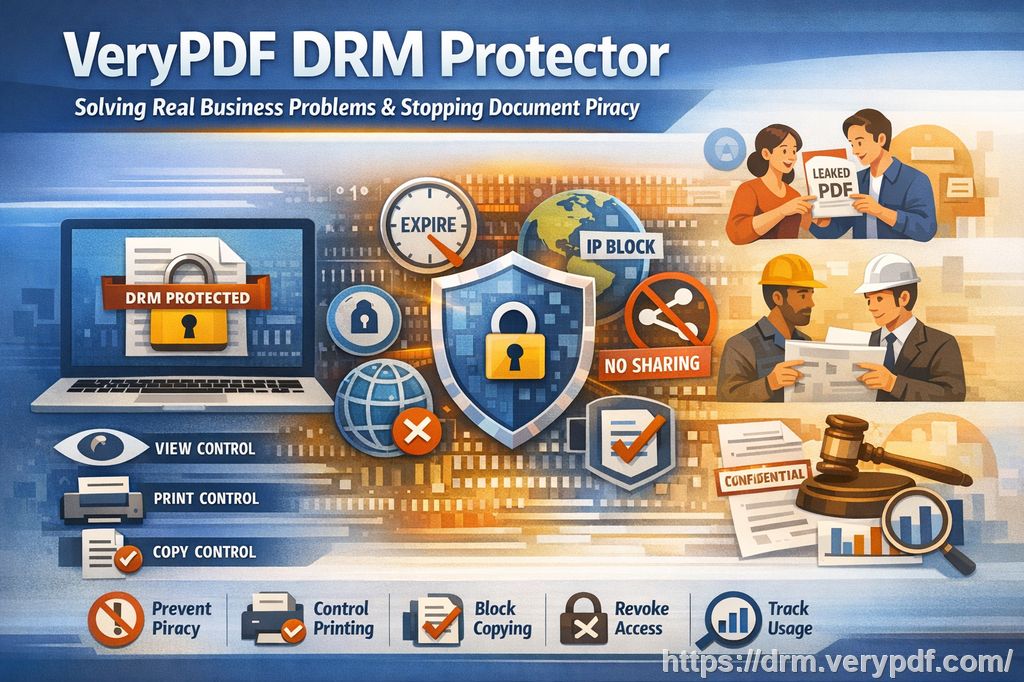
Why Traditional PDF Protection Is No Longer Enough
Many organizations still rely on password-protected PDFs or basic file permissions. Unfortunately, these methods are often weak and difficult to manage. Passwords can be shared. Files can be duplicated. Once a user opens the document, control is usually lost. Even if printing is disabled inside a PDF reader, users may find other ways to copy the content or create another version.
Modern content protection requires more than static passwords. It requires dynamic controls that continue working after the file has been delivered. VeryPDF DRM Protector is designed for that purpose. It protects documents at the usage level, not just the file level.
That means the question changes from “Can someone open this file?” to much more important questions:
- Can they print it?
- How many times can they print it?
- Can they copy text?
- Can they share it with others?
- Can they open it from any device?
- Can they continue using it after a subscription ends?
- Can I revoke access immediately?
- Can I track usage and detect abuse?
With VeryPDF DRM Protector, the answer to all of these questions is under your control.
1. View Controls: Control Who Can Open Documents and Where They Can Read Them
For many businesses, the first concern is unauthorized viewing. If confidential or premium content can be opened by anyone, all other controls become meaningless.
VeryPDF DRM Protector allows you to restrict document viewing to authorized users only. Access can be tied to user accounts, licensing rules, devices, browsers, IP addresses, and time limits. This means your document is no longer a freely transferable file. It becomes a controlled resource available only to approved users.
Solve the Pain Point: Shared Accounts and Unauthorized Forwarding
A common problem for publishers, training companies, and subscription businesses is that one paying customer shares files or login details with many others. Without DRM, one sale can become unlimited free distribution.
With VeryPDF DRM Protector, you can lock access to the first approved devices or reading channels used by the customer. For example, a customer may be allowed to read on a laptop and a mobile phone, but no additional devices. If they try to share access with others, the system can block the new device automatically.
This is especially valuable for:
- eBook sellers
- Online course creators
- Membership websites
- Internal corporate training
- Paid research reports
- Premium technical manuals
Instead of losing revenue through uncontrolled sharing, businesses can offer flexible but limited access that matches their pricing model.
Solve the Pain Point: Access After Contract Expiry
Many companies license documents for a limited time. Examples include annual standards, subscription reports, temporary staff training, or paid educational materials. Without proper controls, customers may keep using files forever after the contract ends.
VeryPDF DRM Protector lets you set expiry rules such as:
- Fixed expiry date
- Number of days after first open
- Maximum number of views
- Time-limited subscriptions
Once the limit is reached, access stops automatically. There is no need to manually chase customers or ask them to delete files.
Solve the Pain Point: Regional or Network Restrictions
Some organizations need to restrict access by office network, country, or approved locations. VeryPDF DRM Protector can apply browser and IP address limits, allowing documents to open only from approved environments. This reduces the risk of remote leaks and unauthorized external use.
2. Print Controls: Allow Printing Safely Without Losing Control
Printing is one of the biggest sources of document leakage. Even when digital sharing is restricted, a printed copy can be scanned, photocopied, or passed around inside an organization.
Many businesses face a difficult choice: block printing completely and frustrate legitimate users, or allow printing and risk piracy. VeryPDF DRM Protector removes that dilemma by offering flexible print controls.
Allow or Block Printing
You can completely disable printing for highly sensitive content such as confidential reports, exam papers, investor documents, or licensed materials. At the same time, if printing is necessary for user convenience, you can allow it under controlled conditions.
Solve the Pain Point: Unlimited Printing Abuse
Some users print multiple copies for colleagues, classmates, or unauthorized teams. This turns one licensed copy into mass distribution.
VeryPDF DRM Protector allows print limits, such as:
- One print only
- Five prints per license
- Limited prints per month
- Print access before expiry only
This ensures fair use while preventing abuse.
Solve the Pain Point: Reprinting After Subscription Ends
Without DRM, a user may keep printing stored files long after access should end. With VeryPDF DRM Protector, printing rights can expire automatically with the subscription or license.
Block Virtual PDF Printers
Even when physical printing is acceptable, many businesses do not want users to “print” the document into a new PDF file. Virtual PDF printers are a common way to bypass restrictions and create unprotected copies.
VeryPDF DRM Protector can block virtual PDF printers, allowing legitimate printing while preventing users from generating duplicate digital files.
Dynamic Watermarks on Printed Documents
Printed pages often become separated from their source, making leaks difficult to trace. Dynamic watermarks solve this problem by placing visible identity information on the document during viewing or printing.
Watermarks can include:
- User name
- Email address
- Date and time
- Company name
- Custom license information
If a printed copy is leaked, the source can be identified quickly. This accountability alone discourages misuse.
3. Copy Controls: Stop Text Theft and Content Reuse
For publishers, researchers, educators, and consultants, copying can be just as damaging as printing. Users may copy paragraphs, tables, training materials, formulas, or proprietary methods and reuse them elsewhere.
A PDF that can be opened but easily copied is still vulnerable.
Allow or Block Copying
VeryPDF DRM Protector enables you to disable text copying entirely or allow copying only under defined conditions.
This is extremely useful for:
- Paid reports
- Course materials
- eBooks
- Product documentation
- Legal templates
- Research databases
Solve the Pain Point: Content Stolen for Competitors
Many businesses invest heavily in producing original knowledge. When users copy content and redistribute it, the creator loses both revenue and competitive advantage.
By blocking copy functions, you make it much harder for unauthorized users to extract valuable text directly from the document.
Solve the Pain Point: Internal Information Leakage
Inside organizations, employees may copy sensitive content into personal notes, emails, or unauthorized systems. Copy controls reduce accidental and intentional leakage by limiting how information can be extracted.
Protecting the Value of Intellectual Property
Whether the content is a textbook, engineering guide, investment analysis, or training manual, its value often lies in the information itself. Copy controls help preserve that value by keeping the content inside the secure reading environment.
4. Document Controls: Full Lifecycle Management After Delivery
The strongest advantage of VeryPDF DRM Protector is that it does not stop at view, print, and copy settings. It provides full lifecycle document control, giving owners the ability to manage files long after they have been distributed.
Expire and Revoke Access Instantly
Sometimes access must end immediately. A customer requests a refund, an employee leaves the company, a partner agreement ends, or suspicious activity is detected.
VeryPDF DRM Protector allows instant revocation of access, even after the file has already been downloaded. This is a critical feature that normal PDFs cannot provide.
Solve the Pain Point: No Control After Sending Files
One of the most common frustrations businesses face is this: once the file is sent, there is no way to get it back.
With DRM protection, you do not need to get it back. You simply control whether it continues to open.
Document Tracking and Analytics
Many companies do not know whether recipients actually read their documents, how often they access them, or whether usage patterns suggest abuse.
VeryPDF DRM Protector provides document tracking and analytics, helping you understand:
- Who opened the file
- When they opened it
- How often it was used
- Which licenses are active
- Suspicious usage behavior
- Engagement levels for customers or students
This turns documents into measurable business assets instead of invisible attachments.
Better Customer Support and Better Decisions
Analytics can also improve operations. If customers are not opening onboarding materials, your training process may need improvement. If a region shows strong usage, it may deserve more marketing focus. If one account is accessing content unusually often, it may need review.
Protection and business intelligence work together.
Real-World Examples of Pain Points Solved
eBook Sellers
Problem: Buyers share PDFs with friends or upload them online.
Solution: Limit devices, block copying, control printing, watermark users, and revoke abusive accounts.
Training Companies
Problem: One company purchases one license and trains many staff using copied materials.
Solution: Per-user access, print limits, expiry dates, analytics, and device locking.
Universities and Educators
Problem: Course materials are redistributed between students or reused without permission.
Solution: Time-limited access, copy prevention, watermarking, and user-specific licenses.
Legal Firms
Problem: Confidential contracts or case files are forwarded externally.
Solution: Authorized viewing only, IP restrictions, no copy, no print, and instant revocation.
Manufacturers
Problem: Technical drawings and manuals reach competitors.
Solution: Controlled viewing, blocked copying, watermarking, device restrictions, and tracking.
Consultants and Analysts
Problem: Premium reports are resold or shared internally beyond the licensed team.
Solution: User limits, print controls, expiry management, and access analytics.
Why Customers Choose VeryPDF DRM Protector
Customers do not buy DRM software because they like security tools. They buy it because they have real business problems that cost money, create risk, and waste time.
- Stop piracy
- Protect revenue
- Secure confidential information
- Control document usage
- Prevent unauthorized sharing
- Enforce subscriptions and licenses
- Reduce internal leaks
- Track engagement
- Protect intellectual property
VeryPDF DRM Protector addresses these needs directly with practical controls that are easy to apply and powerful enough for serious business use.
Final Thoughts
Digital documents are valuable assets, but without proper protection they can also become major liabilities. Once copied, printed, forwarded, or leaked, the damage can be difficult to reverse. Traditional passwords and basic PDF permissions are no longer enough for modern business needs.
VeryPDF DRM Protector gives organizations the control they have been missing. By managing how documents are viewed, printed, copied, and accessed, it helps businesses protect revenue, secure sensitive information, and stop piracy before it spreads.
If your documents generate income, contain confidential data, or represent valuable expertise, then protecting them is no longer optional. VeryPDF DRM Protector provides the professional solution to keep your content secure while still delivering a smooth experience for legitimate users.