Developing Plugins for WordPress, Online Course Platforms, and Document Management Systems with VeryPDF DRM Protector

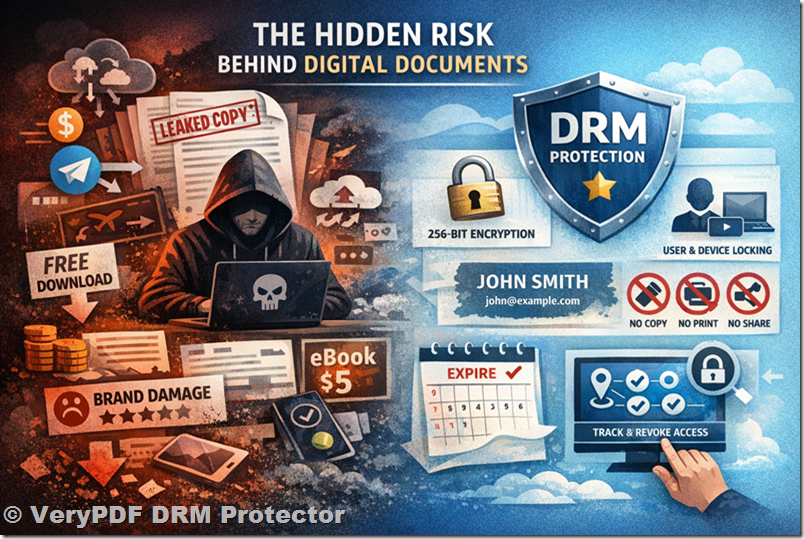
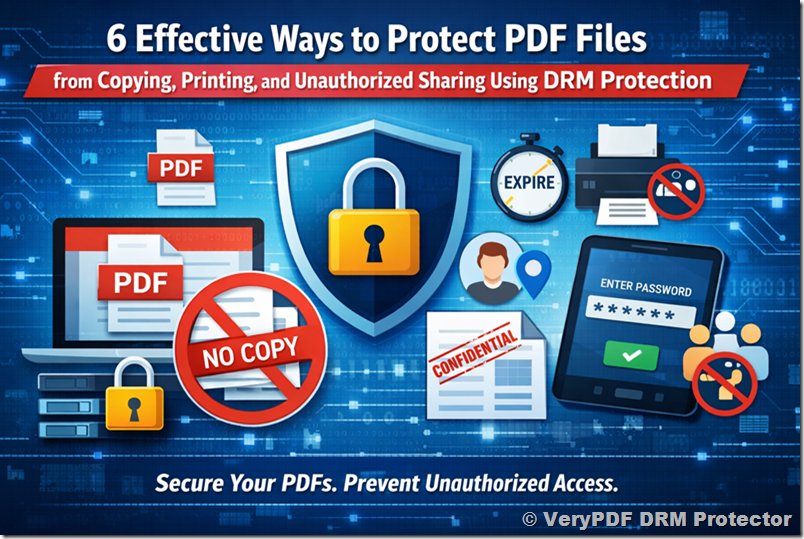
Protecting PDF documents has become a critical necessity for businesses, educational institutions, and content creators. Unauthorized sharing, piracy, and content leaks can result in revenue loss and compromise intellectual property. VeryPDF DRM Protector offers advanced PDF protection with encryption, access control, and dynamic watermarking. By integrating it into platforms such as WordPress, online course systems, or document management systems (DMS), users can encrypt PDFs with a single click, making document security simple and efficient.


Why Integrate VeryPDF DRM Protector?

Integrating VeryPDF DRM Protector into existing platforms offers multiple benefits:

  1. Seamless User Experience – Users can encrypt PDF documents directly within the platform interface without the need for external tools. One-click encryption ensures smooth adoption.
  2. Traffic Monetization – Platforms with built-in DRM attract content creators and users who value secure document distribution.
  3. Enhanced Security – Enterprises and educational institutions can protect sensitive content such as contracts, internal reports, or course materials from unauthorized access.
  4. Audit and Compliance – DRM policies enable tracking of document access, providing organizations with audit capabilities and regulatory compliance.

Developing Plugins for WordPress, Online Course Platforms, and Document Management Systems with VeryPDF DRM Protector


Developing a WordPress Plugin

WordPress is one of the most widely used content management systems, making it an ideal platform for DRM integration. A plugin for WordPress should:

  • Provide a simple interface where users can encrypt PDF files while uploading or managing documents.
  • Integrate with user accounts to generate secure licenses for each PDF download.
  • Enable administrators to apply DRM rules consistently across all uploaded documents.
  • Allow users to easily access protected PDFs while ensuring unauthorized copying or sharing is prevented.

The goal is to allow users to protect their content without leaving the WordPress platform or using separate tools, maintaining a seamless workflow.


Integrating with Online Course Platforms

Online course platforms, such as Moodle or similar learning management systems, often deliver sensitive educational materials that require protection. By integrating VeryPDF DRM Protector:

  • Instructors can encrypt PDFs during the upload process, ensuring materials are secure before students can access them.
  • Each student can receive personalized DRM-protected files, limiting redistribution and maintaining accountability.
  • Dynamic watermarking can be applied automatically, embedding student-specific information in the document to discourage unauthorized sharing.
  • The encryption process should be invisible to students, making it convenient while maintaining strong security.

This integration helps online education platforms protect intellectual property and maintain trust with content creators.


Integrating with Document Management Systems (DMS)

For enterprises or organizations managing confidential documents, integrating DRM at the DMS level provides:

  • Centralized Security Policies – Organizations can enforce consistent DRM rules across departments.
  • Automated Document Protection – PDFs are encrypted as they are uploaded, reducing the risk of human error.
  • Audit and Tracking – Organizations can monitor document access, identify potential leaks, and ensure compliance.
  • Ease of Use – Employees can access protected PDFs seamlessly without needing additional tools or steps.

DMS integration ensures sensitive information remains secure while maintaining operational efficiency.


Benefits of Platform-Level DRM Integration

  • User-Friendly Workflow – One-click encryption allows content protection without technical barriers.
  • Strong Security – PDF encryption, access control, and dynamic watermarking provide high-level protection.
  • Content Monetization – Platforms offering DRM attract creators and premium users.
  • Compliance & Auditing – Institutions can confidently manage sensitive documents with full visibility of access.

By embedding VeryPDF DRM Protector into platforms, developers create a secure, convenient, and reliable environment for users while protecting intellectual property and sensitive information.


Conclusion

VeryPDF DRM Protector offers an essential solution for developers looking to integrate PDF protection into WordPress, online course platforms, or document management systems. Platform-level integration ensures seamless user experience, strong document security, and easy management of DRM policies. This approach empowers enterprises and educational institutions to protect sensitive content effectively while providing users with convenient, one-click PDF encryption.

Try VeryPDF DRM Protector for free: https://drm.verypdf.com/

[Solution] Embedding DRM into Enterprise Software: How VeryPDF DRM Protector Enhances ERP, Financial Systems, and Office Workflows

In today’s corporate environment, the protection of sensitive documents is more critical than ever. Organizations handle vast amounts of confidential data, including financial reports, contracts, internal policies, and intellectual property. Leaks or unauthorized sharing of these documents can result in severe financial loss, legal issues, and reputational damage. Integrating VeryPDF DRM Protector into enterprise software solutions such as ERP systems, financial management platforms, and Office productivity tools offers companies a robust approach to safeguard their digital assets.

1. What is VeryPDF DRM Protector?

VeryPDF DRM Protector is a comprehensive digital rights management (DRM) solution that enables document protection through encryption, access control, dynamic watermarking, and usage auditing. It is compatible with multiple document formats, including PDF, Office documents, and multimedia files. By embedding DRM into enterprise workflows, organizations can ensure that sensitive information is only accessible to authorized personnel and that its usage is fully tracked and controllable.

Key features include:

  • 256-bit AES encryption for high-security document protection
  • Access control policies to define who can view, edit, print, or share files
  • Dynamic watermarking to discourage unauthorized distribution
  • Audit trails to monitor document usage and access history
  • Flexible integration options including APIs, SDKs, and Office plugins

[Solution] Embedding DRM into Enterprise Software: How VeryPDF DRM Protector Enhances ERP, Financial Systems, and Office Workflows

2. Integration with ERP Systems

Enterprise Resource Planning (ERP) systems consolidate business operations such as finance, procurement, inventory, and HR into a single platform. These systems often handle highly confidential information, including:

  • Vendor contracts
  • Purchase orders and invoices
  • Employee records
  • Financial statements

By embedding VeryPDF DRM Protector into ERP systems, organizations can automatically protect critical documents generated or stored within the system. For example:

  • When a financial report is exported from the ERP, it can be encrypted and assigned specific access permissions before leaving the system.
  • Users attempting to open sensitive invoices outside of the approved environment can be denied access.
  • Document audit logs can be integrated into the ERP for compliance reporting, providing administrators with real-time insights into document usage.

The integration can be achieved via API calls or a custom plugin, ensuring seamless protection without disrupting the normal ERP workflow.

3. DRM for Financial Systems

Financial software often deals with sensitive data such as balance sheets, tax filings, and payment instructions. Data leakage in this context can have catastrophic consequences. Embedding VeryPDF DRM Protector within financial platforms enables organizations to:

  • Protect reports and statements before sending them to clients or auditors
  • Control how sensitive spreadsheets are used, including printing restrictions and edit limitations
  • Ensure compliance with financial regulations such as SOX, GDPR, and PCI DSS through detailed usage logs

The DRM system can also support temporary access tokens, allowing auditors or external consultants to access documents for a defined period, after which access automatically expires.

4. Office Plugin Integration

Many enterprise users rely heavily on Microsoft Office or similar productivity suites for daily document creation and editing. VeryPDF DRM Protector can integrate as an Office plugin, providing users with the ability to:

  • Apply DRM policies directly from within Word, Excel, or PowerPoint
  • Encrypt documents before sharing via email or cloud services
  • Embed watermarks dynamically with user-specific information, discouraging unauthorized redistribution
  • Automatically log every access and action on protected documents

This seamless integration reduces the learning curve for employees and ensures that DRM protection becomes a natural part of the document lifecycle.

5. Benefits of Embedded DRM in Enterprise Workflows

Integrating DRM directly into enterprise software provides several key benefits:

  1. Enhanced Security – Documents are protected at the point of creation and export.
  2. Regulatory Compliance – Automatic auditing and access control help meet industry regulations.
  3. Operational Efficiency – Users can continue their normal workflow without switching tools or platforms.
  4. Risk Mitigation – Unauthorized distribution or sharing is minimized.
  5. Customizable Policies – DRM policies can be tailored to departments, projects, or individual employees.

6. Implementation Options

VeryPDF DRM Protector offers multiple integration methods to suit enterprise needs:

  • API Integration – For custom ERP or financial system implementations
  • SDK Integration – Embed DRM functions directly into existing applications
  • Office Plugins – Allow users to protect documents from within Office apps
  • Cloud-based Solutions – Combine with SaaS platforms for centralized management

7. Conclusion

Embedding VeryPDF DRM Protector into enterprise software transforms the way organizations handle sensitive documents. From ERP systems and financial platforms to everyday Office applications, DRM integration ensures that documents are protected, access is controlled, and compliance is maintained. Companies gain peace of mind, knowing that their confidential data is secure, auditable, and resistant to unauthorized sharing.

Organizations looking to modernize their document security can explore the full capabilities of VeryPDF DRM Protector at https://drm.verypdf.com and experience seamless enterprise-grade DRM protection.

[Solution] Integrating VeryPDF DRM Protector with Online Education Platforms: DRM Interfaces and White-Label Solutions

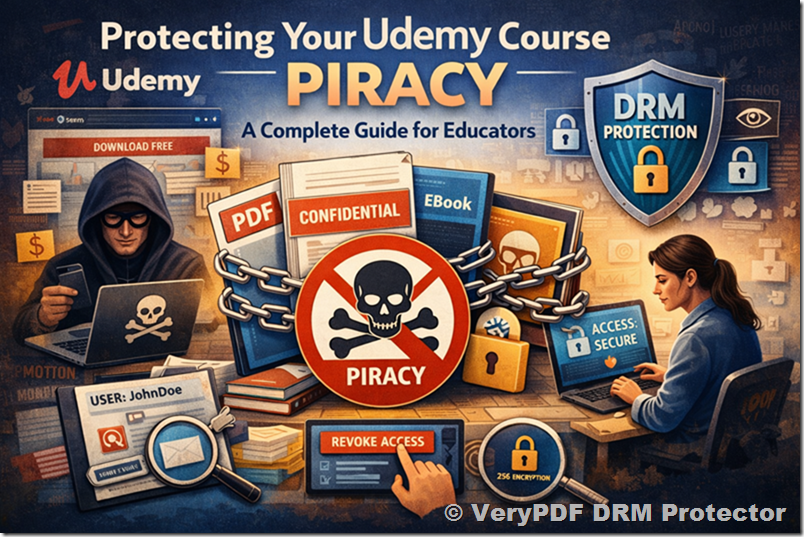
In today’s digital education environment, protecting intellectual property is a critical concern. Online courses, educational materials, and digital textbooks are increasingly distributed through platforms like Moodle, Udemy, or proprietary Learning Management Systems (LMS). While these platforms offer convenience and scalability, they often lack robust tools for preventing unauthorized sharing or copying of content. This is where VeryPDF DRM Protector comes into play, providing seamless DRM (Digital Rights Management) integration and white-label solutions for educational content providers.

1. Overview of VeryPDF DRM Protector

VeryPDF DRM Protector is a comprehensive DRM solution that allows content owners to encrypt and control access to their digital documents, particularly PDF files. Key features include:

  • 256-bit AES encryption to ensure secure content protection.
  • Dynamic watermarking, embedding user-specific information to discourage unauthorized sharing.
  • Access control policies, allowing content access based on time, device, or user identity.
  • Audit trails, tracking when, where, and by whom content is accessed.
  • Cloud and on-premise support, enabling flexible deployment depending on the platform requirements.

These capabilities make VeryPDF DRM Protector ideal for online education platforms that require secure content distribution without compromising usability.

[Solution] Integrating VeryPDF DRM Protector with Online Education Platforms: DRM Interfaces and White-Label Solutions

2. DRM Interfaces for Online Platforms

To facilitate seamless integration, VeryPDF DRM Protector offers DRM interfaces—APIs that allow LMS platforms to directly incorporate document protection and access control features.

a. RESTful API Integration

  • Authentication: The API allows the LMS to authenticate users via tokens or SSO (Single Sign-On).
  • Document Encryption: Instructors or administrators can programmatically encrypt PDF materials before uploading them to the platform.
  • Access Rules Management: Set per-user or per-course access policies, such as expiration dates, maximum devices, or offline reading restrictions.
  • Audit and Monitoring: Access events are automatically logged, allowing platform administrators to track potential misuse.

b. Automated Workflow Support

  • Course Upload Integration: When a new course is created on Moodle or Udemy-like platforms, course documents can automatically be encrypted and watermarked via the DRM API.
  • Dynamic Watermarking: User-specific identifiers (name, email, institution) are added in real-time as students download or view content.
  • Device Management: The API can enforce limits on the number of devices or IP ranges that can access the content, preventing sharing across unauthorized accounts.

c. LMS Plugin Development

  • VeryPDF DRM Protector can provide custom plugins for popular platforms such as Moodle or Canvas.
  • These plugins integrate directly into the course management workflow, allowing instructors to protect documents without leaving the LMS interface.
  • Features include a one-click “Protect and Publish” button for PDF materials and automatic DRM assignment upon upload.

3. White-Label Solutions

For online education providers looking to maintain brand identity while offering secure content, VeryPDF DRM Protector supports white-label solutions:

a. Custom Branding

  • The DRM interface, download portals, and watermarking system can carry the platform’s logo, colors, and messaging.
  • Students interact with the DRM system as a seamless part of the LMS, without seeing third-party branding.

b. Licensing Models

  • Educational platforms can license the DRM service under their own brand and pricing, allowing monetization of premium content.
  • Flexible deployment options allow either cloud-based DRM management or on-premise installation for institutions with strict data policies.

c. Multi-Tenant Support

  • Large platforms hosting multiple instructors or course providers can leverage white-label DRM with per-instructor or per-course policies.
  • Each instructor can independently manage their own protected documents while the platform maintains global audit and monitoring controls.

4. Advantages for Online Education Platforms

Integrating VeryPDF DRM Protector provides several benefits:

  1. Enhanced Content Security: Prevents unauthorized sharing, copying, or printing of course materials.
  2. Compliance and Reporting: Platforms can meet institutional or legal requirements for digital content protection.
  3. Revenue Protection: Protecting paid courses ensures that free distribution does not erode subscription revenue.
  4. Seamless User Experience: Students enjoy secure access without complicated logins or additional software, as DRM enforcement is built into the LMS workflow.
  5. Scalability: Whether the platform has hundreds or millions of students, the DRM system can scale without additional complexity.

5. Example Workflow: Moodle Integration

  1. Instructor uploads course PDFs to Moodle.
  2. The Moodle DRM plugin calls the VeryPDF DRM API to encrypt and watermark each PDF.
  3. Encrypted PDFs are stored on the LMS server.
  4. Students download PDFs; dynamic watermarks and device restrictions are applied.
  5. The LMS admin can track access logs to detect abnormal usage or policy violations.

6. Conclusion

With the growing need to protect digital educational content, VeryPDF DRM Protector offers a robust solution for online education platforms. Through its DRM interfaces, automated workflow support, and white-label capabilities, educational platforms can confidently distribute content, safeguard revenue, and maintain a seamless user experience. By integrating VeryPDF DRM Protector, platforms like Moodle, Udemy, or proprietary LMS solutions can become not just content hosts but secure content providers.

Using PDF tracking tools to analyze document interactions for specific industries, accounts, or market segments

Maximize Client Insights and Protect Market Research with PDF Tracking

Stop unauthorized access, protect sensitive business reports, and track client engagement effortlessly with advanced PDF Analytics.

As a business owner, I’ve often felt that sinking feeling when I hand over a market research report or internal strategy document and immediately wonder: who is really reading this? Is someone forwarding it without permission? Are my insights being shared with competitors? In one instance, we distributed a comprehensive market forecast to a potential client, only to hear a few weeks later that sections had appeared online. That’s when I realised that traditional PDF distribution just wasn’t enough. I needed a way not only to protect my documents from piracy but also to understand exactly how clients interacted with them.

The challenges businesses face with confidential documents are more common than you might think. For example, our sales team frequently sends tailored proposals and research reports to high-value clients. Without insight into client engagement, it’s nearly impossible to gauge interest or intervene at the right time. Worse, sensitive data like pricing, customer analyses, and product roadmaps could end up in the wrong hands, undermining competitive advantage.

Using PDF tracking tools to analyze document interactions for specific industries, accounts, or market segments

Common Business Pain Points

1. Uncontrolled Sharing and Unauthorized Access

One of the most frustrating scenarios is sending a carefully crafted report only to find it has been forwarded to unintended recipients. PDFs can easily be shared via email, cloud storage, or even copied onto a USB drive. When sensitive information like market trends, competitor analysis, or client lists leaks, the fallout can be significantlost deals, compromised strategies, and damaged trust.

2. Copying, Printing, and Conversion Risks

Even if a PDF is password-protected, savvy users can still print it, copy text, or convert it into Word, Excel, or images. This creates multiple unsecured copies that can circulate without your knowledge. For example, I once sent an internal pricing analysis to a partner, and later discovered a competitor had similar figures online. The original PDF had been converted and redistributed without authorization.

3. Limited Insight into Client Engagement

Without knowing which sections of a document clients focus on, businesses are essentially flying blind. Are prospects skipping over your executive summary? Are they spending more time on pricing than product benefits? Without these insights, sales follow-ups lack precision, and marketing strategies remain guesswork.

How VeryPDF DRM Protector Solves These Problems

This is where PDF Analytics for Sales by VeryPDF DRM Protector transforms document management. It’s not just about locking files; it’s about controlling access, preventing piracy, and gaining actionable insights. Here’s how it works in real-world scenarios:

  • Restrict PDF Access to Authorized Users: You can define who can open a document, whether that’s specific colleagues, departments, or clients. No unauthorized eyes, no surprises.

  • Prevent Printing, Copying, Forwarding, or DRM Removal: Every PDF can have restrictions applied to block risky actions. Even if someone tries to bypass security, DRM technology ensures the document remains protected.

  • Track Client Engagement: PDF Analytics reveals exactly which pages clients view, how long they spend on each page, and the total reading duration. Sales teams can identify strong leads and act strategically.

For instance, I recently sent a detailed competitor analysis report to a key prospect. PDF Analytics showed they lingered for five minutes on our pricing table but skimmed other sections quickly. This allowed our sales rep to follow up directly on pricing, rather than sending a generic email. That engagement insight was critical in closing the deal.

Anti-Piracy Benefits

Beyond engagement, VeryPDF DRM Protector is a robust shield against document piracy:

  • Blocks Unauthorized Conversion: PDFs cannot be turned into Word, Excel, or images, keeping your proprietary formats secure.

  • Prevents Circumventing Security: Even if someone tries to bypass DRM, encryption ensures your content remains locked.

  • Maintains Distribution Control: You decide who sees what, when, and how, keeping your business reports within the intended circle.

I remember a moment when a partner attempted to forward our quarterly strategy report to their team outside the authorized department. The DRM restrictions prevented the file from opening, and an automatic alert notified me. That immediate feedback saved sensitive insights from being shared prematurely.

Practical Steps to Implement PDF Analytics

Implementing VeryPDF’s solution is straightforward, even for busy teams:

  1. Upload Your Document: Secure your market research or business report in the DRM system.

  2. Set Permissions: Define who can view, print, or copy each document.

  3. Enable PDF Analytics: Track which sections clients focus on, time spent, and total interaction duration.

  4. Monitor Engagement: Review dashboards to understand client interest and tailor follow-ups.

  5. Adjust Strategy: Use the insights to improve content, identify hot leads, or intervene when engagement drops.

For example, after noticing prospects were skipping over our technical appendix, we simplified that section and added visual summaries. Engagement increased by over 40%, showing that analytics not only protects data but also improves communication effectiveness.

Real-World Scenarios

  • Preventing Sensitive Data Leaks: A consulting firm shared their strategic roadmap with select executives at a client company. DRM restrictions prevented unauthorized printing or forwarding, keeping their intellectual property secure.

  • Optimizing Sales Follow-Ups: A marketing team tracked which sections of a campaign proposal clients spent most time on. They personalised follow-ups, addressing specific concerns, and increased conversion rates.

  • Protecting Market Research: A product team distributed trend analysis to stakeholders. PDF Analytics showed which insights were most valuable, guiding future product strategy and ensuring reports weren’t circulated beyond authorized users.

Summary and Recommendation

Protecting confidential business documents doesn’t have to be a guessing game. With PDF Analytics for Sales by VeryPDF DRM Protector, I gained both control and insight. I can restrict access, prevent piracy, and see exactly how clients engage with each document. It’s transformed the way we distribute sensitive information, safeguard proprietary data, and make informed sales decisions. I highly recommend this to anyone distributing confidential business documents and wanting insight into client behavior.

Try it now and protect your business reports: https://drm.verypdf.com

Start your free trial today, secure your market research, and track PDF engagement.

FAQ

Q1: How can I limit access to confidential business documents?

You can restrict PDFs to authorized users, specific departments, or individual clients using DRM permissions.

Q2: Can I prevent others from copying, printing, or converting my reports?

Yes, DRM restrictions block printing, copying, forwarding, and conversion to Word, Excel, or images.

Q3: How do I track which pages my clients are reading and how long they spend?

PDF Analytics provides detailed insights, showing page views, reading duration per page, and total engagement time.

Q4: Does DRM technology prevent unauthorized sharing of PDFs?

Absolutely. DRM encrypts documents and ensures only authorized users can open them, preventing unauthorized distribution.

Q5: How easy is it to distribute protected business reports to clients or colleagues?

Distribution is simple: upload your PDF, set permissions, and share the secure link. Analytics start tracking engagement immediately.

Q6: Can I adjust permissions after sending a document?

Yes, you can modify access rights, revoke permissions, or update restrictions even after distribution.

Q7: Will PDF Analytics help my sales team improve follow-ups?

Definitely. By understanding which pages clients focus on and how long they spend reading, your team can personalise follow-ups and prioritise leads effectively.

Tags or Keywords

protect business reports, secure market research, prevent PDF piracy, stop unauthorized access, track PDF engagement, protect confidential data, monitor PDF reading, restrict PDF access, prevent document leaks, DRM PDF security

Using PDF engagement insights to understand how prospects interact with competitive pricing and key sales pages

Unlocking Client Insights: Track PDF Engagement and Protect Business Reports

Discover how to safeguard confidential reports while understanding exactly how clients interact with your PDFs.

As a business owner, I’ve often faced the sinking feeling of sending a crucial market research report or pricing proposal, only to wonder if it ended up in the wrong handsor worse, ignored entirely. You spend weeks crafting insights, competitive analyses, and strategic recommendations, yet you have no way of knowing if your clients are actually reading them. Worse, sensitive information can be leaked or shared without your consent, potentially undermining months of work and hard-earned business advantages.

This is a reality many managers, marketers, and sales teams face: balancing the need to share vital information with the risk of losing control over how it’s used. That’s where PDF Analytics for Sales by VeryPDF DRM Protector comes inoffering a practical, secure way to protect documents while revealing exactly how clients engage with them.

One common frustration is sending market research reports or business proposals and discovering they’ve been shared with competitors or forwarded internally without permission. You can’t always rely on trust aloneespecially when your documents contain strategic pricing, client lists, or sensitive financial forecasts.

Another challenge is unauthorized printing, copying, or conversion. Traditional PDFs are easily manipulated: someone can copy text into Word, take screenshots, or even convert pages into images to bypass confidentiality. This not only threatens business security but also undermines your intellectual property.

Finally, limited insight into client engagement leaves sales and marketing teams guessing. You might know that a proposal was sent, but did your prospect read the pricing section carefully? Did they skim the executive summary? These are critical signals that can inform follow-up strategies and close deals faster.

Using PDF engagement insights to understand how prospects interact with competitive pricing and key sales pages

PDF Analytics for Sales by VeryPDF DRM Protector solves these problems in straightforward, actionable ways. Here’s how it works in real business scenarios:

  • Controlled Access: You can restrict PDF access to authorized users or departments, ensuring only the right people see your content. No more worries about internal leaks or accidental forwarding.

  • Anti-Piracy Protections: Printing, copying, forwarding, or removing DRM is blocked, meaning your reports stay exactly where you want them. Converting PDFs to Word, Excel, or images is also prevented, keeping your intellectual property secure.

  • Engagement Tracking: PDF Analytics records which pages are viewed, how long a user spends per page, and total reading duration. This gives your sales team actionable insight into client behavior. For example:

    • A prospect who lingers on a pricing page signals strong purchase intent.

    • Someone skimming multiple pages might need follow-up clarification or additional guidance.

Real examples from my own experience highlight the tool’s value:

  • When we launched a competitive pricing report for key clients, PDF Analytics showed exactly which pages each client spent the most time on. This allowed our sales team to address questions proactively, turning hesitant prospects into confident buyers.

  • On another occasion, a sensitive market analysis was accidentally emailed to the wrong recipient. Because the PDF was protected, the recipient couldn’t copy, forward, or print it, avoiding a potential leak and saving the team from a PR issue.

  • For a recent product launch, tracking client engagement helped prioritize follow-up calls. We saw which clients spent more time on feature comparison pages and reached out personallyresulting in higher conversion rates without wasting time on disengaged prospects.

Step-by-step, the process is simple and practical:

  1. Upload your PDF into VeryPDF DRM Protector.

  2. Set restrictions: limit access to certain users or groups, disable printing and copying, and prevent file conversion.

  3. Distribute securely to clients or internal teams.

  4. Monitor engagement through PDF Analytics, identifying which sections are most important to each reader.

  5. Act on insights: tailor follow-up conversations based on real engagement data, rather than assumptions.

Beyond security, these analytics offer a strategic advantage. You’re no longer sending information into a black holeyou can see exactly what matters to clients, anticipate objections, and adjust your sales strategy in real time.


In summary, PDF Analytics for Sales by VeryPDF DRM Protector gives you full control over your documents while revealing client engagement in a practical, business-focused way. You can prevent unauthorized access, stop piracy, and gain actionable insights into how your content is consumed. For anyone distributing confidential business documents, market research, or pricing proposals, this tool is invaluable.

I highly recommend this to anyone wanting to protect their reports and understand client behavior. Try it now and protect your business reports: https://drm.verypdf.com

Start your free trial today, secure your market research, and track PDF engagement.


Frequently Asked Questions

How can I limit access to confidential business documents?

You can restrict PDF access to specific users, teams, or departments using VeryPDF DRM Protector, ensuring only authorized people can open the file.

Can I prevent others from copying, printing, or converting my reports?

Yes. VeryPDF DRM Protector blocks printing, copying, forwarding, and conversion to Word, Excel, or images, keeping your content secure.

How do I track which pages my clients are reading and how long they spend?

PDF Analytics provides detailed insights, showing which pages are viewed, time spent per page, and total reading duration.

Does DRM technology prevent unauthorized sharing of PDFs?

Absolutely. DRM restrictions prevent files from being forwarded, downloaded by unauthorized users, or stripped of protection, stopping leaks and piracy.

How easy is it to distribute protected business reports to clients or colleagues?

Distribution is seamless. You can share PDFs directly with authorized users or groups, while maintaining control and monitoring engagement remotely.

Can this help my sales team prioritize follow-ups?

Yes. Analytics reveal which pages clients focus on, enabling sales teams to identify high-interest prospects and tailor outreach effectively.

Is PDF protection compatible with mobile and desktop devices?

VeryPDF DRM Protector supports both desktop and mobile platforms, ensuring your protected documents remain secure across all devices.


Tags/Keywords

protect business reports, secure market research, prevent PDF piracy, stop unauthorized access, track PDF engagement, protect confidential data, monitor PDF reading, sales engagement insights, DRM-protected PDFs, client behavior tracking