6 Effective Ways to Protect PDF Files from Copying, Printing, and Unauthorized Sharing Using DRM Protection

PDF files have become one of the most widely used formats for sharing documents, including business contracts, academic materials, e-books, and training resources. Their flexibility, platform independence, and consistent formatting make them ideal for both professional and personal use. However, the ease of sharing also creates challenges in protecting the intellectual property within these files. Unauthorized copying, redistribution, or content theft can result in financial loss, damage to brand reputation, and violations of copyright laws.

To address these concerns, securing PDF files has become a necessity for businesses, educators, authors, and anyone distributing sensitive information. In this guide, we will discuss multiple strategies for protecting PDF files from copying and introduce VeryPDF DRM Protector, a professional solution designed to safeguard your PDF content effectively.

6 Effective Ways to Protect PDF Files from Copying, Printing, and Unauthorized Sharing Using DRM Protection


Why Protecting PDFs Is Crucial

Before diving into the methods of protection, it’s important to understand why PDF security is critical:

  1. Intellectual Property Protection: Authors, researchers, and educators invest significant time and resources in creating content. Unauthorized copying can undermine this effort.
  2. Preventing Financial Loss: Businesses often distribute sensitive information or paid resources as PDFs. Unprotected files can be freely shared, causing revenue loss.
  3. Maintaining Brand Reputation: If proprietary information leaks or is misused, the organization’s credibility can be damaged.
  4. Regulatory Compliance: Many industries are legally obligated to secure documents containing personal data, financial records, or confidential information.

Given these risks, a robust PDF protection strategy is essential. Below, we explore six ways to prevent copying and protect your files.


1. Display PDFs Within Your Web Application

A simple yet highly effective method to protect PDFs is to embed the PDF viewer inside your web application. Instead of allowing users to download the file or open it in an external PDF reader, you control the viewing environment entirely.

Benefits:

  • Increased Control: By keeping the PDF inside your app, you can disable copy, print, or save options depending on the user’s role.
  • Professional Presentation: Embedded PDFs can be styled seamlessly to match your platform’s design.
  • Analytics & Monitoring: You can track user engagement and interactions with the PDF in real-time.

For example, many online education platforms display course materials within their platform rather than allowing students to download raw PDFs. This method not only prevents unauthorized copying but also provides a better user experience.

To implement this, developers can use HTML5-based PDF viewers that offer granular permission controls. This approach ensures that the PDF never truly leaves the server, minimizing the risk of unauthorized distribution.


2. Do Not Show the PDF File Directly

Another strategy involves never providing access to the actual PDF file. Instead, you can display a converted version of the PDF, such as:

  • Images of each PDF page
  • HTML5-rendered pages

Advantages:

  • Impossible to Copy: Since the user never has the actual file, there’s nothing to steal.
  • Faster Loading: Large PDFs can be converted to images or HTML snippets, reducing bandwidth usage.
  • Selective Display: You can choose to display only specific pages or excerpts instead of the entire document.

This method is ideal for situations where users only need to view the content temporarily, such as an online demo, preview of an e-book, or a training module. For larger organizations, using server-side rendering to convert PDFs to secure images ensures that the original content remains protected.


3. Keep PDFs in Memory

In some cases, sending a PDF file to a client machine is unavoidable, for example, when using offline apps. To reduce copying risk, keep the PDF in memory rather than saving it to disk.

How It Works:

  • The PDF is temporarily loaded into the application’s memory space.
  • Viewing options like save, print, or export are disabled.
  • Once the application closes or the machine shuts down, the PDF is erased automatically.

This approach prevents users from finding the file in temporary folders or caches. Many professional PDF management tools implement this strategy, ensuring that sensitive files do not persist on end-user machines.


4. Disable Text Copying

PDF viewers often allow users to select and copy text. Disabling this feature is a simple but effective way to reduce the risk of unauthorized duplication.

Methods:

  • HTML5 Conversion: Using tools like BuildVu, PDF text can be converted into HTML5 elements with non-selectable text.
  • Non-selectable PDFs: By “printing” the PDF to a new PDF with text flattened or embedded as images, the content cannot be copied.

While determined users may still capture text using OCR (Optical Character Recognition), disabling text selection increases the effort required to steal content, acting as a deterrent.


5. Use PDF Security Settings

PDF files natively support security options that can prevent unauthorized actions:

  • Owner Password: Controls permissions, such as printing, copying, and editing.
  • User Password: Protects the file from being opened without authorization.

Even if you choose not to require a password for users, setting restrictive permissions ensures that the content cannot be copied, printed, or modified without proper authorization.

For example, creating a PDF with an empty User password allows the file to be opened normally but restricts actions like copying or printing, providing seamless protection without inconveniencing legitimate users.


6. Use VeryPDF DRM Protector

Among all strategies for PDF protection, VeryPDF DRM Protector offers the most comprehensive solution. Designed specifically to prevent unauthorized copying and redistribution, it ensures your PDF files remain secure under any circumstances.

Key Features of VeryPDF DRM Protector:

  1. Copy Protection: Prevent users from copying text, images, or the entire PDF file.
  2. Dynamic Watermarking: Add visible or invisible watermarks linked to each user, deterring unauthorized sharing.
  3. Access Controls: Restrict who can open the PDF based on roles, devices, or locations.
  4. Time-Limited Access: Set expiration dates or limit the number of times a file can be opened.
  5. Offline Protection: Even if the PDF is downloaded, it remains encrypted and protected.
  6. Integration with Web Applications: VeryPDF DRM Protector can be embedded into web platforms for seamless, controlled viewing.

By combining these features, VeryPDF DRM Protector ensures that your intellectual property stays secure while allowing authorized users to access the content conveniently.


How VeryPDF DRM Protector Works

At its core, VeryPDF DRM Protector uses advanced 256-bit AES encryption, a standard widely recognized for high security. Each protected PDF file is encrypted in such a way that only the authorized user can open it. Any attempt to copy, print, or redistribute the file without permission is blocked automatically.

Additionally, the software supports dynamic user-based watermarks. This means each time a user opens a protected PDF, their identifying information (like username, email, or IP address) is embedded in the document. If the file is leaked, it can be traced back to the source, discouraging unauthorized sharing.

For businesses, educators, and authors, this combination of encryption and traceable watermarks provides a robust layer of protection against content theft.


Benefits for Businesses and Educators

VeryPDF DRM Protector is particularly useful in the following scenarios:

  1. Corporate Training Materials: Protect training manuals, guides, and presentations from being shared outside the organization.
  2. Online Courses and E-Learning: Ensure students can view lessons and exercises but cannot copy or redistribute the content.
  3. Publishing and E-Books: Authors can sell PDFs with confidence, knowing their works are protected.
  4. Research and Technical Documents: Universities and research centers can share sensitive studies without risking unauthorized distribution.

By providing secure access and controlling user permissions, VeryPDF DRM Protector empowers content creators to share their work safely while maintaining revenue and credibility.


Step-by-Step Implementation

Protecting your PDFs with VeryPDF DRM Protector is straightforward:

  1. Upload the PDF: Start by uploading your PDF file to the VeryPDF DRM Protector platform.
  2. Set Permissions: Choose who can access the file and what actions are allowed (view, print, copy).
  3. Add Watermarks: Enable dynamic watermarks to embed user-specific information.
  4. Apply Encryption: Use AES encryption to secure the file.
  5. Distribute Securely: Share the protected PDF via your web application, email, or secure download link.

Within minutes, your PDF is fully protected, and unauthorized copying becomes nearly impossible.


Real-World Examples

Consider an online language school that provides PDF workbooks to students. Without protection, a student could easily forward the PDF to friends or post it online. By using VeryPDF DRM Protector:

  • Each workbook contains a watermark with the student’s name.
  • Students can view the workbook on their devices, but cannot print or copy the text.
  • Any attempt to share the file online is traceable, discouraging misuse.

Similarly, a corporate HR department can distribute sensitive policy manuals safely, ensuring that only authorized personnel can access the information while preventing leaks.


Additional Tips for Protecting PDFs

While VeryPDF DRM Protector is highly effective, combining multiple strategies enhances security:

  1. Use HTML5 Conversions for Previews: Display selected pages as images or HTML5 for preview purposes.
  2. Limit File Exposure: Avoid sending entire PDFs if only portions are needed.
  3. Educate Users: Inform users about the consequences of unauthorized copying.
  4. Monitor Access Logs: Keep track of who accessed which files and when.

By adopting a multi-layered approach, you can significantly reduce the risk of unauthorized copying.


Why Choose VeryPDF DRM Protector?

When considering PDF protection solutions, you may wonder why VeryPDF stands out. Here are the key reasons:

  1. Permanent Free Trial: Unlike competitors, you can test all features without time limitations.
  2. User-Friendly Interface: No technical expertise is needed to apply advanced DRM settings.
  3. Comprehensive Security: Protects against copying, printing, redistribution, and unauthorized sharing.
  4. Seamless Integration: Works with web applications, desktop apps, and cloud platforms.
  5. Trusted Technology: Backed by years of experience in PDF management and security.

Whether you are a business, educator, or author, VeryPDF DRM Protector offers an all-in-one solution for PDF security.


Final Thoughts

No method can completely eliminate the risk of copying, determined users could photograph the screen or manually retype content. However, by employing strategies such as embedding PDFs in web applications, disabling text selection, applying PDF security settings, and using VeryPDF DRM Protector, you make unauthorized copying much harder, time-consuming, and costly.

Investing in robust PDF protection is not just about preventing theft, it’s about maintaining control, ensuring compliance, protecting revenue, and safeguarding intellectual property. VeryPDF DRM Protector makes this possible with a combination of encryption, access control, watermarking, and user management.

If you are distributing PDFs online or within your organization, securing your files should be a top priority. With VeryPDF DRM Protector, you can confidently share your valuable content while minimizing the risk of unauthorized copying and misuse.

Protect your PDFs today and enjoy peace of mind knowing that your content is secure.


Experience VeryPDF DRM Protector for free online: https://drm.verypdf.com/

Protect Your Training Materials and Online Courses from PDF Theft and Unauthorized Copying

Creating training courses and educational materials takes significant time, effort, and expertise. Whether you call it plagiarism, copying, piracy, or outright theft, no one wants their hard work to be stolen. Fortunately, there are several ways to protect your content, from basic measures to advanced digital protection.

Protect Your Training Materials and Online Courses from PDF Theft and Unauthorized CopyingHere’s a guide, starting from the simplest to the most robust solutions:

1. Copyright and Trademark

Adding a copyright or trademark statement to your materials may seem obvious, but it’s essential. While it won’t stop a determined thief, it clearly establishes the legal ownership of your work and provides a foundation for any legal action if your content is misused.

2. Password Protection

Password-protecting your online materials or PDFs adds a layer of security. However, passwords can be shared, and once a PDF is opened, it can be easily copied or redistributed with basic tools like Adobe Acrobat. While password protection is better than no protection at all, it offers limited control once the file leaves your email or website.

3. Hard Copies with Watermarks

Creating branded printed copies with watermarks, headers, or footers can be surprisingly effective. Although someone could scan a printed copy, embedding your brand and copyright into each page increases the effort required to misuse the content. Watermarks integrated into the design are especially effective at deterring theft.

4. DRM and eBook Platforms

The strongest protection comes from using Digital Rights Management (DRM) with eBook readers. DRM ensures that your content is securely controlled and monitored. With DRM:

  • Files can be viewed only through an app or online reader—no downloading.
  • Printing can be restricted or disabled.
  • Copying to other devices is prohibited.
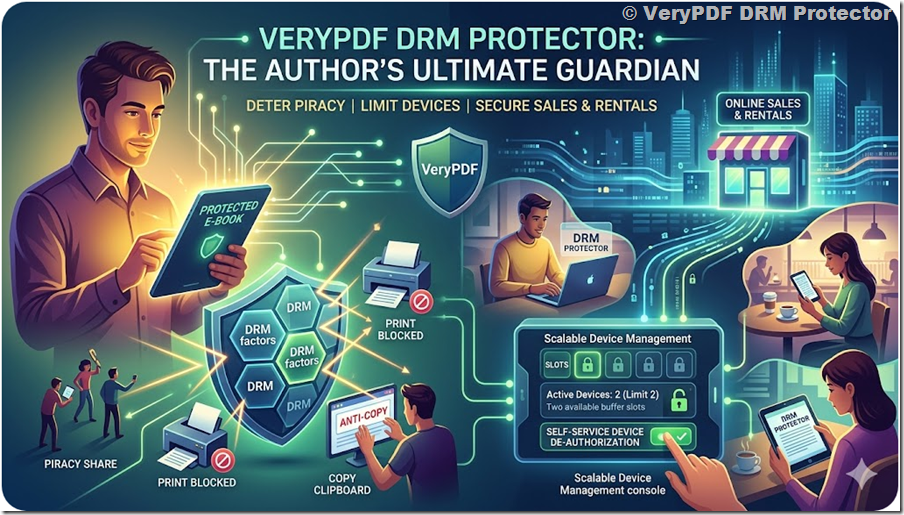
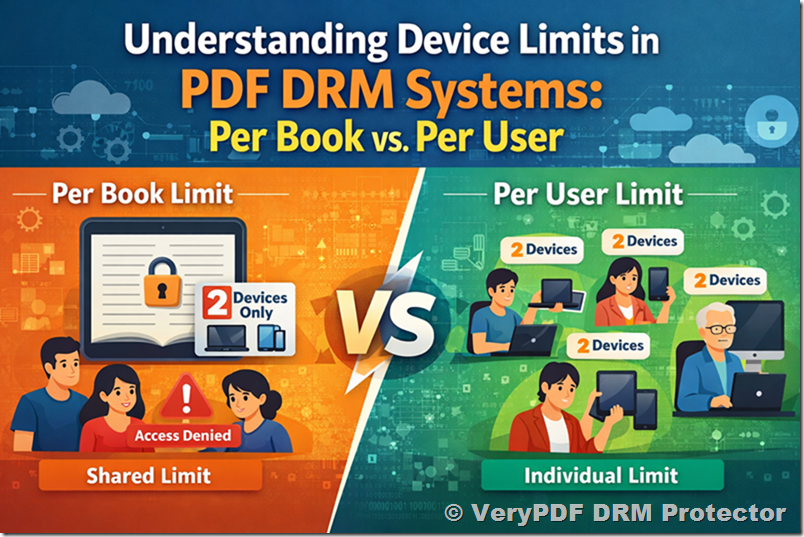
  • The number of devices that can access the file can be limited.
  • Dynamic watermarks embed the date and user details on prints.
  • Usage analytics allow you to track and detect unauthorized access.
  • Expiry dates or remote removal can prevent long-term misuse.

Using DRM to protect your materials doesn’t have to be expensive—it can cost no more than producing printed copies, while providing vastly superior security.

Recommendation: VeryPDF DRM Protector

For educators and training providers looking for a comprehensive solution, VeryPDF DRM Protector offers full protection for your PDFs and eBooks. With features like password management, printing restrictions, dynamic watermarking, and device control, it ensures your intellectual property remains secure while still being accessible to legitimate users. You can try a free demo online: https://drm.verypdf.com.

Protect your hard work, secure your content, and maintain peace of mind with advanced DRM solutions.

For more guidance on intellectual property protection and digital content security, contact us:

http://support.verypdf.com/open.php

How to Protect Your Online Course from Theft, Prevent Content Piracy, Secure Videos and PDFs, Stop Unauthorized Sharing, and Safeguard Your Digital Learning Materials

Creating an online course takes time, effort, and expertise. Naturally, you want to protect your intellectual property from theft. Unfortunately, content theft is real. A few years ago, platforms like Udemy faced scrutiny when it was discovered that stolen courses were being sold on their platform, generating revenue for the site. While platforms typically remove pirated content once reported, they rely on users to alert them, rather than actively policing theft.

For educators, this raises an important question: how do you prevent someone from stealing your hard work and profiting from it?

Why Content Theft Matters

Content theft isn’t just a moral violation, it can impact your revenue, reputation, and future opportunities. However, not all content sharing is harmful. Some sharing, when credited properly, can even increase your visibility and attract learners. On the other hand, uncredited theft, account sharing, or full course scraping can be a real problem.

How to Protect Your Online Course from Theft, Prevent Content Piracy, Secure Videos and PDFs, Stop Unauthorized Sharing, and Safeguard Your Digital Learning MaterialsHere’s what you need to know:

1. Some Sharing is Beneficial

Not every instance of sharing is theft. Fair use often allows small portions of your material to be shared, provided proper credit is given. For example, if someone posts an infographic from your course on their blog with attribution and links back to your course, this can actually serve as free marketing.

The problem arises when content is shared without credit. In such cases, you have every right to request proper attribution or remove the content. Protecting your work doesn’t mean stifling legitimate promotion, it’s about controlling how your content is used.

2. Password Sharing Is Less Risky for Engaged Courses

Learners rarely want to disrupt their own progress. Courses with quizzes, certificates, or personalized content discourage users from sharing logins because it could interfere with their progress. Therefore, password sharing is usually less of a concern for interactive courses compared to simple video-based lessons.

3. Copying an Entire Course Is Hard Work

Stealing a full course is labor-intensive. Thieves must purchase your course, transfer content, remove references to your brand, and fix links and media. Even then, the quality usually suffers, making the pirated version less valuable than the original.

4. Marketing Stolen Content Is Challenging

Promoting a stolen course is no small task. Learners often avoid pirated content due to quality concerns, and platforms like Udemy may reduce visibility for low-quality uploads. Coupled with the risk of legal action, course theft is not a lucrative or low-risk endeavor for most thieves.

Practical Ways to Protect Your Course

While you may not stop a determined thief entirely, there are effective steps to make your course harder to steal:

1. Register Copyrights

Copyright protection is automatic in many countries, but registering your course with the relevant authority strengthens your legal position. In the U.S., you can register your course with the U.S. Copyright Office to claim ownership and seek damages if someone steals your work.

2. Watermark Your Content

Add visible watermarks to videos, images, and PDFs. Watermarks deter theft by forcing anyone attempting to reuse your content to edit it, which usually reduces quality and makes it harder to monetize.

3. Use Secure Video Streaming

Platforms like Vimeo and Wistia offer content protection features such as password-protected viewing, download restrictions, and domain-level embedding. These features help protect your video content from casual theft.

4. Prevent Concurrent Logins

For courses where password sharing is a concern, restrict simultaneous logins. This ensures one account can only be accessed by a single user at a time, reducing the risk of unauthorized sharing.

5. Disable Copy and Right-Click (When Necessary)

While this can frustrate some learners, disabling right-click and text copying may prevent ongoing theft if other measures fail. WordPress plugins like Disable Right Click for WP can help implement this, but use it judiciously to avoid usability issues.

6. Regularly Monitor for Theft

Set up a schedule to search for your course content online. Use exact sentences from your course descriptions, images, or PDFs in Google searches to spot potential theft. Contact sites hosting stolen content to request takedowns.

The Best Tool for Complete Protection: VeryPDF DRM Protector

For educators serious about safeguarding their course content, VeryPDF DRM Protector provides comprehensive, all-in-one protection. Key features include:

  • Prevent PDF copying, printing, and screen capturing to stop unauthorized distribution
  • Persistent protection even after downloads, so files remain secure on any device
  • Dynamic watermarking to trace and identify unauthorized sharing
  • Password and user access controls, including individual user permissions
  • Expiration controls to automatically revoke access after a set period
  • IP and device restriction to limit access to specific locations or devices
  • Offline access protection to secure files even when learners work without internet
  • Detailed activity logs and tracking to monitor who opens, views, or attempts to copy content
  • Integration with LMS platforms for seamless course protection
  • Custom branding options to maintain your course identity and credibility
  • Anti-screenshot and screen recording protection to prevent content capture
  • Flexible DRM policies, allowing different access rules for different learners or course materials

VeryPDF DRM Protector ensures that your intellectual property stays secure while maintaining a smooth and professional experience for legitimate learners. You can try it for free online at https://drm.verypdf.com/.


With these strategies and the right tools, you can confidently protect your online courses, discourage theft, and ensure your hard work benefits you, not content pirates.

Five Easy Ways to Copy Protect a PDF Document: PDF Security, DRM Protection, Watermarking, and Anti-Copy Methods

Practical methods to safeguard your digital PDF content from unauthorized copying

PDF documents have become the standard format for sharing digital content across industries. From academic research papers and online course materials to corporate reports, legal contracts, and financial statements, PDFs are used everywhere because they preserve formatting and are easy to distribute.

However, this convenience comes with a major drawback: once a PDF file is shared, it can be easily copied, edited, or redistributed without the author’s permission. For individuals and organizations that rely on digital documents as part of their business model or intellectual property, this creates a serious risk.

Unauthorized copying can lead to revenue loss, copyright violations, data leaks, and reputational damage. For educators, it may mean students sharing paid course materials freely. For publishers, it could result in pirated eBooks circulating online. For businesses, it might expose confidential information.

To address these risks, various methods have been developed to protect PDF documents from copying. Some are simple and widely accessible, while others provide more advanced and robust protection.

In this article, we will explore five practical and effective ways to copy protect a PDF document. We will also analyze their strengths, weaknesses, and ideal use cases so you can choose the best solution based on your needs.

Five Easy Ways to Copy Protect a PDF Document: PDF Security, DRM Protection, Watermarking, and Anti-Copy Methods


1. Password-Protecting the Document (Document Encryption)

Password protection is the most basic and commonly used method for securing a PDF. It involves encrypting the document and requiring a password to open or modify it.

How it works

When you apply password protection to a PDF, you are essentially encrypting the file using a cryptographic algorithm such as AES (Advanced Encryption Standard). Most modern PDF tools support 128-bit or 256-bit AES encryption.

There are typically two types of passwords you can apply:

  • Open password (also called user password): This password is required to open the document. Without it, the file cannot be viewed.
  • Permissions password (also called owner password): This controls what actions are allowed, such as printing, copying, or editing.

For example, you can allow users to view the document but prevent them from copying text or printing it.

Advantages

Password protection is simple to implement and does not require advanced technical knowledge. Most PDF editors, including free ones, allow you to add passwords easily.

It provides a basic level of security by preventing unauthorized users from opening the document. Encryption ensures that the file cannot be read without the correct password.

It is widely supported across devices and platforms, so users can access protected PDFs without needing special software.

Limitations

Despite its simplicity, password protection has significant weaknesses.

Passwords can be easily shared. Once a legitimate user has access to the document, they can distribute the password along with the file, making it impossible to control access.

There are many tools available online that can remove PDF passwords, especially if weak passwords are used. Even strong encryption can be vulnerable if the password is compromised.

Password protection does not provide any control after the document is opened. Users can take screenshots, copy content manually, or use other tools to extract information.

There is no way to track who accessed the document or how it was used.

Best use cases

Password protection is suitable for low-risk scenarios, such as internal document sharing or temporary protection. It should not be relied upon for high-value or sensitive content.


2. Disabling the Text Copying

Another commonly used method is disabling the ability to copy text from a PDF. This is done by restricting permissions within the document.

How it works

PDF files contain a permission system that allows authors to control actions such as copying, printing, and editing.

By disabling the “copy” or “content extraction” permission, you can prevent users from selecting and copying text directly from the document.

This is usually applied together with a permissions password to enforce the restrictions.

Advantages

This method is easy to apply and does not affect the readability of the document. Users can still view the content normally.

It acts as a deterrent against casual copying. For example, a student trying to copy text from a course PDF may be blocked by the restriction.

It requires minimal setup and is supported by most PDF editing tools.

Limitations

Disabling text copying is not a strong security measure.

Many third-party tools can bypass these restrictions and extract text from the PDF. Even basic PDF readers may ignore permission settings.

Users can take screenshots of the content and use OCR (Optical Character Recognition) software to convert the image back into text.

It does not prevent screen recording or manual retyping.

Like password protection, it does not provide tracking or control after distribution.

Best use cases

This method is best used as a supplementary measure rather than a primary protection strategy. It can help reduce casual misuse but is not sufficient for protecting valuable content.


3. Adding a Watermark to the Document

Watermarking is a visual technique used to discourage unauthorized copying and sharing by embedding identifiable information into the document.

How it works

A watermark is a visible overlay placed on each page of the document. It can be text, images, or patterns.

There are two main types of watermarks:

Static watermark: The same text appears on every page, such as “Confidential” or “Do Not Copy.”

Dynamic watermark: Personalized information is added for each user, such as their name, email address, IP address, or access time.

Dynamic watermarks are typically applied at the time of viewing or downloading.

Advantages

Watermarking does not prevent copying directly, but it discourages unauthorized sharing by making it traceable.

If a document is leaked, the watermark can help identify the source. This is especially effective with dynamic watermarks.

It increases the perceived value and security of the document, making users less likely to misuse it.

It is easy to implement and can be combined with other protection methods.

Limitations

Watermarks do not technically block copying. Users can still extract content if they choose to ignore the watermark.

Static watermarks are less effective because they do not identify individual users.

In some cases, watermarks can be removed or obscured using editing tools.

Heavy watermarking may affect readability and user experience.

Best use cases

Watermarking is ideal for scenarios where tracking and deterrence are important, such as distributing paid content, internal documents, or confidential reports.


4. Convert to Image-Based PDF

Converting a PDF into an image-based format is another way to prevent text copying.

How it works

In a standard PDF, text is stored as selectable and searchable data. In an image-based PDF, each page is converted into a raster image, removing the text layer entirely.

This means users cannot select, copy, or search text within the document.

Advantages

This method effectively prevents direct text copying because there is no text layer to extract.

It preserves the visual appearance of the document exactly, making it suitable for design-heavy content.

It can be implemented using various tools that convert PDFs into images and back into PDF format.

Limitations

Image-based PDFs have several drawbacks.

File sizes are usually much larger, especially for high-resolution images.

The document becomes non-searchable, which reduces usability.

Accessibility is significantly reduced, as screen readers cannot interpret image-based text.

OCR software can still be used to extract text from images, although this requires additional effort.

It does not prevent screenshots or screen recording.

Best use cases

This method is suitable for documents where visual integrity is more important than functionality, such as brochures, catalogs, or scanned documents.


5. Use VeryPDF DRM Protector (Advanced Protection)

While the methods discussed above provide basic levels of protection, they all share a common limitation: they can be bypassed relatively easily and do not provide control after the document is distributed.

For organizations and individuals who need strong, reliable protection, a Digital Rights Management (DRM) solution is the most effective approach.

VeryPDF DRM Protector is a professional solution designed specifically to protect PDF documents from unauthorized copying, sharing, and misuse.

How DRM protection works

Unlike traditional PDF security, DRM does not rely on embedded permissions within the file. Instead, it controls how the document is accessed and used through a secure environment.

The document is encrypted and managed by a central system, which enforces access rules and monitors usage.

Key capabilities

VeryPDF DRM Protector provides comprehensive protection features that address the limitations of basic methods.

It uses strong encryption that cannot be easily removed or bypassed. This ensures that the document remains protected even if it is downloaded or shared.

It allows you to completely disable copying, printing, and editing. Users cannot extract content using standard tools.

It includes screen protection technology that blocks screenshots and screen recording attempts. This significantly reduces the risk of content leakage.

It supports dynamic watermarking, displaying user-specific information directly on the document. This discourages sharing and enables traceability.

It provides detailed usage tracking and analytics. You can see who accessed the document, when it was opened, how long it was viewed, and other engagement metrics.

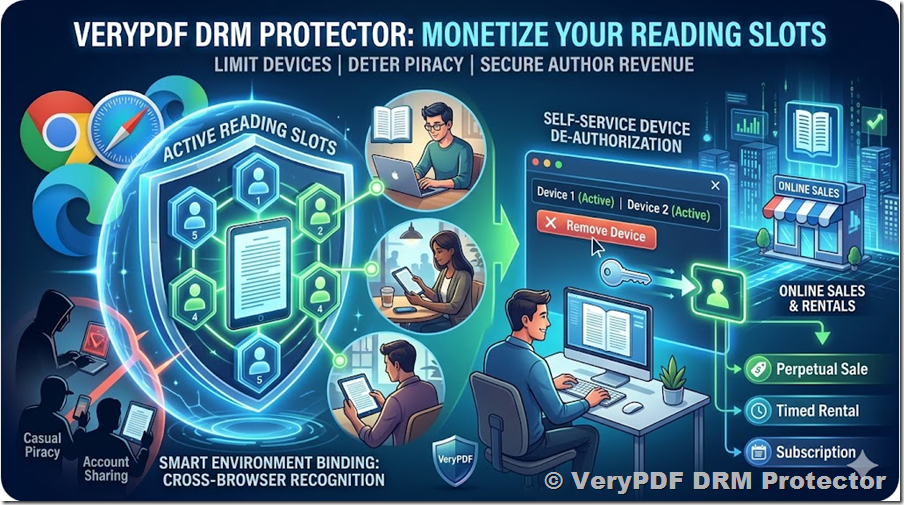
It allows you to set access controls such as expiration dates, device limits, and usage restrictions. You can also revoke access at any time, even after the document has been distributed.

It works in both browser and desktop environments, providing flexibility for different use cases.

Advantages

DRM protection offers a much higher level of security compared to traditional methods.

It prevents most common copying techniques, including text extraction, screenshots, and screen recording.

It gives you full control over your documents, even after they have been shared.

It provides valuable insights into how your content is being used.

It is suitable for commercial applications where protecting intellectual property is critical.

Limitations

DRM solutions require users to access documents through a controlled environment, which may involve a learning curve.

Initial setup may take more time compared to basic methods.

However, these limitations are minor compared to the level of protection provided.

Best use cases

VeryPDF DRM Protector is ideal for:

  • Educational institutions distributing course materials
  • Publishers selling eBooks and digital content
  • Businesses sharing confidential documents
  • Training organizations providing paid resources
  • Financial and legal industries handling sensitive data

Here’s a quick comparison:

Method

Security Level

Ease of Use

Effectiveness

Password Protection

Low

Easy

Limited

Disable Copying

Low

Easy

Weak

Watermarking

Medium

Easy

Moderate

Image-based PDF

Medium

Moderate

Partial

DRM Protection

High

Moderate

Strong

Final Thoughts

Protecting PDF documents from unauthorized copying is not a one-size-fits-all problem. Different methods offer different levels of security, usability, and complexity.

Basic techniques such as password protection and copy restriction are easy to implement but provide limited protection. Watermarking and image-based conversion add additional layers but still have weaknesses.

For high-value content, relying solely on these methods is not sufficient.

A comprehensive DRM solution like VeryPDF DRM Protector provides the strongest level of protection by combining encryption, access control, usage tracking, and anti-copy technologies.

Ultimately, the best approach depends on the value of your content and the level of risk you are willing to accept. In many cases, combining multiple methods can provide better results.

If your documents represent significant intellectual property or revenue, investing in advanced protection is not just an option, it is a necessity.

By choosing the right strategy, you can ensure that your PDF content remains secure, your rights are protected, and your business is safeguarded against unauthorized use.