[Solution] Self-Hosted DRM Solution: Hosting on VeryPDF Servers vs. Your Own Servers – Key Differences, Advantages, and Disadvantages

If you’re looking for a way to protect your PDF documents, especially sensitive information, you need a reliable solution that not only ensures security but also offers flexibility in hosting options. VeryPDF DRM Protector offers an efficient and cost-effective way to safeguard your PDF files with comprehensive Digital Rights Management (DRM) features. You can try this solution for free online at https://drm.verypdf.com/.

VeryPDF DRM Protector is a robust tool that provides both online and offline protection for your PDFs. Whether you’re an eBook seller, a business handling confidential documents, or a publisher distributing digital content, this tool can help you prevent unauthorized access, copying, or distribution of your files. With VeryPDF DRM Protector, you can integrate DRM protection directly into your workflow and take control of how your documents are shared, viewed, and printed.

Self-Hosted DRM Solution: Hosting on VeryPDF Servers vs. Your Own Servers - Key Differences, Advantages, and Disadvantages

Advantages of VeryPDF DRM Protector

One of the standout features of VeryPDF DRM Protector is its no-cost hosting option. Unlike other DRM solutions that charge monthly or annual hosting fees, VeryPDF offers a plan that requires no additional costs for hosting or bandwidth. The DRM-protected PDFs are stored securely on VeryPDF’s servers, meaning you don’t need to worry about extra expenses for storage or server management.

However, if you prefer more control over your documents, VeryPDF DRM Protector also gives you the option to upload the protected files directly to your own servers. This feature can be easily integrated into your system for free, ensuring that the process of protecting and uploading your documents is seamless.

Additionally, VeryPDF DRM Protector supports eCommerce integration, making it ideal for online stores. When a customer purchases a digital product like an eBook, you can use VeryPDF’s API to automatically protect the PDF file with DRM options. You can then provide the download link to your customer without needing to worry about unauthorized sharing or copying of your content.

Key Features of VeryPDF DRM Protector
  1. No Hosting Fees: Unlike other DRM solutions, there are no hidden costs or hosting fees with VeryPDF DRM Protector. All your protected PDF files are hosted on VeryPDF’s servers.

  2. Control Over Hosting: You can choose to host the protected files on your own servers, giving you full control over your data storage and security.

  3. eCommerce Integration: Seamlessly integrate DRM protection into your eCommerce platform to protect digital products like eBooks, software, and documents upon purchase.

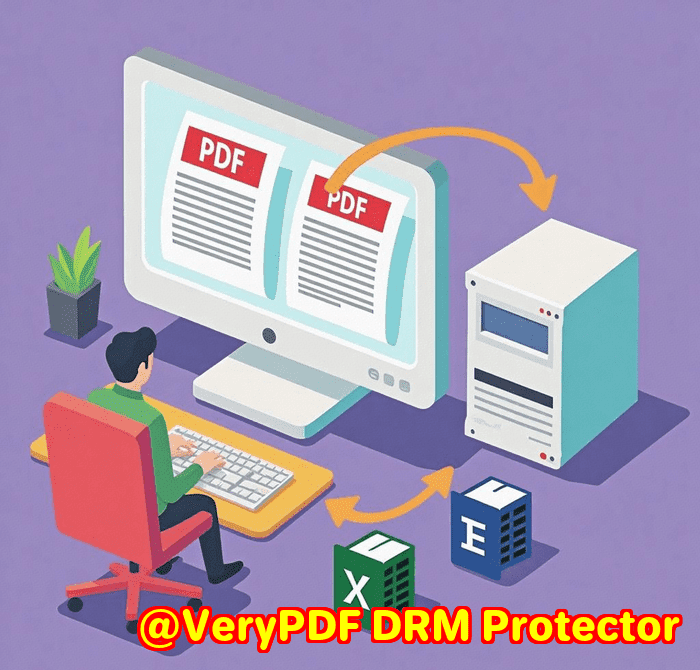
  4. Online and Offline Protection: Protect your PDFs both online and offline. Offline protection can bind the document to a USB drive or specific system (Windows, Mac, Android, or iOS), ensuring that the file is only accessible to authorized users.

  5. Customer Own Server License: This option is ideal for businesses that require greater control over their data and want to manage their security internally. It includes unlimited uploader licenses, custom email text, and the ability to run the system on your own infrastructure without ongoing hosting fees.

Hosting on VeryPDF Servers vs. Your Own Servers: What to Choose?

When it comes to hosting your DRM-protected PDFs, you have two main options: hosting on VeryPDF’s servers or hosting on your own. Hosting on VeryPDF’s servers allows you to get started quickly with minimal setup and without worrying about server maintenance. Your data is automatically backed up daily, and software updates are applied promptly.

On the other hand, hosting on your own servers provides you with full control over your system. You can manage backups, updates, and security at your discretion. This option is ideal for large publishers or businesses that require internal hosting and advanced reporting features. The own server license offers unlimited uploader licenses and complete flexibility over document storage and access.

Hosting on VeryPDF Servers vs. Your Own Servers: Advantages and Disadvantages

When deciding where to host your DRM-protected PDF files, businesses can either choose to use VeryPDF’s servers or host the system on their own servers. Each option comes with its own benefits and challenges depending on the company’s size, resources, and specific needs. Below is a detailed comparison of hosting on VeryPDF servers versus hosting on your own servers.

1. Hosting on VeryPDF Servers
Advantages:
  • Quick Setup: With VeryPDF hosting, you can get started immediately. There’s no need to worry about setting up servers or managing hardware. The system is ready to use straight away.
  • Automatic Backups: VeryPDF automatically performs daily backups at the end of each day, ensuring your data is safe without the need for manual intervention.
  • No Server Maintenance: All server maintenance, updates, and security patches are handled by VeryPDF. You don’t need to worry about keeping the system up to date or performing server-related tasks.
  • No Hosting Fees: There are no additional costs for hosting or bandwidth. The hosting costs are bundled into your subscription, saving you from unexpected charges.
  • Simplified Management: You have direct access to the admin system, but backend services like the MySQL database are handled by VeryPDF, meaning you don’t need to deal with the technical complexity.
  • Server Updates Automatically: The server software is automatically updated to the latest versions, ensuring your system is always up to date.
  • Limited License Customization: There is an option to change license email text for an additional charge.
Disadvantages:
  • Shared Server Resources: Your system is hosted on a shared server with other publishers, meaning you don’t have guaranteed dedicated resources, though you only access your own admin area.
  • Yearly Hosting Fee: You will need to pay a yearly hosting fee for the use of VeryPDF’s servers.
  • Limited Customization: Some features, like modifying the license email text, incur an extra charge.
  • Limited Control: While you can manage the front-end user interface, you don’t have direct access to backend services like the MySQL database or full control over server maintenance.
2. Hosting on Your Own Servers
Advantages:
  • Full Control: Hosting on your own servers means you have complete control over the system. You can manage backups, perform recovery processes, and set up server mirroring as per your business needs.
  • No Hosting Fees: There are no recurring hosting fees if you choose to host the system on your own servers. This can be a cost-saving option in the long run, especially for larger businesses.
  • Unlimited Licenses: With your own server, you can use unlimited Safeguard uploader licenses, which is beneficial for businesses with multiple users needing access to the system.
  • Scalability: Hosting on your own server means there are no restrictions on file upload sizes, disk space, or the number of simultaneous connections. Your infrastructure can scale according to your needs.
  • Customizable License Text: You can change the license email text without incurring any extra charge.
  • Direct Access to MySQL Database: You have full access to the MySQL database, which allows you to run custom reports or queries for better data management and reporting.
Disadvantages:
  • Setup Time: Setting up the system on your own server can take about a day, as it involves installing the server software, configuring the admin system, and testing the setup.
  • Ongoing Maintenance: You are responsible for maintaining the server, including updates, security patches, and troubleshooting any issues that arise. This requires dedicated IT resources.
  • Initial Infrastructure Cost: While there are no ongoing hosting fees, you must invest in your own hardware or virtual infrastructure, which could incur significant upfront costs.
  • Server Updates: You will need to manually apply any updates to the Safeguard system. These updates are made available for download, but the responsibility for maintaining the system lies with you.
  • Technical Expertise Required: Hosting on your own servers requires a certain level of technical expertise. If you lack in-house IT support, you may need to hire external professionals to manage the infrastructure.
Hosting on VeryPDF Servers vs. Own Servers: A Quick Comparison

Advantages of Hosting on VeryPDF Servers:

  • Instant setup with no technical work required.
  • Automatic backups and server maintenance.
  • No hosting fees, included in the subscription.
  • Automatic updates to server software.
  • Simplified management with limited technical involvement.

Disadvantages of Hosting on VeryPDF Servers:

  • Shared resources with other publishers.
  • Annual hosting fee.
  • Limited customization options for advanced features.
  • No access to the MySQL database for advanced reporting.

Advantages of Hosting on Your Own Servers:

  • Full control over data, backups, and server maintenance.
  • No recurring hosting fees.
  • Unlimited uploader licenses and scalability.
  • Direct access to MySQL database for custom reporting.
  • No restrictions on file upload sizes or simultaneous connections.

Disadvantages of Hosting on Your Own Servers:

  • Requires more setup time and technical resources.
  • Ongoing maintenance responsibility, including software updates and security.
  • Initial hardware or virtual infrastructure costs.
  • Technical expertise needed for server management.

The decision between hosting on VeryPDF servers or your own servers largely depends on your specific business needs and resources. For small to medium-sized businesses, hosting on VeryPDF servers offers a hassle-free, cost-effective solution with minimal technical overhead. However, for larger organizations or those requiring full control over their data, hosting on your own servers may be the preferred option.

For most businesses, hosting on VeryPDF servers is the popular choice due to its simplicity, ease of use, and low upfront costs. However, businesses with more complex security requirements or larger operations might find hosting on their own servers to be the better fit.

In the end, the best option depends on your company’s size, budget, and technical capabilities. Choose the solution that best aligns with your business goals and operational needs.

Frequently Asked Questions (FAQs)

1. How can I integrate VeryPDF DRM Protector into my eCommerce store? VeryPDF DRM Protector provides a free integration for eCommerce platforms. Using the API, you can automatically protect PDFs purchased by your customers and send them a secure download link.

2. Do I need to pay hosting fees with VeryPDF DRM Protector? No, you don’t need to pay any hosting or bandwidth fees if you choose to host your DRM-protected PDFs on VeryPDF’s servers. Alternatively, you can use your own servers if you prefer full control.

3. What are the benefits of hosting on my own servers? Hosting on your own servers allows you full control over your data, backups, and server maintenance. You also don’t have to pay yearly hosting fees, and you get unlimited uploader licenses for document protection.

4. Can I protect eBooks and other digital products with DRM? Yes, VeryPDF DRM Protector is designed to protect eBooks, Images and documents. It integrates easily into your workflow to safeguard your files.

5. What types of protection are available for offline use? Offline DRM protection can bind your PDFs to a USB drive or specific operating systems, making it possible for users to only access the document on authorized devices.

6. How long does it take to set up DRM protection on my own servers? Setting up DRM protection on your own servers typically takes about a day, including server software installation, admin system setup, and testing.

7. Is there customer support available for integration? Yes, VeryPDF offers free integration support for both hosting options and eCommerce integration.

With the powerful DRM capabilities of VeryPDF DRM Protector, you can easily protect your digital products and ensure their secure distribution. Try it for free online at https://drm.verypdf.com/ today and experience the benefits of DRM protection!

New Feature of VeryPDF DRM Protector: Enhanced Protection for PDF Content in Chrome with Text Encryption and Screen Capture Block

VeryPDF DRM Protector has unveiled a powerful new feature designed to provide even more robust security for DRM-protected PDF documents. With this latest addition, users accessing protected PDFs in Google Chrome will experience enhanced safeguards that prevent unauthorized access and extraction of sensitive content.

Encrypted Text When Saving as HTML

One of the key highlights of this new functionality is the encryption of PDF text when users attempt to save a DRM-protected PDF as an HTML file. In the past, users could use the “Save Page As…” feature in Chrome to export a PDF viewed in the browser, often extracting the text content without restrictions. However, with VeryPDF DRM Protector’s latest update, when users try to save the page, the exported HTML file will contain encrypted text. This ensures that even if the HTML page is saved and shared, the underlying content remains secure, as the text data cannot be easily viewed or copied in plaintext.

New Feature of VeryPDF DRM Protector: Enhanced Protection for PDF Content in Chrome with Text Encryption and Screen Capture Block

You can find the encrypted PDF text content within the <div> element below. As you can see, the original text has been securely encrypted, making it completely unreadable. This encryption ensures that the PDF’s content remains protected, preventing unauthorized access or extraction of meaningful text. Even if someone attempts to inspect the webpage source or manipulate the HTML structure, they will only encounter encrypted data rather than the original, readable text.

New Feature of VeryPDF DRM Protector: Enhanced Protection for PDF Content in Chrome with Text Encryption and Screen Capture Block

Protection Against Key Shortcuts

To further tighten security, VeryPDF DRM Protector has blocked common keyboard shortcuts like CTRL+S (Save), which is frequently used to save documents and web pages. In Chrome, this shortcut is often used by users to export or save a copy of a document, but with this new feature, it has been completely disabled when viewing DRM-protected PDFs. This means users can no longer save the document to their local storage without going through the proper channels, ensuring that content remains securely locked within the DRM framework.

Screen Capture Prevention

Another powerful addition is the blocking of screenshot and screen capture functions. Keys like Print Screen, Windows+Shift+S, and other screenshot hotkeys are now fully blocked while viewing DRM-protected PDFs. This prevents users from taking screenshots or using screen capture tools to bypass protection and steal content from the PDF. The content displayed on the screen is fully protected, and attempts to capture or save it through screen capturing tools will be thwarted.

Further Reinforcing Document Protection

Together, these features provide a multi-layered approach to document security that makes it incredibly difficult for unauthorized users to access or misuse sensitive PDF content. By preventing the saving of unencrypted text and blocking common methods of extracting information through screenshots and keyboard shortcuts, VeryPDF DRM Protector ensures that the content within your PDFs remains secure across various platforms and use cases.

This new functionality is particularly valuable for organizations and individuals handling sensitive materials, such as financial documents, academic research, legal files, and confidential reports. It ensures that your PDF content cannot be copied, shared, or stolen, even if someone attempts to exploit browser features or capture the screen.

A Step Forward in Document Security

With this update, VeryPDF DRM Protector continues to set the standard for robust document protection, providing not only encryption but also complete control over how PDF content is interacted with. This enhanced security feature offers a new level of assurance for users, making it one of the most advanced DRM solutions for PDF files in the market today.

By combining text encryption with comprehensive blockages for saving and capturing the content, VeryPDF DRM Protector provides an exceptional level of security for users who require the highest levels of protection for their digital documents.

We’re Here to Help!

If you have any specific needs or questions regarding this new feature, or if you require any assistance with implementing or customizing VeryPDF DRM Protector, please do not hesitate to reach out to us. Our team is committed to providing the highest level of support, and we will do everything in our power to accommodate your requirements. We are always here to help and will work tirelessly to ensure your experience with our software is seamless and satisfactory. Your security and satisfaction are our top priorities!

Ensuring Maximum Security for Educational Materials: Prevent Downloading, Printing, and Unauthorized Sharing for Schools, Universities, and Training Programs

As educational institutions and businesses continue to adopt digital platforms to share training materials and sensitive documents, ensuring the security of these resources has never been more critical. VeryPDF DRM Protector offers a comprehensive solution to protect your content from unauthorized access, distribution, and misuse.

One of the most frequently asked questions from our clients is regarding the security measures in place on our platform to ensure that shared materials are kept safe and confidential. Below is a detailed overview of the safeguards provided by VeryPDF DRM Protector, along with answers to some of the most common concerns.

Ensuring Maximum Security for Educational Materials: Prevent Downloading, Printing, and Unauthorized Sharing for Schools, Universities, and Training Programs


Key Security Safeguards with VeryPDF DRM Protector

VeryPDF DRM Protector is equipped with advanced security features to help prevent unauthorized actions on your materials:

  • No Printing of Materials: Our platform prevents users from printing any documents or materials. This ensures that your content remains accessible only within the secure environment, mitigating the risk of physical copies being created and shared.

  • No Downloading or Local Storage of Content: Content is displayed within a secure viewer, and users are unable to download or store files locally. This prevents the risk of files being saved on unauthorized devices and further distributed outside the platform.

  • No Screenshots or Screen Recording: We actively block common screenshot shortcuts and screen recording tools. This ensures that users cannot capture the content visually, preserving the confidentiality of your documents.

  • No Forwarding or External Sharing: VeryPDF DRM Protector restricts users from forwarding or sharing documents outside of the platform, ensuring that the material remains within authorized hands.

  • No Copy-Pasting of Content: Text and data within documents are encrypted, preventing users from copying and pasting any content into other applications or formats.

  • No Third-Party Applications Can Access, Open, or Download the Materials: The platform ensures that only authorized users with proper permissions can access and interact with the content. Third-party applications are blocked from accessing, opening, or downloading any materials.


Frequently Asked Questions

1. Can we share an unlimited number of notes with as many students as needed?

Yes, with the Business plan, you can share an unlimited number of notes and training materials with as many students as required. This plan is tailored for institutions and organizations with large user bases, ensuring you can manage a wide distribution of content while maintaining strict access controls.

2. How safe is our data with your platform? What measures are in place to protect our confidential information?

We prioritize the safety of your data with the following security measures:

  • 256-bit AES Encryption: All files and documents are encrypted to protect sensitive data both during transmission and while at rest.

  • Access Control: We implement strict access controls, ensuring that only authorized users with the correct permissions can view or interact with materials.

  • Secure Cloud Integration: Data is stored in secure, encrypted cloud environments that comply with industry standards, including GDPR, ensuring that your content is protected in accordance with data privacy regulations.

  • Dynamic Watermarking: To discourage unauthorized sharing, dynamic watermarks are embedded into documents with user-specific information, such as usernames or emails, making it easy to trace any leaks.

  • Regular Security Audits: We conduct frequent security audits to detect vulnerabilities and ensure that our platform remains secure and up to date with best practices in data security.

3. Can you confirm that no third-party applications can download or access our data in any way?

Yes, we can confirm that no third-party applications can download or access your data unless explicitly authorized by you. Our platform uses strict access controls to ensure that only users and applications with proper permissions can interact with your documents. All third-party interactions are carefully monitored and safeguarded by encryption.

4. If the encrypted PDF link is opened in a web browser and a user attempts to save it using Ctrl + S, it gets saved as an HTML file that still displays the content of the PDF. How can we prevent this from happening so that the content remains protected even if someone tries to save it in a different format?

We understand the importance of safeguarding content against attempts to save or extract it in unauthorized formats. To prevent such scenarios, we’ve implemented the following measures:

  • Disabling Ctrl+S and Screenshot Shortcuts: By disabling the Ctrl + S function and blocking common screenshot shortcuts, we prevent users from saving or capturing the content via traditional methods.

  • Upgraded Web Viewer: Our advanced VeryPDF DRM Protector Web Viewer ensures that even if a user attempts to save the page as an HTML file, the saved file will not contain the original content. Instead, it will store only encrypted content that is unreadable without the proper decryption key.

Here’s an example of what happens when a user tries to save the content as HTML:

<div data-font-name="Tahoma" data-angle="0" data-canvas-width="538.0505059999999" style="position: absolute; left: 8.33333px; top: 8.91934px; font-size: 12.3282px; font-family: sans-serif; transform: rotate(0deg) scale(0.984635, 1); transform-origin: 0% 0%;"
data-encrypted-content ="VmVyeVBERiBDbG91ZCBBUEkgUGxhdGZvcm06IE9ubGluZSBEb2N1bWVudCBDb252ZXJ0ZXIgYW5kIE9ubGluZSBEb2N1bWVudCBNYW5hZ2VtZW50IEFwcHM="></div>

  • The saved HTML file will display encrypted data, making it impossible for anyone to view or extract the original content without proper decryption.

Why Choose VeryPDF DRM Protector?

VeryPDF DRM Protector provides the highest level of protection for your content, ensuring that your training materials and documents are safe from unauthorized access, distribution, and misuse. With robust encryption, strict access control, and features like dynamic watermarking and screen capture prevention, VeryPDF DRM Protector guarantees that your intellectual property remains secure while sharing it with students, clients, or colleagues.

For educational institutions, businesses, and organizations looking to securely distribute training materials, VeryPDF DRM Protector is the ideal solution. We’re here to help you safeguard your content and ensure that it is only accessible to those who are authorized to view it.

If you have any further questions or need additional clarification, please don’t hesitate to contact us. We’re always here to help!

Understanding PDF DRM Removal and eBook DRM Removal: Using VeryPDF DRM Protector to Secure PDFs and eBooks Against DRM Removal Software

Digital Rights Management (DRM) is an essential technology for protecting digital content, including ebooks and PDF documents. Many content creators and publishers use DRM protection to prevent unauthorized distribution and copying. However, the rise of DRM removal tools like Adobe PDF DRM Removal, eBook DRM Removal, and Calibre-based DRM removal solutions has made it increasingly difficult to safeguard intellectual property. To combat these threats, it is crucial to use a robust and unbreakable DRM solution, such as VeryPDF DRM Protector.

https://drm.verypdf.com/

Understanding PDF DRM Removal and eBook DRM Removal: Using VeryPDF DRM Protector to Secure PDFs and eBooks Against DRM Removal Software

Different Types of eBook DRM

Ebook DRM comes in several forms, each designed to protect content in different digital ecosystems. The most common DRM types include:

  1. Adobe ADEPT DRM – This DRM is used for EPUB and PDF files and is supported by many third-party ebook readers. It is commonly found on books from Barnes & Noble, Kobo, Sony, Google, OverDrive, and other platforms.

  2. Amazon DRM – Used for Kindle formats like AZW3, KFX, and Mobipocket, Amazon’s DRM ensures that ebooks purchased from the Kindle store remain accessible only through Kindle devices and apps.

  3. Apple FairPlay DRM – Apple applies FairPlay DRM to EPUB files, making them readable exclusively on the Apple Books app.

  4. Marlin DRM – Developed by companies like Panasonic, Philips, Samsung, and Sony, Marlin DRM is used to secure ebooks, audio, cloud storage, and more.

Despite these protection methods, many DRM removal tools claim to strip DRM from ebooks, making them vulnerable to piracy. This highlights the need for a more secure DRM solution that cannot be bypassed by common removal techniques.

Why VeryPDF DRM Protector is the Best Solution

If you want to ensure maximum security for your digital content, VeryPDF DRM Protector is the ideal choice. Unlike traditional DRM software, which can be cracked by various DRM removal tools, VeryPDF DRM Protector uses AES 256-bit encryption, one of the strongest encryption methods available. Here are some key advantages:

  • Unbreakable Encryption – AES 256-bit encryption ensures that your PDFs cannot be decrypted or altered by unauthorized users.

  • Server-Side Security – Some critical document data is stored on a secure server, making it impossible to access the content without proper authentication.

  • Device Binding – Prevents unauthorized sharing by locking PDFs to specific devices.

  • Access Control – Allows document owners to set expiration dates, revoke access, and control who can open the file.

  • No Need for Passwords – Traditional password-protected PDFs can be easily shared or cracked, but VeryPDF DRM Protector eliminates this risk by using a license-based authentication system.

You can try VeryPDF DRM Protector for free online at https://drm.verypdf.com/.

Frequently Asked Questions (FAQs)

1. What makes VeryPDF DRM Protector different from other DRM solutions?
VeryPDF DRM Protector uses AES 256-bit encryption combined with server-side authentication, making it nearly impossible to bypass compared to traditional DRM solutions.

2. Can VeryPDF DRM Protector prevent users from taking screenshots?
Yes, the software includes anti-screen capture technology to prevent unauthorized copying of content.

3. Does the software require installation?
No, you can use VeryPDF DRM Protector online through its cloud-based service at https://drm.verypdf.com/.

4. Can I set an expiration date for my PDF files?
Yes, you can configure access permissions, including expiration dates and revocation options.

5. How does VeryPDF DRM Protector prevent sharing of protected PDFs?
The software binds the PDF to a specific device and user, ensuring that it cannot be opened or accessed elsewhere.

6. Is it possible to edit a DRM-protected PDF?
No, DRM-protected PDFs are locked from editing, ensuring the integrity of the document.

7. Does VeryPDF DRM Protector support offline access?
Yes, but access policies can be set to require periodic online authentication.

Conclusion

With the increasing availability of DRM removal tools like Adobe PDF DRM Removal and eBook DRM Removal, it is more important than ever to choose a strong, secure DRM solution. VeryPDF DRM Protector provides industry-leading encryption and access control, ensuring that your digital content remains protected from unauthorized access and distribution. Try it for free today at https://drm.verypdf.com/.

Understanding AES 256-Bit Encryption and How VeryPDF DRM Protector Keeps Your Data Secure

In an era where data breaches and cyber threats are rampant, safeguarding sensitive information is no longer optional—it’s essential. One of the most robust tools in the cybersecurity arsenal is AES 256-bit encryption, a gold standard for protecting digital assets. In this article, we’ll explore what AES 256-bit encryption is, why it matters, and how VeryPDF DRM Protector leverages this technology to secure your documents.

Understanding AES 256-Bit Encryption and How VeryPDF DRM Protector Keeps Your Data Secure


What Is AES 256-Bit Encryption?

AES (Advanced Encryption Standard) is a symmetric encryption algorithm established by the U.S. National Institute of Standards and Technology (NIST) in 2001. The “256-bit” refers to the length of the encryption key, which is virtually unbreakable with current computing power. Here’s why it stands out:

  • Military-Grade Security: AES 256 is trusted by governments, financial institutions, and cybersecurity experts worldwide.

  • Symmetric Encryption: The same key encrypts and decrypts data, ensuring speed without compromising security.

  • Resilience Against Attacks: With 2²⁵⁶ possible key combinations, brute-force attacks would take billions of years to succeed.


Why AES 256-Bit Encryption Matters for Your Business
  1. Data Confidentiality: Protects sensitive documents, intellectual property, and customer data from unauthorized access.

  2. Regulatory Compliance: Meets stringent requirements for GDPR, HIPAA, PCI-DSS, and other data protection laws.

  3. Versatility: Secures files across industries—finance, healthcare, legal, education, and more.

  4. Future-Proof: Designed to withstand evolving cyber threats, including quantum computing risks.


How AES 256-Bit Encryption Works

AES (Advanced Encryption Standard) is a symmetric encryption algorithm widely used for securing sensitive data. The 256-bit version of AES provides one of the highest levels of security, making it a preferred choice for military, government, and enterprise applications.

Key Expansion and Initialization

AES-256 operates with a 256-bit key, which means the encryption key consists of 32 bytes (or 64 hexadecimal characters). Before encryption begins, the algorithm expands this key into multiple round keys using a process called the Key Expansion. This ensures that each encryption round uses a different subkey, increasing security.

Encryption Process

AES-256 encryption follows a series of transformations across multiple rounds to convert plaintext into ciphertext. The number of rounds is 14 for AES-256. Each round consists of four main operations:

  1. SubBytes (Byte Substitution)
    Each byte of the plaintext is replaced using a predefined substitution table (S-Box), introducing non-linearity and confusion to the data.

  2. ShiftRows
    The rows of the 4×4 matrix (state) are shifted in a specific pattern to mix up the data, increasing diffusion.

  3. MixColumns
    Columns of the matrix undergo mathematical transformations, further scrambling the data and making it resistant to cryptanalysis.

  4. AddRoundKey
    The current round key (derived from the original key) is XORed with the state, integrating the encryption key into the data.

The final round omits the MixColumns step, and after 14 rounds, the encrypted ciphertext is produced.

Decryption Process

AES-256 decryption is the reverse of encryption, using Inverse SubBytes, Inverse ShiftRows, Inverse MixColumns, and AddRoundKey in reverse order. Since AES is a symmetric algorithm, the same key used for encryption is required for decryption.

Security and Strength

AES-256 is highly secure due to its large key size and complex transformations. The key space is 2²⁵⁶, making brute-force attacks practically impossible with current computational power. Additionally, AES-256 is resistant to common cryptographic attacks, such as differential and linear cryptanalysis.

Applications of AES-256

AES-256 is used in various fields, including:

  • Data Encryption (e.g., securing files, databases, and cloud storage)
  • Communications Security (e.g., VPNs, messaging apps, and SSL/TLS protocols)
  • Digital Rights Management (DRM) (e.g., protecting copyrighted content and documents)

With its strong security guarantees, AES-256 remains one of the most trusted encryption standards for protecting sensitive information.


VeryPDF DRM Protector: AES 256-Bit Encryption at Your Fingertips

At VeryPDF, we understand that document security is non-negotiable. Our DRM Protector software integrates AES 256-bit encryption to deliver unparalleled protection for your PDFs, ebooks, and digital content. Here’s how it works:

Key Features of VeryPDF DRM Protector
  • End-to-End Encryption: Files are encrypted using AES 256-bit, ensuring they remain secure during storage and transmission.

  • Access Controls: Restrict printing, copying, editing, or screen capturing to prevent unauthorized use.

  • Dynamic Watermarking: Deter leaks by embedding user-specific watermarks in documents.

  • Password Protection: Add an extra layer of security with customizable passwords.

  • Cross-Platform Compatibility: Securely share files across Windows, macOS, iOS, and Android devices.


Why Choose VeryPDF DRM Protector?
  • Ease of Use: Intuitive interface for seamless encryption and DRM application—no technical expertise required.

  • Customizable Security Policies: Set expiration dates, limit device access, or revoke permissions remotely.

  • Cost-Effective: Affordable licensing options for businesses of all sizes.

  • Trusted by Professionals: Used by publishers, enterprises, and legal teams to protect confidential data.


Real-World Applications
  • Publishers: Safeguard ebooks and digital content from piracy.

  • Enterprises: Secure internal reports, contracts, and training materials.

  • Healthcare: Encrypt patient records to comply with privacy laws.

  • Education: Protect course materials and research documents.


Conclusion: Secure Your Data with Confidence

AES 256-bit encryption is the cornerstone of modern data security, and VeryPDF DRM Protector makes this advanced technology accessible to everyone. Whether you’re a business owner, content creator, or individual user, our solution ensures your files remain private, tamper-proof, and under your control.

Don’t leave your sensitive documents vulnerable to cyber threats. Embrace the power of AES 256-bit encryption with VeryPDF DRM Protector—because your data deserves the best defense.

Learn more and download a trial today at VeryPDF’s official website.


Keywords: AES 256-bit encryption, document security, DRM protection, VeryPDF DRM Protector, PDF encryption, data privacy