
How to Keep Your AutoCAD Drawings and Business Reports Safe from Unauthorized Sharing
Last month, I faced a frustrating situation: a set of detailed AutoCAD drawings I sent to a client ended up circulating among competitors, costing us a potential contract. As a business owner, losing control of your proprietary files isn’t just annoyingit has real consequences, from lost revenue to damaged client trust. For anyone sharing confidential designs, market research, or business strategy documents, the risk is real: a single leak can set back months of work and compromise your competitive advantage.
One of the biggest challenges we face is ensuring that only authorized people can access sensitive business documents. In many companies, files are shared via email or cloud storage without strict access controls. Once a PDF or AutoCAD file leaves your hands, you have little recourse if it’s copied, printed, or forwarded. This uncontrolled distribution can lead to several painful business problems:
-
Leaked Market Research or Strategy Reports: Imagine spending weeks compiling a market analysis only to have it appear in a competitor’s hands. The consequences can be lost contracts, missed business opportunities, or a damaged reputation.
-
Unauthorized Copying, Printing, or Conversion: PDFs and CAD files can be converted into editable formats like Word, Excel, or images with the wrong tools. When this happens, intellectual property can be stolen or misused, directly impacting revenue.
-
Loss of Control Over Sensitive Data: Without proper controls, there’s no way to know who accessed your documents, when they did, or what they did with them. This lack of visibility increases your exposure to competitive risk.
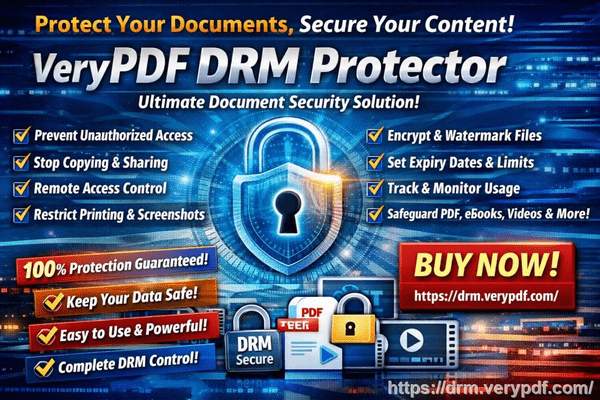
To address these challenges, I started using VeryPDF DRM Protector. This tool provides a practical, scenario-based solution for businesses that distribute sensitive content.
Here’s how it helped in my case:
-
Restrict Access to Authorized Users: I can control exactly who sees my AutoCAD drawings and business reports. Only the people or teams I authorize can open them, keeping them away from competitors or unintended recipients.
-
Prevent Printing, Copying, and Forwarding: Even if someone gains access, they cannot print the documents, copy text, or forward files to others. DRM protection ensures that the information stays contained within the intended audience.
-
Stop Unauthorized Conversion: VeryPDF DRM Protector blocks PDFs from being converted into Word, Excel, or image files. This safeguard prevents potential piracy or misuse of our proprietary content.
The real value comes from tangible outcomes. In one instance, a client accidentally tried to share a market research report with a third-party vendor. The DRM restrictions immediately prevented unauthorized access, keeping the report confidential and our competitive advantage intact. Another time, a colleague attempted to print sensitive strategy documents from their home office. The system blocked printing, which prevented accidental leaks and saved our team from a potential client dispute.
For businesses that regularly share proprietary content, implementing DRM is straightforward:
-
Step 1: Upload your PDF or AutoCAD files to VeryPDF DRM Protector.
-
Step 2: Set user permissions, access expiration dates, and restrictions (printing, copying, forwarding).
-
Step 3: Distribute the protected file to clients or team members securely.
-
Step 4: Monitor access logs to see who opened your documents and when.
This setup doesn’t just secure filesit simplifies management. Instead of worrying about where documents go after they leave your inbox, you can track every interaction. The result is fewer leaks, reduced IP theft risk, and more predictable business outcomes.
I’ve also noticed another important benefit: peace of mind. Knowing that your AutoCAD drawings, client reports, and market research are protected from unauthorized distribution allows teams to collaborate and share documents confidently. We no longer hesitate to send sensitive materials because we have a reliable safety net in place.
For example, one of our design teams recently shared a set of confidential architectural plans with a partner firm. Thanks to DRM protection, we could authorize access, prevent copying or printing, and even set the files to expire after the project concluded. The partner could view the documents but couldn’t redistribute or manipulate them, keeping our intellectual property secure throughout the project lifecycle.
In summary, VeryPDF DRM Protector addresses key business pain points with real, measurable benefits:
-
Stops unauthorized sharing of PDFs and CAD files, protecting revenue and client trust.
-
Blocks printing, copying, and conversion to maintain full control over sensitive content.
-
Provides clear access logs for tracking and accountability.
-
Reduces exposure to competitive risk and prevents IP theft.
I highly recommend this to anyone distributing confidential business documents who wants to avoid costly leaks. Protecting your files isn’t just about securityit’s about safeguarding your business’s future.
Try it now and protect your business reports: https://drm.verypdf.com
Start your free trial today and keep your market research secure from leaks or misuse.
FAQs
Q1: How can I limit access to confidential business documents to prevent revenue loss?
A1: With VeryPDF DRM Protector, you can grant access only to specific users or teams, ensuring sensitive files aren’t shared outside your organization.
Q2: Can I stop others from copying, printing, or converting my reports into editable formats?
A2: Yes. DRM restrictions prevent printing, copying, forwarding, or conversion into Word, Excel, or images.
Q3: How do I track who accessed my business reports and when?
A3: The system logs every access, showing who opened the file and when, giving you complete oversight of document activity.
Q4: Does DRM technology prevent unauthorized sharing of PDFs outside my organization?
A4: Absolutely. Only authorized users can access protected files, and any attempts to redistribute them are blocked.
Q5: How easy is it to securely distribute protected business reports to clients or colleagues without risk?
A5: Very easy. Upload your files, set permissions, and distribute securely. Users can access the content without compromising security.
Q6: Can I set expiration dates for sensitive documents?
A6: Yes. DRM allows you to set access expiration, ensuring files are no longer available after a project or contract ends.
Q7: Will DRM protection affect legitimate collaboration or sharing within my organization?
A7: No. You can grant full access to team members or clients who need it while still blocking unauthorized distribution.
Keywords/Tags:
protect business reports, secure market research, prevent PDF piracy, stop unauthorized access, protect confidential PDFs, prevent PDF conversion, safeguard AutoCAD files, DRM PDF protection, business document security, prevent IP theft