
How Automated PDF Redaction Protects Your Business from Data Leaks and Compliance Risks
Last month, our team sent a PDF contract to a potential partner, confident that all sensitive information was removed. A week later, we discovered that personal emails and financial details were still embedded in the document. The realization hit hard: if that information had fallen into the wrong hands, it could have triggered a serious GDPR violation and damaged our company’s reputation. For any business handling confidential documents, this scenario isn’t hypotheticalit’s a daily risk.
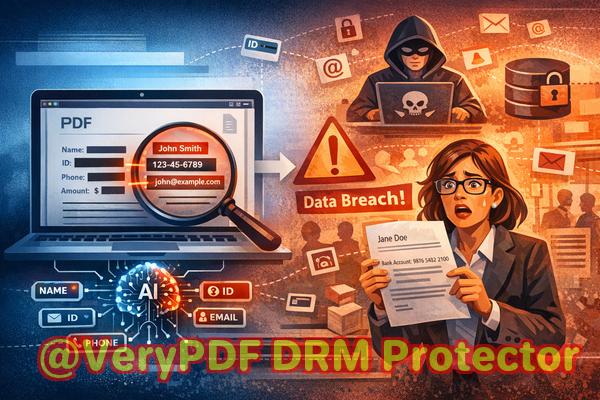
Sensitive information leaking from PDFs is more common than many business leaders realize. Legal agreements, HR records, financial reports, and medical documents often contain personal or proprietary data. If shared without proper safeguards, this data can lead to compliance fines, client distrust, or even legal action. Even small oversightslike relying on manual redaction tools or online servicescan have consequences that ripple through the organization.
One of the biggest challenges businesses face is ensuring that sensitive data is truly removed, not just visually hidden. Blacked-out text, screenshots, or copy-paste vulnerabilities can leave critical information exposed. Manual redaction is slow, error-prone, and cannot scale for large batches of documents. Online tools, while convenient, introduce additional risks: uploading confidential files to third-party servers can create privacy breaches and compliance concerns.
This is where the VeryPDF AI PDF Redaction Tool Command Line provides a practical solution. By combining AI-driven detection with permanent data removal, it ensures your documents can be shared safely without any hidden risks.
Understanding Real Business Risks
Businesses face multiple scenarios where sensitive information can be exposed:
-
Accidental exposure of personal or financial data Sharing employee records or client contracts without proper redaction can result in GDPR violations, identity theft, or financial fraud. Even a single overlooked email or Social Security number in a PDF can create serious liability.
-
Ineffective manual redaction Traditional “blackout” methods often fail because text can still be copied, searched, or recovered using PDF tools. What appears hidden may still be retrievable, putting sensitive data at risk.
-
Unsafe online redaction services Uploading confidential documents to web-based tools may seem convenient, but you are effectively giving third parties access to your most sensitive business information. Any breach on their end directly affects your organization.
These risks aren’t theoreticalthey translate into real business consequences: compliance fines, loss of client trust, legal exposure, and potential damage to your company’s reputation.
How AI PDF Redaction Solves These Problems
The VeryPDF AI PDF Redaction Tool Command Line addresses these challenges in a comprehensive way:
-
Automated detection of sensitive data Using AI, the tool identifies names, emails, phone numbers, financial details, and other confidential information. You don’t have to manually hunt for every detail, which saves time and reduces human error.
-
Permanent removal, not just visual hiding Unlike manual blackouts, AI redaction completely removes sensitive data from the document. Once applied, the information is gone and cannot be recovered, protecting your organization from accidental leaks.
-
Offline processing for maximum privacy All redaction occurs locally on your system. Documents never leave your computer, ensuring complete control over sensitive information.
Real-World Scenarios
Consider these examples:
-
Legal Team Avoids Compliance Violation A law firm preparing settlement agreements realized some PDFs contained hidden personal identifiers. By using VeryPDF AI PDF Redaction, they automatically removed all sensitive information, ensuring the documents were safe to share with opposing counsel without risking GDPR or HIPAA violations.
-
Switch from Online Tools Improves Security A financial consultancy previously relied on a cloud-based redaction service. After a security audit revealed potential third-party access, they switched to VeryPDF’s offline solution. The risk of confidential client data being exposed was eliminated overnight.
-
Protecting Strategic Documents from Competitors Marketing and product development teams frequently share PDFs containing sensitive business strategies. AI-powered redaction ensures that only the intended content is visible, preventing leaks that could harm competitive advantage.
Step-by-Step Workflow Example
Here’s a practical approach for using the tool:
-
Load PDF Documents Import contracts, reports, HR files, or any sensitive PDF.
-
AI Detection of Sensitive Data The tool scans for PII, financial information, or other confidential content.
-
Review Detected Data Users can confirm or adjust which information should be redacted.
-
Apply Redaction AI permanently removes all selected data from the document.
-
Export Clean PDF Share the sanitized document confidently, knowing no sensitive information remains.
Common Types of Data to Redact
Businesses should focus on redacting:
-
Personal identifiable information (PII) Names, emails, addresses, phone numbers, IDs
-
Financial data Bank account numbers, credit card info, invoices
-
Business secrets Internal strategy documents, product development plans
-
Legal or confidential clauses Contract terms, settlement details, non-disclosure information
By systematically removing these types of information, you drastically reduce the risk of accidental exposure.
Benefits of AI PDF Redaction
-
Prevents accidental data leaks, reducing the risk of fines and legal exposure.
-
Eliminates dependence on risky online tools and unsafe manual redaction.
-
Ensures compliance with data protection laws like GDPR, HIPAA, or CCPA.
-
Saves time for legal, HR, and compliance teams by automating detection and removal.
-
Maintains full control over sensitive documents through offline processing.
Conclusion
For any business that shares PDFs containing sensitive information, the stakes are high. Accidental exposure can lead to legal penalties, lost trust, and reputational damage. VeryPDF AI PDF Redaction Tool Command Line removes these risks by automating sensitive data detection, permanently deleting confidential information, and keeping everything offline for maximum privacy.
I highly recommend this to anyone who needs to share documents safely without risking data leaks or compliance issues. Try it now and securely redact your PDFs: https://veryutils.com/smart-redact-server-ai-powered-pdf-redaction-software. Start your free trial today and ensure your sensitive data is permanently removed before sharing.
Frequently Asked Questions
-
How can I permanently remove sensitive data from a PDF instead of just hiding it?
The AI PDF Redaction tool removes the data at a file level, ensuring it cannot be recovered or copied.
-
Can others recover redacted information from my PDF?
No. Once processed, the sensitive data is completely deleted from the document.
-
Is it safe to use online PDF redaction tools?
Using online tools can expose your documents to third-party servers, creating privacy and compliance risks.
-
Does this tool work completely offline?
Yes, all processing is local on your computer, keeping sensitive documents secure.
-
What types of sensitive data can be automatically detected and removed?
Names, emails, phone numbers, IDs, financial information, legal clauses, and confidential business data.
-
Can this help with GDPR compliance?
Absolutely. Properly redacted PDFs prevent unintentional disclosure of personal data, supporting GDPR adherence.
-
Is it suitable for large batches of documents?
Yes. Command-line operation allows batch processing of multiple PDFs efficiently.
-
How do I review what will be redacted before applying changes?
The tool provides a review stage where you can confirm or adjust detected sensitive information.
-
Can I redact confidential clauses in contracts or agreements?
Yes. Legal and confidential sections can be selected for permanent removal.
-
Does it work for financial reports and HR records?
Yes. Any document containing sensitive personal or business information can be safely redacted.
-
What if I need to redact medical records?
The AI can detect and remove personal and sensitive health information, ensuring compliance with HIPAA.
Keywords/Tags
redact sensitive data, remove confidential information, PDF redaction tool, protect privacy in PDFs, prevent data leaks, offline PDF redaction, secure document sharing, GDPR compliance, AI PDF redaction, business document security