
HelloSign alternative for freelancers using browser-based contract signing workflow is one of the most searched solutions today because nobody wants to waste hours printing, scanning, chasing signatures, and losing deals in the process.
Let me ask you something simple.
How many times have you lost momentum on a contract just because someone “still hasn’t signed it”?
How many deals got delayed because a client was travelling, or a printer broke, or a document got buried in email threads?
And how often did you end up doing the same annoying loop: download print sign scan upload resend?
If you’re in freelancing, HR, legal ops, sales, or even running a small business, you already know the truth: manual signing is a silent productivity killer.
And the irony? The document itself takes 5 minutes to review but 5 days to get signed.
That gap is where money, trust, and momentum die.
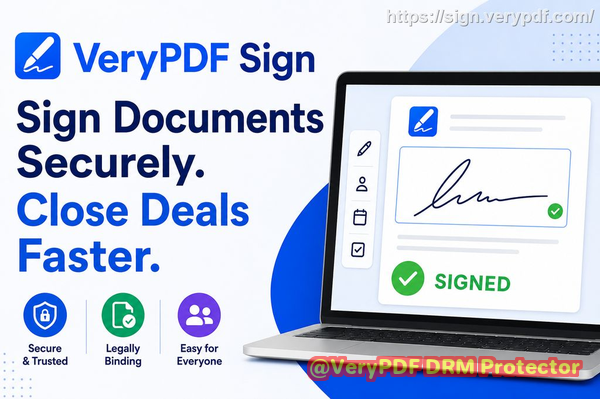
This is exactly why I started using a browser-based digital signature workflow powered by VeryPDF Sign, and honestly, it completely changed how I handle contracts.
The real problem nobody talks about in electronic contract signing workflows
Most people think document signing is “solved” because tools exist. But in reality, the friction is still everywhere.
Let me break it down from real-world experience.
Slow manual signing kills business speed
You send a contract. The client prints it. Maybe signs it. Maybe scans it. Maybe takes a photo of it.
Already, you’re dealing with:
-
Delays caused by printing access
-
Confusion over document versions
-
Missing pages or unreadable scans
-
Email back-and-forth just to fix formatting issues
It sounds small, but it compounds fast.
A single missed signature can delay a deal by days. Sometimes weeks.
And in business, speed is leverage. Whoever moves faster wins.
Lack of visibility in online document approval processes
Here’s a painful truth: most people don’t actually know where their document is stuck.
You send it out and then what?
You wait.
You follow up.
You guess.
Did they open it? Did they sign it? Did they ignore it?
No idea.
This creates unnecessary friction in teams:
-
Sales reps chasing clients manually
-
HR teams unsure if onboarding forms are complete
-
Legal teams tracking contracts in spreadsheets
Without real-time tracking, your workflow is basically guesswork.
And guesswork doesn’t scale.
Security and compliance risks in traditional document handling
Now let’s talk about something serious.
Emailing PDFs back and forth, storing signed copies on desktops, or using random tools with no audit trail?
That’s a compliance risk waiting to happen.
You risk:
-
Lost signed agreements
-
Unauthorized edits
-
No proof of signing order
-
No audit trail for disputes
If you’re handling contracts, this isn’t just inconvenient, it’s dangerous.
Especially in regulated industries or client-facing agreements.
Introducing a better way: VeryPDF Sign for modern electronic signature workflows
This is where VeryPDF Sign becomes a game-changer.
Instead of forcing people into outdated workflows, it removes friction completely.
No installs. No complexity. No training manuals.
Just open your browser and sign.
Here’s the simple promise:
Upload Sign Send Done.
Everything happens in seconds, not days.
And it works directly in your browser via https://sign.verypdf.com/
How it actually solves real document signing problems
Let’s break this down like a real workflow, not marketing fluff.
1. Sending documents for secure electronic signatures in seconds
Instead of printing or emailing PDFs manually, you just upload your file.
It can be:
-
PDF
-
Word
-
Excel
-
PowerPoint
-
Images
The system automatically converts everything into a signable document.
Then you:
-
Add your signature
-
Add fields (dates, initials, checkboxes)
-
Send it to others via secure link
No downloads. No installs. No friction.
This is what true online document approval should feel like.
2. Real-time tracking of signing status
This is where things get powerful.
Once a document is sent, you can actually see what’s happening:
-
Who opened it
-
Who signed it
-
Who is still pending
-
When actions were completed
No guessing. No chasing blindly.
For teams, this changes everything.
Sales managers can track deals.
HR can monitor onboarding completion.
Legal teams can ensure compliance timelines are met.
3. Legally valid and tamper-proof signatures
One of the biggest concerns people have is legality.
Here’s the reality: digital signatures inside VeryPDF Sign are legally binding and compliant with major global standards like ESIGN and eIDAS.
Even better:
-
Documents are encrypted (256-bit SSL)
-
Files are auto-deleted after a short retention window unless saved
-
Full audit trail is recorded
That means if a dispute ever happens, you’re covered.
Not just “signed”, but provably signed.
Real-world stories: where this actually makes money
Let me make this practical.
Faster contract approvals in freelancing
A freelance designer I worked with used to wait 34 days for client signatures.
After switching to browser-based signing with VeryPDF Sign, that dropped to under 30 minutes.
Why?
Because clients didn’t need instructions.
They just clicked a link and signed instantly.
Result: faster project starts, faster payments.
Sales deals closing faster
A SaaS sales team was losing deals simply because procurement approvals were slow.
Contracts were getting stuck in email chains.
Once they moved to digital signing workflows, deals that used to take a week closed in a day.
Same clients. Same contracts. Different speed.
That speed alone changed their revenue cycle.
Compliance risk eliminated in HR onboarding
An HR manager I spoke with used to store signed offer letters in shared drives.
Problem? No audit trail.
After switching, every signature came with:
-
Time stamps
-
Identity tracking
-
Full document history
When compliance audits came, everything was instantly accessible.
No scrambling. No panic.
Step-by-step: how I recommend using it in your workflow
Here’s the exact process I follow:
Step 1: Upload your document
Drag and drop your file into https://sign.verypdf.com/
It converts automatically.
Step 2: Create your signature
You have options:
-
Draw it with mouse or touchscreen
-
Type your name in a stylised font
-
Upload an image of your handwritten signature
You can save it for future use.
Step 3: Add fields and position everything
Place:
-
Signature boxes
-
Dates
-
Initials
-
Checkboxes
Exactly where needed.
No guesswork for the signer.
Step 4: Send or download instantly
You either:
-
Download the signed document
-
Or send it for others to sign via secure link
And you track everything in real time.
Why this workflow actually works (and others don’t)
Most tools overcomplicate signing.
They try to become “all-in-one platforms” and end up bloated.
What I like about VeryPDF Sign is simple:
It removes steps instead of adding them.
No logins for recipients.
No software installs.
No friction.
Just signing.
That’s it.
And that simplicity is why it scales.
Core advantages that actually matter
Let’s keep this practical:
-
Works in any browser (Mac, Windows, Linux, mobile)
-
No installation required
-
Secure encryption for every document
-
Audit trail for compliance
-
Fast upload-to-sign workflow (under 60 seconds)
-
Unlimited usage for heavy workloads
-
Supports multiple file types
-
Built for individuals and teams
This is not just convenience.
It’s operational speed.
Target audience (who benefits most)
This is especially useful for:
-
Freelancers handling client contracts
-
HR teams managing onboarding and offer letters
-
Legal professionals dealing with agreements
-
Sales teams closing deals faster
-
Operations teams managing approvals
-
Small businesses scaling admin workflows
If your job involves “waiting for signatures”, this is built for you.
Target keywords
-
HelloSign alternative for freelancers
-
browser-based contract signing workflow
-
electronic contract signing platform
-
online document approval system
-
digital signature workflow for freelancers
-
secure e-signature solution no installation
-
PDF signing tool for business contracts
FAQs
Is electronic signature legally valid?
Yes. Electronic signatures in VeryPDF Sign are legally binding and compliant with ESIGN, UETA, and eIDAS standards.
Can multiple parties sign the same document?
Yes. You can send a document to multiple signers and track each signature step in sequence or parallel.
Can I track who has signed and who hasn’t?
Yes. You get real-time status updates showing exactly who has completed signing and who is still pending.
Does it support mobile signing?
Yes. It works on any modern mobile browser without installing apps.
How secure are digitally signed documents?
Documents are encrypted with 256-bit SSL, include audit trails, and can be automatically deleted after processing for added security.
Can I reuse my signature?
Yes. Once created, your signature is saved so you can apply it instantly to future documents.
Do I need to install anything?
No. Everything runs in your browser. No downloads, no plugins, no setup.
Final takeaway
If you’re still printing, scanning, or chasing signatures manually, you’re leaving speed and money on the table every single day.
A proper browser-based digital signature workflow isn’t a luxury anymore, it’s infrastructure.
And tools like VeryPDF Sign make it simple enough that there’s no excuse to stay stuck in old processes.
I highly recommend this for anyone handling contracts and approvals daily.
Try it now and streamline your document signing workflow: https://sign.verypdf.com/
Start your free trial today and eliminate paper-based signing delays.
HelloSign alternative for freelancers using browser-based contract signing workflow