
Securely Redact Sensitive Data in PDFs and Protect Your Business from Data Leaks
Last month, we shared a PDF contract with a new partner, only to realize later that it still contained unredacted personal data, including employee contact details and internal pricing information. The thought of potentially violating GDPR and exposing confidential information to a third party was nerve-wracking. If you’ve ever faced a similar situation, you know how high the stakes are: a single oversight can lead to legal penalties, reputational damage, and costly data breaches. For businesses handling sensitive documents, ensuring data is fully removed before sharing is no longer optionalit’s a necessity.
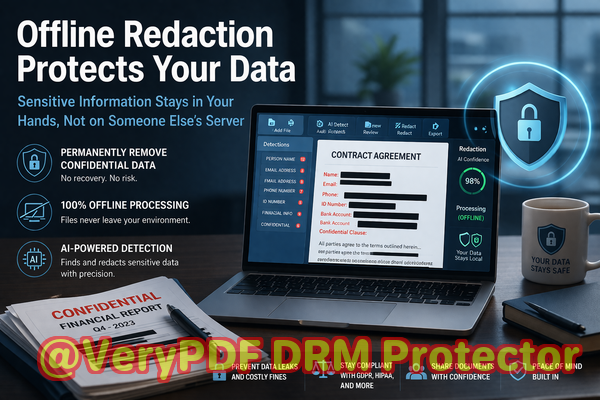
Many companies rely on traditional methods like manually blacking out text or using online tools, assuming the information is safe. Unfortunately, those approaches often fall short. Blacked-out text can still be copied or recovered with simple tricks, and online redaction services may store your files on external servers, exposing your business to unnecessary risk. That’s where AI-powered PDF redaction tools, like VeryPDF AI PDF Redaction Tool Command Line, provide a real solution.
The Hidden Risks of Inadequate PDF Redaction
Accidental data exposure can happen in countless ways:
-
Unintended sharing of sensitive information: HR reports, contracts, or internal memos often contain names, emails, financial figures, and personal identifiers. A single overlooked piece of information in a PDF can lead to compliance violations or identity theft.
-
Manual redaction errors: Many professionals assume that drawing a black rectangle over text is sufficient. Unfortunately, the underlying data can still be extracted or copied, leaving your “redacted” document far from secure.
-
Dependence on online redaction tools: Uploading confidential PDFs to third-party servers may violate corporate policies or local data protection laws. Even if the service promises deletion, there’s no guarantee your information isn’t stored or compromised.
In practical terms, these risks translate to tangible consequences: regulatory fines under GDPR or HIPAA, reputational damage if client information leaks, and internal disruptions from data breach investigations.
How AI-Powered PDF Redaction Solves These Problems
VeryPDF AI PDF Redaction Tool Command Line offers a secure, offline solution to permanently remove sensitive data from your documents. Its features are designed for real business scenarios:
-
Automatic detection of sensitive data: Using AI, the tool identifies personal information such as names, email addresses, phone numbers, ID numbers, and even complex patterns like contract clauses or financial figures.
-
Permanent removal of confidential information: Unlike visual redaction, the data is completely erased, making recovery impossible.
-
Offline processing for 100% privacy: The PDF never leaves your computer. No upload, no server storage, no risk of third-party exposure.
Practical Scenarios Where AI Redaction Protects Your Business
Imagine the following situations:
-
Legal contracts: A law firm needs to share case documents with multiple clients and opposing counsel. Using AI redaction ensures sensitive case details, client identities, and private notes are fully removed before sharing.
-
HR records: Employee files often include social security numbers, addresses, and payroll information. By applying automated redaction, HR departments can distribute reports safely without risking identity theft.
-
Financial reporting: When sharing quarterly financial statements with investors or partners, internal projections or confidential vendor information can be safely removed.
Example Workflow Using VeryPDF AI PDF Redaction Tool Command Line
-
Load your PDF Start by selecting the document that contains sensitive data.
-
Detect sensitive information The AI engine scans the text for personal identifiers, financial data, or confidential clauses.
-
Review redaction suggestions You can confirm, modify, or expand the redaction areas.
-
Apply permanent redaction The sensitive information is completely removed from the document.
-
Export a clean PDF The final file is safe to share with clients, partners, or external stakeholders.
Types of Data Commonly Redacted
-
Personal Identifiable Information (PII): names, addresses, phone numbers, email addresses, social security numbers.
-
Financial Data: bank account numbers, credit card information, internal financial projections.
-
Business Secrets: proprietary formulas, product designs, internal strategies.
-
Legal/Confidential Clauses: contract terms, non-disclosure details, sensitive agreements.
Real Business Examples of AI PDF Redaction in Action
-
A medium-sized consultancy avoided a GDPR violation by redacting client emails and personal identifiers before sharing a project summary with external partners.
-
A law firm switched from free online redaction services to VeryPDF’s offline solution, immediately reducing the risk of accidental uploads to unknown servers.
-
An HR team prevented exposure of employee salaries and personal information during an internal audit, ensuring full compliance with privacy regulations.
Benefits Beyond Compliance
Using a dedicated AI PDF redaction tool provides advantages that go beyond simply meeting legal requirements:
-
Prevent accidental data leaks that could cost thousands in fines or lost trust.
-
Eliminate the possibility of sensitive files being uploaded to cloud servers.
-
Ensure consistent and reliable redaction, reducing human error.
-
Improve operational efficiencyredaction that once took hours manually now takes minutes with AI.
Conclusion
I’ve seen firsthand how a single overlooked document can create significant business risk. That’s why I highly recommend using VeryPDF AI PDF Redaction Tool Command Line. It ensures sensitive information is permanently removed, keeps your documents offline and secure, and safeguards your company from costly data leaks or compliance issues.
Try it now and securely redact your PDFs: https://veryutils.com/smart-redact-server-ai-powered-pdf-redaction-software
Start your free trial today and ensure your sensitive data is permanently removed before sharing.
Frequently Asked Questions
-
How can I permanently remove sensitive data from a PDF instead of just hiding it?
The AI PDF redaction tool permanently deletes the selected information, making it unrecoverable, unlike visual blackouts.
-
Can others recover redacted information from my PDF?
No. Once applied with VeryPDF AI PDF Redaction Tool, the data is fully removed and cannot be restored.
-
Is it safe to use online PDF redaction tools?
Using online tools involves uploading your sensitive documents to third-party servers, which poses privacy risks and potential compliance issues.
-
Does this tool work completely offline?
Yes. All processing occurs locally on your computer, ensuring 100% privacy.
-
What types of sensitive data can be automatically detected and removed?
Names, emails, phone numbers, social security numbers, financial details, confidential business information, and legal clauses.
-
How can I ensure compliance with GDPR when sharing documents?
By permanently redacting personal data before sharing, you prevent unauthorized exposure and reduce the risk of GDPR violations.
-
Can I review redactions before finalizing them?
Yes. The tool provides a review step to confirm or adjust redaction areas before applying them.
-
Does AI redaction support bulk processing of multiple PDFs?
Yes. You can automate redaction for large batches of documents efficiently.
-
Is this tool suitable for legal, HR, or financial documents?
Absolutely. It’s designed for any sensitive documents where confidentiality is critical.
-
Will this replace my manual redaction process entirely?
Yes. AI-powered redaction ensures accuracy, saves time, and eliminates human error.
-
How quickly can sensitive data be redacted from a PDF?
The process takes minutes depending on document length and complexity, much faster than manual redaction.
-
Can I use it on PDFs with images containing text?
Yes. The tool can detect text in images using OCR and redact sensitive information.
Keywords/Tags
redact sensitive data, remove confidential information, PDF redaction tool, protect privacy in PDFs, prevent data leaks, offline PDF redaction, secure document sharing, AI PDF redaction, GDPR compliance, confidential document protection