
Redact Sensitive Data Safely: How AI-Powered PDF Redaction Prevents Costly Data Leaks
Last month, our HR team shared a PDF containing employee evaluations with an external consultant. We thought we had carefully blacked out names and salaries, but a sharp-eyed employee noticed that the “redacted” information could still be copied and pasted. For a moment, I felt the chill of a potential GDPR violation staring us in the face. It was a stark reminder: in business, assuming your documents are safe can be a costly mistake.
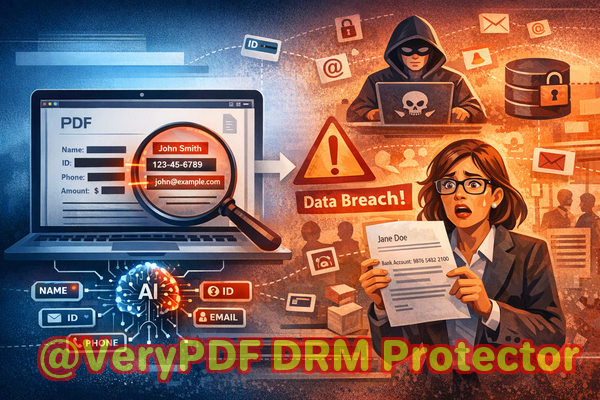
Many companies unknowingly expose sensitive information every day. Contracts, financial reports, HR files, and legal documents are frequently shared as PDFsbut just because something is “blacked out” doesn’t mean it’s secure. Traditional redaction methods, or even online redaction tools, often leave critical data recoverable or risk exposing files to third-party servers. That’s where AI-powered PDF redaction comes in, offering permanent, offline protection for your most sensitive documents.
Real Business Risks from Poor Redaction
Consider these scenarios that many organizations face:
-
Sensitive Data Exposure: Financial figures, personal identifiers, emails, and government IDs accidentally included in shared PDFs can lead to compliance violations. One misstep can trigger fines under GDPR, HIPAA, or other privacy regulations.
-
Incomplete Manual Redaction: Highlighting or blacking out text may hide it visually but doesn’t remove the underlying data. Copy-pasting or extracting content can reveal confidential information to unintended recipients.
-
Online Tool Vulnerabilities: Employees using free online redaction services might unknowingly upload confidential company documents to external servers, creating a data leak risk or breaching internal security policies.
These issues are not hypothetical. Many companies have faced public embarrassment, legal exposure, and financial penalties because they underestimated the complexity of secure redaction.
How VeryPDF AI PDF Redaction Tool Command Line Solves These Problems
The VeryPDF AI PDF Redaction Tool Command Line is designed specifically to tackle these risks. It’s a robust, AI-powered solution that ensures sensitive information is permanently removed before documents leave your control.
Key advantages:
-
Automatic Detection of Sensitive Data: The AI scans for personal identifiers, financial information, contact details, and confidential clauses, saving time and reducing human error.
-
Permanent Data Removal: Redaction is not just visual. Once applied, the data is irrecoverably removed, eliminating risks associated with traditional black-out methods.
-
Offline Processing: Documents never leave your system. All redaction occurs locally, preventing exposure to external servers or third-party services.
Imagine sharing a contract with a client. The AI scans the document, highlights names, emails, and bank account numbers, and permanently redacts them in minutes. You can review the suggested redactions, approve them, and export a clean, secure PDF ready for sharing.
Privacy Protection Benefits
The implications of proper redaction are tangible:
-
Compliance Assurance: Prevent fines or legal action by ensuring documents comply with GDPR, HIPAA, or company privacy policies.
-
Data Leak Prevention: Offline, AI-powered redaction reduces the chance of accidental exposure to competitors, clients, or regulators.
-
Trust and Reputation: Protecting sensitive information reinforces your company’s professionalism and safeguards relationships.
Real-World Examples
-
A mid-sized consulting firm avoided a GDPR violation when a partner requested copies of project proposals. The VeryPDF AI PDF Redaction Tool Command Line automatically removed client names, project IDs, and financial estimates, preventing a potential breach.
-
An HR department switched from using online redaction tools to this offline solution. Previously, confidential employee information was at risk of being stored on external servers. The switch eliminated that exposure entirely.
-
A law firm preparing documents for discovery needed to redact sensitive clauses quickly. Using the AI tool, they ensured all privileged information was permanently removed, protecting client confidentiality and maintaining trust.
How It Works Practical Workflow
-
Load Your PDF: Open the document in the VeryPDF tool.
-
Detect Sensitive Data: Let the AI automatically scan for personal identifiers, financial info, and confidential clauses.
-
Review Suggested Redactions: Verify AI detections to ensure nothing is missed.
-
Apply Redaction: Permanently remove sensitive information with a single command.
-
Export Clean PDF: Share your document safely, confident that no confidential data remains.
Common types of sensitive data to redact:
-
Personal identifiable information (PII) like names, emails, addresses, or social security numbers
-
Financial data such as bank accounts, salaries, or invoices
-
Legal and confidential clauses in contracts
-
Trade secrets, product plans, or strategic internal documents
This process is straightforward, even for non-technical users, while providing enterprise-grade security.
Benefits for Business Professionals
For managers, legal teams, HR departments, and content creators, the benefits are clear:
-
Reduce human error and save time
-
Protect company reputation and client trust
-
Maintain full control over sensitive data
-
Ensure compliance without complex manual procedures
The AI-powered tool integrates seamlessly into daily workflows, providing consistent results and measurable peace of mind.
Frequently Asked Questions
1. How can I permanently remove sensitive data from a PDF instead of just hiding it?
The VeryPDF AI PDF Redaction Tool Command Line removes data completely at the file level, ensuring it cannot be recovered or copied.
2. Can others recover redacted information from my PDF?
No. Once redacted using this tool, the data is permanently removed and cannot be retrieved by any PDF reader or extractor.
3. Is it safe to use online PDF redaction tools?
Online tools pose privacy risks because your documents may be stored on external servers. Offline AI solutions eliminate this exposure.
4. Does this tool work completely offline?
Yes. All redactions happen locally on your computer, ensuring full privacy and security.
5. What types of sensitive data can be automatically detected and removed?
The AI identifies personal identifiers, emails, phone numbers, social security numbers, financial information, and confidential clauses.
6. How can I ensure compliance with GDPR when sharing documents?
By using AI-powered offline redaction, you remove all personal data permanently, meeting GDPR requirements for secure document handling.
7. Can I review AI-detected redactions before applying them?
Yes. The tool allows you to approve or adjust suggested redactions for maximum accuracy.
8. Does the tool work for all PDF types?
It supports scanned PDFs, digitally-created documents, and mixed-content PDFs.
9. Can it redact multiple documents at once?
Yes. Batch processing is supported, which saves time when handling large volumes of files.
10. How fast is the redaction process?
The AI works in seconds for standard PDFs, depending on file size, with minimal manual intervention.
11. Is training required to use this tool?
No. The interface is user-friendly, and the AI automates the complex parts, making it accessible for non-technical staff.
Why Choose AI-Powered Redaction
In a world where data breaches can cost millions and damage reputations irreversibly, relying on traditional or online redaction methods is risky. The VeryPDF AI PDF Redaction Tool Command Line provides a practical, reliable, and fully secure solution for businesses of any size.
I highly recommend this to anyone who needs to share documents safely without risking data leaks or compliance issues. Its combination of AI intelligence, offline processing, and permanent redaction ensures that sensitive information stays confidential.
Try it now and securely redact your PDFs: https://veryutils.com/smart-redact-server-ai-powered-pdf-redaction-software
Start your free trial today and ensure your sensitive data is permanently removed before sharing.
Tags / Keywords
redact sensitive data, remove confidential information, PDF redaction tool, protect privacy in PDFs, prevent data leaks, offline PDF redaction, secure document sharing, GDPR compliance, AI PDF redaction, permanent data removal