
Securely Redact Sensitive Case Information in PDFs Without Risking Data Leaks
Last month, we were preparing to share a critical legal brief with a client when I realized the PDF still contained unredacted witness names and personal contact information. The realization hit hardif that document had been sent as-is, it could have triggered a serious data breach and a potential violation of privacy laws. This kind of oversight is more common than you might think, and for law firms, compliance teams, and any business handling sensitive documents, the stakes are very real.
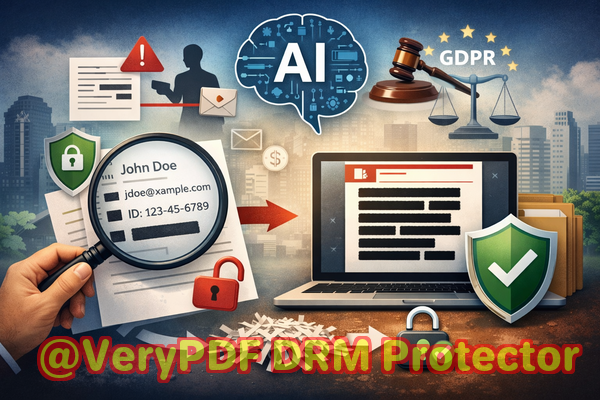
Accidental exposure of confidential information in PDFs can have immediate consequences: fines, reputational damage, and even legal action. Often, traditional redaction methodsblack bars or strikethroughsaren’t enough. The underlying text can still be copied, extracted, or recovered using simple tools. Worse, many employees turn to free online PDF redaction services, unknowingly uploading sensitive files to external servers, which increases the risk of leaks or data misuse.
This is where VeryPDF AI PDF Redaction Tool Command Line comes in. Designed specifically for offline use, it allows businesses to permanently remove sensitive information from PDFs without ever sending documents to the cloud.
The Risks of Improper Redaction
In my experience, businesses face three major pain points when handling sensitive PDFs:
-
Accidental exposure of confidential data Contracts, financial reports, HR files, and case documents often include names, emails, social security numbers, and bank details. If shared without proper redaction, these can violate GDPR, HIPAA, or other privacy regulations.
-
Ineffective manual redaction Highlighting or blacking out text in a PDF may look secure, but the data often remains in the file, accessible through copy-paste or text extraction tools. A single misstep can leak sensitive details.
-
Unsecure online redaction tools Many teams use cloud-based PDF editors for convenience, not realizing their documents are temporarily stored on third-party servers, creating a hidden risk for client confidentiality.
How AI-Powered PDF Redaction Solves These Problems
VeryPDF AI PDF Redaction Tool Command Line provides a practical, reliable solution. Here’s how it works in real business scenarios:
-
Automatic detection of sensitive data The AI identifies personal information, financial details, IDs, phone numbers, emails, and even confidential legal clauses without manual searching.
-
Permanent removal, not just masking Once redacted, the information is completely removed from the file. There’s no chance of it being recovered or copied later.
-
Fully offline processing All document handling occurs on your local machine. Sensitive PDFs never leave your computer, eliminating the risk of accidental cloud exposure.
Imagine a law firm preparing deposition notes. Instead of manually blacking out witness details and scanning for errors, the team can load the PDF into VeryPDF, let the AI identify all sensitive elements, review them for accuracy, and apply permanent redactionall without exposing data online.
Real Business Examples
-
A mid-sized consulting firm avoided a GDPR violation when a client accidentally requested a PDF containing employee salary information. Using VeryPDF, the firm quickly redacted all personal data before sharing.
-
An HR department previously relied on a free online PDF editor. After switching to an offline AI-powered tool, the risk of sensitive personnel data being stored on external servers was eliminated.
-
A corporate legal team working on competitive contracts needed to share drafts with external counsel. The tool ensured all proprietary clauses and client data were fully removed before distribution, preventing leaks.
Step-by-Step Workflow for Safe PDF Redaction
-
Load your PDF Open the document in VeryPDF AI PDF Redaction Tool Command Line.
-
Detect sensitive data The AI scans for PII, financial info, and confidential clauses.
-
Review redactions Confirm the AI’s suggestions and make manual adjustments if needed.
-
Apply redaction Permanently remove all flagged information.
-
Export clean PDF Share the redacted file safely, confident that all sensitive data is gone.
Common types of data to redact include:
-
Personal identifiable information (PII) like names, addresses, and social security numbers
-
Financial data including bank account numbers, credit card details, and invoices
-
Business secrets and internal strategies
-
Legal clauses or case-specific confidential information
Why Privacy and Compliance Matter
Using AI-powered offline redaction isn’t just about convenience; it’s about mitigating real business risks:
-
Prevent accidental data leaks that could result in fines or litigation
-
Eliminate exposure of sensitive files to unknown servers or third-party vendors
-
Ensure full compliance with privacy regulations like GDPR, HIPAA, and local confidentiality laws
For any business that regularly shares documents containing sensitive information, adopting a secure redaction process isn’t optionalit’s essential.
I Highly Recommend This
From my perspective, VeryPDF AI PDF Redaction Tool Command Line is indispensable for legal teams, HR departments, and businesses handling confidential information. It’s straightforward, reliable, and completely offline, giving me peace of mind that sensitive data is permanently removed before sharing.
Try it now and securely redact your PDFs: https://veryutils.com/smart-redact-server-ai-powered-pdf-redaction-software
Start your free trial today and ensure your sensitive data is permanently removed before sharing.
Frequently Asked Questions
1. How can I permanently remove sensitive data from a PDF instead of just hiding it?
VeryPDF AI PDF Redaction Tool Command Line permanently removes the underlying text and metadata, so the information cannot be recovered.
2. Can others recover redacted information from my PDF?
No, once applied, the redactions are irreversible. Unlike traditional blackouts, the text is completely deleted.
3. Is it safe to use online PDF redaction tools?
Online tools may store your documents temporarily on their servers, creating a risk of data exposure or misuse. Offline AI-powered redaction is safer.
4. Does this tool work completely offline?
Yes, all processing occurs on your local machine, ensuring your documents never leave your computer.
5. What types of sensitive data can be automatically detected and removed?
The AI detects PII, financial data, IDs, emails, phone numbers, legal clauses, and confidential business information.
6. Can I review the AI’s redactions before applying them?
Absolutely. You can approve or adjust suggested redactions to ensure accuracy.
7. Will redacted PDFs still be readable?
Yes. Only the sensitive information is removed. The rest of the document remains fully readable.
8. How does this help with GDPR compliance?
By permanently removing personal data before sharing, you minimize the risk of accidental exposure and demonstrate proactive compliance.
9. Can I batch process multiple PDFs?
Yes, the command line interface supports batch processing for efficient handling of multiple documents.
10. What industries benefit most from this tool?
Law firms, HR departments, finance teams, medical organizations, and any business that handles confidential or personal information.
11. Is technical expertise required to use this tool?
No, it’s designed for business professionals. The interface and command line options are straightforward and well-documented.
12. Can it redact scanned PDFs or only text-based PDFs?
The AI can process both scanned and text-based PDFs, extracting and redacting sensitive data accurately.
Keywords
redact sensitive data, remove confidential information, PDF redaction tool, protect privacy in PDFs, prevent data leaks, offline PDF redaction, secure document sharing, GDPR compliance, AI PDF redaction, confidential PDF removal