
Secure Your PDFs: Permanently Remove Sensitive Data and Prevent Costly Leaks
When I first joined our legal team, I remember an incident that still makes me cringe. We had just shared a contract with a potential partner, feeling confident we’d redacted all the sensitive information. Days later, we discovered that personal emails and financial details were still visible in the PDF. The oversight wasn’t just embarrassingit put us at risk of serious GDPR violations, potential fines, and damaged client trust. For anyone handling sensitive documents, this scenario is all too real, and it highlights a critical gap in most PDF redaction processes.
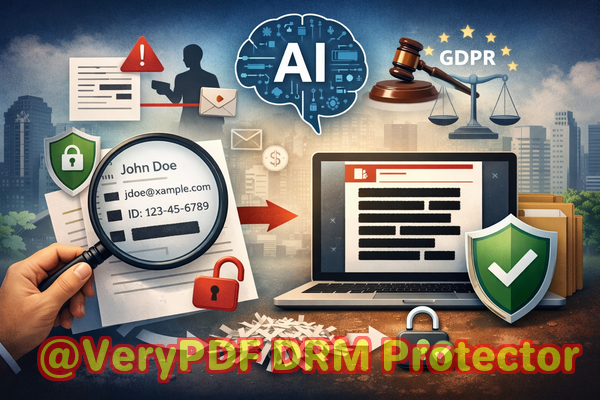
Businesses today face escalating risks whenever confidential documents are shared externally. A single unredacted piece of informationnames, emails, financial records, or proprietary business strategiescan expose your organization to legal, financial, and reputational damage. Even with the best intentions, manual redaction often fails. The text might look blacked out, but a simple copy-paste or PDF extraction can reveal the hidden content. Add in the temptation of free online tools, where uploading sensitive documents to a third-party server introduces yet another layer of risk, and it’s clear why a more robust solution is necessary.
This is where the VeryPDF AI PDF Redaction Tool Command Line steps in, providing a practical, AI-powered solution that permanently removes sensitive information from PDFs. Unlike traditional redaction methods, it ensures that confidential data is truly gone, not just visually hidden, and it operates entirely offlineso your files never leave your computer.
The Real Risks of Inadequate PDF Redaction
Businesses often underestimate how vulnerable their documents are. Here are three scenarios that highlight common pain points:
-
Accidental Exposure of Sensitive Data: A marketing team might share a PDF with client names and contact information for a campaign. If any PII remains unredacted, a compliance breach could occur, potentially resulting in GDPR fines or legal notices.
-
Manual Redaction Errors: Legal assistants or HR personnel may use black boxes or highlight tools to cover confidential text. Unfortunately, these methods don’t remove the underlying information. A determined user can still copy, extract, or recover the datarendering your efforts ineffective.
-
Unsafe Online Tools: Employees under time pressure sometimes turn to free web-based redaction tools. While convenient, uploading confidential PDFs exposes them to unknown servers. One misstep, and proprietary information or personal records could be intercepted or misused.
Each of these scenarios carries not just operational headaches, but also real financial and legal consequences.
How VeryPDF AI PDF Redaction Tool Command Line Protects Sensitive Information
The VeryPDF AI PDF Redaction Tool Command Line is designed to address these pain points with precision and efficiency. Here’s how it works in practice:
-
AI-Powered Detection: The tool automatically scans documents to identify sensitive datanames, emails, phone numbers, social security numbers, financial information, and other PII. You don’t have to hunt for each piece manually; the AI highlights them for redaction.
-
Permanent Removal of Data: Once redacted, the information is completely removed from the PDF. Unlike superficial black boxes or highlights, this process ensures the data cannot be copied, extracted, or recovered by any means.
-
Offline Processing: Security-conscious organizations will appreciate that the tool runs entirely on your local system. Files never leave your computer, eliminating the risk of accidental exposure to third-party servers.
-
Compliance and Privacy Assurance: By permanently removing sensitive data, the tool helps organizations meet GDPR, HIPAA, and other privacy regulations. You can confidently share contracts, HR documents, and financial reports without fear of violating data protection laws.
Real Business Scenarios Where AI Redaction Made a Difference
I’ve seen firsthand how switching to an AI-powered, offline redaction solution changes the game.
-
Avoiding Compliance Violations: A mid-sized HR firm faced a situation where employee records needed to be shared with an external consultant. Manual redaction was risky and time-consuming. Using VeryPDF AI PDF Redaction Tool, the firm redacted PII in minutes, preventing a potential GDPR breach.
-
Securing Client Contracts: A law office often shares sensitive contracts containing proprietary clauses. They previously relied on online redaction tools but were concerned about uploading client documents. By switching to offline AI-powered redaction, they eliminated the risk of accidental exposure.
-
Protecting Financial Information: A financial services company needed to send quarterly reports to stakeholders but had confidential account numbers embedded in PDFs. The tool permanently removed all sensitive fields, ensuring only the intended information reached external parties.
These examples show that proper redaction isn’t just about complianceit’s about protecting trust, avoiding fines, and safeguarding critical business information.
Practical Steps to Redact PDFs with VeryPDF AI Tool
Here’s a typical workflow that ensures sensitive information is fully removed before sharing:
-
Load the PDF: Open the document in the VeryPDF AI PDF Redaction Tool Command Line.
-
Detect Sensitive Data: The AI scans the file for PII, financial records, legal clauses, and other confidential content.
-
Review Highlights: You can verify what the AI identified to ensure no critical information is missed.
-
Apply Redaction: Permanently remove the highlighted content with a single command.
-
Export Clean PDF: Save the fully redacted PDF, ready to share safely.
Common types of sensitive data businesses frequently redact include:
-
Personal Identifiable Information (PII): names, emails, phone numbers, addresses, social security numbers.
-
Financial Data: bank account numbers, credit card info, salaries, invoices.
-
Business Secrets: proprietary processes, strategies, trade secrets.
-
Legal and Confidential Clauses: contract terms, internal memos, client agreements.
Why Offline, AI-Powered Redaction Matters
Many organizations underestimate the risks of using online redaction services. Here’s why offline processing is crucial:
-
Total Privacy: Files stay on your computer, so there’s no chance of third-party access.
-
Regulatory Compliance: GDPR and HIPAA regulations often require strict data handling; offline redaction ensures compliance.
-
Elimination of Human Error: AI scans for all sensitive information automatically, reducing the chance that something critical slips through the cracks.
By combining AI detection with offline execution, the tool provides a level of protection manual or online methods simply cannot match.
I Highly Recommend This Tool
For anyone handling confidential documentslegal teams, HR professionals, finance departments, or content creatorsusing an AI-powered offline redaction solution is a game-changer. I highly recommend VeryPDF AI PDF Redaction Tool Command Line. It has saved time, eliminated stress, and most importantly, prevented sensitive information from being exposed to the wrong eyes.
Try it now and securely redact your PDFs: https://veryutils.com/smart-redact-server-ai-powered-pdf-redaction-software
Start your free trial today and ensure your sensitive data is permanently removed before sharing.
Frequently Asked Questions
-
How can I permanently remove sensitive data from a PDF instead of just hiding it?
The AI PDF Redaction Tool Command Line completely deletes the selected information, making it unrecoverable.
-
Can others recover redacted information from my PDF?
No. Unlike visual redactions, the tool permanently removes data from the file.
-
Is it safe to use online PDF redaction tools?
Not always. Uploading confidential PDFs to external servers exposes them to potential leaks or misuse.
-
Does this tool work completely offline?
Yes. All processing occurs locally, ensuring 100% privacy and security.
-
What types of sensitive data can be automatically detected and removed?
Names, emails, phone numbers, social security numbers, financial records, confidential business information, and legal clauses.
-
How does it help with GDPR compliance?
By permanently removing personal data before sharing, it prevents accidental exposure that could lead to regulatory violations.
-
Can I review the data before it’s redacted?
Yes. The AI highlights all detected sensitive content for your review prior to applying redaction.
-
Is it suitable for large volumes of PDFs?
Absolutely. The tool can batch process multiple files efficiently.
-
Does it support contracts, HR records, and financial documents?
Yes. Any PDF containing sensitive or confidential information can be securely redacted.
-
How is this different from manual blacking-out methods?
Manual methods often leave the underlying text intact, while this tool permanently removes it, preventing recovery.
-
Will this tool slow down my workflow?
No. The AI is optimized for speed and accuracy, often completing redactions faster than manual methods.
-
Can it detect confidential clauses in contracts automatically?
Yes. The AI can identify and redact contractual or proprietary clauses without missing key details.
Keywords and Tags
redact sensitive data, remove confidential information, PDF redaction tool, protect privacy in PDFs, prevent data leaks, offline PDF redaction, secure document sharing, AI PDF redaction, compliance-friendly PDF, GDPR-safe redaction